Kupu Whakataki
This manual provides comprehensive instructions for the assembly, installation, operation, and maintenance of your WALI CS202NW 2-Tier Floating Wall Mount Shelf. Designed to organize your media devices and accessories, this shelf offers a space-saving solution for various rooms. Please read this manual thoroughly before installation and use to ensure safe and optimal performance.
Nga Korero Haumaru Nui
- Please adjust the shelf height carefully to ensure stability.
- Do not exceed the maximum weight limit of 22 lbs (10 kg) per shelf. Overloading can cause damage or injury.
- Always manage cables properly to prevent tripping hazards and ensure a tidy setup.
- Ensure the wall surface is suitable for mounting. This shelf is designed for use on Drywall, Brick Wall, Concrete Wall, and Wood Studs.
- Purihia nga waahanga iti mai i nga tamariki kia kore ai e kowaowao.
Ihirangi mokete
Manatokohia kei te noho nga waahanga katoa i mua i te tiimata o te huihuinga.
- 1 WALI Floating Shelf System (Wooden)
- 2 Reinforced Wooden Shelves
- Kete taputapu whakaurunga
- 1 Pukapuka Kaiwhakamahi (tenei tuhinga)
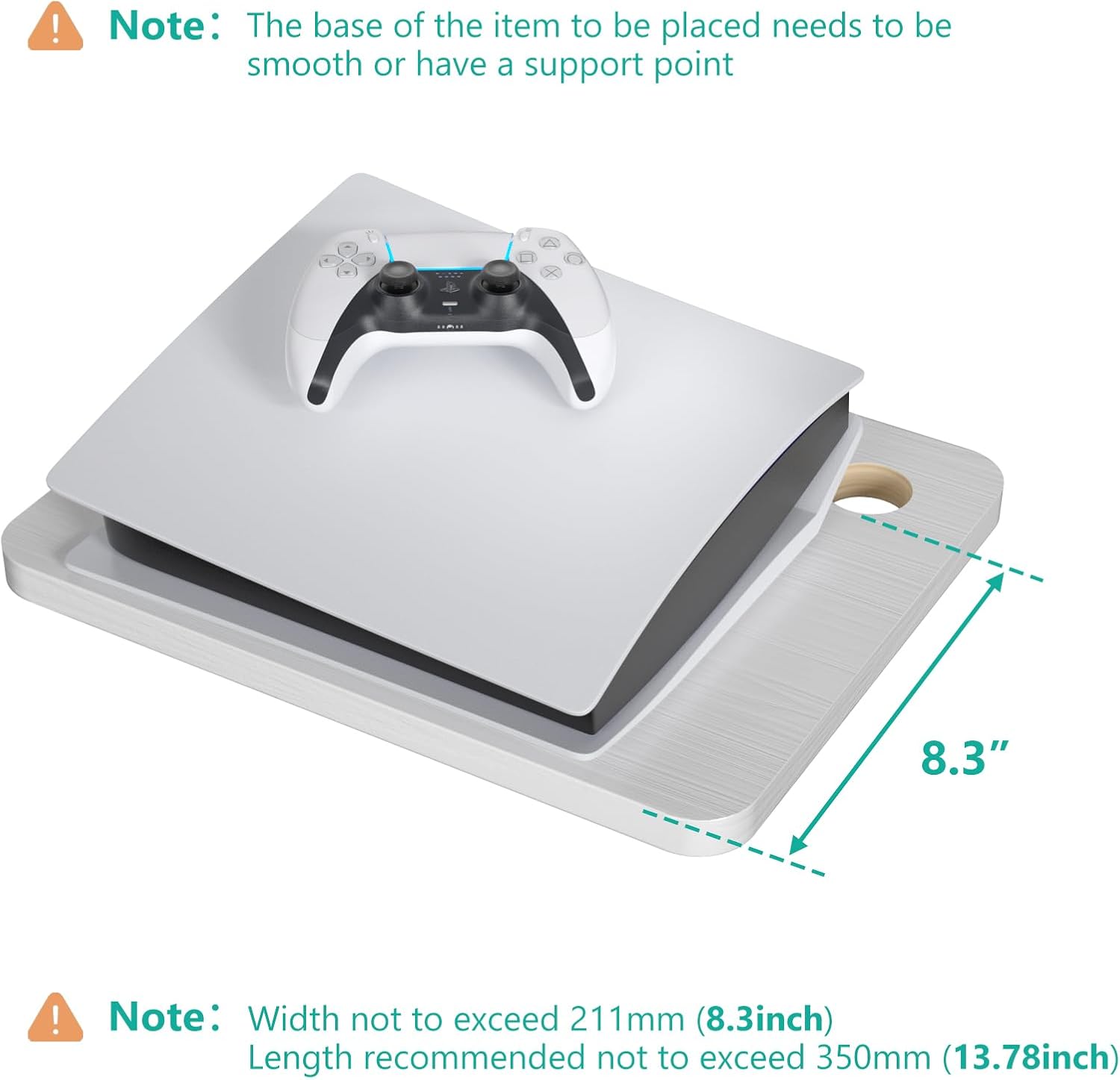
Image: All components included in the WALI CS202NW 2-Tier Floating Wall Mount Shelf package.
Whakatakotoranga
| Āhuahira | Taipitopito |
|---|---|
| Tau tauira | CS202NW |
| Waitohu | WALI |
| Te maha o nga whata | 2 |
| Rauemi | 100% Wooden |
| Tae | Mā |
| Hunga Hua | 13.78"D x 11.02"W x 13.78"H |
| Matotoru Papa | 0.59 Inihi |
| Tepe Taumaha (ia papa) | 22 lbs (10 kg) |
| Momo Tāuta | Whakanohoia ki runga taiepa |
| Compatible Wall Types | Drywall, Brick Wall, Concrete Wall, Wood Stud |
| Āhuahira Motuhake | Space Saving, Cable Management Holes |

Image: Detailed dimensions of the WALI CS202NW 2-Tier Floating Wall Mount Shelf.
Tatūnga me te Tāuta
Follow these steps for proper assembly and secure wall mounting.
1. Assemble the Shelf Unit
- Insert the wooden pegs into the designated holes on the central wall plate.
- Align the two wooden shelves with the pegs and the screw holes on the central wall plate.
- Secure the shelves to the central wall plate using the provided screws and metal pieces (hammer nuts/washers) to ensure a tight and solid connection.
Video: Detailed instructions on how to install and use the WALI Floating TV Shelf.

Image: Visual guide for assembly and wall mounting.
2. Prepare the Wall for Mounting
- Choose a suitable location on your wall, ensuring it can support the weight of the shelf and its contents.
- Hold the assembled shelf unit against the wall at the desired height and use a pencil to mark the positions for drilling the mounting holes.
- Drill pilot holes at the marked locations. The type of drill bit and anchor will depend on your wall material (brick, concrete, wood stud, or drywall).
- Insert the appropriate wall anchors into the drilled holes if required for your wall type.

Image: Wall types and corresponding hardware for installation.
3. Mount the Shelf to the Wall
- Align the screw holes on the central wall plate with the drilled holes/anchors on the wall.
- Use the provided bolts and an Allen key to securely fasten the shelf unit to the wall. Ensure it is level and stable before placing any items on it.
Nga Tohutohu Whakahaere
Your WALI floating shelf is designed to hold various media devices and accessories, helping to keep your space organized and clutter-free.
- Turanga: Place your DVD/Blu-ray players, satellite/cable boxes, game consoles, routers, Hi-Fi speakers, projectors, or other audio-video accessories on the shelves. Ensure the weight is evenly distributed and does not exceed 22 lbs (10 kg) per shelf.
- Whakaha Uepu: Utilize the two round holes on each shelf to route device cables neatly. This helps to conceal wires, reduce clutter, and maintain a clean aesthetic.
- Whakamahinga Whanui: The shelf can be used in various rooms such as the living room, bedroom, playroom, kitchen, bathroom, or study for storage and organization.
Video: Demonstrates how to effectively use the WALI floating shelf for various devices.

Whakaahua: Examples of devices compatible with the WALI floating shelf.

Image: Router and projector on the shelf, demonstrating cable management.
Te tiaki
- Clean the shelf surfaces with a soft, damp kakahu. A ape i nga kaihoroi awhiowhio me nga matū kino ka taea te pakaru i te otinga.
- Tirohia ngā tīwiri me ngā hononga katoa i ia wā, i ia wā, kia mau ai, kia mau ai hoki.
- Avoid exposing the shelf to excessive moisture or direct sunlight for prolonged periods to prevent warping or discoloration.
Raparongoā
- Shelf feels unstable after installation:
- Ensure all screws connecting the shelves to the central wall plate are fully tightened.
- Verify that the wall mounting screws are securely fastened into appropriate wall studs or anchors.
- Check that the weight on the shelves does not exceed the 22 lbs (10 kg) limit.
- Cables are visible and messy:
- Utilize the integrated cable management holes on each shelf to route wires behind the central wall plate and down to your power source.
- Consider using cable ties or clips (not included) to further secure and organize cables along the wall.
- Shelf does not sit level:
- During installation, use a level to ensure the central wall plate is perfectly horizontal before marking and drilling holes.
- Adjust the tightness of the mounting screws if minor leveling adjustments are needed.
Pūtāhui me te Tautoko
WALI is committed to providing quality products and excellent customer service. For any questions, concerns, or assistance with your product, please contact our professional support team.
- Whakapā Tautoko: Refer to the contact information provided with your purchase or visit the official WALI webpae mo nga whiringa tautoko.
- Mahere Tiaki: Extended protection plans may be available for your product. Please check with your retailer for details on 2-Year or 3-Year protection plans.


