Kupu Whakataki
Thank you for choosing the VEVOR LED Lighted Liquor Bottle Display. This 2-tier, 16-inch acrylic display shelf is designed to enhance your home bar, commercial establishment, or any space requiring an illuminated display for bottles. Featuring RF remote and smart app control, it offers a wide range of static and dynamic multicolor lighting options. Please read this manual thoroughly before use to ensure proper setup, operation, and maintenance.
Nga Tohutohu Haumaru Nui
- Do not overload shelves. Ensure the shelf is placed on a stable, level surface.
- Always follow the instructions in this user manual for safe installation and use.
- Tiakina te taputapu mai i te wai, i te makuku nui ranei.
- Kaua e ngana ki te wetewete, ki te whakatika ranei i te waahanga. Whakapa atu ki nga kaimahi whai mana mo te ratonga.
- Whakamahia anake te urutau hiko kua whakaratohia.
- Kaua e taea e nga tamariki.
Ihirangi mokete
Manatokohia ko nga mea katoa kei raro nei kei roto i to kete:
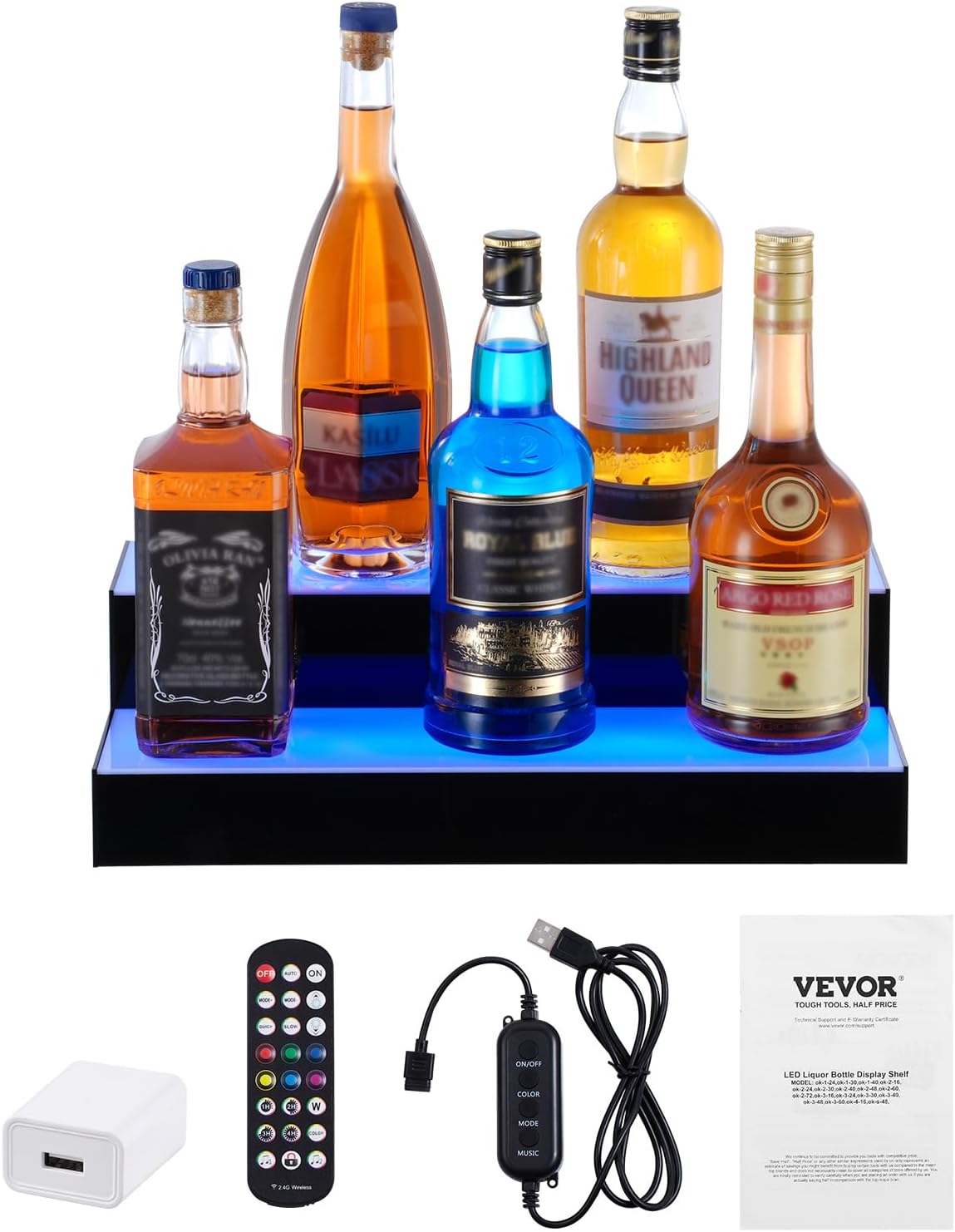
- 1 x LED Liquor Bottle Display Shelf
- 1 x 24-Key RF Remote
- 1 x USB Controller
- 1 x Pūurutau Hiko
- 1 x Pukapuka Kaiwhakamahi
- Mounting Brackets (for wall mounting, if desired)
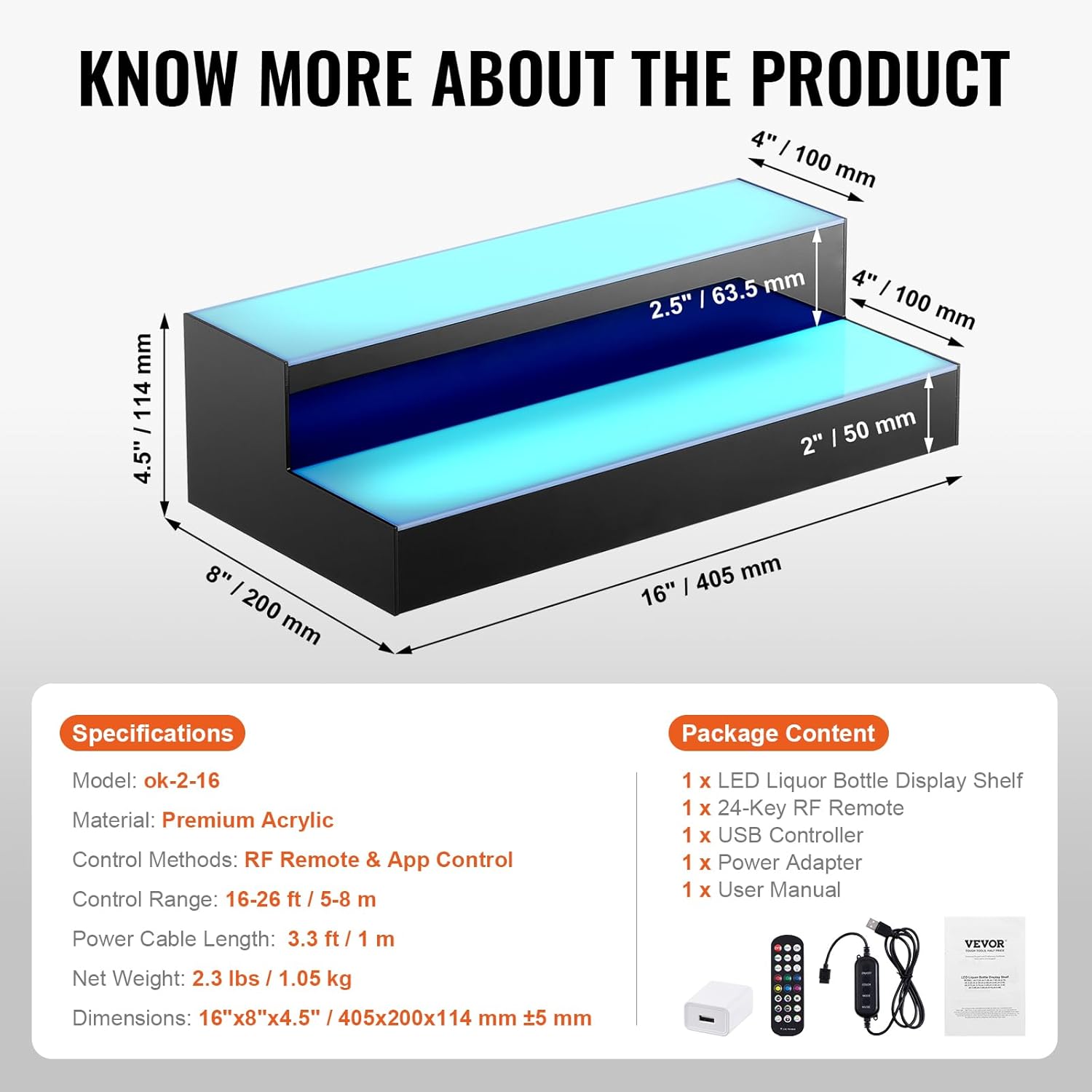
Whakatakotoranga
| Āhuahira | Taipitopito |
|---|---|
| Tauira | ok-2-16 |
| Rauemi | kiriaku |
| Momo Whakaeke | Floor Mount (can be wall-mounted with brackets) |
| Momo Papa | Tiered Shelf (2 Steps) |
| Rahi Hua (D x W x H) | 15.94" x 7.87" x 4.49" (405 x 200 x 114 mm) |
| Hanga | Hanga-L |
| Momo Whakaoti | Kua orohia |
| Nga Tikanga Whakahaere | RF Remote & App Control |
| Awhe Mana | 16-26 ft / 5-8 m |
| Te Roa Uera Hiko | 3.3 ft / 1 m |
| Taumaha Kupenga | 2.3 lbs / 1.05 kg |
| Huihuinga e hiahiatia ana | Kao |
| Nga Waahanga kei roto | 1 x LED Liquor Bottle Display Shelf, 1 x 24-Key RF Remote, 1 x USB Controller, 1 x Power Adapter, 1 x User Manual |
Tatūnga
- Unpack the Display: Kia ata tangohia nga waahanga katoa mai i te kete. Tirotirohia mo te kino.
- Turanga: Place the LED liquor bottle display on a stable, level surface. Ensure there is enough space for bottles and access to a power source. If wall-mounting, use the provided brackets and appropriate hardware for your wall type.
- Hono Hono:
- Connect the USB controller to the display shelf.
- Connect the USB controller to the power adapter.
- Plug the power adapter into a standard 110-240V electrical outlet.
- Alternatively, for portable use, connect the USB controller to a laptop or power bank. Note that brightness may be slightly dimmer when powered by a laptop/power bank.
- Whakaritea Mana Mamao: Remove the plastic tab from the battery compartment of the RF remote control to activate it.

Nga Tohutohu Whakahaere
Mana Mamao RF
The included 24-key RF remote allows for convenient control of the display's lighting effects from up to 26 feet (8 meters) away. Ensure the plastic tab is removed from the remote before first use.
- KIA/WATA: Press the "ON" button to turn on the lights, and "OFF" to turn them off.
- MOTO: Activates an automatic cycling of various lighting modes.
- MODE+/-: Cycles through different dynamic lighting modes.
- TE tere+/-: Ka whakarerekē i te tere o ngā pānga rama hihiri.
- BRIGHTNESS+/-: Adjusts the brightness level of the lights.
- Tae pateko: Select from 7 preset static colors (Red, Green, Blue, White, Yellow, Cyan, Purple) using the dedicated color buttons.
- Matawā: Set the lights to turn off automatically after 1, 2, 3, or 4 hours.
- Aratau Rīwai Puoro: Two modes (Music 1, Music 2) allow the lights to react to ambient sound or music.
- Remote Lock: Press the lock button to prevent accidental changes to settings.

Mana App Smart
For advanced control and customization, download the dedicated smart app. Scan the QR code provided in the user manual or on the product packaging to download the app. The app offers:
- Tīpakonga Tae: Choose from 29 preset colors and a full color wheel for custom hues.
- Multiple DIY Modes: Create and save your own unique lighting effects.
- Atanga Waiata: Lights flash to the rhythm of music played through the app.
- Atanga hopuoro: Lights beat with the rhythm of sound detected by your phone's microphone.
- Atanga Wā: Schedule automatic turn on/off times.

Te tiaki
- Te horoi: The polished acrylic surface is waterproof and easy to clean. Use a soft, damp cloth to wipe down the display. Avoid abrasive cleaners or solvents that could damage the acrylic.
- Rokiroki: When not in use for extended periods, disconnect the power and store the display in a dry, cool place.
Raparongoā
| Raruraru | Te Take Taea / Rongoa |
|---|---|
| Kaore nga rama e ka ana. |
|
| Kaore te mana mamao e mahi. |
|
| App control is not connecting. |
|
| Lights are dim when using power bank. | This is normal. For full brightness, use the provided wall power adapter. |
Tautoko
For further assistance, technical support, or warranty inquiries, please refer to the contact information provided in your product's original packaging or visit the official VEVOR webpae.
Tirohia te Toa VEVOR i Amazon mo etahi atu hua me nga korero.