Kupu Whakataki
The Volkano Splash Series Round Smartwatch, model VK-5096-PR, is designed to enhance your daily life with its advanced features and durable construction. This smartwatch offers connectivity, health monitoring, and communication capabilities directly from your wrist. It features a high-resolution full-touch screen and is built to be water and dust resistant, ensuring reliability in various environments.
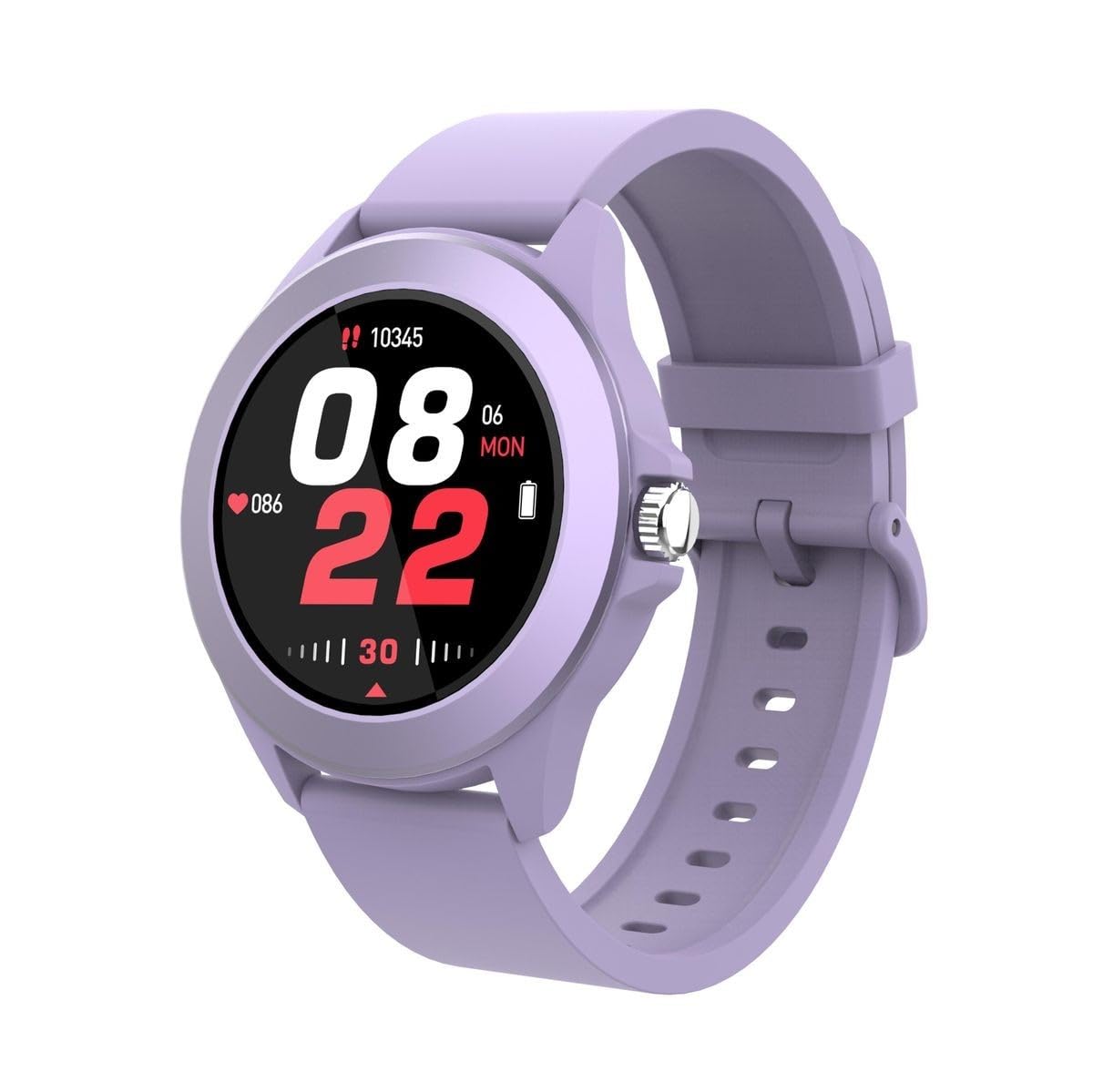
Figure 1: Volkano Splash Series Round Smartwatch (Purple)
Tatūnga
1. Ka tohatohahia te Waati Ataata
Before initial use, fully charge your Volkano Splash Series Smartwatch. Connect the provided USB charging cable to the charging port on the back of the smartwatch and to a standard USB power adapter (not included). A full charge typically takes approximately 2.5 hours. The watch will indicate charging status on its screen.
2. Kei te Hiko Nei
Press and hold the side control button for a few seconds until the Volkano logo appears on the screen. The smartwatch will then boot up.
3. Whakahoahoa ki to Waea atamai
- Me mohio kei te whakahohea te Nihokikorangi i runga i to waea atamai.
- Download and install the companion application for your Volkano smartwatch from your smartphone's app store (compatible with Apple iOS and Android smartphones).
- Open the application and follow the on-screen instructions to search for and connect to your smartwatch. The smartwatch uses Bluetooth Version 5.3 for a stable connection.
- Whakaūhia te tono takirua i runga i to waea atamai me te maataki atamai.

Figure 2: Smartwatch features overview
Nga Tohutohu Whakahaere
1. Te whakatere i te Atanga
- Full Touch Screen Control: Swipe left, right, up, or down on the screen to access different menus, notifications, and features. Tap to select an option.
- Side Control Button: Press the side button to return to the home screen or to wake the device. A long press may access power options or specific functions depending on the context.
2. Hanga me te Whiwhi Waea
Once paired with your smartphone, you can make and receive calls directly from your smartwatch. When a call comes in, the watch will display the caller ID. Tap the green icon to answer or the red icon to decline. To make a call, access the dialer or contacts list through the smartwatch interface.
3. Health and Activity Monitoring
The smartwatch includes a heart rate monitor and multi-sport monitoring capabilities. Access these features through the main menu. Swipe to find the relevant icons for heart rate, step counter, or specific sport modes. Ensure the watch is worn snugly on your wrist for accurate readings.

Figure 3: Smartwatch displaying time and heart rate
4. Pūhiko Ora
The smartwatch offers up to 5 days of battery life with typical usage and up to 15 days on standby. Actual battery performance may vary based on usage patterns and settings.
Te tiaki
1. Te horoi i to Waati Mataara
To clean your smartwatch, gently wipe the screen and body with a soft, lint-free cloth. For stubborn dirt, slightly dampen the cloth with water. Avoid using harsh chemicals or abrasive materials, as these can damage the device.
2. Te Wai me te Puehu Atete
The Volkano Splash Series Smartwatch has an IP67 rating, meaning it is resistant to dust and can withstand immersion in water up to 1 meter for 30 minutes. It is suitable for everyday use, including hand washing and light rain. However, it is not recommended for swimming, diving, or exposure to high-pressure water.
3. Ngā Tikanga Pai mō te Utu
- Whakamahia anake te taura utu e whakaratohia ana.
- A ape i te utu i roto i nga wera tino nui.
- Kaua e waiho te mātaaratanga kia utua mō te wā roa i muri i te utunga katoa.

Figure 4: Back of the smartwatch with sensors
Raparongoā
- Karekau te maataki atamai e huri ana: Ensure the device is fully charged. Connect it to the charger and wait a few minutes before attempting to power it on again.
- Kāore e taea te hono atu ki te waea atamai:
- Check that Bluetooth is active on your phone and the smartwatch.
- Ensure the smartwatch is within range of your phone.
- Me whakaara ano to waea atamai me te maataki atamai.
- Ngāna ki te wete i te hononga o ngā pūrere, ka hono anō mā te taupānga hoa.
- Karekau te mata i te aro: If the screen is frozen, try restarting the smartwatch by holding down the side control button until it powers off and then on again.
- Raraunga hauora hē: Ensure the smartwatch is worn correctly, snugly on your wrist, and that the sensors on the back are clean.
Whakatakotoranga
- Tauira: VK-5096-PR
- Putanga Nihokikorangi: 5.3
- Tipu maramara: JieLi7012F
- Mata: 1.3 inch TFT, Full Touch 320 x 320 resolution
- Pūhiko: 260 mAh Li-Polymer
- Wā tūtatari: Tae atu ki te 15 Ra
- Ora Pūhiko: Tae atu ki te 5 Ra
- Wā Utu: 2.5 haora
- Whakatauranga IP: IP67 Atete Wai
- Pūnaha Mahi: Android Wear 1.0 (compatible with Apple iOS and Android smartphones)
- Hononga: USB (for charging), Bluetooth
- Āhuahira Motuhake: Maamaa
- Hanga: Porowhita
- Tae: Waiporoporo
- Nga Waahanga Kei roto: 1 x Volkano Splash Series Round Smartwatch, Purple

Figure 5: Smartwatch displaying various information
Pūtāhui me te Tautoko
Nga korero Whakaputanga
This Volkano Splash Series Round Smartwatch comes with a 1 Tau Rarangi a te Kaihanga mai i te rā i hokona ai. Ka hipokina e tēnei pūtāhui ngā hapa hanga i raro i te whakamahinga noa. Kāore e hipokina ngā kino i puta mai i te whakamahinga hē, ngā aituā, ngā whakarerekētanga kāore i whakamanahia, te kakahu me te haehae noa rānei. Puritia tō taunakitanga hoko mō ngā kereme pūtāhui.
Tautoko Kiritaki
For technical assistance, warranty claims, or any questions regarding your Volkano Splash Series Smartwatch, please refer to the contact information provided with your product packaging or visit the official Volkano webpae mo nga rauemi tautoko.


