1. Kupu Whakataki
Thank you for choosing the TORRAS EasyGo 5000mAh Slim Magnetic Portable Charger. This device is designed to provide convenient and efficient charging for your compatible devices, featuring MagSafe integration and a versatile O-Stand. Please read this manual carefully to ensure proper use and optimal performance.
2. Hua Neke Atuview
Nga waahanga matua
- 5000mAh Raukaha: Provides reliable power for your devices.
- Hoahoa Hewari me te Maama: At just 0.45 inches thick and 0.29 lbs, it's highly portable.
- 22.5W Wired & 15W Wireless Charging: Offers fast and dependable charging options.
- Tirohanga Aukume Kaha: Ensures a stable and seamless connection for wireless charging.
- Integrated O-Stand: Features a 120° adjustable angle for hands-free viewing, functioning as a stand, ring, or grip.
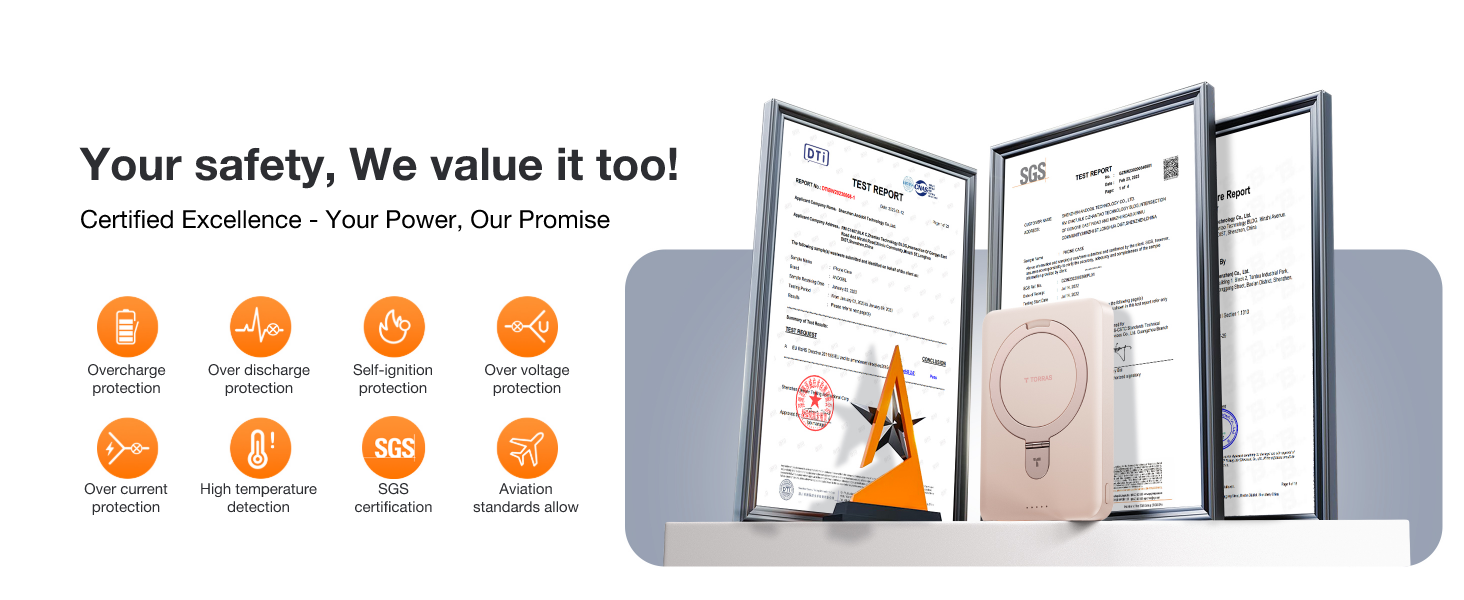
- Āhuatanga Haumaru Arā Atu Anō: Includes circuit protection and smart temperature control to prevent overcharging and overheating.
He aha kei roto i te Pouaka
- MagSafe Battery Pack x1
- USB-C ki USB-C Cable x1
- Pukapuka Kaiwhakamahi x1

3. Tatūnga
- Akona Tuatahi: Before first use, fully charge your TORRAS EasyGo power bank using the provided USB-C to USB-C cable and a compatible power adapter (not included). The LED indicators will show the charging status.
- Tirohia te Taumata Pūhiko: Press the power button once to check the remaining battery level indicated by the LED lights.
4. Nga Tohutohu Whakahaere
4.1 Te Whakataki i te Peeke Hiko
Connect the provided USB-C to USB-C cable to the power bank's USB-C port and to a power source (e.g., wall adapter, computer USB-C port). The LED indicators will illuminate to show charging progress.
4.2 Charging Devices Wirelessly (MagSafe Compatible)
- Ensure your device is MagSafe compatible (iPhone 12 series and newer) or has a MagSafe-compatible case.
- Align the TORRAS EasyGo power bank with the back of your iPhone. The strong magnets will snap it into place, ensuring optimal alignment for 15W wireless charging.
- The charging animation will appear on your iPhone screen, confirming the connection.

4.3 Te Whakataki i nga taputapu ma te taura
For devices that are not MagSafe compatible or for faster wired charging (up to 22.5W), connect your device to the power bank's USB-C port using a compatible charging cable.
4.4 Using the Integrated O-Stand
The TORRAS EasyGo features a built-in O-Stand that can be pulled out and adjusted up to 120°. This allows you to prop up your phone for hands-free viewing, video calls, or as a convenient grip while charging.
4.5 Kawe
The ultra-slim and lightweight design of the EasyGo allows it to fit effortlessly into pockets, backpacks, or small bags, making it ideal for on-the-go use.

4.6 Magnetic Strength Demonstration
The power bank features strong N55 magnets for a secure attachment to your MagSafe-compatible device.
5. Hototahi
This portable charger is universally compatible with iPhone 12-17 series, including:
- iPhone 17, iPhone Air, iPhone 17 Pro, iPhone 17 Pro Max
- iPhone 16, iPhone 16 Plus, iPhone 16 Pro, iPhone 16 Pro Max
- iPhone 15, iPhone 15 Plus, iPhone 15 Pro, iPhone 15 Pro Max
- iPhone 14, iPhone 14 Plus, iPhone 14 Pro, iPhone 14 Pro Max
- iPhone 13, iPhone 13 mini, iPhone 13 Pro, iPhone 13 Pro Max
- iPhone 12, iPhone 12 mini, iPhone 12 Pro, iPhone 12 Pro Max
It is also compatible with MagSafe Phone cases.

6. Nga korero haumaru
The TORRAS EasyGo is equipped with advanced safety features to protect your devices and ensure a secure charging experience:
- Tiaki Huringa: Guards against overcharging, over-discharge, over-power, and short circuits.
- Mana Pamahana Maamaa: Prevents overheating during charging. If the device detects excessive heat, charging may temporarily pause and resume once the temperature normalizes.
- Tiwhikete: ETL, FCC, CE, ROHS certified.
- Aviation Standards: Meets aviation standards for safe travel.

7. Tiaki
- Puritia te pēke hiko kia matara atu i te wai, i te ahi, me te pāmahana tino kino.
- A ape i te tuku, te tuku ranei i te taputapu ki nga paanga kaha.
- Horoia te mata ki te kakahu ngohengohe, maroke. Kaua e whakamahi i nga matū kino, i nga mea awhiowhio ranei.
- Whakaorangia ki te waahi makariri, maroke ka kore e whakamahia.
8. Te Raru
- Kaore te taputapu e utu ana: Ensure the power bank is charged. Check cable connections for wired charging. For wireless charging, ensure proper alignment and that your device is MagSafe compatible.
- Puturi te utu: Verify that your power adapter and cable support fast charging. Ensure optimal alignment for wireless charging.
- Te wera nui: The power bank has built-in temperature control. If it gets too hot, it may temporarily stop charging to cool down. This is normal operation. Ensure proper ventilation and avoid charging in direct sunlight or confined spaces.
9. Whakatakotoranga
| Āhuahira | Whakatakotoranga |
|---|---|
| Hunga Hua | 4 x 2.8 x 0.45 inihi |
| Taumaha Tūemi | 6.7 hekere |
| Tau tauira | PB9 |
| Pūhiko Raukaha | 5000 Miliampnga haora |
| Momo Tuhono | MagSafe, USB Type C |
| Nga waahanga motuhake | Fast Charging, Wireless Charging, Built-In O-Stand, Overcharging Protection, Short Circuit Protection, Slim & Pocket Size |
| Tae | ROSE GOLD |
10. Pūtāhui me te Tautoko
TORRAS products typically come with a warranty. Please refer to the product packaging or the official TORRAS website for specific warranty details and registration information. For technical support or customer service inquiries, please contact TORRAS customer support through their official channels.


