1. Kupu Whakataki
This manual provides detailed instructions for the safe and efficient use of your Phomemo A30 Thermal Transfer Label Printer. Please read this manual thoroughly before operating the device and retain it for future reference.
Ka mutu te huaview
The Phomemo A30 is a compact, portable thermal transfer label printer designed for various labeling needs. It connects wirelessly via Bluetooth to smartphones and tablets, offering ink-free printing with customizable designs.

Image 1.1: The Phomemo A30 Label Printer, showcasing its design and various label outputs.
Nga waahanga matua
- Thermal Transfer Printing: Utilizes thermal transfer technology for durable, ink-free labels.
- Hononga Nihokikorangi: Seamless wireless connection to compatible smart devices.
- Hoahoa Kawe: Kiato me te mama mo te kawe ngawari me te whakamahi.
- Pūhiko Rechargeable: Built-in 1200mAh battery for cordless operation.
- Tapanga Roa: Labels are resistant to water, oil, and abrasion, suitable for indoor and outdoor use.
- Versatile Label Types: Supports pre-cut, continuous, patterned, magnetic, fabric iron-on, glitter, and luminous labels.
- Whakauru Taupānga Ataata: Features the 'Print Master' app with extensive customization options, including fonts, symbols, and templates.
2. Tatūnga
2.1 Te Wetewete pouaka me nga Ihirangi
Kia ata wetewetehia nga taonga katoa mai i te pouaka. Whakaritehia nga waahanga e whai ake nei:
- Phomemo A30 Label Printer
- Roll Paper for Printer (pre-installed or separate)
- Pukapuka Kaiwhakamahi (tenei tuhinga)
- Taura USB (Momo-C)
2.2 Te Whakautu i te Pūreretā
Before first use, fully charge the printer. Connect the provided USB Type-C cable to the printer's charging port and a compatible USB power adapter (not included). The indicator light will show charging status.
2.3 Whakauru Whakauru
The Phomemo A30 operates via the 'Print Master' application. Download the app from your device's app store (iOS or Android) or scan the QR code provided in the quick start guide (if applicable).
2.4 Takirua Nihokikorangi
- Me whakarite kei te whakakaha te pūreretā.
- Whakahohea te Nihokikorangi i runga i to waea atamai papa ranei.
- Open the 'Print Master' app.
- Within the app, search for available devices and select 'Phomemo A30' to connect. The app will indicate a successful connection.

Image 2.1: The Phomemo A30 printer demonstrating intelligent connectivity with a smartphone and laptop.
2.5 Loading Label Cartridge
The A30 printer uses label cartridges. Open the printer cover, insert the label cartridge according to the directional indicators, and ensure it clicks into place. Close the cover. The printer automatically recognizes compatible consumables within the supported size of 12mm (0.47 inch) width.
3. Nga Tohutohu Whakahaere
3.1 Hiko / Whakaweto
- Whakahiko: Pēhia me te pupuri i te pātene mana kia mura rā anō te rama tohu.
- Weto Whakakore: Pēhia me te pupuri i te pātene mana kia mate rā anō te rama tohu.
3.2 Using the 'Print Master' App
The 'Print Master' app is your primary interface for creating and printing labels. It offers a wide range of customization options:
- Whakauru Kuputuhi: Enter desired text for your labels.
- Fonts & Styles: Choose from over 200 built-in fonts and adjust size, bold, italic, etc.
- Symbols & Icons: Access over 600 symbols to enhance your labels.
- Tātauira: Utilize 200+ border templates and various pre-designed label templates for quick creation.
- QR Codes & Barcodes: Generate and print QR codes or barcodes directly from the app.
- Images & Timestamps: Insert images or add timestamps to your labels.

Image 3.1: The 'Print Master' app interface, illustrating the extensive customization options available.
3.3 Tukanga Ta
- Design your label within the 'Print Master' app.
- Ensure the printer is connected via Bluetooth.
- Tap the 'Print' button in the app.
- The printer will feed and print the label.
3.4 Using the Built-in Cutter
After printing, use the integrated paper cutter to cleanly separate the label from the roll. Slide the cutter lever across the label exit slot to achieve a straight edge.
3.5 Supported Label Types and Applications
The A30 supports a wide range of label types, expanding its utility:
- Pre-cut/Continuous Labels: Standard labels for general use.
- Patterned Labels: Labels with decorative designs.
- Refrigerator Magnetic Labels: For organizing items on magnetic surfaces.
- Fabric Iron-on Labels: For clothing and textile identification.
- Glitter Labels: For decorative purposes.
- Luminous Labels: Labels that glow in the dark for visibility in low light.

Image 3.2: The Phomemo A30 printer customizing gift ribbons with personalized content.
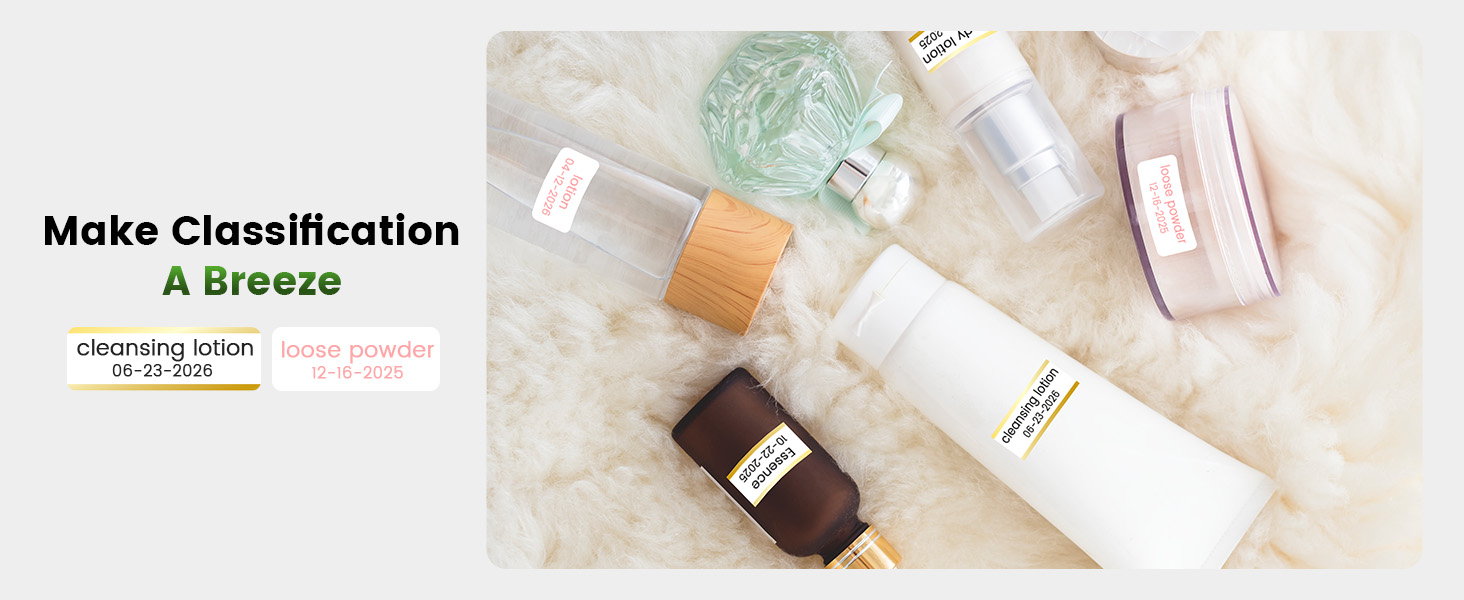
Whakaahua 3.3: Example of magnetically sticking labels on a refrigerator for organization.
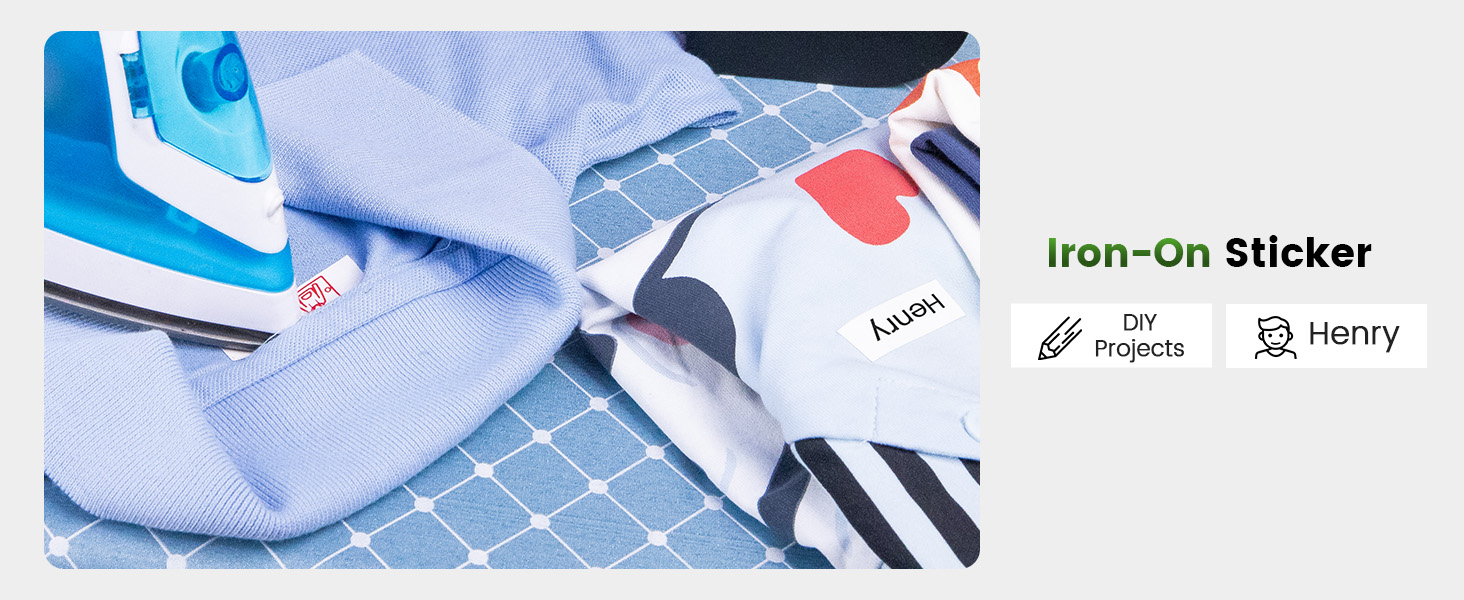
Image 3.4: Luminous labels applied to light switches for easy identification in the dark.

Image 3.5: An iron-on sticker being applied to clothing, demonstrating its use for fabric labeling.
4. Tiaki
4.1 Te horoi i te Upoko Pūreretā
To ensure optimal print quality, regularly clean the thermal print head. Use a soft, lint-free cloth lightly dampened with isopropyl alcohol. Gently wipe the print head surface. Ensure the printer is off and cool before cleaning.
4.2 Tiaki Pūhiko
- A ape i te tino tuku i te pākahiko i nga wa katoa.
- Charge the printer regularly, even if not in use, to maintain battery health.
- Do not expose the printer to extreme temperatures, as this can affect battery life.
4.3 Rokiroki
Store the printer in a cool, dry place away from direct sunlight and excessive dust. If storing for an extended period, ensure the battery is partially charged (around 50%) and recharge every few months.
5. Te Raru
This section addresses common issues you might encounter with your Phomemo A30 printer.
| Raruraru | Take pea | Rongoā |
|---|---|---|
| Kāore te pūreretā e whakakā | Pūhiko iti; Kaore i tika te pehi i te paatene hiko | Charge the printer; Press and hold the power button firmly. |
| Kaore e taea te hono ma te Nihokikorangi | Bluetooth off on device; Printer not in pairing mode; App issue | Ensure Bluetooth is enabled; Restart printer and app; Try pairing again. |
| Poor print quality (faint, blurry) | Dirty print head; Incorrect label type; Low battery | Clean the print head (see Section 4.1); Ensure correct thermal transfer labels are used; Charge the printer. |
| Kāore ngā tapanga e whāngai tika ana | Label cartridge improperly installed; Label jam | Reinstall the label cartridge; Open cover and clear any jammed labels. |
| App features require subscription | Some advanced templates/features are premium | Utilize free features or consider purchasing a subscription if desired. |
If the issue persists, please refer to the 'Print Master' app's help section or contact Phomemo customer support.
6. Whakatakotoranga
| Āhuahira | Taipitopito |
|---|---|
| Waitohu | Phomemo |
| Ingoa Tauira | A30 (M836) |
| Hangarau Tā | Whakawhiti Weariki |
| Hangarau Hononga | Nihokikorangi |
| Atanga Pūmārō | Momo USB C |
| Putanga Pūreretā | Monochrome |
| Max Tere Tere Monochrome | 5 ppm |
| Taumira Tānga Pango me te Mā Mōrahi | 203 dpi |
| Pūrere Hototahi | Waea atamai, Papa (Android, iOS) |
| Te Rahi Media Max | 15mm |
| Rahi Rau | 14 mitamano |
| Momo Waituhi Pūreretā | No Ink (Thermal Transfer) |
| Pūhiko | 1 He pākahiko e hiahiatia ana (kei roto) |
| Hunga Hua | 8.27 x 1.85 x 2.56 inihi |
| Taumaha Tūemi | 5.6 hekere (160 Karamu) |
| Nga Waahanga kei roto | Label Printer, Roll Paper for Printer, User Manual, USB Cable |
7. Pūtāhui me te Tautoko
7.1 Nga Korero Whakaputanga
The Phomemo A30 Thermal Transfer Label Printer comes with a limited warranty. Please refer to the warranty card included in your package or the official Phomemo webte waahi mo nga tikanga me nga tikanga motuhake mo te kapi whakamana me te roanga.
7.2 Tautoko Kiritaki
For technical assistance, troubleshooting not covered in this manual, or warranty claims, please contact Phomemo customer support through their official webpae, nga korero whakapā ranei e whakaratohia ana me to tuhinga hua.


