Kupu Whakataki
Welcome to the user manual for your Noise Buds X2 Truly Wireless Earbuds. This guide provides detailed instructions on how to set up, operate, maintain, and troubleshoot your earbuds to ensure optimal performance and a seamless audio experience.
He aha kei roto i te Pouaka
Upon unboxing your Noise Buds X2, you should find the following items:
- 1N Bluetooth Headphone (Earbuds)
- 1N Puhi Whakatau
- Taura Utu 1N (Momo-C)
- 1N Pukapuka Kaiwhakamahi
- Kāri Rēhita Pūtāhui 1N

Image: Noise Buds X2 earbuds and charging case, highlighting the 140-hour playtime capability.
Ka mutu te huaview
Nga waahanga matua
- Massive 140-Hour Playtime: Kua roa ake te ora o te pākahiko mā te whakamahi i te pouaka utu.
- Hybrid ANC (up to 32dB): Active Noise Cancellation for an immersive audio experience.
- 10mm Atekōkiri Hihiko: Delivers clear audio with enhanced bass.
- Aratau EQ Tärua: Switch between deep bass and balanced audio profiles.
- Instacharge™: 10 minutes of charging provides 150 minutes of playtime.
- Hopuoro Whā me te ENC: Environmental Noise Cancellation for clear calls.
- Te Hononga Pūrere Takirua: Whakawhiti marie i waenga i nga taputapu hono e rua.
- Aratau Rooputanga Iti: Optimized audio-visual sync for gaming.
- Nihokikorangi v5.3: Te hononga ahokore pumau me te pai.
- IPX5 Ātete Wai: Protection against sweat and light splashes.
- Rubberised Finish: Durable and comfortable design.

Image: An infographic detailing the main features of the Noise Buds X2 earbuds.
Mana whakahaere
The Noise Buds X2 feature intuitive touch controls on each earbud. Specific functions typically include:
- Purei/Tatari: Pao kotahi ki runga i tetahi purongo.
- Riu Panuku: Pao rua ki te purongo matau.
- Riu o mua: Pao rua ki te purongo maui.
- Whakautu/Whakamutu Waea: Pao kotahi ki runga i tetahi purongo.
- Whakakore Waea: Patohia me te pupuri i tetahi purongo.
- Aratau ANC/Pataata: Triple tap on either earbud to cycle through modes.
- Whakahohehia te Kaiāwhina Reo (Kaiāwhina Google/Siri): Pēhi me te pupuri mō te 2 hēkona i runga i tētahi o ngā pane taringa.
- Dual EQ Mode Switch: Specific gesture (refer to the quick start guide for exact gesture, typically a long press or specific tap sequence).
Note: Exact touch control gestures may vary slightly. Refer to the quick start guide included in your package for precise instructions.
Tatūnga
1. Whakataki Tuatahi
I mua i te whakamahi tuatahi, whakakiia katoatia nga pukoro taringa me te putea utu.
- Whakanohia nga taringa taringa e rua ki roto i te keehi ka utua.
- Connect the Type-C charging cable to the charging port on the case and to a power source.
- The LED indicator on the case will show charging status. Allow approximately 1.5-2 hours for a full charge.

Image: The Noise Buds X2 charging case with earbuds, illustrating the Instacharge feature for quick power-ups.
2. Pairing with a Device (First Time)
The earbuds use HyperSync™ technology for quick pairing.
- Whakatuwherahia te putea utu. Ka uru aunoa nga taringa ki te aratau takirua.
- I runga i to taputapu (waea atamai, papa, pona), whakaahei i te Nihokikorangi.
- Rapua "Noise Buds X2" in the list of available Bluetooth devices and select it to connect.
- Once connected, you will hear an audio prompt, and the LED indicator on the case will change.

Image: Visual representation of HyperSync™ technology for seamless device connection.
3. Takirua Pūrere Taurua
The Buds X2 support connecting to two devices simultaneously.
- Connect the earbuds to your first device as described above.
- Monokia te Nihokikorangi i runga i te taputapu tuatahi. Ka uru ano nga taringa ki te aratau takirua.
- Honoa ngā pane taringa ki tō pūrere tuarua.
- Whakahohe anō i te Nihokikorangi i te pūrere tuatahi. Me hono aunoa ngā pane taringa ki ngā pūrere e rua.
- To switch between devices, simply play audio on the desired device. The earbuds will automatically switch.

Image: The Noise Buds X2 connected to both a smartphone and a tablet, showcasing the dual device pairing feature.
4. Te mau i nga Paorooro
Mo te tino pai o te oro me te whakamarie, whakarite i te pai o te pai.
- Tautuhia te maui (L) me te matau (R) pukoro.
- Whakauruhia marietia ia purongo ki roto i to takere taringa.
- Rotate the earbud slightly until it feels secure and forms a comfortable seal.
Nga Tohutohu Whakahaere
Te Hiko / Whakaweto
- Whakahiko: Whakatuwheratia te pouaka utu, tangohia rānei ngā pane taringa i roto i te pouaka. Ka whakakā aunoatia.
- Weto Whakakore: Whakahokia ngā pane taringa ki roto i te pouaka utu, ka kati i te taupoki. Ka whakaweto aunoa.
Purei Waiata
- Purei/Tatari: Pao kotahi ki runga i tetahi purongo.
- Riu Panuku: Pao rua ki te purongo matau.
- Riu o mua: Pao rua ki te purongo maui.
Whakahaa Piiraa
- Whakautu/Whakamutu Waea: Pao kotahi ki runga i tetahi purongo.
- Whakakore Waea: Patohia me te pupuri i tetahi purongo mo te 2 hēkona.

Image: The Noise Buds X2 earbuds and case, emphasizing the Quad mic with Environmental Noise Cancellation for clear communication.
Active Noise Cancellation (ANC) / Transparency Mode
Cycle through ANC On, Transparency Mode, and ANC Off by triple tapping on either earbud.
- ANC i runga: Blocks out ambient noise for an immersive listening experience.
- Aratau Puataata: Ka taea e koe te whakarongo ki to taiao i a koe e whakarongo ana ki te ororongo.
- ANC Weto: Aratau whakarongo paerewa, kāore he whakakore haruru.
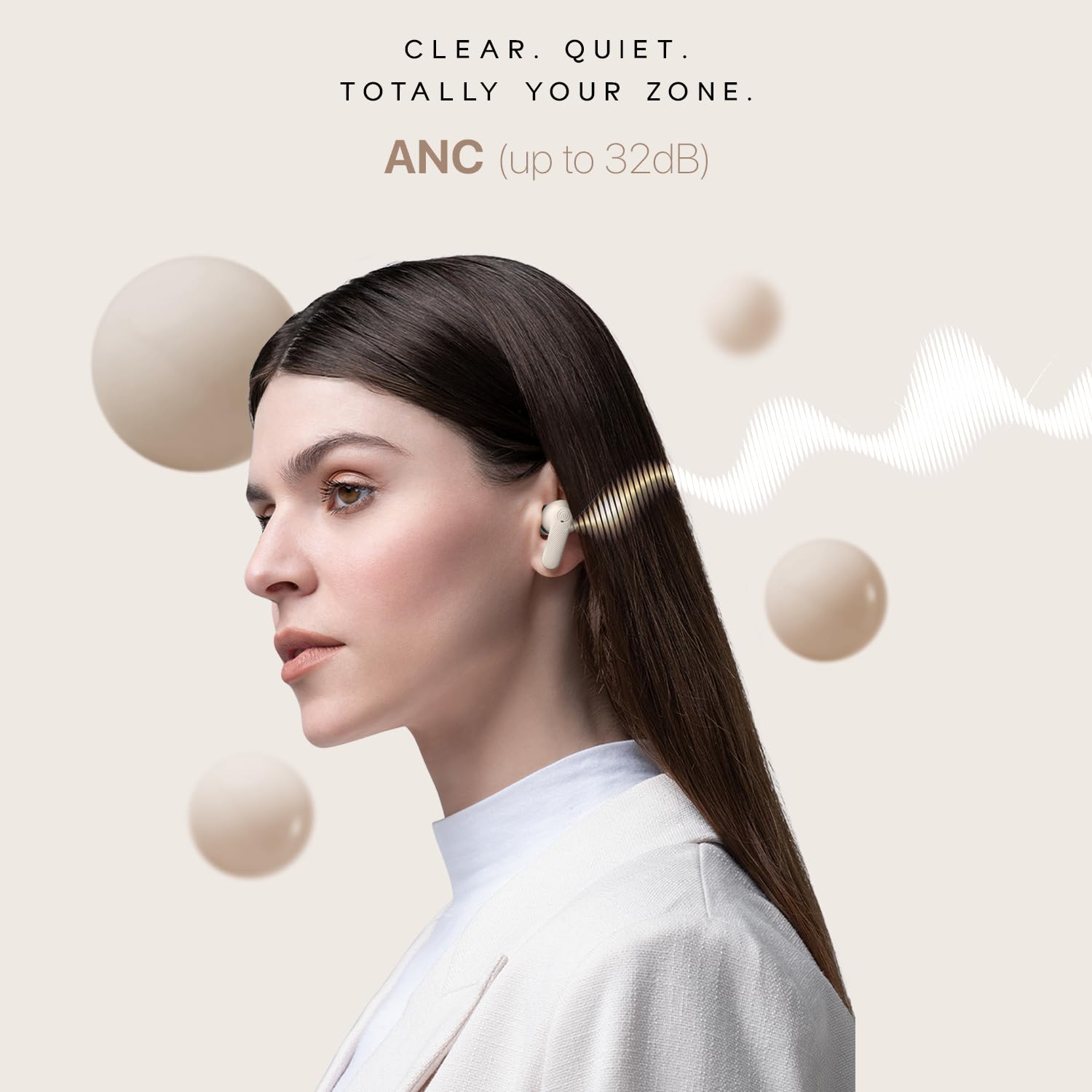
Image: A user wearing Noise Buds X2, illustrating the effectiveness of Active Noise Cancellation (ANC) up to 32dB.
Aratau EQ Tärua
Switch between "Tru Bass" and "Tru Balance" sound profiles to match your audio preference. Refer to the quick start guide for the specific touch gesture to activate this feature.

Image: Noise Buds X2 earbuds and case, highlighting the Dual EQ modes for customized sound profiles.
Aratau Roopu iti
Activate Low Latency Mode for an optimized gaming experience with reduced audio delay. Refer to the quick start guide for the specific touch gesture to activate this feature.

Image: Noise Buds X2 earbuds paired with a phone displaying a racing game, demonstrating the low latency mode for gaming.
Kaiāwhina reo
Activate your device's voice assistant (Google Assistant or Siri) by pressing and holding either earbud for 2 seconds.
Te tiaki
Te horoi
- Me horoi i nga wa katoa nga pukoro me te pukoro utu ki te kakahu ngohengohe, maroke, kore-puru.
- Remove any earwax or debris from the ear tips and speaker mesh using a small, clean brush or cotton swab.
- Kaua e whakamahia nga kai horoi, te waipiro, te whakarewa matū ranei.
Rokiroki
- Mena karekau e whakamahia, penapenahia nga purongo i roto i to pukoro hei tiaki kia mau tonu te utu.
- Whakaorangia te taputapu ki te waahi makariri, maroke, kia matara atu i nga wera nui me te ra tika.
Tiaki Pūhiko
- Avoid fully depleting the battery frequently. Charge the earbuds and case regularly.
- If storing for an extended period, ensure the battery is at least 50% charged.

Image: The Noise Buds X2 charging case with water droplets, highlighting its IPX5 water-resistant rating.
Raparongoā
If you encounter issues with your Noise Buds X2, refer to the following common solutions:
| Raruraru | Rongoa pea |
|---|---|
| Ko nga taringa kaore i te hono/hono. |
|
| Kotahi anake te pukoro e mahi ana. |
|
| He iti te oro, he ngoikore ranei te kounga oro. |
|
| Nga take utu. |
|
| Ko nga mana pa kaore i te whakautu. |
|
Whakatakotoranga
| Āhuahira | Taipitopito |
|---|---|
| Ingoa Tauira | Buds X2 |
| Tau tauira | AUD-HDPHN-BUDS-X2-BLK |
| Mana Haruru | Whakakore Haruru Hohe (tae atu ki te 32dB) |
| Hangarau Hononga | Ahokore (Nihokikorangi v5.3) |
| Awhe Nihokikorangi | 10 Mita |
| Momo Atekōkiri Ororongo | Atekōkiri Hihiko |
| Rahi Atekōkiri Ororongo | 10 Milimetera |
| Te Ora o te Pūhiko (Tapeke) | 140 haora (me te putea utu) |
| Charging Time (Instacharge) | 10 minutes for 150 minutes playtime |
| Pooro Jack | Hononga Utu Tere Momo-C |
| Taumata Atete Wai | IPX5 Atete Wai |
| Rauemi | Polycarbonate (PC) |
| Taumaha Tūemi | 50 Karamu |
| Hunga Hua | 6.5 x 4.9 x 2.9 cm |
| Tikanga Mana | Voice (Google Assistant, Siri) and Touch |
| Nga waahanga motuhake | Noise Cancellation, Dual EQ Modes, Low Latency Mode, Enhanced Call Quality, Dual Device Pairing |
Pūtāhui me te Tautoko
Your Noise Buds X2 earbuds come with a warranty. Please refer to the included Warranty Registration Card for details on warranty coverage, terms, and conditions.
For technical support, service, or further inquiries, please contact Noise customer support through the channels provided on your warranty card or the official Noise webpae.
Kaihanga: Nexxbase Marketing Pvt. Ltd, Khasra No-146/25/2/1, Jail Road Badshahpur, Gurugram Haryana-122101, India.


