Kupu Whakataki
Thank you for choosing the Sealy Wireless Sleep Sound Machine & Night Light. This device is designed to create a calming environment for sleep, relaxation, or focused work. It features 14 sound modes, a Bluetooth speaker, adjustable night light, and timer settings, all powered by a rechargeable battery for portability. Please read this manual carefully to ensure proper use and maintenance of your device.
Nga waahanga hua
- 14 Relaxing Sound Modes: A diverse selection of white noise, nature, and fan sounds for deep sleep, focused work, or calming infants.
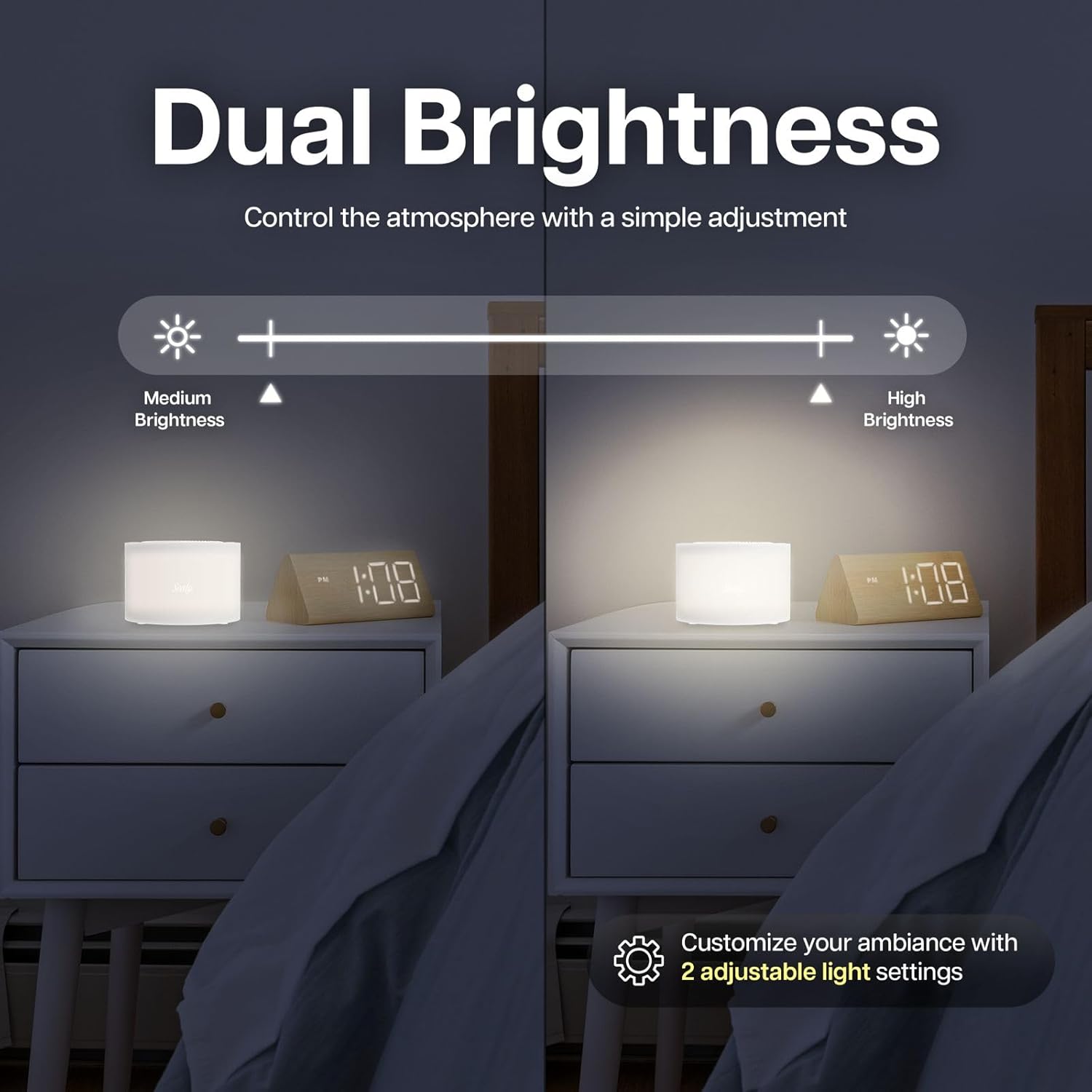
- Dual Brightness Levels: Two adjustable light settings for customized ambiance, suitable for nighttime reading, nursing, or creating a cozy sleep environment.
- Rechargeable Battery & Portability: Up to 3 hours of wireless playtime on a single charge. Lightweight and compact for use at home or on-the-go.
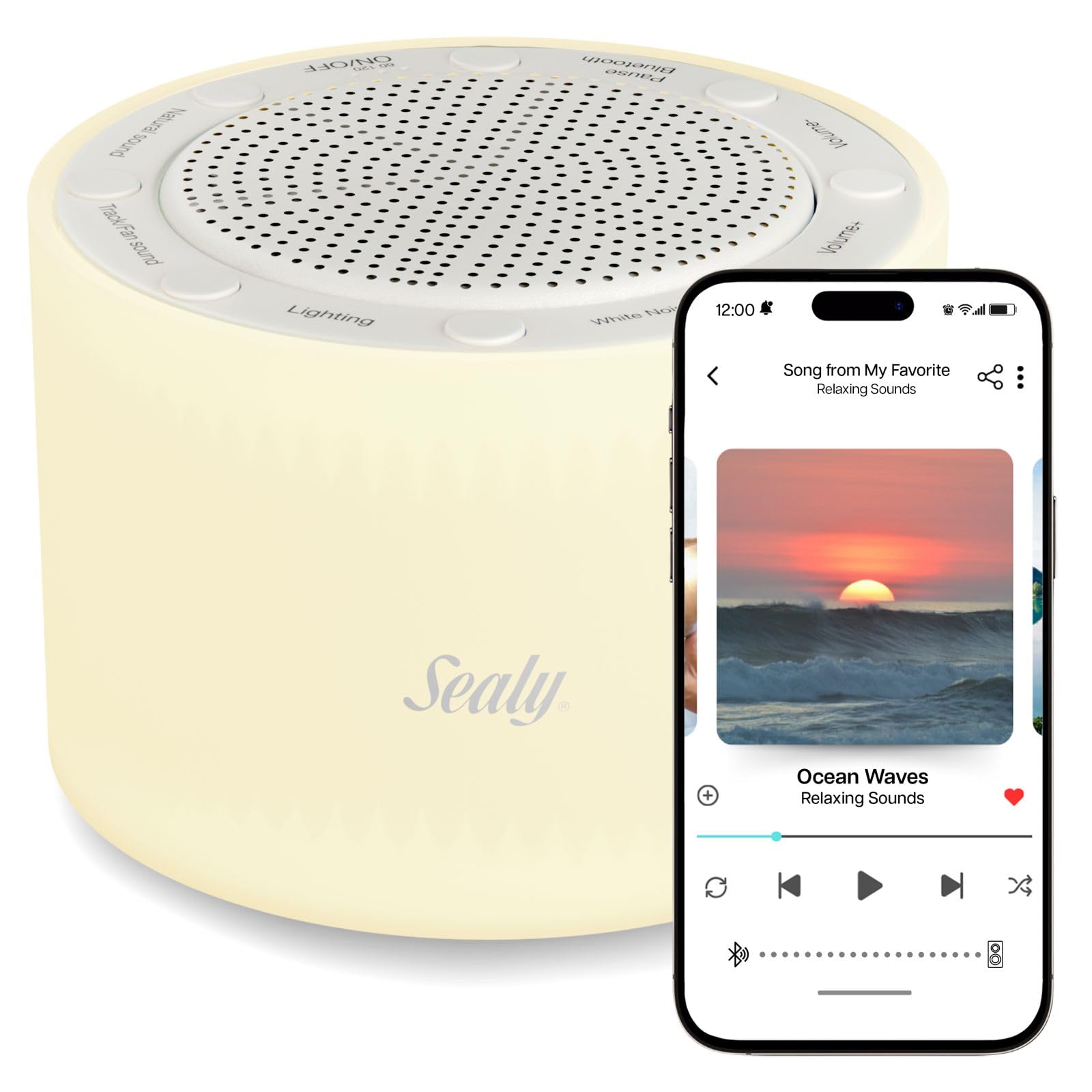
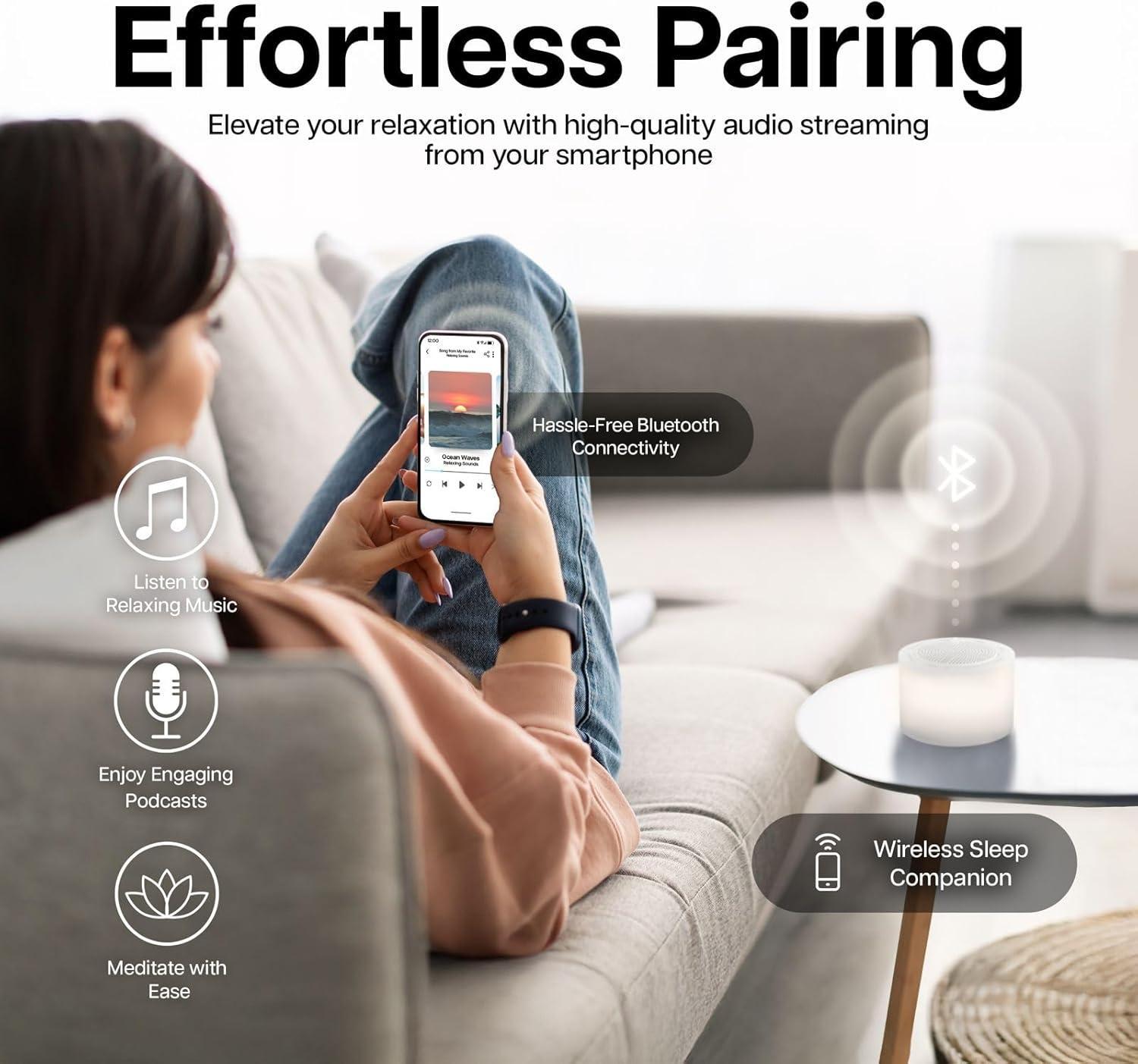
- Kaikōrero Nihokikorangi Hanga-roto: High-quality audio streaming from your smartphone for music, podcasts, and meditation.
- Timer for Energy Savings: Auto-off feature with 15 or 30-minute timer options.
Ihirangi mokete
Tena koa tirohia te kete mo nga mea e whai ake nei:
- Sealy Wireless Sleep Sound Machine & Night Light
- USB Momo-C Taura Whakapae
- Pukapuka Kaiwhakamahi
Tatūnga
Utu Tuatahi
Before first use, fully charge the device. Connect the provided USB Type-C cable to the charging port on the device and to a compatible USB power adapter (not included). The charging indicator will illuminate. A full charge provides up to 3 hours of wireless playtime.
Atahanga: The Sealy Sleep Sound Machine connected to a USB-C charging cable. The image highlights the charging port and indicates that a 20-minute charge provides 3 hours of use. The device also features an auto-off timer.
Nga Tohutohu Whakahaere
Te Hiko / Whakaweto
Patohia me te pupuri i te ON/OFF button located on the top of the device to power it on or off.
Aratau oro
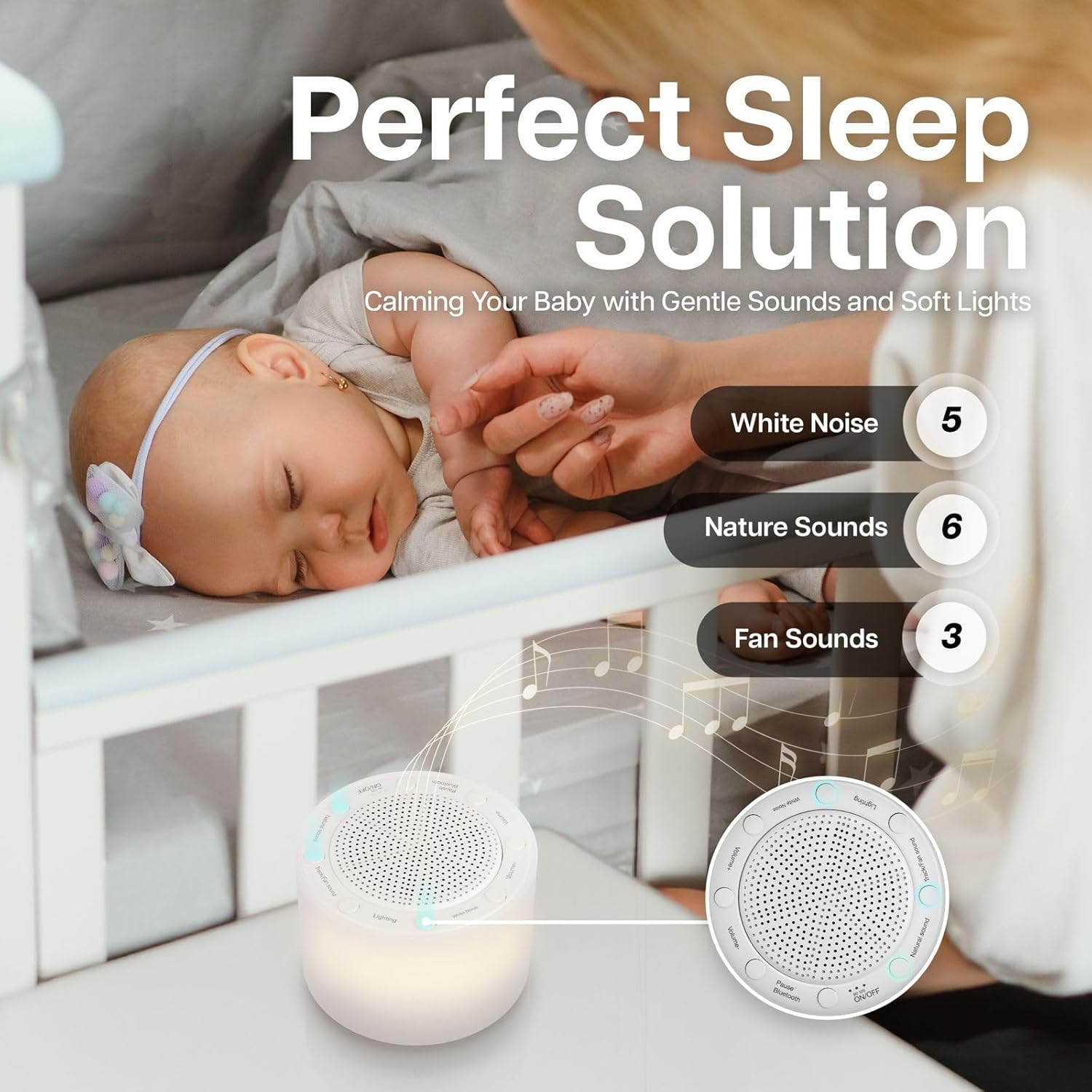
The device offers 14 distinct sound modes, categorized into White Noise, Nature Sounds, and Fan Sounds. Use the dedicated buttons on the top panel to cycle through these categories and select your preferred sound.
- Haruru Ma: 5 variations
- Oro Taiao: 6 variations
- Oro Fan: 3 variations

Atahanga: The Sealy Sleep Sound Machine positioned near a sleeping baby, illustrating its use for creating a calming environment. The image highlights the sound categories: 5 White Noise, 6 Nature Sounds, and 3 Fan Sounds.
Atahanga: The Sealy Sleep Sound Machine on a desk, demonstrating its utility for enhancing focus during work or creative tasks. The image emphasizes the availability of 14 sound modes for optimal concentration.
Whakaritenga Rōrahi
Whakamahia te Rōrahi + a Rōrahi - buttons to adjust the sound level to your preference.
Tauira Nihokikorangi
To use the device as a Bluetooth speaker:
- Me mohio kei te whakakaha te taputapu.
- Pehia te Nihokikorangi button. The device will enter pairing mode, indicated by a flashing light or audio cue.
- On your smartphone or other Bluetooth-enabled device, search for "Sealy Sound Machine" in the Bluetooth settings.
- Select the device to pair. Once paired, you can stream audio wirelessly.
Atahanga: The Sealy Sleep Sound Machine shown in a living room setting, demonstrating its Bluetooth pairing capability with a smartphone. The image highlights the ease of connecting for high-quality audio streaming.
Mahi Maama Po
Pehia te Whakamarama button to turn the night light on or off. The device features two brightness levels. Press the button repeatedly to cycle between the low brightness, high brightness, and off settings.
Atahanga: The Sealy Sleep Sound Machine on a nightstand, illustrating its dual brightness levels. A visual slider indicates the adjustment from medium to high brightness, allowing users to customize the ambiance.
Tautuhinga Matama
The device includes an auto-off timer to conserve energy. Press the Matawā button to select a 15-minute or 30-minute auto-off duration. The device will automatically power off after the selected time.
Ataata: This video demonstrates the features of the Sealy Wireless Sleep Sound Machine, including its various sound modes, night light, Bluetooth connectivity, and timer settings. It highlights the device's ease of use and portability.
Te tiaki
- Te horoi: Horoia te taputapu ki te kakahu ngohengohe, maroke. Kaua e whakamahi i nga kai horoi wai, i nga taonga abrasive ranei.
- Rokiroki: Whakaorangia te taputapu ki te waahi makariri, maroke ina kore e whakamahia.
- Tiaki Pūhiko: Hei whakaroa i te ora o te pākahiko, karohia te tuku katoa i te pākahiko. Me utu te taputapu i nga wa katoa, ahakoa kaore i te whakamahia tonu.
Raparongoā
| Raruraru | Rongoa pea |
|---|---|
| Kaore te taputapu i te hiko. | Ensure the battery is charged. Connect the device to a power source using the USB Type-C cable. |
| Kaore he tangi mai i te kaikorero. | Check the volume level. Ensure the correct sound mode is selected. If using Bluetooth, ensure it is properly paired and the volume on the connected device is up. |
| Kua rahua te takirua Nihokikorangi. | Ensure the device is in pairing mode. Turn off and on Bluetooth on your smartphone. Move closer to the device. Disconnect from other Bluetooth devices. |
| Kāore te rama pō e mahi ana. | Press the Lighting button to cycle through brightness levels. Ensure the device is powered on. |
Whakatakotoranga
- Tau tauira: SL-HW-SN-121-WT
- Waitohu: Sealy
- Ahu: 6 x 6 x 3 inihi
- Taumaha: 16 hekere
- Aratau oro: 14 (White Noise, Nature, Fan)
- Taumata Tirohanga: 2
- Tautuhinga Taima: 15 meneti, 30 meneti
- Ora Pūhiko: Up to 3 hours (wireless playtime)
- Hononga: Nihokikorangi
- Tauranga Whakatau: USB Momo-C
- UPC: 805112124923
- Kaihanga: Bytech NY
Pūtāhui me te Tautoko
For warranty information and customer support, please refer to the documentation included with your product packaging or visit the official Sealy webpae. Puritia to rihiti hoko mo nga kereme whakamana.
Whakakahoretanga Ture: Ko nga korero e pa ana ki nga taapiringa kai kaore ano kia arotakehia e te FDA, kaore i te whakaaro ki te tirotiro, ki te rongoa, ki te rongoa, ki te aukati ranei i nga mate, i nga ahuatanga hauora ranei.


