1. Kupu Whakataki
Thank you for choosing the Xech BreezX Rechargeable Table Fan. This compact and versatile fan is designed to provide powerful, quiet, and portable cooling with added features like oscillation, tilt adjustment, and an integrated night light. Please read this manual carefully before use to ensure proper operation and maintenance.
2. Nga Tohutohu Haumaru
- Kaua e whakauru i ō maihao, i tētahi atu mea rānei ki roto i te oumu hau i te wā e mahi ana te hau.
- Puritia te pā hau kia matara atu i te wai, i ētahi atu wai rānei hei ārai i te ru hiko.
- Do not use the fan in extremely hot or humid environments.
- Me whakarite kia whakatakotoria te pā hau ki runga i te mata pumau, papatahi kia kore ai e huri.
- Kaua e taea e nga tamariki me nga kararehe.
- Me whakamahi anake te taura USB-C mo te utu.
- Kaua e ngana ki te wetewete, ki te whakatika rānei i te pā hau māu ake. Whakapā atu ki te ratonga kiritaki mō te āwhina.
- Unplug the fan before cleaning or when not in use for extended periods.
3. Ihirangi mokete
- Xech BreezX Rechargeable Table Fan
- USB-C Tauira Whakatau
- Pukapuka Kaiwhakamahi
4. Hua Neke Atuview
The Xech BreezX fan combines powerful airflow with portability and smart features for your comfort.

Figure 4.1: Xech BreezX Rechargeable Table Fan (Front View)

Figure 4.2: Wide 100° Oscillation and 90° Vertical Tilt for comprehensive air circulation.
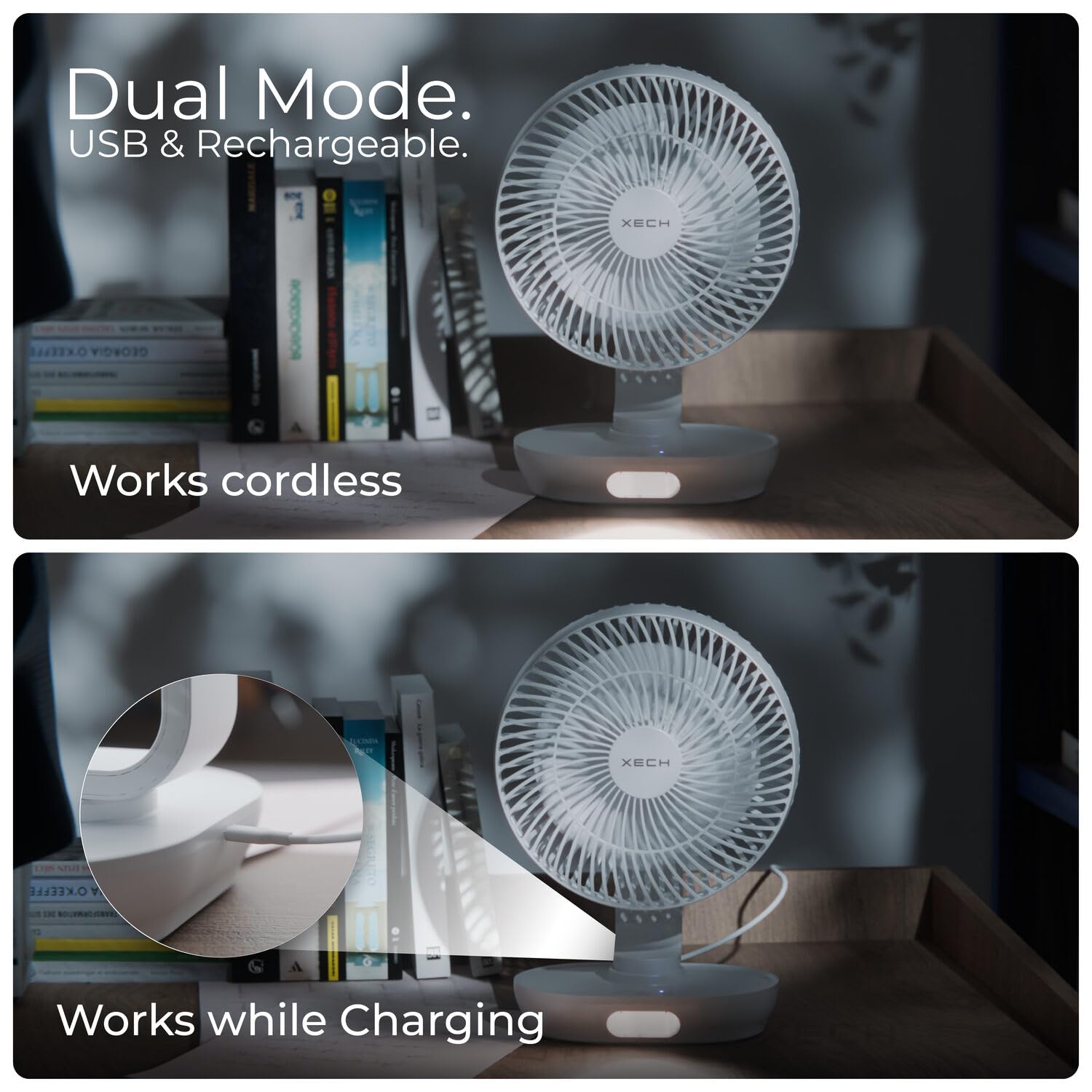
Figure 4.3: Dual Mode operation allows the fan to work cordless or while charging via USB-C.

Figure 4.4: Super-Quiet Brushless Motor ensures whisper-quiet operation, ideal for sleep or study.
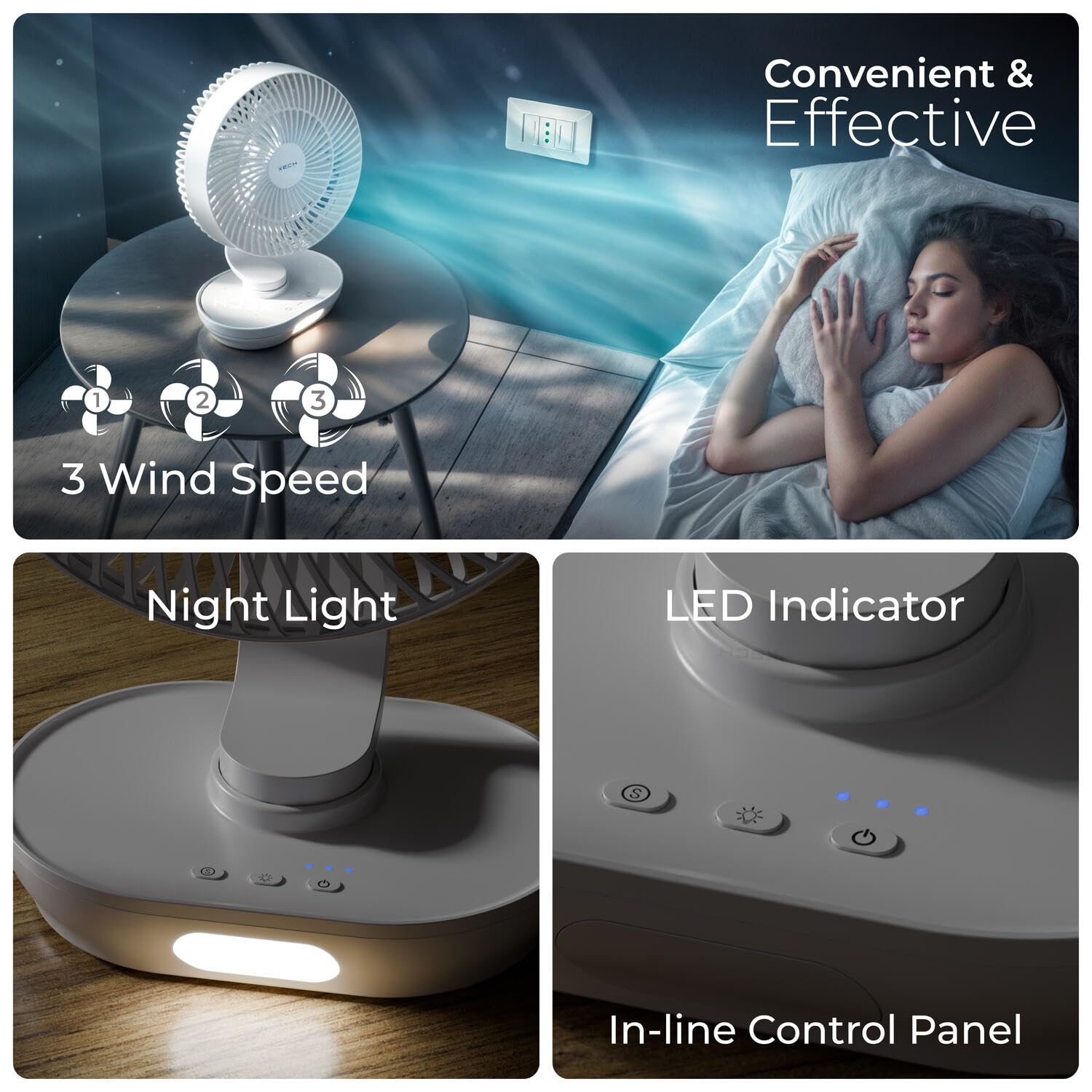
Figure 4.5: In-line Control Panel with buttons for power, speed, oscillation, and night light, along with LED indicators.

Figure 4.6: Engineered for Convenience: Features replaceable rechargeable batteries, easy-to-clean fan grills, an energy-efficient 2200 RPM motor, and aerodynamic fan blades.
5. Tatūnga
- Wewete: Tangohia marietia te pā hau me ngā taputapu katoa i roto i te takai.
- Akona Tuatahi: Before first use, fully charge the fan using the provided USB-C cable. Connect the USB-C end to the fan's charging port and the USB-A end to a compatible USB power adapter (not included) or computer USB port. The LED indicator will show charging status.
- Tāuta Pūhiko (mehemea e hāngai ana): The fan comes with pre-installed rechargeable batteries. If replacement is needed, open the battery compartment at the base and insert new compatible batteries, ensuring correct polarity.
- Turanga: Whakanohoia te mea powhiriwhiri ki runga i te mata papatahi.
6. Nga Tohutohu Whakahaere
- Hiko Whakaka/Weto: Patohia te paatene Mana (U) on the control panel to turn the fan on or off.
- Whakaritea te Tere Kiri: While the fan is on, press the Speed button (tohu fan) repeatedly to cycle through 3 wind speeds (Low, Medium, High).
- Mahi oscillation: Pēhia te pātene Oscillation (tohu oscillation) to activate or deactivate the 100° automatic oscillation.
- Whakaritea Koki Honga: Manually adjust the fan head up or down to achieve the desired 90° vertical tilt angle.
- Maama po: Pēhia te pātene Rama (tohu rama rama) to turn the LED night light on or off. Some models may have multiple brightness levels; press repeatedly to cycle through them.
7. Tiaki
- Te horoi i te Fan: Me mohio kua wetohia te mea tahi me te wetewete i te mono i mua i te horoi.
- Grill and Blades: The front grill and blades are removable for easy cleaning. Gently twist or unclip the front grill (refer to product diagrams if available) to access the blades. Wipe the blades and grill with a soft, damp kakahu. Kaua e whakamahi i nga kai horoi me nga whakarewa.
- Waho: Horoia te taha waho o te pā hau ki te kakahu ngohengohe, maroke.
- Rokiroki: When not in use for extended periods, store the fan in a cool, dry place, away from direct sunlight and moisture.
8. Te Raru
| Raruraru | Take pea | Rongoā |
|---|---|---|
| Kare te Fan e huri. | Kua pau te pākahiko. | Whakakīia te pā hau mā te whakamahi i te taura USB-C. |
| Kaore i tika te pehi i te paatene hiko. | Ensure the Power button is pressed firmly. | |
| Te rere hau ngoikore. | He iti rawa te tere o te pa. | Whakanuia te tere fan. |
| Fan grill or blades are dirty. | Clean the fan grill and blades as per maintenance instructions. | |
| Ka haruru rerekee te Fan. | Ngā ārai i roto i ngā mata o te pā. | Whakawetohia, momotuhia te hiko o te hau, kātahi ka tirohia mēnā he arai, kātahi ka tangohia marietia. |
| Kāore te pā hau i runga i te mata pumau. | Whakanohoia te mea powhiriwhiri ki runga i te mata papatahi. | |
| Ko te rama o te po e kore e mahi. | Night light function is off. | Press the Light button to turn it on. |
| He iti rawa te pākahiko. | Whakakīia te pā hau. |
9. Whakatakotoranga
| Āhuahira | Taipitopito |
|---|---|
| Waitohu | Xech |
| Ingoa Tauira | BreezX (X-803) |
| Hiko Hiko Hoahoa | Kiriata Ripanga |
| Puna Mana | Pūhiko Powered |
| Hunga Hua | 12.5D x 20W x 30.5H Henemita |
| Nga waahanga motuhake | Portable, Quiet Operation, LED Light, Adjustable Tilt, Oscillating |
| Taumata Haruru | 58 dB |
| Wattage | 6 Watts |
| Te maha o nga Matatahi | 3 |
| Te roa o te Mata | 200 Milimetera |
| Tere | 2200 RPM |
| Voltage | 5 Volts |
| Momo Whakawhiti | Patene Pana |
| Taumaha Tūemi | 575 Karamu |
| Momo Tuhono | Momo USB C |
| Te whakamahi ano | Ka taea te utu |
| Te maha o nga taumata hiko | 3 |
| Whenua Taketake | Haina |
10. Pūtāhui me te Tautoko
The Xech BreezX fan is manufactured by XECH Technologies Pvt Ltd. For any warranty claims, technical support, or service inquiries, please contact XECH Technologies Pvt Ltd directly. Please retain your proof of purchase for warranty validation.
For further assistance, please visit the official Xech store on Amazon or contact their customer service channels.


