Kupu Whakataki
Welcome to the JLab Go Lux ANC Wireless Headphones instruction manual. These premium on-ear Bluetooth headphones are designed to provide an immersive audio experience with advanced features for comfort and connectivity.
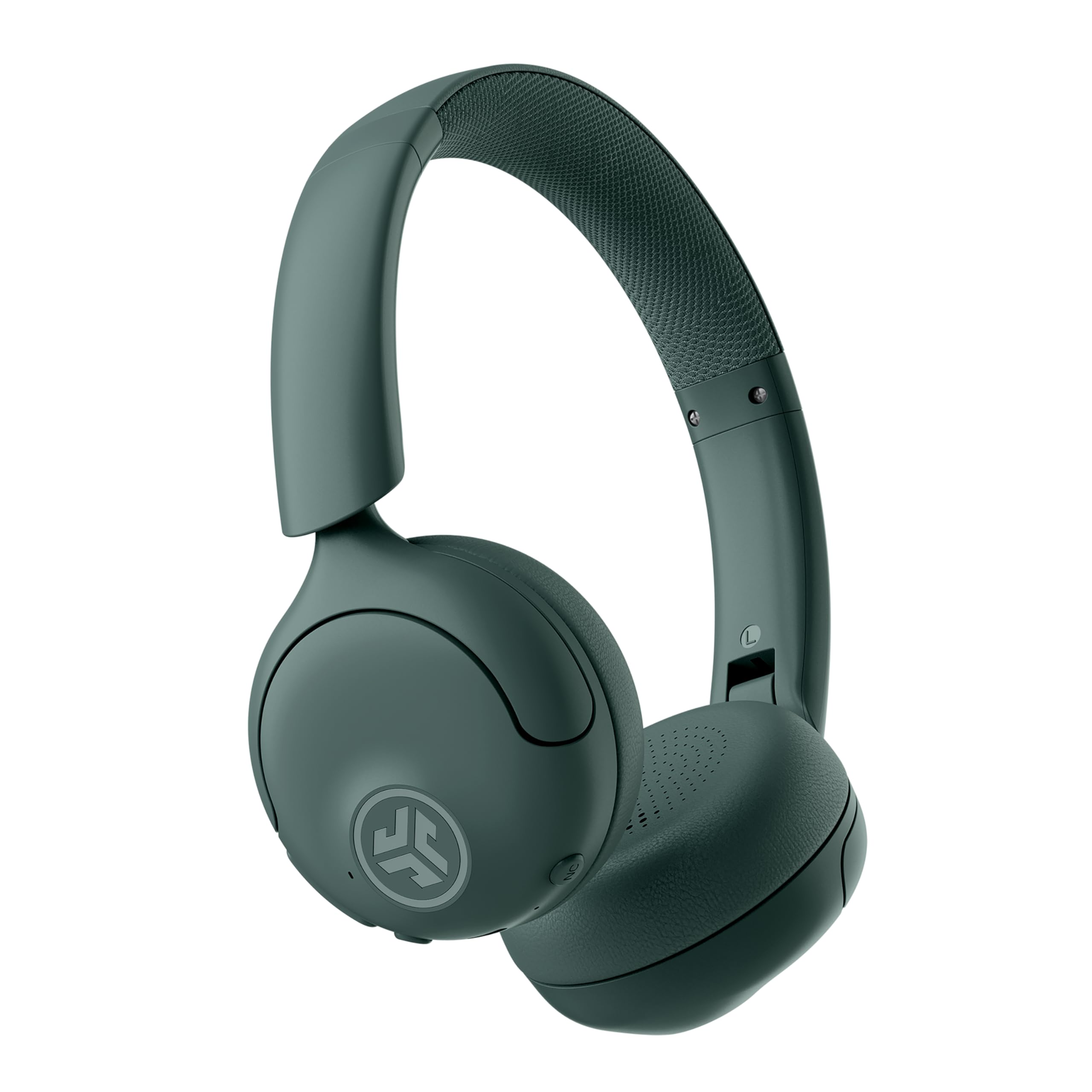
Image: JLab Go Lux ANC Wireless Headphones, showcasinte hoahoa whānui.
Nga waahanga matua
- Hybrid Active Noise Cancelling (ANC) & Be Aware Mode: Eliminate distractions up to 30 dB or stay connected to your surroundings.
- Cloud Foam Comfort: Ergonomically shaped Form-Fit Earcups and adjustable hinges for ultimate comfort.
- Customizable Sound via JLab App: Personalize ANC/Be Aware settings, touch controls, and sound preferences.
- Nga Waea Maamaa: Noise-canceling microphones ensure clear communication.
- Hononga ngawari: Bluetooth Multipoint for simultaneous connection to two devices, Wireless Share Mode, Google Fast Pair, and Microsoft Swift Pair.
- Google Find My Device: Locate your headphones easily.
Aratohu Tatūnga
1. Whakataki Tuatahi
Before first use, fully charge your JLab Go Lux ANC headphones using the provided USB-C charging cable. The charging port is located on one of the earcups.

Image: JLab Go Lux ANC headphones folded, showing the USB-C charging cable.
2. Takirua Nihokikorangi
Hei hono i ō paneoro ki tētahi taputapu:
- Me mohio kua weto nga taringa.
- Patohia me te pupuri i te paatene hiko kia whiti te tohu LED ki te puru me te whero, e tohu ana i te aratau takirua.
- On your device (smartphone, tablet, computer), go to Bluetooth settings and select "JLab Go Lux ANC" from the list of available devices.
- Ina hono ana, ka huri te tohu LED ki te puru puru.
3. Hononga Ira Maha
The headphones support Bluetooth Multipoint, allowing connection to two devices simultaneously:
- Pair with the first device as described above.
- Monokia te Nihokikorangi i runga i te taputapu tuatahi. Ka uru ano nga taringa ki te aratau takirua.
- Tauhoa ki te taputapu tuarua.
- Whakahohe anō i te Nihokikorangi i te pūrere tuatahi. Ka hono aunoa ngā paneoro ki ngā pūrere e rua.
4. JLab App Installation
Download the JLab App from the App Store or Google Play Store to customize settings and access additional features.

Image: JLab App interface on a smartphone, demonstrating sound customization options.
Nga Tohutohu Whakahaere
1. Te Hiko / Whakaweto
- Whakahiko: Patohia me te pupuri i te paatene mana mo te 3 hēkona.
- Weto Whakakore: Patohia me te pupuri i te paatene mana mo te 5 hēkona.
2. Hybrid ANC & Be Aware Mode
Toggle between Hybrid Active Noise Cancelling and Be Aware Mode using the dedicated NC button on the earcup.
- Ranu ANC: Ka whakaiti i te haruru o waho mō te wheako whakarongo rumaki.
- Aratau Kia Mātakitaki: Ka tuku i nga oro taiao kia puta, kia mohio koe ki to taiao.

Image: A person wearing JLab headphones, illustrating the Hybrid ANC and Be Aware Mode features.
3. Mana Taketake
The headphones feature intuitive touch controls on the earcups:
- Rōrahi Whakarunga/Whakararo: Whakamahia nga paatene rōrahi kua whakatapua.
- Purei/Tatari: Pāwhiritia kotahi te pātene maha-mahi.
- Riu Panuku: Double tap the multi-function button.
- Riu o mua: Triple tap the multi-function button.
- Whakautu/Whakamutu Waea: Single tap the multi-function button during a call.
- Whakakore Waea: Pēhia me te pupuri i te paatene mahi-maha i te wa o te waea taumai.
4. Wireless Share Mode
Share audio wirelessly between two JLab Lux headphones. Refer to the JLab App or JLab website for detailed instructions on activating and using Wireless Share Mode.
5. Google Find My Device
Utilize Google Find My Device to locate your headphones if misplaced. Ensure your headphones are connected to a compatible Android device.
Te tiaki
1. Te utu
Charge the headphones using the provided USB-C cable. A full charge provides up to 70+ hours of playtime (40+ hours with ANC on).
2. Te horoi
Wipe the headphones with a soft, dry cloth. Avoid using harsh chemicals or abrasive materials. Ensure the charging port is dry before charging.
3. Rokiroki
Ki te kore e whakamahia, penapenahia nga taringa ki te waahi makariri, maroke. Ko te hoahoa kopaki ka taea te rokiroki kiato.

Image: JLab Go Lux ANC headphones folded for compact storage, alongside the charging cable.
Raparongoā
- Kore Mana: Me whakarite kia whakakiia nga taringa.
- Kaore e taea te takirua: Make sure Bluetooth is enabled on your device and the headphones are in pairing mode. Try forgetting the device on your phone and re-pairing.
- Nga take oro: Check volume levels on both headphones and connected device. Ensure headphones are within Bluetooth range.
- ANC Kaore i te Mahi: Verify ANC mode is activated.
For further assistance, refer to the JLab App or contact JLab customer support.
Whakatakotoranga
| Ingoa Tauira | Go Lux ANC |
| Hangarau Hononga | Ahokore (Nihokikorangi 5.0) |
| Te Whakanoho Taringa | I runga i te Taringa |
| Mana Haruru | Hybrid Active Noise Cancelling, Be Aware Mode |
| Momo Atekōkiri Ororongo | Hybrid Driver (40mm) |
| Ora Pūhiko | Up to 70+ Hours (40+ Hours with ANC) |
| Tikanga Mana | Pā, Mana Oro |
| Pūrere Hototahi | Android devices, Windows PCs |
| Rauemi | Plastic, Metal, Faux Leather |
| Taumaha Tūemi | 0.704 hekere (0.02 Kirokaramu) |
| Hunga Hua | 2.95 x 6.1 x 7.48 inihi |
Pūtāhui me te Tautoko
Your JLab Go Lux ANC Wireless Headphones come with a JLab 2 Year Warranty.
Mō ngā kereme pūtāhui, tautoko hangarau, ētahi atu mōhiohio hua rānei, tirohia te paetukutuku mana JLab Store or contact JLab customer service.


