1. Kupu Whakataki
Mauruuru koe mo te hokoasing the DANFI AUDIO DF TE-2017 Vinyl Record Player. This manual provides essential information for the safe and correct operation of your new record player. Please read it thoroughly before use and retain it for future reference.
2. Ihirangi mokete
- DANFI AUDIO DF TE-2017 Vinyl Record Player
- 45 RPM Whurutau
- Power Cord & Adapter (100-240V~)
- Ngira Whakakapi
- Ripanga Kiriata
- Pukapuka Kaiwhakamahi (tenei tuhinga)
3. Hua Neke Atuview
The DANFI AUDIO DF TE-2017 is a versatile 3-speed belt-drive turntable with built-in speakers, Bluetooth wireless playback, USB/SD recording, AUX input, and RCA output. It features a clear dust cover and a digital display for easy operation.

Whakaahua 1: Mua me Muri View of the TE-2017 Record Player with Labeled Components. This image displays the turntable platter, spindle, 45 RPM adapter, tone arm lift lever, speed selection switch, auto stop on/off switch, tone arm lock, stylus, speakers, AUX input, Mode/TF/USB controls, LED display, RCA audio out, and power port.
4. Tatūnga
- Wewete ana: Tangohia marietia te kaitākaro rekoata me ngā taputapu katoa i roto i te takai. Puritia te takai mō te kawe, te penapena rānei a muri ake nei.
- Tāutanga Taupoki Puehu: Slide the clear plastic dust cover into the brackets located at the rear of the turntable. Ensure it is securely seated.
- Hononga Hiko: Connect the power adapter to the DC 5V/1A port on the rear of the record player and plug it into a wall outlet.
- Turanga: Place the record player on a stable, level surface away from direct sunlight, heat sources, and excessive dust or vibrations.
- Parenga Stylus: Remove the stylus protective cap before playing a record.
5. Nga Tohutohu Whakahaere
5.1 Te purei Rekoata Vinyl
- Whakahiko: Tahurihia te pātene ON/OFF/VOLUME ki te taha matau hei whakakā i te waeine me te whakarite i te oro.
- Tīpako Aratau: Set the PH/BT/AUX/USB switch to 'PH' (Phono) mode.
- Tuhi Tuhi: Place a vinyl record on the turntable platter. If playing a 7-inch single, use the included 45 RPM adapter.
- Tīpako Tere: Adjust the 3-speed selection switch (33, 45, 78 RPM) to match the record's speed.
- Auto-Stop (Optional): If desired, set the Auto Stop ON/OFF switch to 'ON'. The turntable will stop spinning automatically when the record finishes.
- Ringa Oro Tūnga: Gently lift the tone arm using the lift lever. Move the tone arm over the desired track of the record.
- Ringa Oro o Raro: Slowly lower the tone arm onto the record using the lift lever. The music will begin to play.
- Whakaritea te Piki: Use the PITCH control knob to fine-tune the playback speed if necessary.
- Whakamutua te purei anō: At the end of the record, lift the tone arm, return it to its rest, and lower the lift lever. Turn the ON/OFF/VOLUME knob counter-clockwise to power off.
Video 1: Demonstration of Vinyl Playback Mode on an LP&No.1 Turntable with Built-in Speakers. This video illustrates how to place a record, position the tone arm, and initiate playback, highlighting the smooth operation of the turntable.
5.2 Bluetooth Wireless Playback
- Whakahiko: Turn the ON/OFF/VOLUME knob clockwise to power on the unit.
- Tīpako Aratau: Set the PH/BT/AUX/USB switch to 'BT' (Bluetooth) mode. The digital display will show 'BT' and the indicator light will blink blue, indicating pairing mode.
- Pūrere Takirua: On your smartphone, tablet, or other Bluetooth-enabled device, search for 'Turntable' in the Bluetooth settings and select it to pair. Once connected, the indicator light will stop blinking and remain solid blue.
- Purei Waiata: Start playing music on your paired device. The audio will stream through the record player's built-in speakers.
- Whakaritea Rōrahi: Control the volume using the ON/OFF/VOLUME knob on the record player or your paired device.
Ataata 2: Ka mutuview of Record Player with Speakers, demonstrating Bluetooth connectivity. This video shows how to switch to Bluetooth mode, pair a mobile device, and stream audio wirelessly to the turntable's speakers.
5.3 USB/SD Recording and Playback
- Insert USB/SD: Insert a USB flash drive or SD card into the corresponding port on the front panel.
- Tīpako Aratau: Set the PH/BT/AUX/USB switch to 'USB' mode. The digital display will show 'USB'.
- Purei: The unit will automatically detect and play audio files from the USB/SD device. Use the control buttons (Previous Song, Pause & Play, Next Song) to navigate tracks.
- Recording Vinyl to USB/SD:
- Start playing a vinyl record as described in section 5.1.
- Press the 'REC' button (if available, typically near the USB/SD slot) to begin recording. The indicator light may change to confirm recording is active.
- Press 'REC' again to stop recording. The recorded audio will be saved as an MP3 file on the USB/SD device.
- Use the 'SPLIT' button (if available) to create separate tracks during recording.
Video 3: USB Playback & Vinyl to MP3 Recording demonstration. This video shows how to insert a USB drive, initiate recording from vinyl, and manage recorded files, highlighting the digital conversion feature.
5.4 AUX Whakauru
- Whakahiko: Turn the ON/OFF/VOLUME knob clockwise to power on the unit.
- Tīpako Aratau: Set the PH/BT/AUX/USB switch to 'AUX' mode.
- Hono Pūrere: Connect an external audio device (e.g., MP3 player, CD player) to the AUX IN port on the rear of the record player using a 3.5mm audio cable (not included).
- Purei Ororongo: Play audio from your external device. The sound will be output through the record player's speakers.
- Whakaritea Rōrahi: Control the volume using the ON/OFF/VOLUME knob on the record player or the external device.
5.5 RCA Putanga
- Connect External Speakers: Connect external powered speakers or an amplifier to the RCA OUT ports (red for right, white for left) on the rear of the record player using an RCA cable (not included).
- Purei Ororongo: Play a vinyl record or stream via Bluetooth/AUX. The audio will be routed through the connected external audio system.
- Whakaritea Rōrahi: Control the volume primarily through your external audio system. The record player's volume knob may still affect the output level.
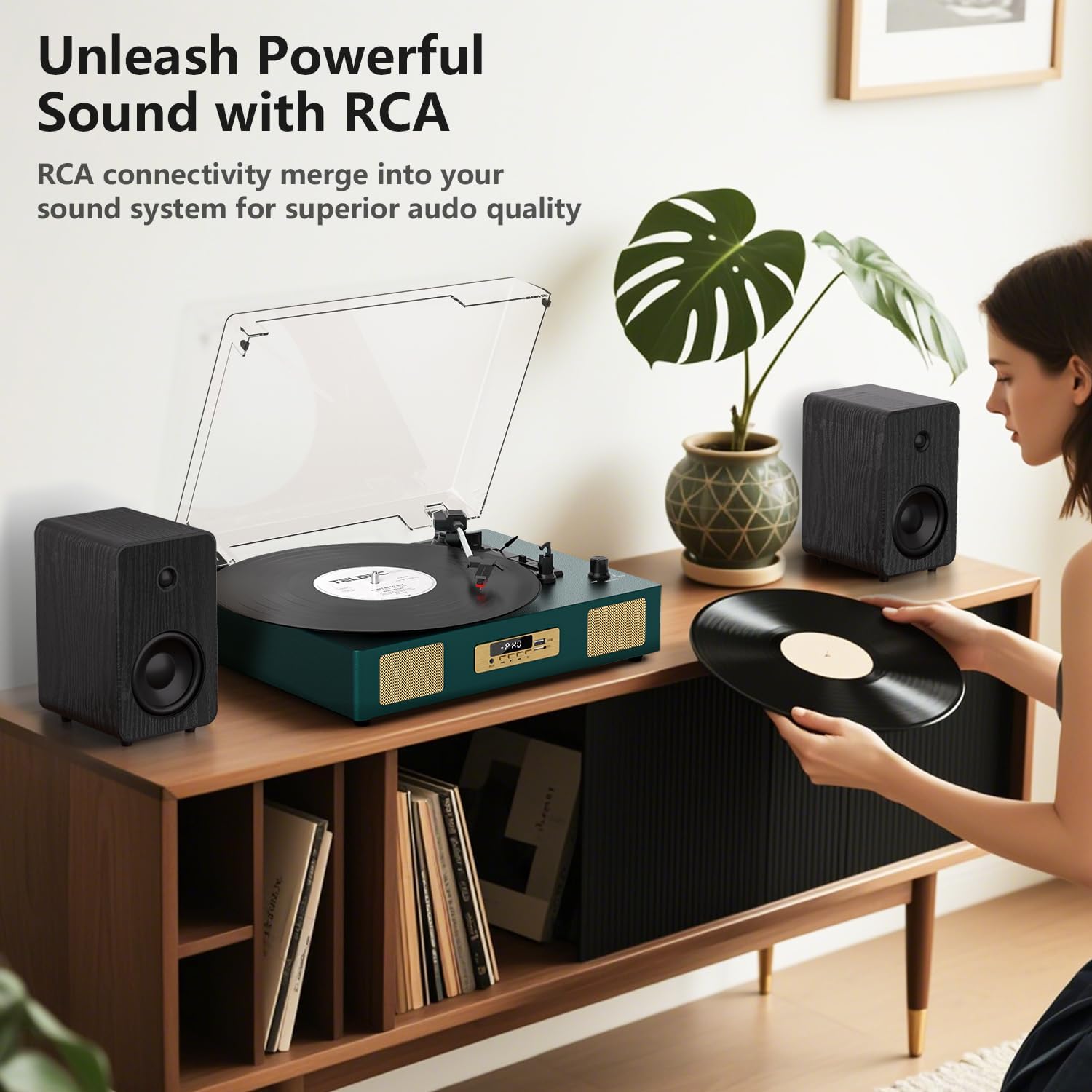
Whakaahua 2: Whakamuri view of the TE-2017 Record Player, illustrating the RCA output ports connected to external speakers for enhanced audio quality.
5.6 Pooro Jack
For private listening, plug 3.5mm headphones into the headphone jack located on the front panel. The built-in speakers will be muted automatically.
6. Tiaki
- Te horoi i te Stylus: Use a soft brush (not included) to gently clean the stylus from back to front. Do not use excessive force.
- Te horoi i te Pūpāpāho Rekoata: Horoia te waeine ki te kakahu ngohengohe, maroke. Kaua e whakamahi i nga kai horoi me nga whakarewa.
- Uhi Puehu: Keep the dust cover closed when not in use to protect the turntable from dust and debris.
- Tiaki Rekoata: Handle records by their edges. Store them vertically in their sleeves to prevent warping and dust accumulation.
7. Te Raru
| Raruraru | Take pea | Rongoā |
|---|---|---|
| Karekau he kaha | Ko te urutau hiko kaore i te hono, kei te he te putanga. | Me mohio kei te hono pai te urutau hiko me te mahi o te putanga. |
| Kaore he tangi mai i nga kaikorero | He iti rawa te rōrahi; te aratau hē i tohua; nga taringa e hono ana. | Increase volume; select correct mode (PH, BT, AUX, USB); disconnect headphones. |
| Karekau te tepu hurihuri e huri | Power off; belt dislodged; auto-stop engaged prematurely. | Ensure power is on; check belt (refer to maintenance); try disabling auto-stop. |
| Te mokowhiti, te oro parori ke ranei | He rekoata paru kua pakaru ranei; stylus paru kua mau ranei; karekau he taumata. | Clean record; clean or replace stylus; ensure turntable is on a level surface. |
| Ko te Nihokikorangi kaore i te takirua | Incorrect mode; device too far; device already paired. | Ensure 'BT' mode is selected; move device closer; unpair from other devices. |
8. Whakatakotoranga
- Waitohu: DANFI Ororongo DF
- Tauira: TE-2017
- Nga Tere Ripanga: 33 1/3, 45, 78 RPM
- Momo Puku: He Peara Tere
- Hononga: Bluetooth Receiver, USB, SD Card, AUX Input, RCA Output
- Nga waahanga motuhake: Digital Recorder, WAV Converter, Digital Display, Pitch Control, Auto-Stop
- Puna Hiko: Hiko Waea (DC 5V/1A)
- Signal-to-noise ratio (dB): 78 dB
- Rahi Hua: 35.56 x 27.94 x 12.45 cm (14 x 11 x 4.9 inihi)
- Taumaha: 3.07 kg (6.77 lbs)
9. Pūtāhui me te Tautoko
For warranty information or technical support, please refer to the contact details provided with your purchase or visit the official DANFI AUDIO DF webpae. Puritia to tohu hoko mo etahi kereme whakamana.


