1. Kupu Whakataki
Thank you for choosing the Baseus Picogo Magsafe Portable Charger. This ultra-slim, high-capacity power bank is designed to provide convenient and fast charging for your compatible devices, especially iPhone 12-17 series, AirPods, and other USB-C devices. This manual will guide you through its features, setup, operation, and maintenance to ensure optimal performance and longevity.
2. Hua Neke Atuview & Nga waahanga matua
The Baseus Picogo Magsafe Portable Charger combines advanced technology with a sleek design, making it an essential accessory for your mobile lifestyle. Key features include:
- Hoahoa Ultra-Slim me te Kawe: Measuring just 4.0 x 2.67 x 0.5 inches and weighing 7.8 ounces, it's designed for maximum portability.
- Raukaha Teitei: Kua whakauruhia ki te pākahiko 10,000mAh, whakarato ampte mana mo te whakamahi roa.
- Qi2 Tiwhikete 15W Whakatau Ahokore: Offers fast and efficient magnetic wireless charging for compatible devices.
- 27W Wired Fast Charging: Features a USB-C port for rapid wired charging of various devices.
- Super-Strong Magnetic Attachment: Designed with 11N ultra-strong magnets for a secure connection to MagSafe-compatible iPhones.
- Roa, Haumaru: Built with premium materials, including Tesla's lithium-polymer battery technology, and an NTC temperature control chip to prevent overheating.
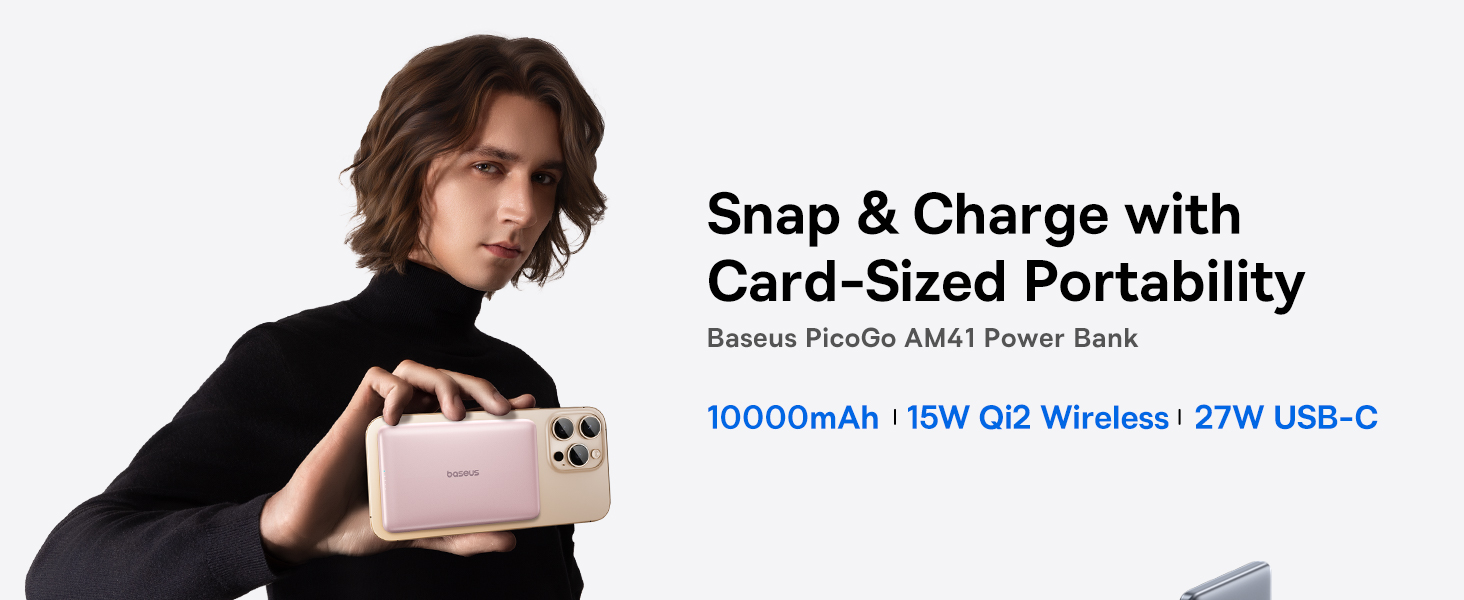
Image: The Baseus Picogo Magsafe Portable Charger demonstrating its ultra-slim, card-sized portability, highlighting its ergonomic design and lightweight nature.
3. Ihirangi mokete
Tena koa tirohia te kete mo nga mea e whai ake nei:
- Baseus Picogo Magsafe Portable Charger (Nebula Pink)
- USB-C ki te Waea Whakakona USB-C
- Pukapuka Kaiwhakamahi (tenei tuhinga)
4. Tatūnga
Before first use, it is recommended to fully charge your Baseus Picogo Portable Charger.
- Connect the supplied USB-C to USB-C cable to the power bank's USB-C port.
- Monohia tetahi pito o te taura ki te urutau pakitara USB hototahi (kaore i whakauruhia).
- The LED indicators on the power bank will illuminate to show the charging progress. A full charge is indicated when all LED lights are solid.

Image: The power bank being recharged via its USB-C port, illustrating the recharging process.
5. Nga Tohutohu Whakahaere
5.1. Whakataki Ahokore (MagSafe)
For MagSafe-compatible devices (iPhone 12-17 series):
- Me whakarite kia tika te utu o te peeke hiko.
- Align the MagSafe area of your iPhone with the magnetic charging surface of the power bank. The magnets will securely attach the devices.
- Wireless charging will begin automatically. The LED indicators on the power bank will show its remaining charge.

Image: An iPhone wirelessly charging via magnetic attachment to the Baseus Picogo power bank, demonstrating the seamless connection.
5.2. Whakataki Waea (USB-C)
For devices that support USB-C charging:
- Tūhonohia tō pūrere ki te tauranga USB-C o te pēke hiko mā te whakamahi i tētahi taura USB-C hototahi.
- Ka tiimata te tiimatanga.
5.3. Charging Multiple Devices Simultaneously
The power bank supports charging multiple devices at once:
- You can wirelessly charge one device via MagSafe while simultaneously charging another device via the USB-C port.

Image: The power bank charging an iPhone wirelessly and another device via its USB-C port, showcasing its dual-charging capability.
5.4. Te Whakahou i te Peeke Hiko
To recharge the power bank, follow the steps outlined in the
Tuhinga e pa ana - PPKPC-1027G
 |
Aratohu Tīmatanga Tere mō te Pēke Hiko Ahokore Aukume Baseus PicoGo AM41 10000mAh Akohia me pēhea te whakamahi i te pēke hiko ahokore aukume Baseus PicoGo AM41 10000mAh me te utu tere PD 27W. Kei roto i tēnei aratohu ngā hua katoaview, ngā āhuatanga, ngā tikanga utu, ngā whakatakotoranga, me ngā whakatūpato nui mō tō pūrere whaimana Qi2. |
 |
Aratohu Tīmatanga Tere mō te Pēke Hiko Aukume Baseus PicoGo AM41 10000mAh 27W He aratohu tīmatanga tere mō te Baseus PicoGo AM41, he pēke hiko aukume tino angiangi 10000mAh 27W. Kei roto i tēnei aratohu ngā tohutohu mō te whakarite, te utu i te pēke hiko, te utu ahokore aukume, me ngā taputapu utu mā te whakamahi i te pēke hiko, me ngā whakatakotoranga hua. |
 |
Aratohu Tīmatanga Tere mō te Pēke Hiko Baseus PicoGo AM41 He aratohu tīmatanga poto, ngāwari hoki mō te Baseus PicoGo AM41 Power Bank (10000mAh, 27W). Akohia ōna āhuatanga, te utunga ahokore me te taura, ngā mahi pātene mana, te aratau au iti, ngā whakatakotoranga, me ngā rauemi tautoko. |
 |
Aratohu Tīmatanga Tere mō te Pēke Hiko Baseus PicoGo AM61 He aratohu tīmatanga tere mō te Pēke Hiko Baseus PicoGo AM61, he pēke hiko pūkoro aukume 10000mAh 45W Qi2.2. |
 |
Baseus PicoGo AM41 10000mAh Безжична външна батерия Ръководство за бърз старт Ръководство за бърз старт за Baseus PicoGo AM41, ултратънка Qi2 магнитна външна батерия 10000 mAh 27 W. w. спецификации и гаранция. |
 |
Aratohu Tīmatanga Tere mō te Pūhiko Pūhiko Baseus PicoGo Qi2 5000mAh 20W Kei roto i tēnei aratohu ngā mōhiohio nui mō te Baseus PicoGo Qi2 Magnetic Bracket Power Bank 5000mAh 20W, tae atu ki te tatūnga, te whakamahinga, ngā whakatakotoranga, ngā tohutohu haumaru, me ngā taipitopito mō te tutuki i ngā whakaritenga. |