1. Kupu Whakataki
Thank you for choosing the Baseus Power Bank & 45W USB C Charger Block. This manual provides essential information for the safe and efficient use of your new charging devices. Please read these instructions carefully before use and retain them for future reference.
2. Hua Neke Atuview
2.1 Ihirangi mokete
- Baseus Power Bank (10000mAh) with Built-in USB-C Cable
- Baseus 45W USB C Charger Block
- USB-C to USB-C Charging Cable (for charger block)
- Pukapuka Kaiwhakamahi
2.2 Nga waahanga matua
- Utu Tere Tino PD 45W: The power bank delivers up to 45W output via its built-in USB-C cable and USB-C port, enabling rapid charging for compatible devices.
- 10000mAh Raukaha: Sufficient power to provide multiple charges for smartphones and other small electronic devices.
- Two-Way Fast Charging Cable: The integrated USB-C cable supports both device charging and 30W fast recharging of the power bank itself.
- Whakataunga Pūrere-maha: The power bank can charge up to three devices simultaneously using its built-in cable, USB-C port, and USB-A port.
- 45W USB C Charger Block: Features PPS/PD 3.0 technology for efficient and rapid charging of various devices, including smartphones and tablets.
- Hoahoa Kiato: Both the power bank and charger block are designed for portability and convenience.
- Parenga Haumaru Matawhānui: Built-in safeguards against over-voltage, raro-voltage, overcharge, over-discharge, NTC temperature, over-current, short circuit, and over-power.

Image 1: The Baseus Power Bank, 45W USB C Charger Block, and included USB-C cables.
3. Tatūnga
3.1 Te Utu Tuatahi o te Pēke Hiko
Before first use, fully charge the Baseus Power Bank. This ensures optimal battery performance and accuracy of the charge indicator.
- Connect the built-in USB-C cable from the power bank to the Baseus 45W USB C Charger Block.
- Plug the charger block into a standard wall outlet.
- The power bank's display will show the charging status. Allow approximately 2 hours for a full charge.

Image 2: The 10000mAh Baseus Power Bank in use, providing portable power.
4. Nga Tohutohu Whakahaere
4.1 Charging Devices with the Power Bank
The Baseus Power Bank offers multiple options for charging your electronic devices.
- Ma te whakamahi i te Waea USB-C i Roto ki roto: Extend the integrated USB-C cable and plug it directly into your compatible device's USB-C port. This cable supports up to 45W fast charging.
- Te whakamahi i te Tauranga USB-C: For devices requiring a separate USB-C to USB-C cable, connect one end to the power bank's USB-C output port and the other to your device. This port also supports up to 45W fast charging.
- Te whakamahi i te tauranga USB-A: For devices that use a USB-A cable, connect your device's cable to the power bank's USB-A output port. This port supports up to 22.5W charging.
The power bank can charge up to three devices simultaneously. The digital display will indicate the remaining battery percentage.

Image 3: The power bank delivering 45W fast charging to a smartphone, reaching 57% for iPhone 15 Pro or 63% for S24 Ultra in 30 minutes.

Image 4: The power bank's versatility, charging a phone, tablet, and earbuds concurrently.
4.2 Using the 45W USB C Charger Block
The Baseus 45W USB C Charger Block provides rapid wall charging for compatible devices.
- Plug the charger block into a standard wall outlet.
- Connect one end of the provided USB-C to USB-C cable (or your device's compatible cable) to the charger block's USB-C port.
- Whakauruhia tetahi atu pito o te taura ki to rorohiko.
The charger block supports PD 45W fast charging, capable of charging an iPhone 16 to 56% or a Galaxy S24 to 61% in approximately 30 minutes. For Super Fast Charge 2.0 with Samsung devices, ensure you use a 5A charging cable.
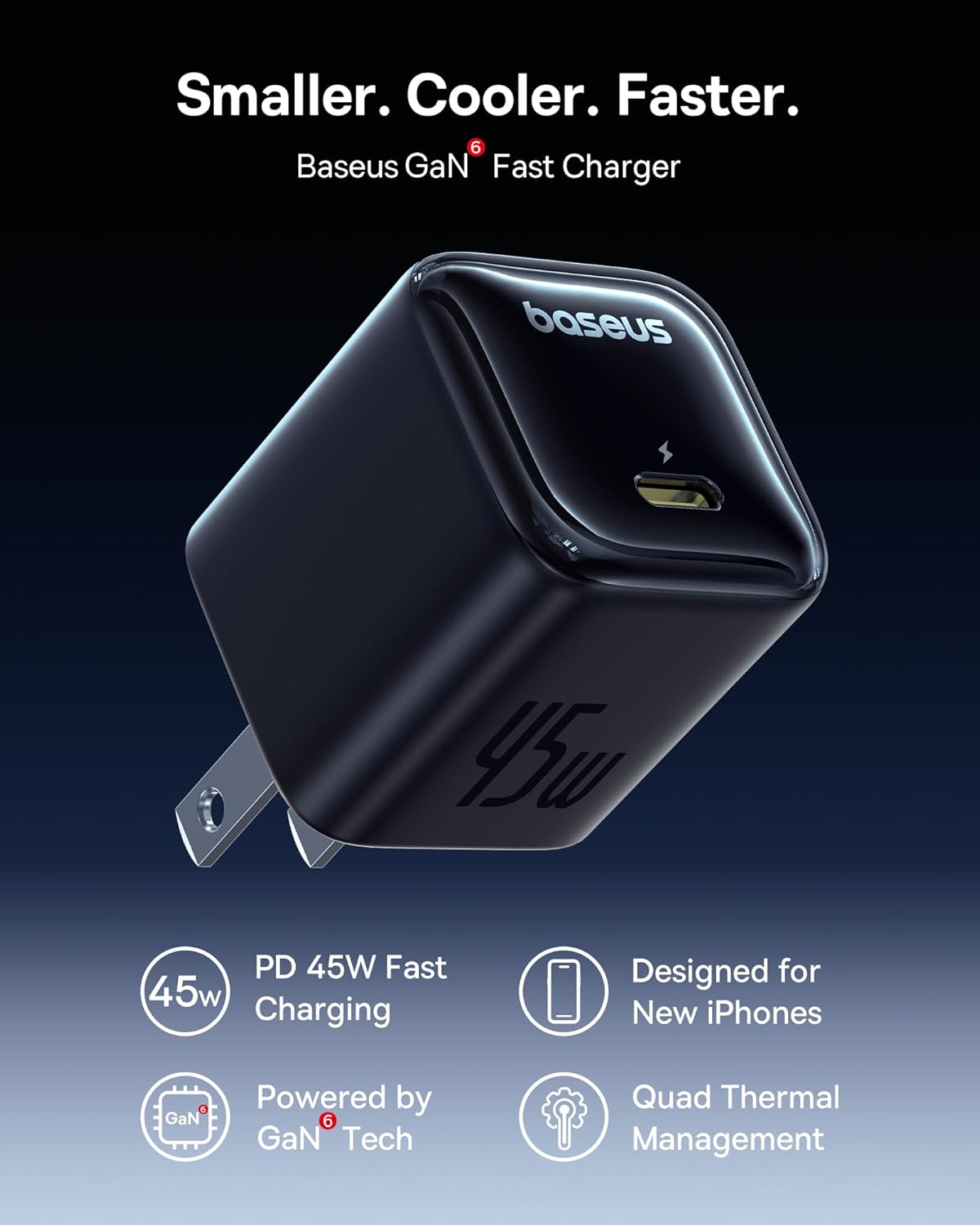
Image 5: The Baseus 45W USB C Charger Block, featuring GaN technology for efficient and compact design.

Image 6: Demonstrating the rapid charging capability of the 45W charger block with an iPhone 16.
5. Tiaki
5.1 Te horoi
- Ensure both devices are disconnected from power and other devices before cleaning.
- Whakamahia he kakahu ngohengohe, maroke, kore-raro hei muru i nga papa.
- Kaua e whakamahia ngā wai horoi, ngā aerosols, ngā whakarewa rānei.
5.2 Rokiroki
- Store the power bank and charger block in a cool, dry place away from direct sunlight and extreme temperatures.
- For long-term storage, ensure the power bank is charged to approximately 50-75% to preserve battery health. Recharge every 3-6 months if not in use.
5.3 Battery Care (Power Bank)
- Avoid fully discharging the power bank frequently.
- Kaua e tukuna te peeke hiko ki te wai, ki te makuku ranei.
- Kaua e poka, e wetewete, e whakarerekē rānei i te pēke hiko.
6. Te Raru
| Raruraru | Take pea | Rongoā |
|---|---|---|
| Karekau te putea hiko e utu | Cable not properly connected; charger block not powered; power bank fully discharged. | Ensure all connections are secure. Check wall outlet. Allow a few minutes for a deeply discharged power bank to respond. |
| Kaore te taputapu e utu ana mai i te peeke hiko | Power bank is out of charge; incorrect cable; device not compatible; cable not properly connected. | Recharge power bank. Use a compatible cable. Ensure connections are secure. |
| Puturi te utu | Non-fast charging cable used; multiple devices charging simultaneously; device not supporting fast charge. | Use a fast-charging compatible cable (e.g., 5A for Super Fast Charge 2.0). Charge fewer devices at once. Verify device's charging capabilities. |
| Charger block not working | Wall outlet issue; cable issue; device issue. | Try a different wall outlet. Use a different USB-C cable. Test with another device. |
7. Whakatakotoranga
7.1 Baseus Power Bank
- Tauira: B0DYDBWQB7
- Raukaha: 10000mAh
- Input (Built-in USB-C Cable): 30W Maora
- Huaputa (Ura USB-C Hanga-roto): 45W Maora
- Putanga (Tauranga USB-C): 45W Maora
- Putanga (Uranga USB-A): 22.5W Maora
- Putanga Tapeke: Varies based on simultaneous use
7.2 Baseus 45W USB C Charger Block
- Tauira: (Not specified in product data, typically part of the charger block itself)
- Tāuru: AC 100-240V, 50/60Hz
- Putanga (Tauranga USB-C): 45W Max (PD 3.0, PPS)
7.3 Safety Features (Both Devices)
- Neke Atu i te Voltage Tiaki
- I-raro o te Voltage Tiaki
- Parenga Utu Utu
- Parenga Whakarerenga Rawa
- NTC Temperature Protection
- Te Tiaki o Naianei
- Parenga iahiko Poto
- Whakahaumaru-Nui

Whakaahua 7: Ka mutuview of the comprehensive safety protections integrated into Baseus products.
8. Nga korero haumaru
- Kaua e whakaatuhia ngā taputapu ki ngā pāmahana tino kino, ki te rā tika, ki te haumākū nui rānei.
- Avoid dropping, hitting, or disassembling the devices.
- Kaua e taea e nga tamariki.
- Do not use if the devices appear damaged or show signs of overheating.
- Whakakorea ngā para hiko me te whai kawenga, kia rite ki ngā ture ā-rohe.
9. Pūtāhui me te Tautoko
Baseus products are designed for reliability and performance. For warranty information, technical support, or customer service inquiries, please refer to the warranty card included with your purchase or visit the official Baseus website. Please have your product model number (B0DYDBWQB7) and proof of purchase ready when contacting support.


