1. Kupu Whakataki
Thank you for choosing the Baseus Bipow 2 Pro 10000mAh Portable Charger. This manual provides detailed instructions on how to set up, operate, maintain, and troubleshoot your device. Please read this manual carefully before use to ensure optimal performance and safety.
2. Hua Neke Atuview
The Baseus Bipow 2 Pro is a compact and powerful portable charger designed for convenience and efficiency. It features a built-in USB-C cable, multiple output ports, and a digital display for battery status.

Whakaahua 2.1: Te nuinga view of the Baseus Bipow 2 Pro portable charger in white, showcasintōna hoahoa ātaahua me te taura whakauru.
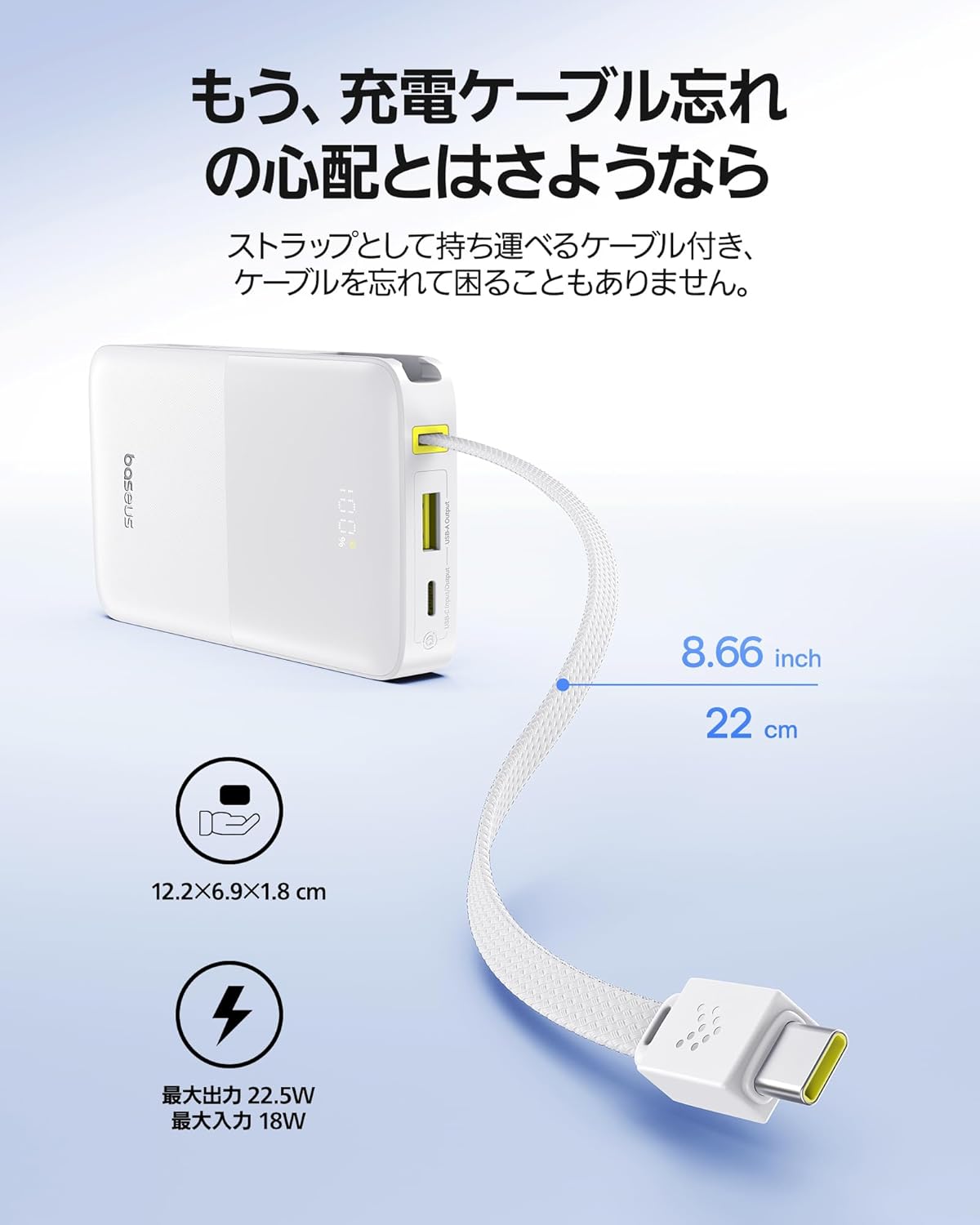
Whakaahua 2.2: The portable charger with its built-in USB-C cable extended, highlighting its compact dimensions (12.2 x 6.9 x 1.8 cm) and the convenience of not needing an extra cable.
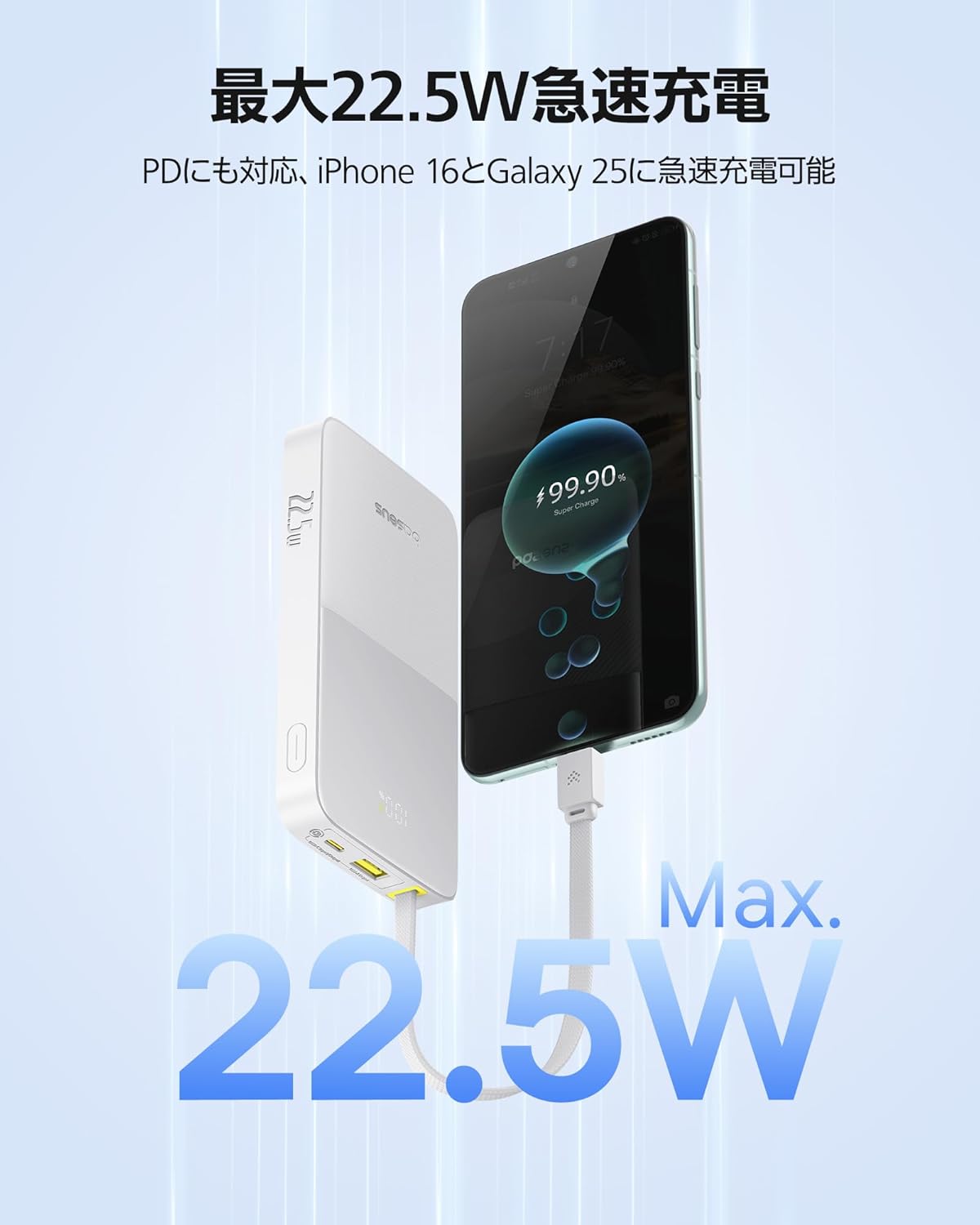
Whakaahua 2.3: The power bank actively charging a smartphone, demonstrating its 22.5W fast charging capability for quick power delivery.

Whakaahua 2.4: An illustration of the 10000mAh battery capacity, showing its ability to charge an iPhone 16 Pro approximately 1.5 times and an iPad mini once.

Whakaahua 2.5: Close-up of the built-in cable, emphasizing its durable nylon braided construction, designed to withstand over 10,000 bends.

Whakaahua 2.6: The power bank simultaneously charging a smartphone, a smartwatch, and a hairdryer, illustrating its capability to charge up to three devices at once using its various ports.
3. Nga waahanga matua
- Tauira USB-C i roto: The integrated USB-C cable eliminates the need for carrying extra cables, making it highly convenient for on-the-go charging. It also doubles as a strap for easy carrying.
- Max 22.5W PD Fast Charging: Supports Power Delivery (PD) fast charging, delivering up to 22.5W output. It can charge an iPhone 16 Pro over 50% in just 30 minutes. The device intelligently monitors voltage and current to provide optimal and safe charging.
- 10000mAh Raukaha Nui: Ka whakarato ample power to fully charge an iPhone 16 Pro approximately 1.5 times or an iPad mini once, ensuring your devices stay powered throughout the day.
- 3 Devices Simultaneous Charging: Equipped with a built-in USB-C cable, a dedicated USB-C port, and a USB-A port, allowing you to charge up to three devices concurrently.
- Hoahoa Kiato me te Mama: With dimensions of 12.2 × 6.9 × 1.8 cm and a weight of only 204g, it is smaller than an iPhone and easily fits into bags or pouches without adding bulk.
- Wide Device Compatibility & Safety Features: Compatible with a broad range of devices via its USB-C and USB-A ports. Features multiple protection systems, including overcharge and overcurrent protection, and complies with UN38.3 standards and PSE certification for enhanced safety.
4. Tatūnga
- Whakataunga Tuatahi: Before first use, fully charge your Baseus Bipow 2 Pro. Connect the power bank to a wall charger using its built-in USB-C cable or a separate USB-C cable via the dedicated USB-C input port. The digital display will show the charging progress.
- Tirohia te Taumata Pūhiko: Press the power button once to check the current battery percentage i runga i te whakaaturanga matihiko.
5. Nga Tohutohu Whakahaere
5.1 Te Whakataki i o Pūrere
- Ma te whakamahi i te Waea USB-C i Roto ki roto: Extend the built-in USB-C cable and plug it directly into your USB-C compatible device (e.g., iPhone 15/16, Android smartphones, tablets).
- Te whakamahi i te Tauranga USB-C: For devices requiring a USB-C to USB-C connection, use your own USB-C cable and connect it to the power bank's USB-C output port.
- Te whakamahi i te tauranga USB-A: For devices requiring a USB-A connection, use your own USB-A cable and connect it to the power bank's USB-A output port.
- Whakataua Tukutahi: You can charge up to three devices simultaneously by utilizing the built-in USB-C cable, the USB-C port, and the USB-A port.
5.2 Te Maramatanga ki te Whakaaturanga Mamati
The integrated digital display shows the real-time battery percentage of the power bank. When charging a device, it may also indicate the charging status or output voltage/current, providing clear information at a glance.
5.3 Aratau iti o naianei
The power bank may feature a low current mode suitable for charging small devices like wireless earbuds or smartwatches. Refer to the product packaging or official Baseus website for specific instructions on activating this mode, if available.
6. Tiaki
- Te horoi: Horoia te pēke hiko ki te kakahu ngohengohe, maroke. Kaua e whakamahi i ngā matū kino, i ngā mea whakakoi rānei.
- Rokiroki: Whakaorangia te peeke hiko ki te waahi makariri, maroke atu i te ra tika, te wera nui, me te makuku.
- Tiaki Pūhiko: Hei whakaroa i te ora o te pākahiko, whakakīia katoatia te pēke hiko i te iti rawa kotahi i ia toru marama mēnā ehara i te mea e whakamahia ana i ia wā. Kaua e pau rawa te pākahiko i ngā wā katoa.
7. Te Raru
| Raruraru | Take pea | Rongoā |
|---|---|---|
| Karekau te putea hiko e utu | Charging cable or adapter faulty; power bank fully charged; charging port dirty. | Try a different cable/adapter. Check if the power bank is already at 100%. Clean the charging port gently. |
| Kaore te taputapu e utu ana mai i te peeke hiko | Power bank battery low; device cable faulty; incompatible device. | Recharge the power bank. Try a different cable. Ensure your device is compatible with the power bank's output. |
| Puturi te utu | Ko te taura kaore i te tautoko i te utu tere; kaore te taputapu e tautoko i te utu tere; he maha nga taputapu e utu ana i te wa kotahi. | Use a fast-charging compatible cable. Ensure your device supports fast charging. Disconnect other devices for faster charging of a single device. |
| Ko te whakaaturanga matihiko kaore e mahi | Kua weto te pēke hiko; he hapa ā-roto. | Pēhia te pātene mana hei whakahohe i te mata. Mēnā ka mau tonu te raruraru, whakapā atu ki te tautoko kiritaki. |
8. Whakatakotoranga
| Whakatakotoranga | Uara |
|---|---|
| Waitohu | Baseus |
| Tauira | Bipow 2 Pro |
| Taumaha Hua | 204 g |
| Ahu mōkihi | 15.2 x 8.4 x 2.7cm; 204g |
| Tae | Mā |
| Pūhiko Raukaha | 10000mAh |
| Putanga Max | 22.5W |
| Momo Tuhono | Momo USB C, Momo USB A |
| Nga waahanga motuhake | Integrated USB-C Cable, PD Fast Charging, Display Battery Indicator, 3 Devices Simultaneous Charging |
| Voltage | 10 Volts |
| Whenua Taketake | Haina |
| Tuatahi e wātea ana i runga i te Amazon.co.jp | Maehe 25, 2025 |
| ASIN | B0F2FPPPXZ |
9. Pūtāhui me te Tautoko
The Baseus Bipow 2 Pro comes with a 24-marama whakamana from the date of purchase, ensuring peace of mind and long-term usability. This warranty covers manufacturing defects and issues arising from normal use.
For technical support, warranty claims, or any inquiries regarding your product, please contact Baseus customer service through the official Baseus webpae, te kaihokohoko ranei i hokona e koe te hua. Tena koa kia rite to riirii hoko me nga korero tauira hua ina whakapā atu ki te tautoko.
Tiwhikete Haumaru: This product complies with UN38.3 standards and is PSE certified, ensuring high safety standards for use and air travel.