1. Kupu Whakataki
Mauruuru koe mo te hokoasing the Gembird GMB Audio TWS-LCD-ANC-01-W Wireless In-Ear Headphones. These headphones are designed to provide a high-quality audio experience for music and calls, featuring Active Noise Cancellation (ANC) and an integrated microphone. This manual provides essential information for setting up, operating, maintaining, and troubleshooting your device.
2. Ihirangi mokete
- 1x Pair of Gembird GMB Audio TWS-LCD-ANC-01-W Wireless In-Ear Headphones
- 1x Puhi utu
- 1x USB Momo-C Uera Whakatau
3. Hua Neke Atuview
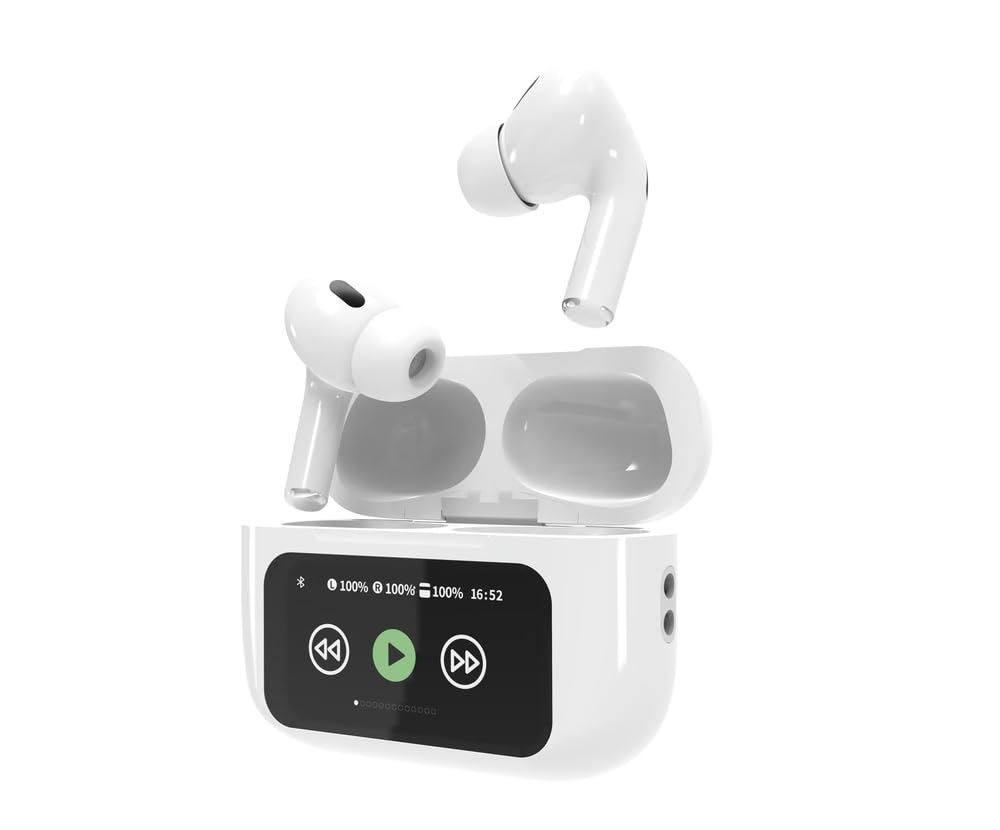
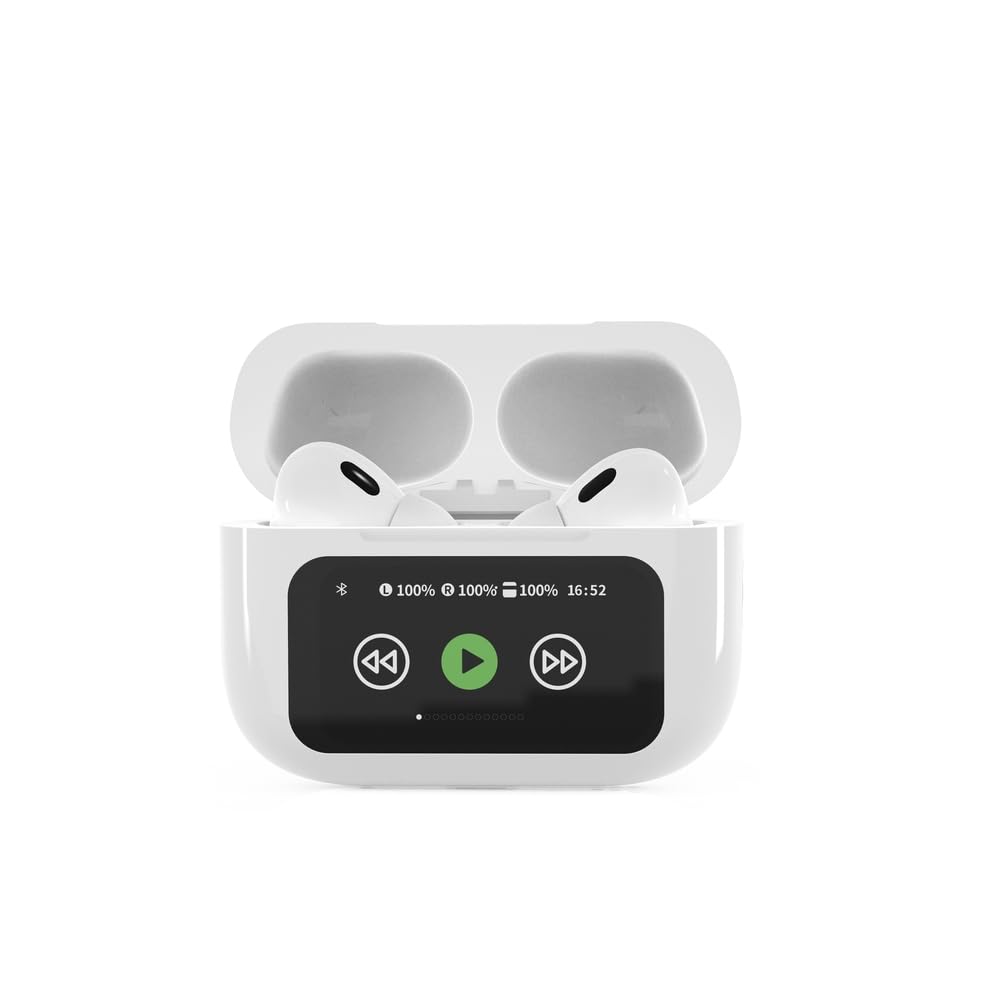

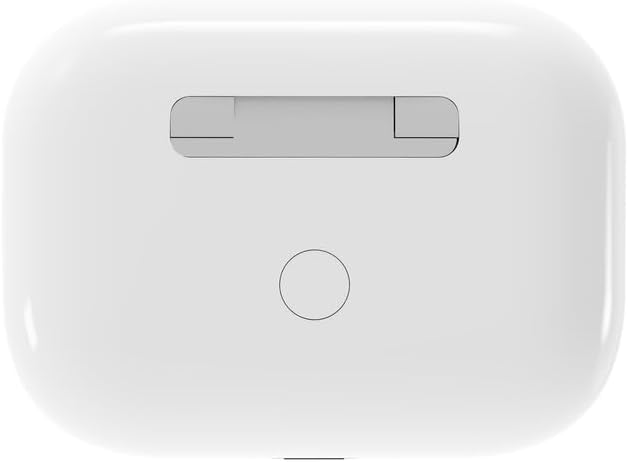

4. Tatūnga
4.1 Whakataki Tuatahi
Before first use, fully charge the headphones and the charging case. Connect the supplied USB Type-C cable to the charging port on the case and plug the other end into a compatible USB power source (e.g., computer, wall adapter). The LED indicator on the case will show charging status. A full charge typically takes approximately 2 hours.
4.2 Takirua Nihokikorangi
- Ensure the headphones are in the charging case and the case is open. The headphones will automatically enter pairing mode.
- I runga i tō pūrere pūkoro (waea atamai, papa, pona), whakahohea te Nihokikorangi.
- Rapua available Bluetooth devices and select 'Gembird TWS-LCD-ANC-01-W' from the list.
- Once connected, the headphones will indicate successful pairing, and the device name will appear as 'Connected' on your mobile device.
5. Nga Tohutohu Whakahaere
5.1 Hiko / Whakaweto
- Whakahiko: The headphones automatically power on when removed from the charging case.
- Weto Whakakore: The headphones automatically power off and begin charging when placed back into the charging case and the lid is closed.
5.2 Purei Waiata
Control music playback using the touch-sensitive areas on the earbuds or the display on the charging case.
- Purei/Tatari: Single tap on either earbud or press the play/pause icon on the case display.
- Riu Panuku: Double tap on the right earbud or press the 'next' icon on the case display.
- Riu o mua: Double tap on the left earbud or press the 'previous' icon on the case display.
5.3 Whakahaere Waea
When an incoming call is received, music playback will automatically pause.
- Whakautu Waea: Pao kotahi ki runga i tetahi purongo.
- Whakamutu Waea: Pato kotahi ki tētahi o ngā pane taringa i te wā e waea ana.
- Whakakore Waea: Patohia me te pupuri i tetahi purongo mo te 2 hēkona.
5.4 Whakakahoretanga Hapa Kaha (ANC)
Activate or deactivate the Active Noise Cancellation feature to reduce ambient noise.
- Takahuri ANC: Press and hold the touch-sensitive area on the left earbud for 2 seconds, or use the dedicated ANC control on the charging case display.
5.5 Mana Rōrahi
Adjust the volume directly from your connected device or through the touch controls on the earbuds (if supported by the specific model's firmware) or the charging case display.
6. Tiaki
6.1 Te horoi
- Horoia nga pukoro me te pukoro utu ki te kakahu ngohengohe, maroke, kore-raru.
- Kaua e whakamahia nga kai horoi, nga whakarewa, nga matū kino ranei.
- Me whakarite kia ma, kia maroke hoki ngā hononga utu o ngā pane taringa me te putea.
6.2 Rokiroki
- Always store the headphones in their charging case when not in use to protect them and keep them charged.
- Whakaorangia ki te waahi makariri, maroke, mawehe atu i te ra tika me te wera nui.
6.3 Tiaki Pūhiko
- Me utu te taputapu i nga wa katoa, ahakoa kaore i te whakamahia i nga wa katoa, kia mau tonu te hauora o te pākahiko.
- A ape i te tino tuku i te pākahiko i nga wa katoa.
7. Te Raru
| Raruraru | Take pea | Rongoā |
|---|---|---|
| Karekau e kaha ana nga waea. | He iti, kaore ranei he utu pākahiko. | Place headphones in the charging case and ensure the case is charged. Charge the case fully. |
| Kaore he tangi mai i nga taringa. | Not connected via Bluetooth; volume too low; media paused. | Verify Bluetooth connection. Increase volume on both headphones and connected device. Check if media is playing. |
| Kaore e taea te hono ki te taputapu. | Headphones not in pairing mode; device already connected to another Bluetooth device; interference. | Ensure headphones are in pairing mode (open case). Turn off Bluetooth on other nearby devices. Forget the device in your phone's Bluetooth settings and try re-pairing. |
| Active Noise Cancellation (ANC) is ineffective. | ANC not activated; improper earbud fit. | Ensure ANC is toggled on. Adjust earbud position for a secure and sealed fit in your ear canal. |
| Kaore e mahi te hopuoro i te wa e waea ana. | Kua āraia te hopuoro; ngā tautuhinga pūrere. | Ensure the microphone port on the earbuds is not obstructed. Check your device's audio input settings to ensure the headphones are selected. |
8. Whakatakotoranga
- Tauira: TWS-LCD-ANC-01-W
- Hononga: Ahokore, Nihokikorangi 5.3
- Pro Bluetoothfiles: A2DP, AVRCP, HPF, HSP
- Tauranga Whakatau: USB Momo-C
- Awhe Auaumoka Ororongo: 20 - 20000 Hz
- hopuoro: Whakauru
- Momo Puoro: In-ear, Binaural
- Tikanga Mana: Paa
- Mana Haruru: Whakakahoretanga Noise Kaha (ANC)
- Momo Pūhiko: Integrated Lithium Polymer (LiPo)
- Whakapaa Putea Raukaha Raukaha: 300 mah
- Pūhiko Pūhiko Pūhiko: 30 mAh (ia)
- Continuous Audio Playback: Tae atu ki te 8 haora
- Wā Whakataki: Tata ki te 2 haora
- Taumaha Hua: 66 g
- Product Dimensions (Case): 40 mm (Whānui) x 60 mm (Hohonu) x 25 mm (Teitei)
- Ngā Pūrere Hototahi: Laptop, Tablet, Mobile Phone
- Ātete wai: Wai-ātete
- Tiwhikete: RoHS
9. Pūtāhui me te Tautoko
9.1 Nga Korero Whakaputanga
This product comes with a three-year warranty against manufacturing defects from the date of purchase. Please retain your proof of purchase for warranty claims. The warranty does not cover damage caused by misuse, accidents, unauthorized modifications, or normal wear and tear.
9.2 Tautoko Kiritaki
For technical support, warranty claims, or further assistance, please contact your retailer or visit the official Gembird website. Contact information can typically be found on the product packaging or the Gembird corporate webpae.