1. Nga Korero Haumaru Nui
Please read all instructions carefully before operating the dehumidifier. Retain this manual for future reference.
Haumaru Hiko
- Me whakarite kia rite te toha hiko ki te voltage requirements specified on the unit's rating label.
- Always plug the unit into a grounded electrical outlet. Do not use extension cords or adapter plugs.
- Do not operate the dehumidifier with a damaged power cord or plug. If damaged, contact qualified service personnel.
- Kaua rawa e pa ki te mono hiko me nga ringa makuku.
Haumaru Mahi Whanui
- Ko tenei taputapu hei whakamahi noa i te whare. Kaua e whakamahia ki waho.
- Maintain a minimum clearance of 12 inches (30 cm) around the unit for proper airflow.
- Kaua e whakauruhia nga mea ki roto i te urunga hau, te putanga ranei.
- Keep the unit away from heat sources, flammable materials, and direct sunlight.
- Whakawetohia i nga wa katoa ka wetekina te waeine i mua i te horoi, te whakahaere ranei i tetahi mahi tiaki.
- Do not allow children to play with or around the dehumidifier.
2. Hua Neke Atuview
The Waykar 125 Pint Crawl Space Dehumidifier is designed for efficient moisture removal in large areas up to 6,500 square feet, featuring a robust metal construction and advanced humidity control.
Nga waahanga matua
- Raukaha Teitei: Ka tango ake ki te 125 pints o te makuku ia ra (i te 95°F, 90% RH).
- Kapi Whānui: He pai mō ngā wāhi tae atu ki te 6,500 putu tapawha.
- Haumākū Whakaritea: Range of 10%-98% Relative Humidity (RH).
- Rotary Compressor: High-efficiency design for improved energy savings and lifespan.
- Kōwhiringa Whakaheke Wairua: Includes a 16.4 ft pump drainage hose for vertical drainage and a 6.6 ft gravity drainage hose.
- Duct Mount Supported: Can be integrated into existing HVAC systems (venting hoses not included).
- Hanga Taumaha: High-strength metal casing mo te mauroa.
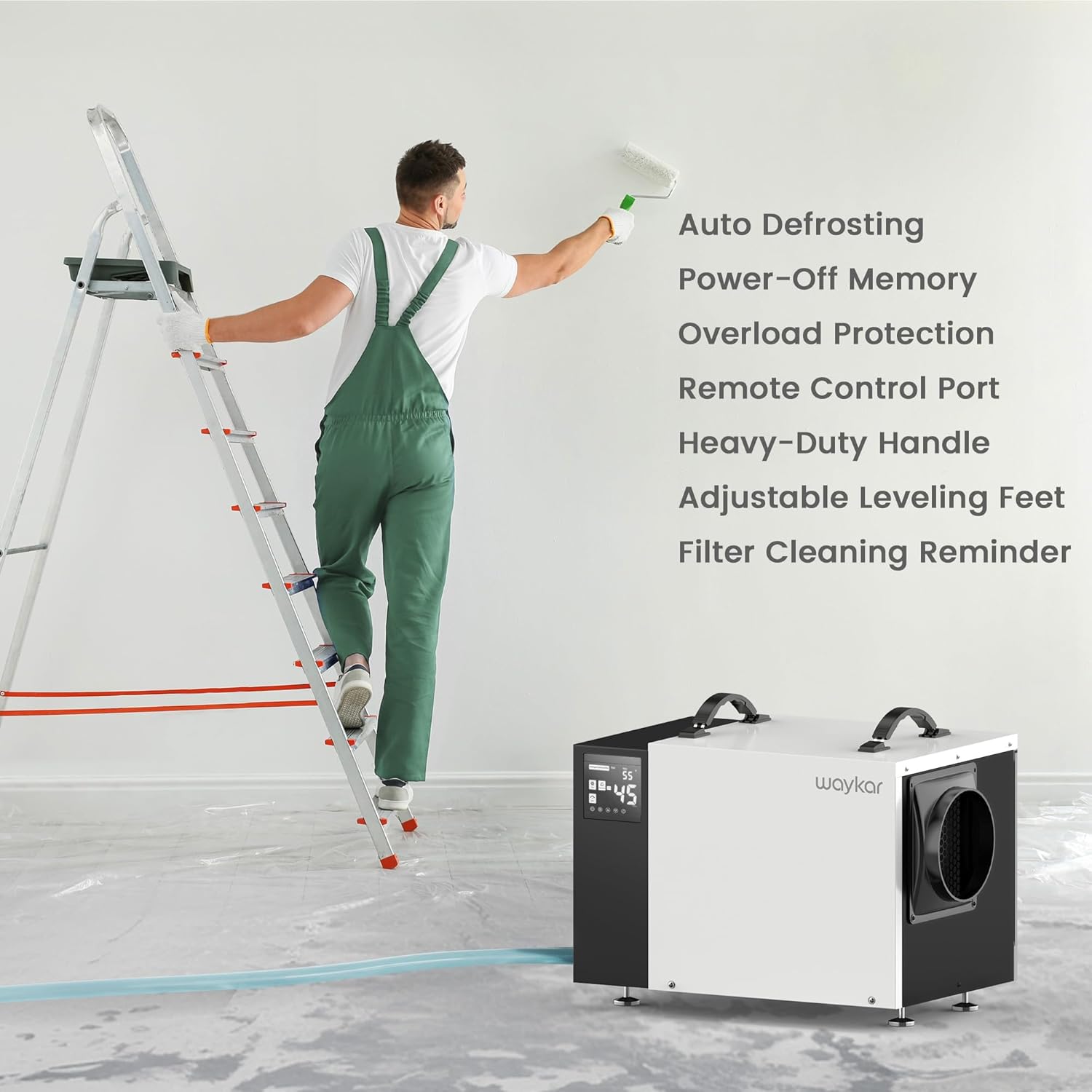
- Whakahau Aunoa: Prevents frost buildup on coils, maintaining efficiency.
- Pūmahara Hiko-Weto: Ka whakahoki i ngā tautuhinga o mua i muri i te motuhanga hiko.
- Tātari Horoi: Easy to clean and reuse, with a cleaning reminder function.
Wae Wae
Kia mōhio koe ki ngā wāhanga matua o tō whakamaroke hau:

Whakaahuatanga Whakaahua: Mua view of the Waykar 125 Pint Crawl Space Dehumidifier, showing the control panel on the left, the main white casing, and the air outlet on the right. A coiled clear drainage hose is visible in the foreground.

Whakaahuatanga Whakaahua: Close-up of the dehumidifier's control panel on the left, displaying digital readings and control buttons. The side of the unit with the air outlet is also visible.
- Paewhiri Mana: Digital display and buttons for setting humidity, timer, and other functions.
- Rererangi Air: Located on the back/side, where humid air enters.
- Putanga Hau: Located on the front/side, where dry air is expelled.
- Drainage Ports: Connections for the pump drainage hose and gravity drainage hose.
- Tātari Horoi: Removable filter for air purification and maintenance.
- Heavy-Duty Handles: Two handles on top for easy transport.
- Waewae Whakataurite Ka taea te Whakarite: Mō te whakanoho pumau ki runga i ngā mata kāore i te ōrite.
3. Tatūnga
Te wetewete
- Āta tango i te whakamahu wai mai i tōna tākai.
- Tangohia nga rawa whakakakahu katoa, tae atu ki tetahi riipene, kiriata whakamarumaru ranei.
- Tirohia te waeine mō ngā tohu pakaru i te wā e tukuna ana. Mēnā kua pakaru, kaua e whakahaere, engari whakapā atu ki te ratonga kiritaki.
Whakanoho
Proper placement is crucial for efficient operation and safety.
- Place the dehumidifier on a firm, level surface capable of supporting its weight.
- Ensure there is at least 12 inches (30 cm) of clearance around all sides of the unit for adequate airflow.
- Kaua e waiho te taputapu ki te taha o ngā taputapu whakaputa wera, ki raro rānei i te rā tika.
- For crawl spaces or basements, ensure the unit is elevated slightly off the ground to prevent contact with standing water, if applicable. The adjustable leveling feet can assist with this.

Whakaahuatanga Whakaahua: The Waykar dehumidifier positioned in a crawl space, demonstrating typical installation under a raised floor. The unit is placed on blocks for elevation.
Kōwhiringa Whakawai
The unit offers two methods for continuous drainage:

Whakaahuatanga Whakaahua: A visual representation illustrating the two drainage options: a pump drain hose extending upwards for vertical drainage and a gravity drain hose extending downwards for horizontal drainage.
A. Pump Drainage (16.4 ft hose included)
- Connect the provided 16.4 ft pump drainage hose to the pump outlet port on the unit.
- Route the hose to a suitable drain location, ensuring it is free of kinks or obstructions. The built-in pump can lift water vertically up to 16.4 ft.
- This option is ideal for draining water to a sink, floor drain, or outside, especially when the drain is higher than the dehumidifier.
B. Gravity Drainage (6.6 ft hose included)
- Connect the provided 6.6 ft gravity drainage hose to the gravity drain outlet port on the unit.
- Ensure the hose is sloped downwards continuously from the unit to the drain point to allow water to flow by gravity.
- This option is suitable when the drain is lower than the dehumidifier.
4. Nga Tohutohu Whakahaere
Nga Mahi Paewhiri Mana
Whakaahuatanga Whakaahua: The control panel of the dehumidifier, highlighting the digital display and various buttons for power, humidity settings, timer, and filter reminder.
- Pātene Hiko: Whakahurihia te waeine ki te ON, ki te OFF ranei.
- Ngā Pātene Tautuhi Makuku (Ngā Pere Runga/Raro): Adjusts the desired humidity level from 10% to 98% RH.
- Pātene Matawā: Ka whakatakoto i te taima whakakā-aunoa, whakaweto-aunoa rānei (0-24 hāora).
- Pātene Tere Kiri: Whakaritea ai te tere o te paahi (Teitei/Paaka).
- Whakaatu Mata: Shows current humidity, set humidity, timer settings, and error codes.
- Filter Reminder Indicator: Ka tiaho ina hiahia te tātari ki te horoi.
Mahi Tuatahi
- Monohia te taura hiko ki roto i te putanga hiko kua tu.
- Press the Power button to turn on the unit. The display will show the current room humidity.
- Use the Up/Down arrows to set your desired humidity level. A common comfortable range is 45%-55% RH. The unit will operate until the set humidity is reached, then cycle off. It will restart when the humidity rises above the set level.
Mahi Tonu
To run the dehumidifier continuously regardless of humidity level, set the target humidity to the lowest possible setting (e.g., 10% RH). The unit will then run continuously, provided the temperature is within its operating range and the drainage system is functioning.
Mana Mamao Kōwhiringa
A wired remote control (sold separately) can be connected to the unit for convenient long-distance control, allowing you to adjust settings without directly accessing the dehumidifier, which is particularly useful in crawl spaces or hard-to-reach areas.
Whakaahuatanga Whakaahua: An image showing the optional wired remote control panel mounted on a wall, with a hand interacting with its display. The dehumidifier is visible in the background, indicating remote operation.
5. Tiaki
Ko te tiaki i nga wa katoa ka tino pai te mahi me te whakaroa i te roanga o to whakamaarama.
Tātari Whakapai
The washable filter should be cleaned regularly, typically every two weeks or when the filter reminder indicator illuminates.

Whakaahuatanga Whakaahua: A diagram illustrating the location of the washable filter on the dehumidifier, along with the unit's overall dimensions. A separate inset shows the filter being cleaned under running water.
- Whakawetohia te waeine ka unu mai i te putanga hiko.
- Locate the filter access panel (usually on the side or back) and remove the filter.
- Rinse the filter under warm, running water. For stubborn dirt, use a mild detergent.
- Tukua te tātari kia maroke rawa i te hau i mua i te tāutanga anō. Kaua e whakamahi i te whakamaroke, i te wera tika rānei.
- Reinsert the dry filter into the unit and close the access panel.
- Plug in the unit and press the filter reset button (if available) or power cycle the unit to clear the reminder.
Horoi Unit
- Horoia te taha o waho o te waeine ki te ngohengohe, damp kakahu. Kaua e whakamahi i nga matū kino me nga horoi horoi.
- Horoia ngā mata o te hau e tomo ana, e puta ana ki te hau mā te whakamahi i te mīhini whakakore puehu, i te paraihe ngohengohe rānei hei tango i te puehu me te paru.
Rokiroki
Mena kei te rongoa i te waahanga mo te wa roa:
- Whakawetohia ka wetekina te waeine.
- Ensure all water has drained from the unit and hoses.
- Clean the filter and the exterior of the unit.
- Coil the power cord and drainage hoses neatly.
- Whakaorangia te waeine ki te waahi makariri, maroke, kia matara atu i te ra tika me te wera nui.
6. Te Raru
I mua i te whakapā atu ki te tautoko kiritaki, tirohia te aratohu rapurongoā e whai ake nei mo nga take noa.
| Raruraru | Take pea | Rongoā |
|---|---|---|
| Karekau te waeine e ka ana. | No power supply; Power cord loose; Unit is in standby mode. | Check power outlet and circuit breaker; Ensure power cord is securely plugged in; Press the Power button. |
| Kei te oma te waeine engari kāore anō kia whakamaroke. | Kua purua te tātari hau; He iti rawa te pāmahana rūma; He tiketike rawa te tautuhinga haumākū; He tuwhera ngā tatau/matapihi. | Clean the air filter; Ensure room temperature is above 41°F (5°C); Lower the humidity setting; Close all doors and windows. |
| Te rerenga wai. | Drainage hose kinked or blocked; Hose not properly connected; Unit not level. | Check and clear any kinks or blockages in the hose; Ensure hose is securely connected to the drain port; Adjust leveling feet to ensure the unit is stable and level. |
| He haruru te waeine. | Unit not level; Air filter clogged; Fan obstruction. | Ensure unit is on a flat, stable surface; Clean the air filter; Check for any obstructions in the fan area. |
| Pump not draining water. | Pump hose kinked or blocked; Pump malfunction; Water level not high enough to activate pump. | Verify pump hose is clear and properly routed; Ensure the unit has accumulated enough water for the pump to activate; If issue persists, contact customer support. |
7. Whakatakotoranga
| Whakatakotoranga | Taipitopito |
|---|---|
| Tau tauira | AFW2.0DPM |
| Te Kaha Tango Makuku | 125 Pints/Day (95°F, 90% RH) |
| Te Rohe Kapi | Tae atu ki te 6500 Puawai Tapawha |
| Ahu Hua (DxWxH) | 19.29" x 13.58" x 12.6" |
| Taumaha Tūemi | 49.8 Pauna |
| Awhe Tautuhinga Haumākū | 10% - 98% RH |
| Rererangi (CFM) | 300 CFM |
| Kōwhiringa Whakawai | Built-in Pump (16.4 ft hose), Gravity Drain (6.6 ft hose) |
| Nga waahanga motuhake | Automatic Defrost, Automatic Moisture Removal, Automatic Restart, Built-In Pump, Overheat Protection, Washable Filter |
| Tae | Mā |
8. Pūtāhui me te Tautoko
Waykar provides a 5-Year Quality Coverage for this dehumidifier, demonstrating commitment to product reliability and customer satisfaction.
For technical assistance, warranty claims, or any questions regarding your Waykar dehumidifier, please refer to the contact information provided on the product packaging or the official Waykar website. When contacting support, please have your model number (AFW2.0DPM) and purchase details ready.


