Rfiver Rolling TV Stand (Model TF1404OAK-U) Instruction Manual
For 32-60 Inch TVs up to 88 lbs
1. Hua Neke Atuview
The Rfiver Rolling TV Stand, Model TF1404OAK-U, is designed to provide a versatile and mobile solution for displaying televisions ranging from 32 to 60 inches, with a maximum weight capacity of 88 lbs. It features a sturdy wooden base, height adjustment, and a 70-degree swivel function for optimal viewing from various angles. The stand is equipped with lockable wheels for easy mobility and secure positioning.

Image: Rfiver Rolling TV Stand with a TV displaying colorful boats.
2. Nga korero haumaru
Tena koa panuihia nga tohutohu katoa i mua i te huihuinga me te whakamahi. Puritia tenei pukapuka hei tohutoro a meake nei.
- Raukaha Taumaha: Kaua e neke ake i te kaha o te taumaha o te 88 lbs (40 kg).
- Rahi pouaka whakaata: Me whakarite kia waenga i te 32 me te 60 inihi te rahi o tō pouaka whakaata.
- Hototahitanga VESA: Verify your TV's VESA pattern is within 100x100mm to 400x400mm.
- Pūmautanga: Always ensure the TV is securely mounted and the wheels are locked when the stand is in a stationary position to prevent accidental movement or tipping.
- Nga tamariki me nga kararehe: Keep children and pets away from the stand during movement to prevent injury.
- Mata: Use on a flat, stable surface. While designed for various floor types, exercise caution when moving on uneven or heavily carpeted surfaces.
3. Tatūnga me te Runanga
This TV stand is designed for straightforward, drill-free assembly. It is recommended to have a second person assist during certain steps, especially when mounting the television.
3.1 Ihirangi mokete
Before beginning, ensure all parts are present and undamaged. Refer to the included parts list in your packaging.

Image: Diagram showing TV compatibility and weight capacity.
3.2 Nga Mahi Huihuinga
- Tāpirihia ngā Wira ki te Tūāpapa: Secure the four 360-degree rotating lockable wheels to the wooden base using the provided hardware. Ensure they are tightened for stability.
- Assemble Vertical Column: Connect the vertical support column sections.
- Tāpirihia te Pou ki te Pūtake: Secure the assembled vertical column to the wooden base.
- Install TV Brackets: Attach the TV mounting brackets to the back of your television, ensuring the correct VESA pattern is used.
- Whakamaua te pouaka whakaata ki te tūnga: Carefully lift the television and hook the TV brackets onto the vertical column's mounting plate.
- Secure TV with Safety Lock: Engage the safety lock mechanism to prevent the TV from accidentally dislodging from the stand.
- Whakaha Uepu: Use the integrated cable management system to route and organize TV cables along the vertical column.
3.3 Assembly Demonstration Video
Watch this video for a visual guide on assembling and utilizing the features of your Rfiver Rolling TV Stand.
Video: Official product video demonstrating the features and assembly of the Rfiver Rolling TV Stand, including height adjustment, swivel, and mobility.
4. Nga Tohutohu Whakahaere
4.1 Te Whakatikatika i te Teitei o te Pouaka Whakaata
The stand allows for flexible height adjustment to achieve an optimal viewing experience. To adjust the height, loosen the securing mechanisms on the vertical column, slide the TV to your desired height (between 49.5 and 52.0 inches), and then firmly re-tighten the mechanisms.

Image: Diagram showing height adjustment range.
4.2 Swiveling the TV
The TV mount can swivel up to 70 degrees (35 degrees left and 35 degrees right). Gently push the TV to the desired angle. This feature helps reduce glare and provides a better viewing experience from different positions in a room.

Image: Diagram showing the 70-degree swivel capability.
4.3 Moving the TV Stand
The stand is equipped with four 360-degree rotating lockable wheels for easy movement. To move the stand, unlock all four wheels. Once the stand is in the desired position, lock all wheels to ensure stability and prevent unintended movement.
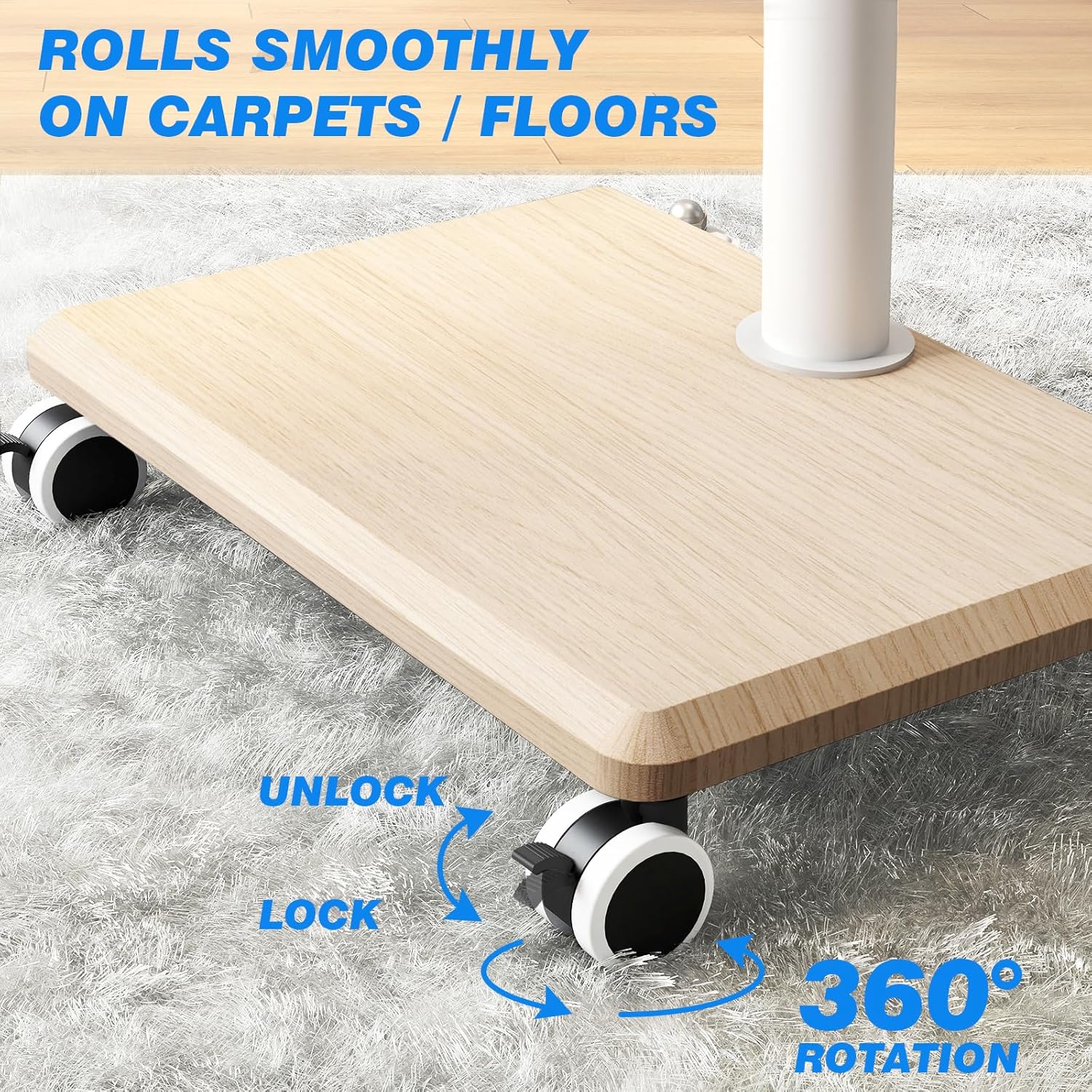
Image: Close-up of lockable wheels.
4.4 Whakahaere taura
Utilize the provided cable management straps or clips to neatly route and secure all TV and accessory cables along the vertical column. This helps maintain a tidy appearance and prevents cables from becoming tangled or damaged.

Image: Cable management system.
5. Tiaki
Mā te tiaki auau ka roa te ora me te haumaru o te mahi a tō tūnga pouaka whakaata.
- Te horoi: Horoia te tūnga ki te kakahu ngohengohe, maroke. Mō ngā tohu uaua, he paku paku te paninga.amp ka taea te whakamahi kakahu, ka whakamaroke tonu. A ape i nga matū kino me nga kai horoi.
- Taki Pūmārō: Takitaki ia ia nga wa katoa nga wiri me nga tutaki kia mau tonu. Whakapiri ano mehemea e tika ana.
- Ngā Mahi a te Wira: Keep the wheels free of debris to ensure smooth rolling. Test the locking mechanism regularly.
6. Te Raru
If you encounter issues with your Rfiver Rolling TV Stand, refer to the following common solutions:
- TV Does Not Fit: Double-check your TV's size, weight, and VESA mounting pattern against the specifications (32-60 inches, max 88 lbs, VESA 100x100-400x400mm). Ensure you are using the correct screws and spacers for your TV model.
- Karekau te turanga: Verify that all assembly hardware is securely tightened. Ensure the stand is placed on a flat, level surface. If moving, ensure wheels are locked once in position.
- Ko nga Wira kaore i te hurihuri maeneene: Check for any debris (hair, dust, carpet fibers) caught in the wheels. Clean as necessary. Ensure the wheel locks are fully disengaged.
- TV Not Swiveling: Ensure no cables are snagged or preventing movement. The swivel mechanism should operate smoothly with gentle pressure.
7. Whakatakotoranga
| Āhuahira | Whakatakotoranga |
|---|---|
| Tau tauira | TF1404OAK-U |
| Rahi TV Hototahi | 32 - 60 inihi |
| Morahi Taumaha Rawa | 88 lbs (40 kg) |
| VESA Hototahi | 100x100mm ki te 400x400mm |
| Awhe Whakatikatika Teitei | 49.5 - 52.0 inihi |
| Koki Hurihuri | ±35° (70° katoa) |
| Ahu turanga | 16.7 x 12.8 x 1 inihi (hua) |
| Taumaha Tūemi | 15.27 lbs |
| Tae | Mā |
8. Pūtāhui me te Tautoko
For warranty information or technical support, please refer to the documentation included with your purchase or contact Rfiver customer service directly. You can also visit the official Rfiver store for more information:


