1. Kupu Whakataki
This manual provides essential instructions for the setup, operation, and maintenance of your Saiyin Sound Bar DS6401PB. Please read this manual thoroughly before using the product to ensure proper functionality and to prevent damage.

Image 1.1: The Saiyin Sound Bar DS6401PB positioned below a television.
2. Ihirangi mokete
Me manatoko kei roto i tō kete ngā taonga katoa kua whakarārangihia i raro nei. Mena kei te ngaro, kei te pakaru rānei ētahi taonga, whakapā atu ki te ratonga kiritaki.
- Two Tower Speakers (forming the sound bar)
- Mana Mamao
- Tower Speaker Base (for vertical setup)
- Pūurutau Hiko
- Waea Optical
- 3.5mm Waea Ororongo
- Kete Whakapaipai Taiepa
- Pukapuka Kaiwhakamahi (tenei tuhinga)
- Aratohu Timata Tere
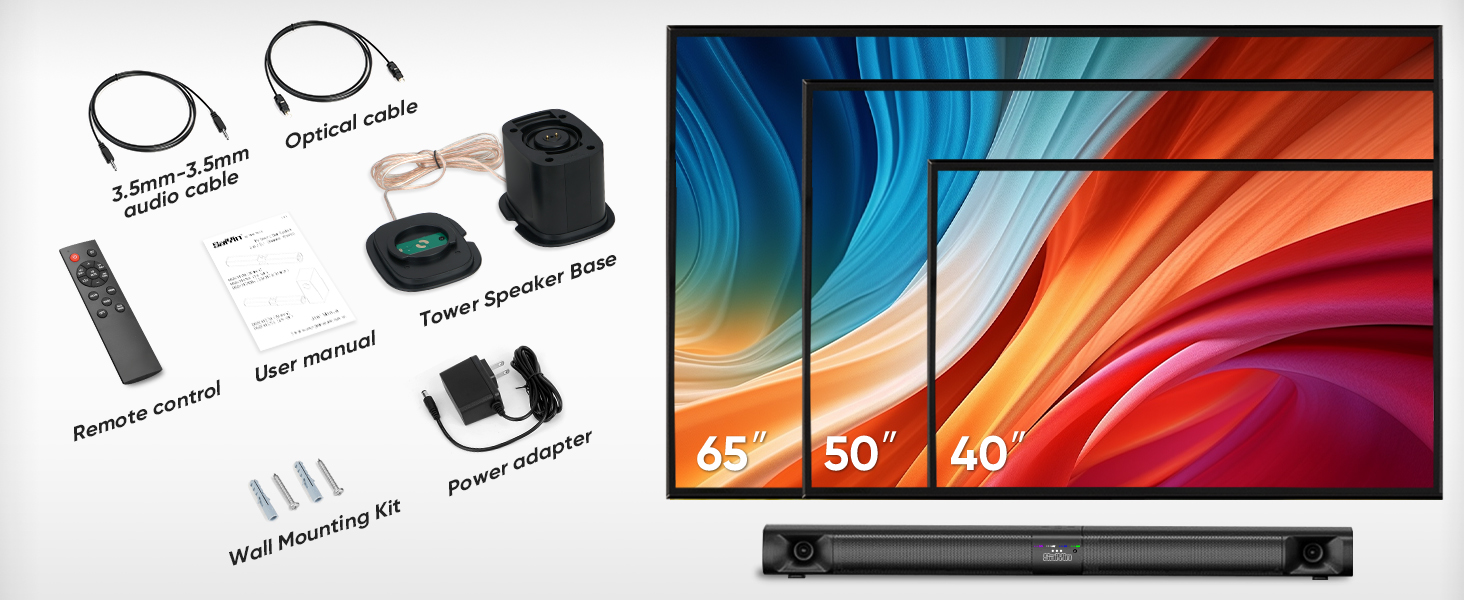
Image 2.1: All components included in the Saiyin Sound Bar DS6401PB package.
3. Hua Neke Atuview
3.1. Nga ahuatanga
- Hoahoa Wewetehia: The 31-inch sound bar can be used as a single horizontal unit or split into two vertical tower speakers.
- Wae Ororongo: Features dual silk horn tweeters for clear high frequencies and four low-frequency drivers for extended bass response down to 65Hz.
- Hononga: Supports Bluetooth 5.3 for wireless audio, and wired connections via TV ARC, Optical, and AUX. Includes an extra subwoofer interface.
- Aratau oro: Three optimized sound modes (News, Movie, Music) for various audio content.
- Kōwhiringa Whakanoho: Suitable for desktop placement or wall mounting.
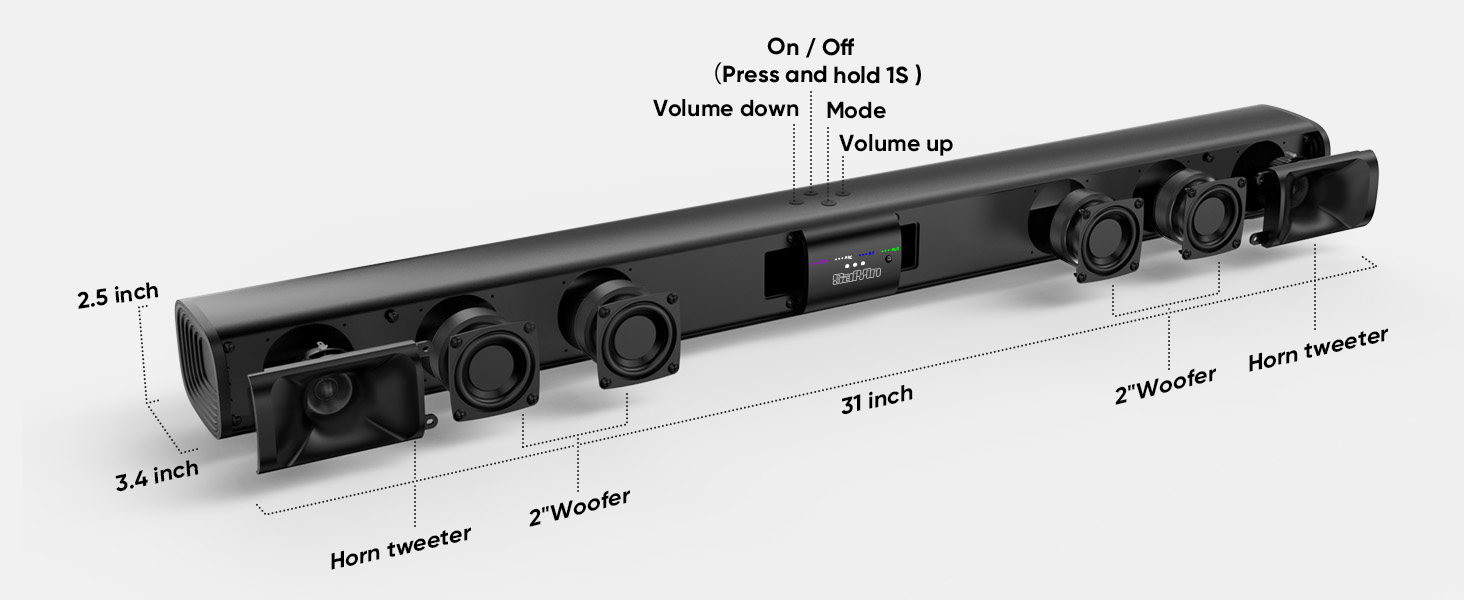
Whakaahua 3.1: Pahū view illustrating the internal components and control buttons of the sound bar.
3.2. Mana me nga Tohu
The sound bar features intuitive controls and LED indicators for easy operation.
- Pātene Hiko: Press and hold for 1 second to turn on/off.
- Pātene Rōrahi: Whakaritehia te rōrahi ki runga, ki raro ranei.
- Patene Aratau: Cycle through input modes (Optical, ARC, Bluetooth, AUX).
- Tohu LED: Display the active input mode (OPT, ARC, BT, AUX).
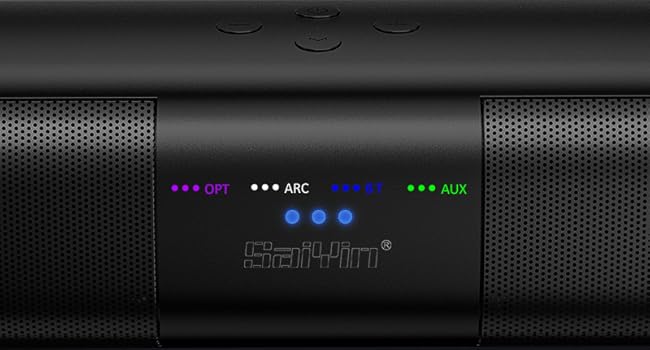
Whakaahua 3.2: Taipitopito view of the LED indicators showing active input modes (OPT, ARC, BT, AUX).
3.3. Hononga Paewhiri Whakamuri
The rear panel provides various ports for connecting to your audio sources.
- ARC: HDMI ARC input for TV connection.
- WHAKANUI: Whakauru ororongo whatu.
- KAUPAPA KAUPAPA: Port for connecting an external powered subwoofer.
- DC IN: Whakauru hiko.
- AUX: 3.5mm whakauru awhina.
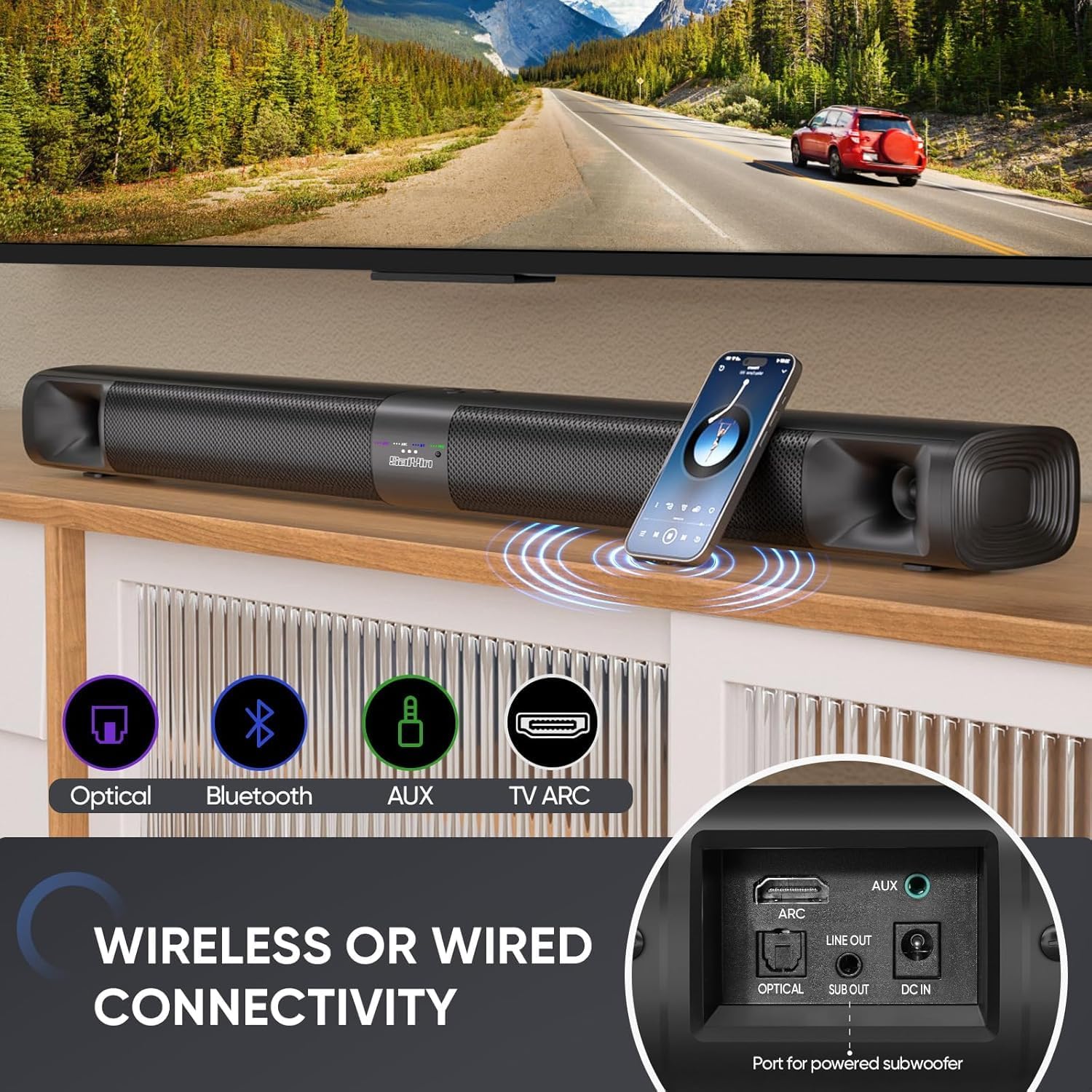
Whakaahua 3.3: Ka mutuview of the sound bar's connectivity ports, including Optical, Bluetooth, AUX, and TV ARC.
4. Tatūnga
4.1. Huihuinga me te Whakanoho
The Saiyin Sound Bar DS6401PB offers flexible placement options: as a single horizontal sound bar or as two vertical tower speakers.
4.1.1. Detachable Assembly
To convert between the single sound bar and tower speaker configurations:
- Te wehe: Gently twist and pull the two halves of the sound bar apart.
- Assembling Tower Speakers: Attach each half to its respective tower speaker base. Ensure the 'A' and 'B' markings align. Rotate until securely locked.
- Assembling Sound Bar: Align the two halves of the sound bar, ensuring the 'A' and 'B' markings align. Twist and merge them into one unit.
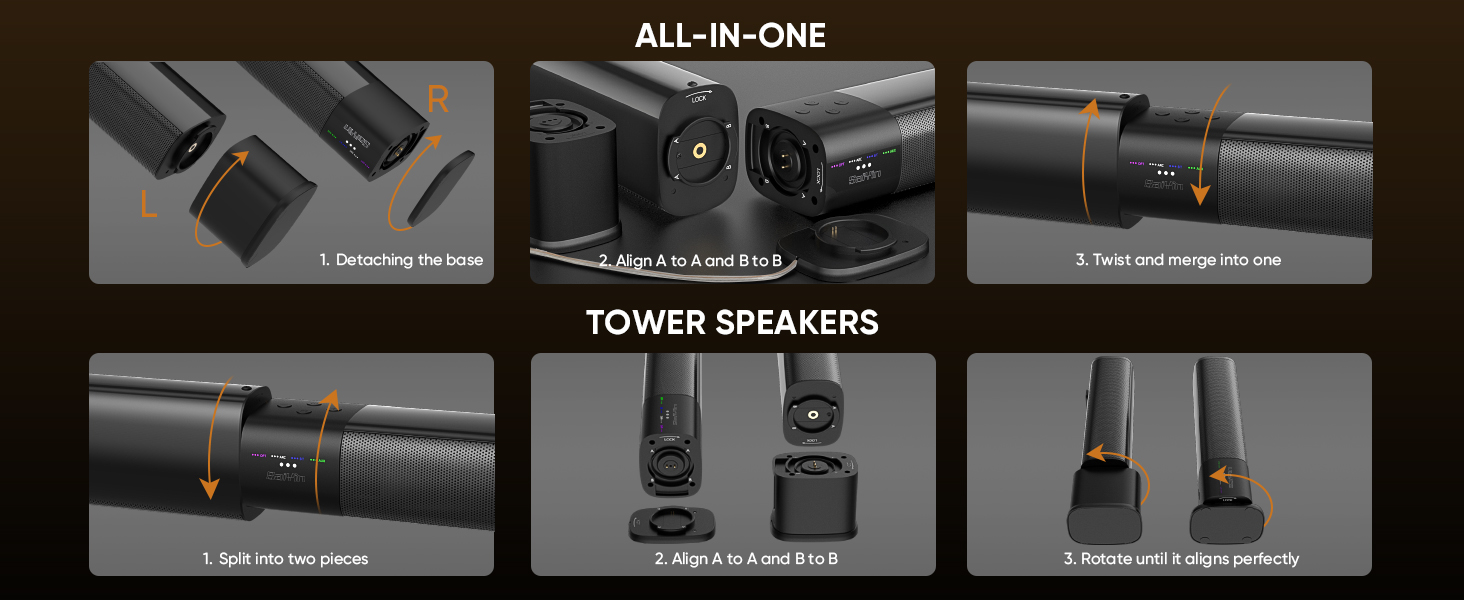
Image 4.1: Visual guide for converting the sound bar between its single unit and tower speaker configurations.
4.1.2. Kōwhiringa Whakanoho
Choose the placement that best suits your environment and audio preference.
- Desktop Placement (Sound Bar): Place the assembled sound bar horizontally on a stable surface below your TV.
- Wall Mount (Sound Bar): Use the provided wall mounting kit to secure the sound bar horizontally to a wall.
- Desktop Placement (Tower Speakers): Place the two assembled tower speakers vertically on either side of your TV or monitor. The widened base provides stability.
- Wall Mount (Tower Speakers): Use the provided wall mounting kit to secure the two tower speakers vertically to a wall on either side of your TV.
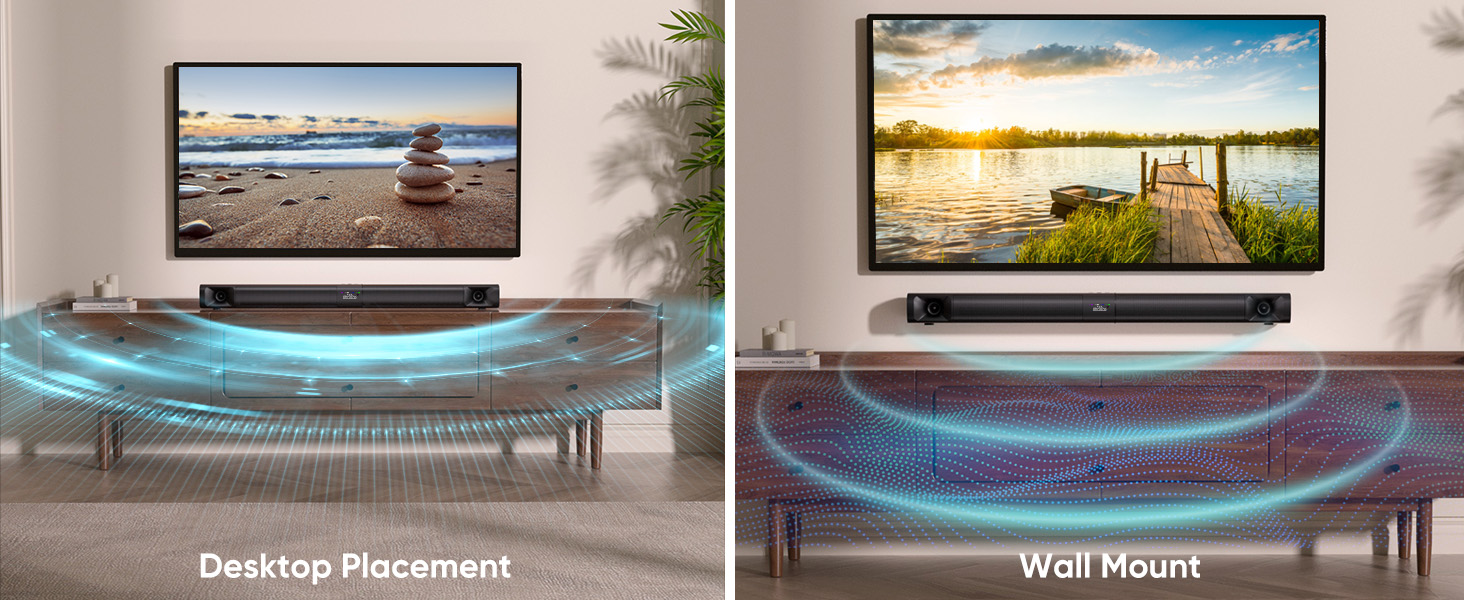
Image 4.2: Illustrates the sound bar in both desktop and wall-mounted horizontal positions.
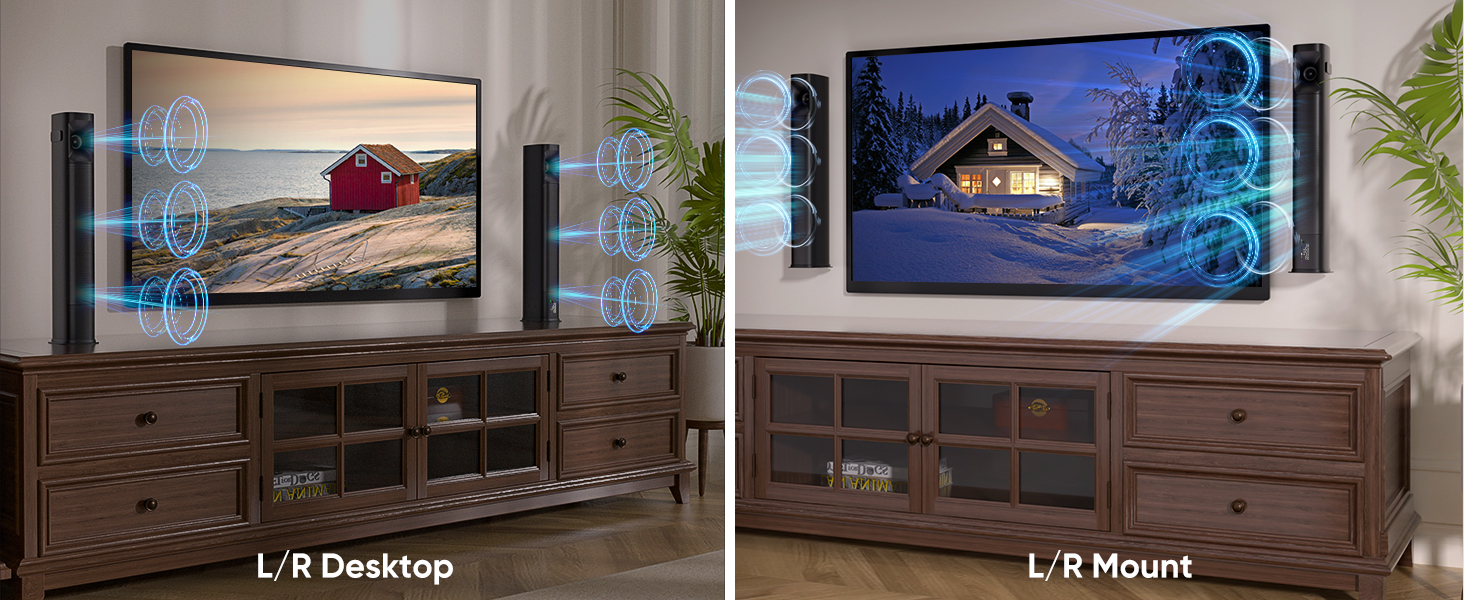
Image 4.3: Illustrates the tower speakers in both desktop and wall-mounted vertical positions.
4.2. Te Hononga ki ngā Pūtake Ororongo
Connect the sound bar to your TV or other devices using one of the available methods.
4.2.1. Optical Cable Connection
For high-quality digital audio, use the optical cable.
- Connect one end of the optical cable to the OPTICAL port on the sound bar.
- Connect the other end to the Optical Digital Audio Out port on your TV.
- I tō pouaka whakaata, whakatere ki Settings > Sound Output > Optical.
- Adjust TV audio settings: Go to Settings > Sound > Expert Settings > Digital Output Audio Format ka kowhiri PCM/Stereo Sound.
- To avoid silent or noisy output, disable Dolby/DTS on your TV and streaming apps (e.g., Netflix, Amazon Prime Video, Hulu).
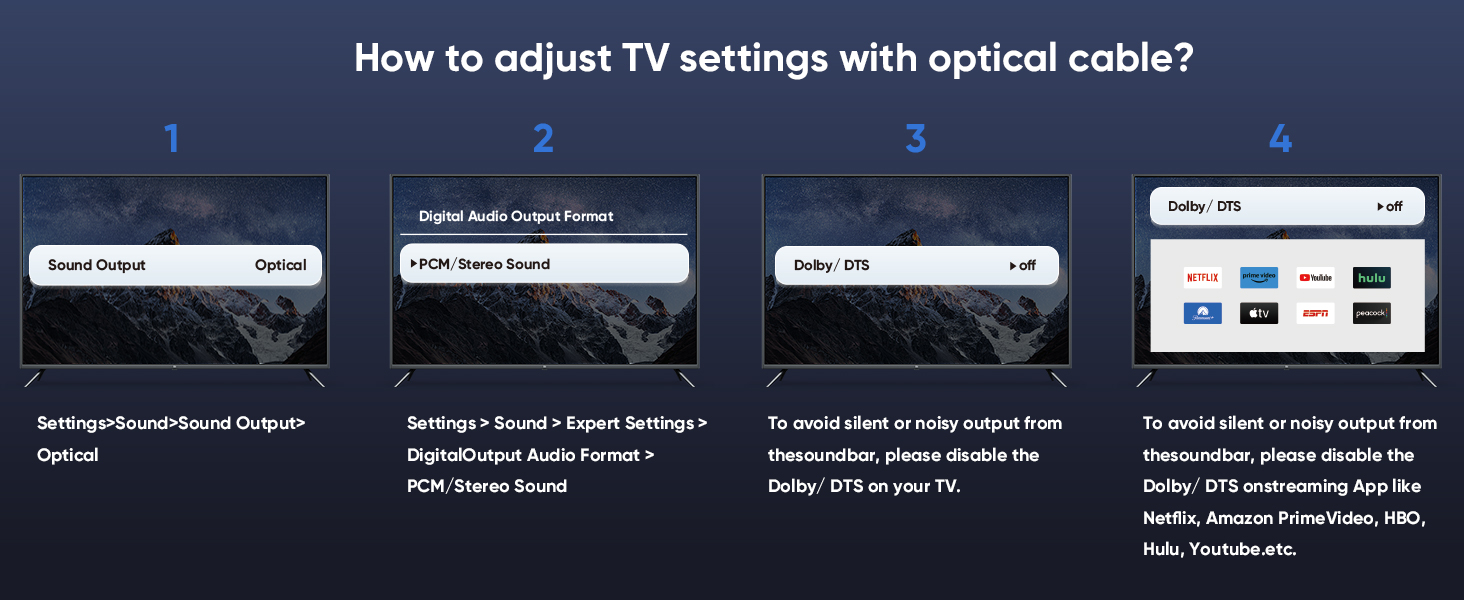
Image 4.4: Step-by-step guide for configuring TV audio settings when using an optical cable.
4.2.2. TV ARC Connection
Use an HDMI cable (not included) for TV ARC connection.
- Connect one end of an HDMI cable to the ARC port on the sound bar.
- Honoa tetahi pito ki te tauranga HDMI ARC o tō pouaka whakaata.
- Select the ARC input on the sound bar using the remote or control panel.
4.2.3. Hononga AUX
For analog audio devices, use the 3.5mm audio cable.
- Connect one end of the 3.5mm audio cable to the AUX port on the sound bar.
- Connect the other end to the 3.5mm audio output port on your device.
- Tīpakohia te tāuru AUX i runga i te pae oro.
4.2.4. Hononga Nihokikorangi
Mō te roma oro ahokore mai i ngā pūrere hototahi.
- Turn on the sound bar and select Bluetooth mode (BT). The BT indicator will flash.
- Whakahohehia te Nihokikorangi i runga i to taputapu pūkoro (waea atamai, papa, aha atu).
- Rapua "Saiyin DS6401PB" in the list of available devices and select it to pair.
- Once paired, the BT indicator will stop flashing and remain solid.
4.2.5. Hononga Subwoofer
To enhance bass, connect an external powered subwoofer (not included) to the SUB OUT port on the sound bar.
4.3. Hiko Hiko
After connecting your audio source and power adapter:
- Honoa te urutau hiko ki te tauranga DC IN i te pae oro.
- Monohia te urutau hiko ki te putanga pakitara.
- Press and hold the power button on the sound bar or remote control for 1 second to turn it on.
5. Nga Tohutohu Whakahaere
5.1. Te whakamahi i te Mana Mamao
The included remote control allows full functionality of the sound bar.
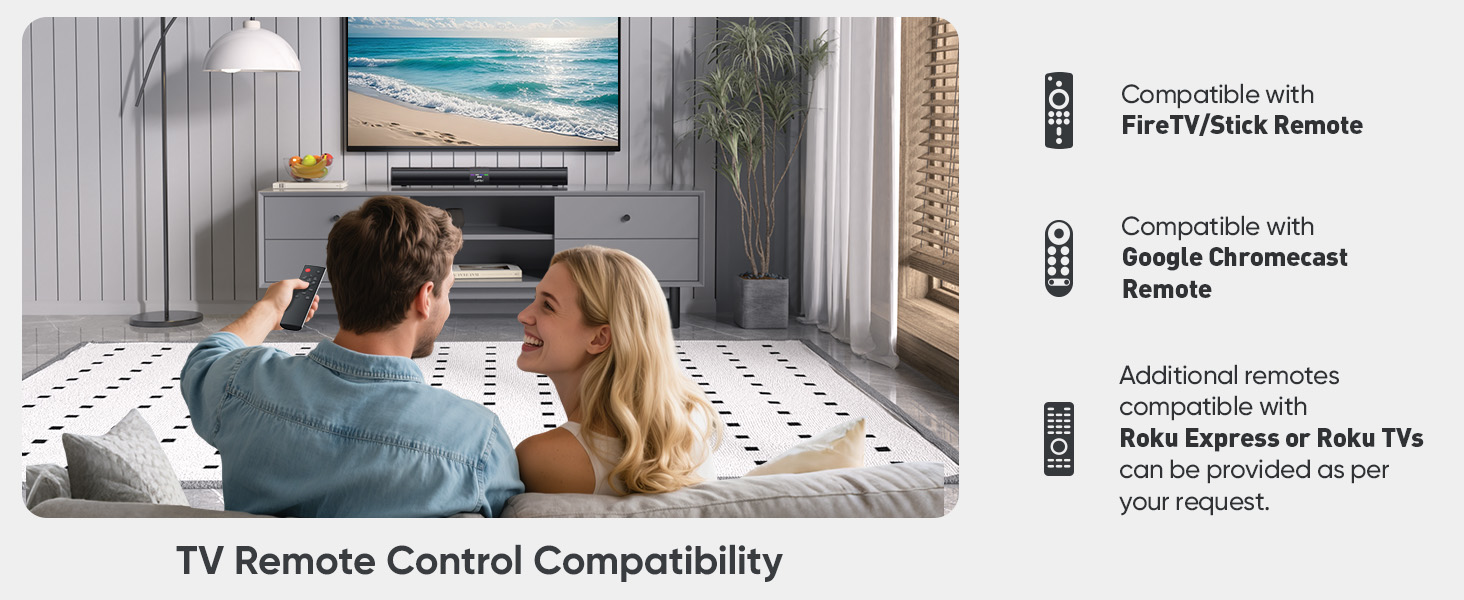
Image 5.1: The sound bar's remote control and its compatibility with FireTV/Stick, Google Chromecast, and Roku remotes.
5.2. Selecting Sound Modes
Optimize your audio experience by choosing one of the three preset sound modes.
- Aratau Rongo: Enhances vocal clarity for dialogue-heavy content.
- Aratau Kiriata: Provides a dynamic and immersive soundstagmō ngā kiriata.
- Aratau Waiata: Delivers balanced audio reproduction for music listening.
Press the corresponding button on the remote control to switch between modes.
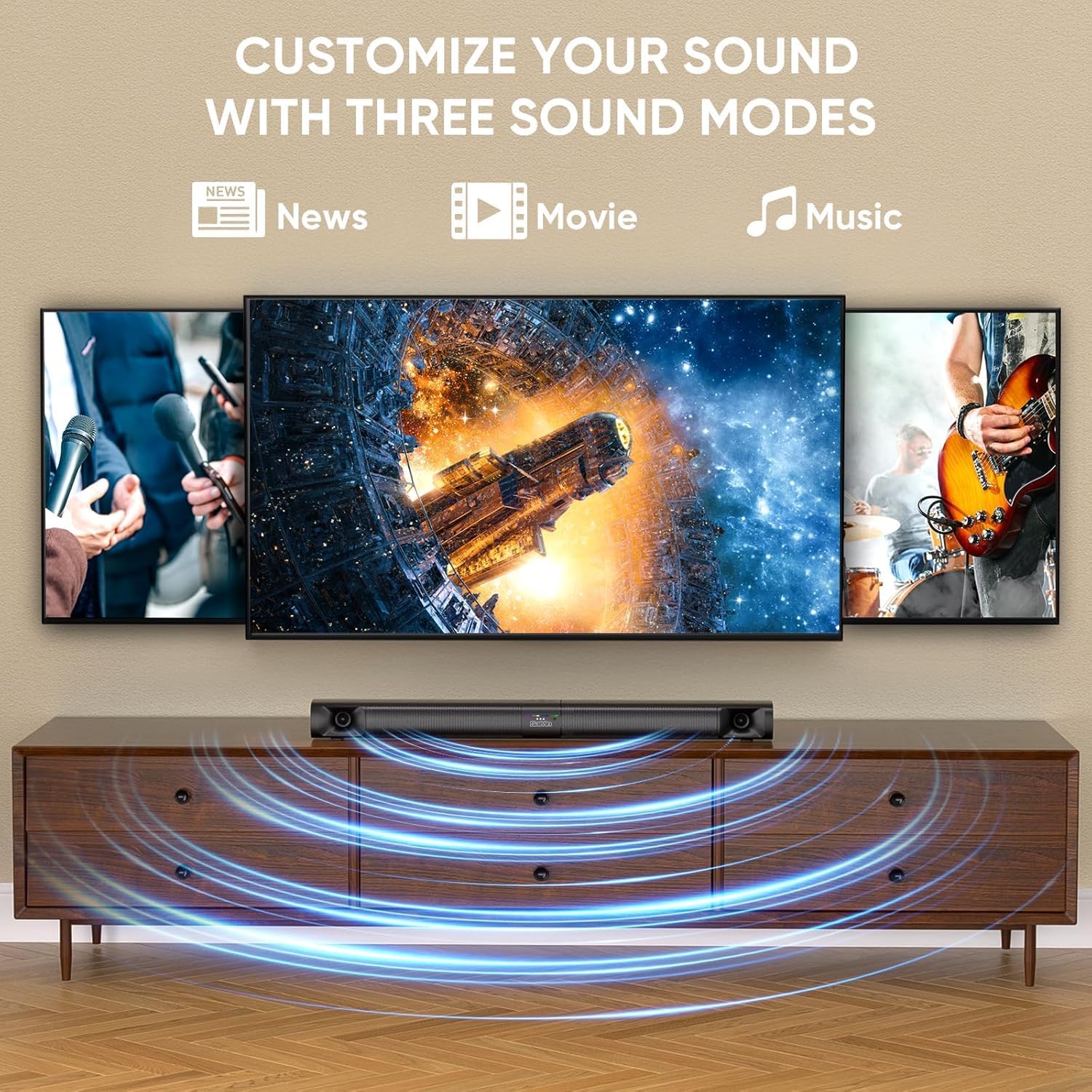
Image 5.2: Visual representation of the three customizable sound modes: News, Movie, and Music.
6. Tiaki
Hei whakarite i te roa o te ora me te mahi tino pai o tō paeoro, whai i ēnei aratohu tiaki:
- Te horoi: Whakamahia he kakahu ngohengohe, maroke hei horoi i te mata o te pae oro. Kaua e whakamahi i ngā wai horoi, i ngā rauemi whakakoi rānei.
- Whakahau: Kia tino mohio kei aukatia ngā pūhau o te pae oro kia kore ai e wera rawa.
- Rokiroki: Mena ka roa te wā e rongoa ai te pae oro, momotuhia mai i te hiko ka rongoa ki te wāhi hauhautanga, maroke.
- Aukati i te makuku: Puritia te pae oro kia matara atu i te wai me te haumākū nui.
7. Te Raru
If you encounter issues with your sound bar, refer to the following common problems and solutions.
| Raruraru | Take pea | Rongoā |
|---|---|---|
| Kore Oro |
|
|
| Momotunga Nihokikorangi |
|
|
| Mana Mamao Kaore i te Mahi |
|
|
| Oro Kopikopiko |
|
|
8. Whakatakotoranga
| Āhuahira | Whakatakotoranga |
|---|---|
| Ingoa Tauira | Saiyin Soundbar DS6401PB |
| Momo Kaikorero | Soundbar (Detachable) |
| Hangarau Hononga | Bluetooth 5.3, TV ARC, Optical, AUX |
| Aratau Putanga Ororongo | Tirotiro (2.0 Channel) |
| Kaikorero Te Mana Putanga Morahi | 90 Watts |
| Whakautu auau | Down to 65Hz (low-frequency drivers) |
| Tikanga Mana | Mana Mamao, Ngā pātene kei runga i te waeine |
| Momo Whakaeke | Maunga Pakitara, Papamahi |
| Ngā Ahu o te Hua (Pae Oro) | 31 inches (Length) x 3.4 inches (Depth) x 2.5 inches (Height) |
| Taumaha Tūemi | 5.02 pauna |
| Kaihanga | Shenzhen Saiyin Electronics Co.,Ltd. |
9. Pūtāhui me te Tautoko
9.1. Nga Korero Whakaputanga
The Saiyin Sound Bar DS6401PB comes with a 12-marama whakamana mai i te rā i hokona ai. Ka hipokina e tēnei pūtāhui ngā hapa hanga me te mahi toi i raro i te whakamahinga noa. Kāore e hipokina ngā kino i puta mai i te whakamahi hē, ngā aituā, ngā whakarerekētanga kāore i whakamanahia, te tāutanga hē rānei.
9.2. Tautoko Kiritaki
For technical assistance, warranty claims, or any questions regarding your Saiyin Sound Bar DS6401PB, please contact our customer support team. Refer to the contact information provided in your quick start guide or on the official Saiyin webpae.


