1. Kupu Whakataki
The EDIFIER MP330 is a portable Bluetooth speaker designed to deliver a high-quality audio experience with its retro aesthetic and advanced features. It supports Hi-Res audio and offers versatile connectivity options.

Image: The EDIFIER MP330 portable Bluetooth speaker, showcasing its brown finish and integrated leather handle.
2. Ihirangi mokete
Tena koa tirohia te pouaka mo nga mea e whai ake nei:
- EDIFIER MP330 Speaker x 1
- USB-C ki te USB-C Cable x 1
- Arataki Tere Tere x 1
- Important Safety Information x 1

Image: A visual representation of the EDIFIER MP330 speaker and its included accessories: USB-C cable, quick start guide, and safety information.
3. Hua Neke Atuview
3.1 Mana me nga Tauranga
The EDIFIER MP330 features intuitive controls and essential ports for various audio sources.
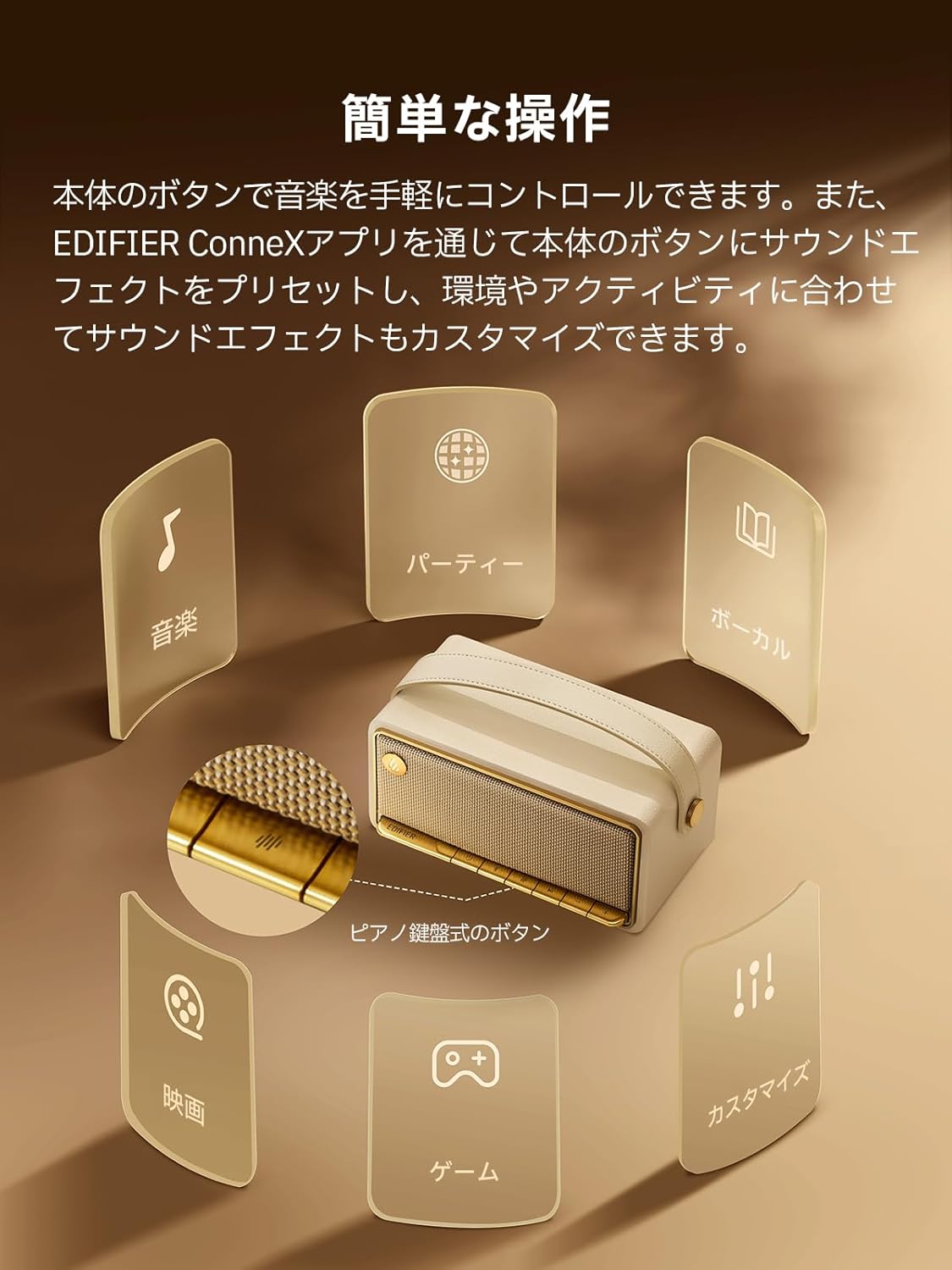
Image: A diagram illustrating the control buttons and indicator lights on the EDIFIER MP330 speaker, showing their functions for power, mode selection, playback, and volume.
- Pātene Hiko: Pēhi me te pupuri kia whakakā/whakaweto.
- Patene Aratau: Short press to cycle through Bluetooth, USB-C, and microSD card input modes.
- Pātene Purei/Tatari: Pēhia poto hei purei, hei whakamutu rānei i te oro.
- Rōrahi Whakarunga/Pātene Riu Panuku: Pehi poto mo te rōrahi ake, pehi roa mo te riu e whai ake nei.
- Rōrahi Whakararo/Pātene Riro o mua: Pihi poto mo te ruri whakaheke, pehi roa mo te riu o mua.
- Tauranga USB-C: For charging and audio input.
- Miihini Kaari microSD: Mo te whakatangi ororongo files directly from a microSD card.
4. Tatūnga
4.1 Te Whakataki i te Kaikorero
Before first use, fully charge the speaker using the provided USB-C cable and a compatible power adapter (not included). The indicator light will show charging status.
4.2 Hiko / Whakaweto
- Hei whakakaha: Patohia me te pupuri i te paatene Hiko kia whiti te rama tohu.
- Hei whakaweto: Pēhi me te pupuri i te paatene Hiko kia weto te rama tohu.
4.3 Takirua Nihokikorangi
Hei hono i to taputapu ma te Nihokikorangi:
- Power on the MP330 speaker. The Bluetooth indicator will flash, indicating it is in pairing mode.
- I runga i to taputapu (smartphone, tablet, etc.), whakahohea te Nihokikorangi me te rapu mo nga taputapu e waatea ana.
- Select "EDIFIER MP330" from the list of devices.
- Ina hono ana, ka mau tonu te tohu Nihokikorangi.
4.4 Hononga Ira Maha
The MP330 supports connecting to two Bluetooth devices simultaneously. After connecting the first device, put the speaker back into pairing mode and connect the second device. You can then switch between audio sources by pausing playback on one device and starting it on the other.

Image: Two mobile phones displaying music playback interfaces, indicating a multipoint Bluetooth connection to the EDIFIER MP330 speaker.
4.5 Stereo Pairing (TWS)
For an enhanced stereo sound experience, you can pair two MP330 speakers together:
- Ensure both MP330 speakers are powered on and not connected to any Bluetooth device.
- On one speaker, press and hold the Bluetooth button until it enters TWS pairing mode (indicator light will flash a specific pattern).
- The two speakers will automatically connect to each other. One speaker will become the left channel and the other the right.
- Once paired, connect your device to the primary speaker via Bluetooth as described in section 4.3.

Image: Two EDIFIER MP330 speakers, one black and one ivory, positioned to illustrate stereo pairing, with a Bluetooth logo and arrows indicating connection.
5. Nga Tohutohu Whakahaere
5.1 Switching Input Modes
Short press the Mode button to switch between Bluetooth, USB-C, and microSD card input modes. The indicator light will change color to reflect the active mode.
5.2 USB-C Audio Playback
Connect the MP330 to your computer using the provided USB-C cable. The speaker will automatically switch to USB-C audio mode. Select "EDIFIER MP330" as the audio output device on your computer.

Image: A diagram showing the EDIFIER MP330 speaker connected to a computer via a USB-C cable, indicating USB-C audio playback.
5.3 microSD Card Playback
Whakauruhia he kaari microSD kei roto te ororongo files into the microSD card slot. The MP330 will automatically switch to microSD card mode and begin playback.

Image: A diagram illustrating how to insert a microSD card into the dedicated slot on the EDIFIER MP330 speaker.
5.4 Using the EDIFIER Connex App
Download the EDIFIER Connex app to unlock extended features and customize your listening experience. The app allows you to:
- Hurihia nga puna whakauru.
- Whakahaerehia te purei ano.
- Customize sound effects (equalizer presets or custom settings).
- Access the electronic user manual and other settings.

Image: Multiple smartphone screens displaying the EDIFIER Connex app interface, highlighting various control and customization options for the speaker.
6. Tiaki
To ensure the longevity and optimal performance of your EDIFIER MP330 speaker, follow these maintenance guidelines:
- Te horoi: Use a soft, dry cloth to clean the speaker's surface. Avoid using abrasive cleaners, solvents, or strong chemicals, as they may damage the finish.
- Rokiroki: Penapenahia te kaikorero ki te wāhi hauhautanga, maroke, kia matara atu i te rā tika, i ngā pāmahana tino kino, me te haumākū tiketike.
- Puranga wai: The speaker is not waterproof. Avoid exposing it to water, rain, or excessive moisture.
- Te whakahaere: Kia tūpato te pupuri i te kaikorero. Kaua e tukua kia taka, kia kaua hoki e pāngia e te kaha o te pānga.
- Tiaki Pūhiko: For optimal battery life, avoid fully discharging the battery frequently. If storing for an extended period, charge the battery to about 50% every few months.
7. Te Raru
If you encounter issues with your EDIFIER MP330 speaker, refer to the following common troubleshooting steps:
- Kore Mana:
- Me whakarite kua whakakiia te kaikorero.
- Check if the power button is pressed and held correctly to turn on the device.
- Kore Oro:
- Verify the volume level on both the speaker and your connected device.
- Ensure the correct input mode (Bluetooth, USB-C, microSD) is selected.
- If using Bluetooth, ensure the speaker is properly paired and connected to your device.
- If using a microSD card, ensure the card is inserted correctly and contains playable audio files.
- Nga Take Takirua Nihokikorangi:
- Me whakarite kei roto te kaikorero i te aratau takirua Nihokikorangi (e mura ana te rama tohu).
- Monokia me te whakahohe ano i te Nihokikorangi i runga i to taputapu.
- Move the speaker closer to your device and away from potential interference sources.
- Try unpairing and re-pairing the speaker from your device's Bluetooth settings.
- Stereo Pairing Not Working:
- Me whakarite kia kaua ngā kaikorero e rua e hono ana ki tētahi atu taputapu Nihokikorangi i mua i te tīmatanga o te hononga TWS.
- Follow the TWS pairing steps carefully (Section 4.5).
- Nga Take Hononga Taupānga:
- Ensure Bluetooth is enabled and the speaker is connected to your device.
- Update the EDIFIER Connex app to the latest version.
- Tīmataria anō te kaikōrero me tō pūrere.
If the problem persists after trying these steps, please contact Edifier customer support for further assistance.
8. Whakatakotoranga
Detailed technical specifications for the EDIFIER MP330 speaker:

Image: A comparison chart highlighting key specifications of the EDIFIER MP330 and MP230 models, including output power, Bluetooth version, battery capacity, playback time, and Hi-Res audio support.
| Āhuahira | Whakatakotoranga |
|---|---|
| Ingoa Tauira | MP330 |
| Momo Kaikorero | Te Kaikorero |
| Rauemi | Rakau (MDF) |
| Tae | Paraone |
| Te Mana Putanga | 40W RMS |
| Putanga Nihokikorangi | 6.0 |
| Pūhiko Raukaha | 4800mAh |
| Wā Whakahoki | Tae atu ki te 19 haora (i te 50% rōrahi) |
| Whakautu auau | 53Hz-40kHz |
| Ororongo Hi-Res | Supported (up to 24bit/96kHz) |
| Hononga | Bluetooth, USB-C, microSD card |
| Ahu (W x D x H) | 20.7 x 11.6 x 10.1 cm |
| Taumaha | 1.13 kg |
| Tikanga Mana | Taupānga, Pātene Pana |
| Tauwehenga Waitohu-ki-Haruru (S/N) | 85 dB |

Image: A technical drawing showing the dimensions (width, depth, height) and weight of the EDIFIER MP330 speaker.
9. Pūtāhui me te Tautoko
For warranty information, please refer to the warranty card included in your product packaging or visit the official Edifier website. If you require technical support or have questions about your EDIFIER MP330 speaker, please contact Edifier customer service through their official channels.
Kaiwhakahaere Edifier Webpae: www.edifier.com


