1. Kupu Whakataki
Thank you for choosing FLEXTAILGEAR portable air pumps. This manual provides detailed instructions for the safe and efficient operation of your Tiny Pump and EVO Pump 2. These compact and powerful devices are designed for various inflation and deflation needs, including air mattresses, sleeping pads, swimming rings, vacuum storage bags, and more.
Tena panuihia tenei pukapuka i mua i te whakamahi i te hua me te pupuri mo te tohutoro a meake nei.
2. Hua Neke Atuview
The FLEXTAILGEAR product line includes two distinct portable air pump models, each designed for specific user needs while maintaining portability and efficiency.
2.1 Tiny Pump

The Tiny Pump is an ultra-mini, lightweight air pump ideal for extreme portability. It features a rechargeable battery and is perfect for inflating small to medium-sized inflatables and deflating vacuum bags.
Āhuatanga matua:
- Ultra-Mini Size: Weighs only 2.82 oz (80g) with dimensions of 2"x1.7"x1.7".
- Mahinga Kaha: Delivers 3.5kPa air pressure and 180L/min wind speed for rapid inflation/deflation.
- Ka taea te utu: Built-in battery, capable of inflating 4-5 swim rings or 6-8 single camping air mattresses on a single charge.
- Nozzles maha: Includes 5 different nozzles for various applications.
- Mahi Kotahi-Patene: Simple to use (double-click to start).
2.2 EVO Pump 2
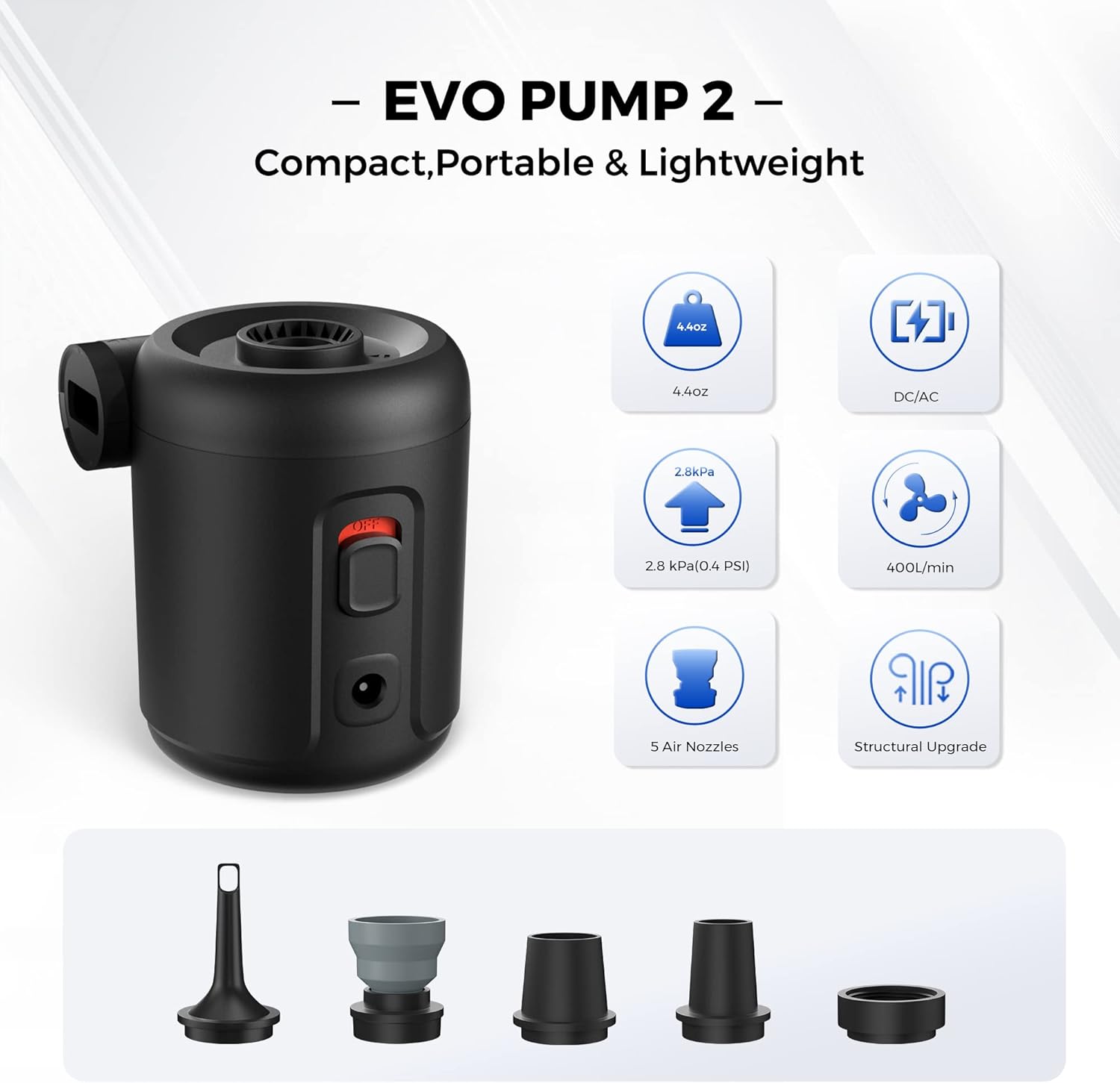
The EVO Pump 2 is a compact and powerful electric air pump designed for both AC and DC power sources, offering continuous operation without battery concerns. It's suitable for larger inflatables and more demanding tasks.
Āhuatanga matua:
- Kiato me te Maama: Weighs 4.4 oz (125g) with dimensions of 2.7"x2.5"x3.2".
- Tuku Hiko Takirua: Operates via 12V DC (car adapter) or AC (home socket) power adapter. Note: This model is not rechargeable.
- Mahinga Nui: Achieves 2.8kPa pressure and 400L/min airflow for quick inflation/deflation.
- Nozzles maha: Includes 5 different nozzles for various applications.
- Structural Upgrade: Enhanced design for improved performance.
3. Whakatakotoranga
| Āhuahira | Puma Iti | EVO Pump 2 |
|---|---|---|
| Taumaha | 2.82 hāora (80g) | 4.4 hāora (125g) |
| Ahu | 2" x 1.7" x 1.7" | 2.7" x 2.5" x 3.2" |
| Te Peehanga Hau | 3.5 kPa (0.5 PSI) | 2.8 kPa (0.4 PSI) |
| Rererangi | 180 L/min | 400 L/min |
| Tuku Hiko | Ka taea te utu (Momo-C) | AC/DC Adapter (12V DC) |
| Nozzles Kei roto | 5 | 5 |
4. Tatūnga
Before first use, please ensure you understand the basic components and power requirements for your specific pump model.
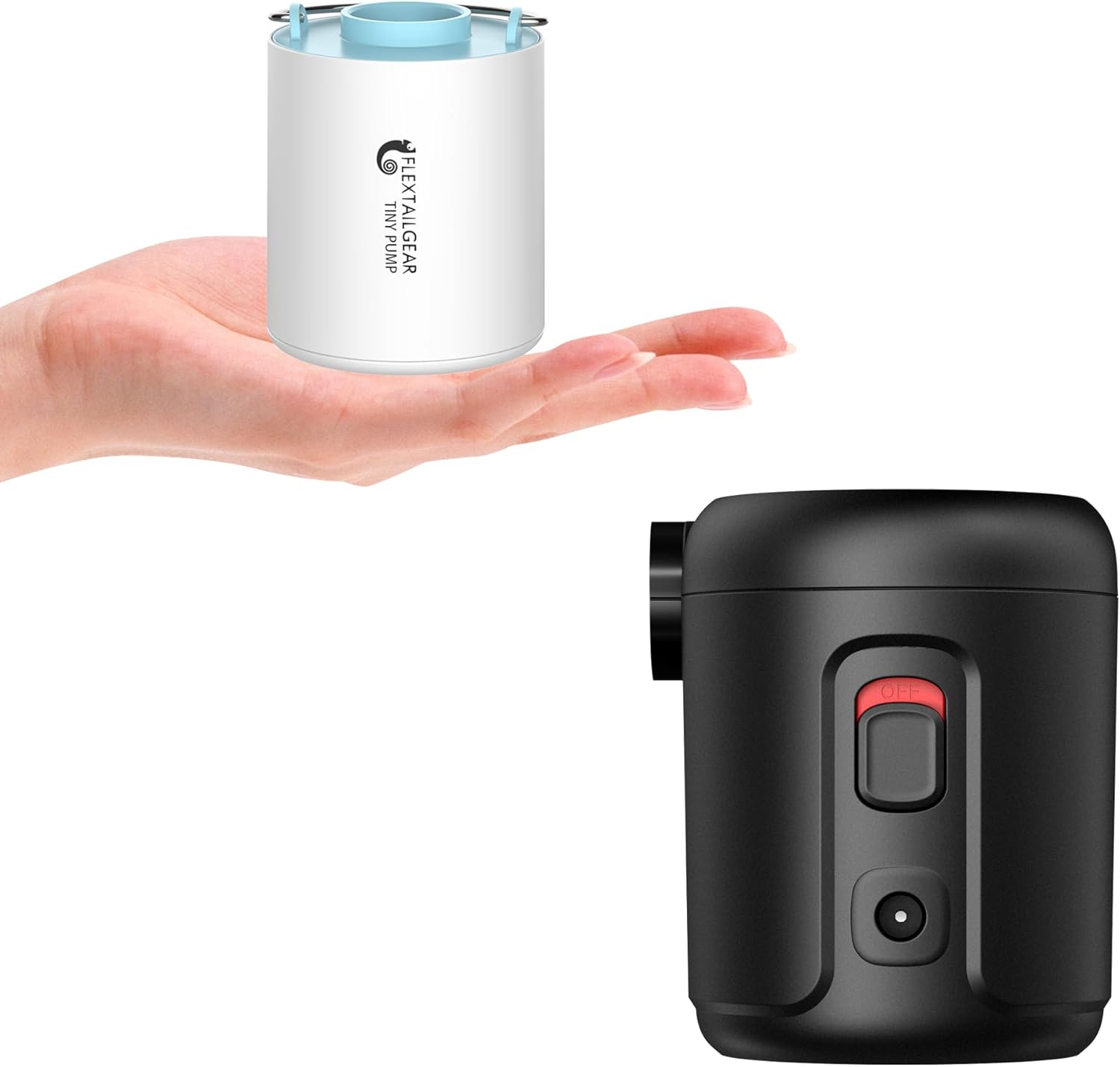
Image: Both Tiny Pump (left) and EVO Pump 2 (right) models.
4.1 Tiny Pump Initial Setup
- Utuhia te Pump: Before first use, fully charge the Tiny Pump using the provided Type-C USB cable. Connect the cable to the pump's charging port and a suitable USB power source (e.g., wall adapter, power bank). The charging indicator will show status.
- Tīpakohia Nozzle: Identify the appropriate nozzle for the item you intend to inflate or deflate.
- Āpiti Puha: Firmly attach the selected nozzle to the pump's inflation or deflation port.
4.2 EVO Pump 2 Initial Setup
- Hono Hono: The EVO Pump 2 is not rechargeable. Connect it to a power source using either the AC adapter (for home outlets) or the DC adapter (for 12V car outlets).
- Tīpakohia Nozzle: Identify the appropriate nozzle for the item you intend to inflate or deflate.
- Āpiti Puha: Firmly attach the selected nozzle to the pump's inflation or deflation port.

Image: EVO Pump 2 with its AC and DC power supply options.
5. Nga Tohutohu Whakahaere
Follow these steps for effective inflation and deflation using your FLEXTAILGEAR pump.
5.1 Te pikinga
- Āpiti Puha: Select the correct nozzle and attach it securely to the tauranga pupuhi of the pump. For the EVO Pump 2, the inflation port is on the side. For the Tiny Pump, it's the main opening.
- Insert into Valve: Insert the nozzle firmly into the valve of the item you wish to inflate. Ensure a snug fit to prevent air leakage.
- Tīmata Puma:
- Tiny Pump: Double-click the power button to turn on the pump.
- EVO Pump 2: Tahurihia te pana hiko ki te tūranga "ON".
- Aroturuki te pikinga: Allow the pump to inflate the item to the desired firmness. Do not overinflate.
- Whakaweto Puma:
- Tiny Pump: Single-click the power button to turn off.
- EVO Pump 2: Flip the power switch to the "OFF" position.
- Tangohia te Pūwero: Carefully remove the nozzle from the item's valve.

Image: Tiny Pump in various inflation and deflation applications.
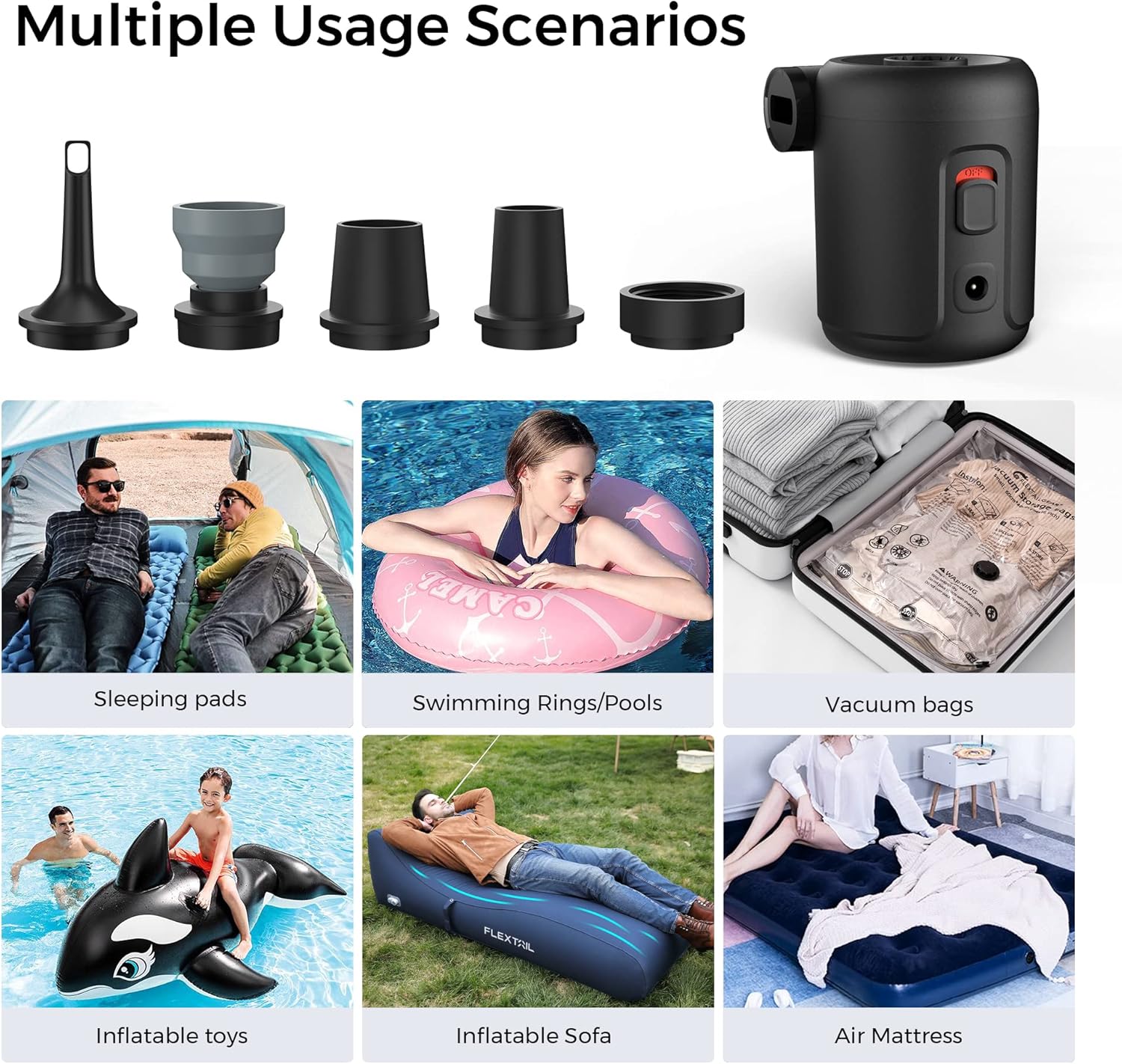
Image: EVO Pump 2 in various inflation and deflation applications.
5.2 Te whakaheke
- Āpiti Puha: Select the correct nozzle and attach it securely to the tauranga whakahekenga of the pump. For the EVO Pump 2, the deflation port is on the top. For the Tiny Pump, it's the main opening.
- Insert into Valve: Insert the nozzle firmly into the valve of the item you wish to deflate.
- Tīmata Puma:
- Tiny Pump: Double-click the power button to turn on the pump.
- EVO Pump 2: Tahurihia te pana hiko ki te tūranga "ON".
- Monitor Deflation: Allow the pump to remove air until the item is sufficiently deflated.
- Whakaweto Puma:
- Tiny Pump: Single-click the power button to turn off.
- EVO Pump 2: Flip the power switch to the "OFF" position.
- Tangohia te Pūwero: Carefully remove the nozzle from the item's valve.
5.3 Nozzle Compatibility
Both pumps come with 5 different nozzles to fit a wide range of inflatable products. Refer to the image below for examples of nozzle types and their typical applications.

Image: Various nozzles and items not suitable for inflation (e.g., balloons, sports balls, car tires).
Tuhipoka Nui:
- These pumps are not suitable for inflating balloons, sports balls (like soccer or volleyballs), or vehicle tires, as these require higher pressure than the pumps can provide.
- The Tiny Pump is not designed for continuous long-term operation. Allow it to cool down after extended use.
6. Tiaki
Proper maintenance ensures the longevity and optimal performance of your FLEXTAILGEAR air pump.
- Te horoi: Horoia te taha waho o te papu ki te kakahu ngohengohe, maroke. Kaua e whakamahi i ngā mea horoi whakakoi, kaua hoki e rumakina te papu ki te wai.
- Rokiroki: Store the pump and its accessories in a cool, dry place away from direct sunlight and extreme temperatures.
- Puha: Keep nozzles clean and free from debris to ensure proper airflow.
- Tiny Pump Battery: For the Tiny Pump, if storing for an extended period, charge the battery periodically (e.g., every 3-6 months) to maintain battery health.
- A karo Damp Taiao: For both models, avoid damp environments or being splashed by water.
7. Te Raru
Mena ka pā mai he raruraru ki tō papu, tirohia ngā raruraru me ngā otinga e whai ake nei.
| Raruraru | Take pea | Rongoā |
|---|---|---|
| Pump does not turn on (Tiny Pump) | Low battery; Not double-clicked | Charge the pump fully; Double-click the power button to activate. |
| Pump does not turn on (EVO Pump 2) | No power supply; Power switch off | Ensure AC/DC adapter is securely connected to a live power source; Flip the power switch to "ON". |
| Weak airflow / Slow inflation | Incorrect nozzle; Nozzle not fully inserted; Air leakage; Low battery (Tiny Pump) | Ensure correct nozzle is used and securely attached; Check for leaks around the valve; Recharge Tiny Pump. |
| Te wera o te papu | Te roa o te whakamahi tonu | Whakawetohia te papu ka waiho kia whakamatao mō te 15-20 meneti pea i mua i te tīmatanga anō ki te whakamahi. |
| Nozzle does not fit item valve | Wrong nozzle selected | Try a different nozzle from the included set. If no nozzle fits, the item may be incompatible. |
8. Nga korero haumaru
- Do not operate the pump near flammable liquids or gases.
- Kaua e araia te urunga hau, te putanga ranei i te wa e mahi ana.
- Kaua e toro atu ki nga tamariki. Ehara tenei i te taakaro.
- Do not immerse the pump in water or expose it to rain.
- Do not attempt to disassemble or repair the pump yourself. Contact customer support for assistance.
- Me whakarite te voltage of the power supply matches the requirements for the EVO Pump 2.
- Avoid over-inflating items, as this can cause damage to the item or the pump.
9. Pūtāhui me te Tautoko
FLEXTAILGEAR products are manufactured to high-quality standards. For warranty information, technical support, or any questions regarding your product, please refer to the warranty card included with your purchase or visit the official FLEXTAILGEAR webpae.
Ka taea hoki e koe te toro ki te FLEXTAILGEAR Store on Amazon mo etahi atu korero hua me nga rauemi tautoko.


