Kupu Whakataki
This manual provides instructions for the setup, operation, and maintenance of your NIIMBOT N1 Bluetooth Label Maker. The N1 utilizes thermal transfer technology for durable, high-quality labels and connects wirelessly via Bluetooth for convenient printing through the NIIMBOT app.

Image: The NIIMBOT N1 Bluetooth Label Maker, a compact white device, shown with two label ribbon cartridges and a roll of white labels.
He aha kei roto i te Pouaka
- 1 x NIIMBOT N1 Label Printer
- 2 x Paper Rolls (label ribbon cartridges)
Aratohu Tatūnga
1. Taupānga Tāuta
Download the "NIIMBOT" application from your device's app store (available for iOS and Android). Ensure your smartphone or tablet meets the minimum system requirements for the app.
2. Loading the Label Ribbon
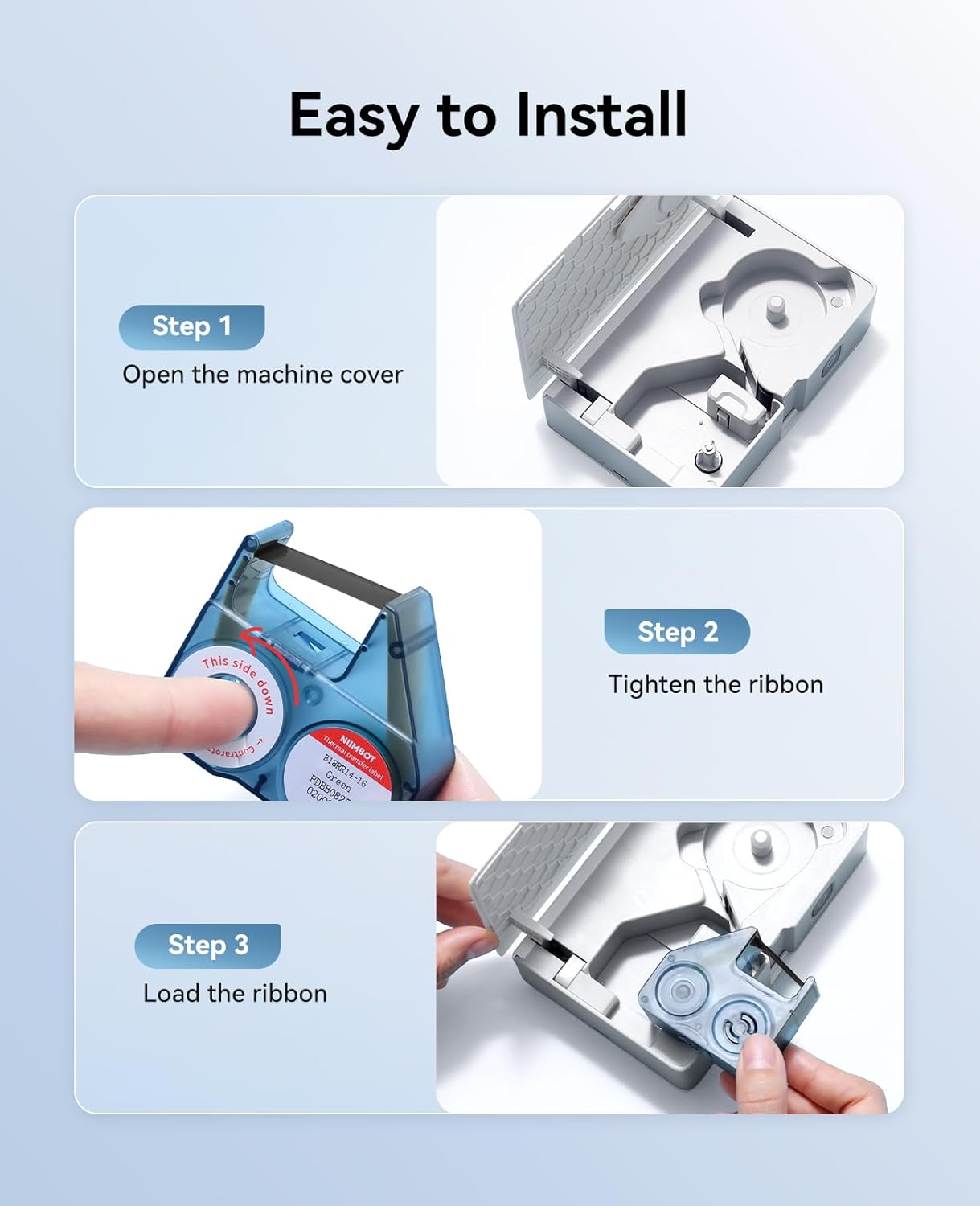
Image: A visual guide demonstrating the three steps for loading the label ribbon: opening the machine cover, tightening the ribbon, and loading the ribbon cartridge into the printer.
- Hipanga 1: Open the machine cover by gently pressing the release button or sliding the cover open.
- Hipanga 2: Insert the label ribbon cartridge. Ensure the ribbon is taut and properly aligned within the cartridge.
- Hipanga 3: Load the ribbon cartridge into the designated slot inside the printer. Close the machine cover securely.
3. Power On and Bluetooth Connection
- Press and hold the power button on the NIIMBOT N1 until the indicator light illuminates.
- Whakahohea te Nihokikorangi i runga i to waea atamai papa ranei.
- Open the NIIMBOT app and follow the on-screen instructions to connect to your N1 label maker. The device name will typically appear as "NIIMBOT N1" or similar.
Nga Tohutohu Whakahaere
1. Te Waihanga Tapanga
Within the NIIMBOT app, you can design your labels. The app offers various features:
- Whakauru Kuputuhi: Enter desired text for your labels.
- Tātauira: Utilize pre-designed templates for common label types.
- Symbols & Logos: Add various symbols, icons, or custom logos.
- Ngā Waehere Pae me ngā Waehere QR: Generate and print barcodes or QR codes.
- Images & Time: Incorporate images or current time stamps.
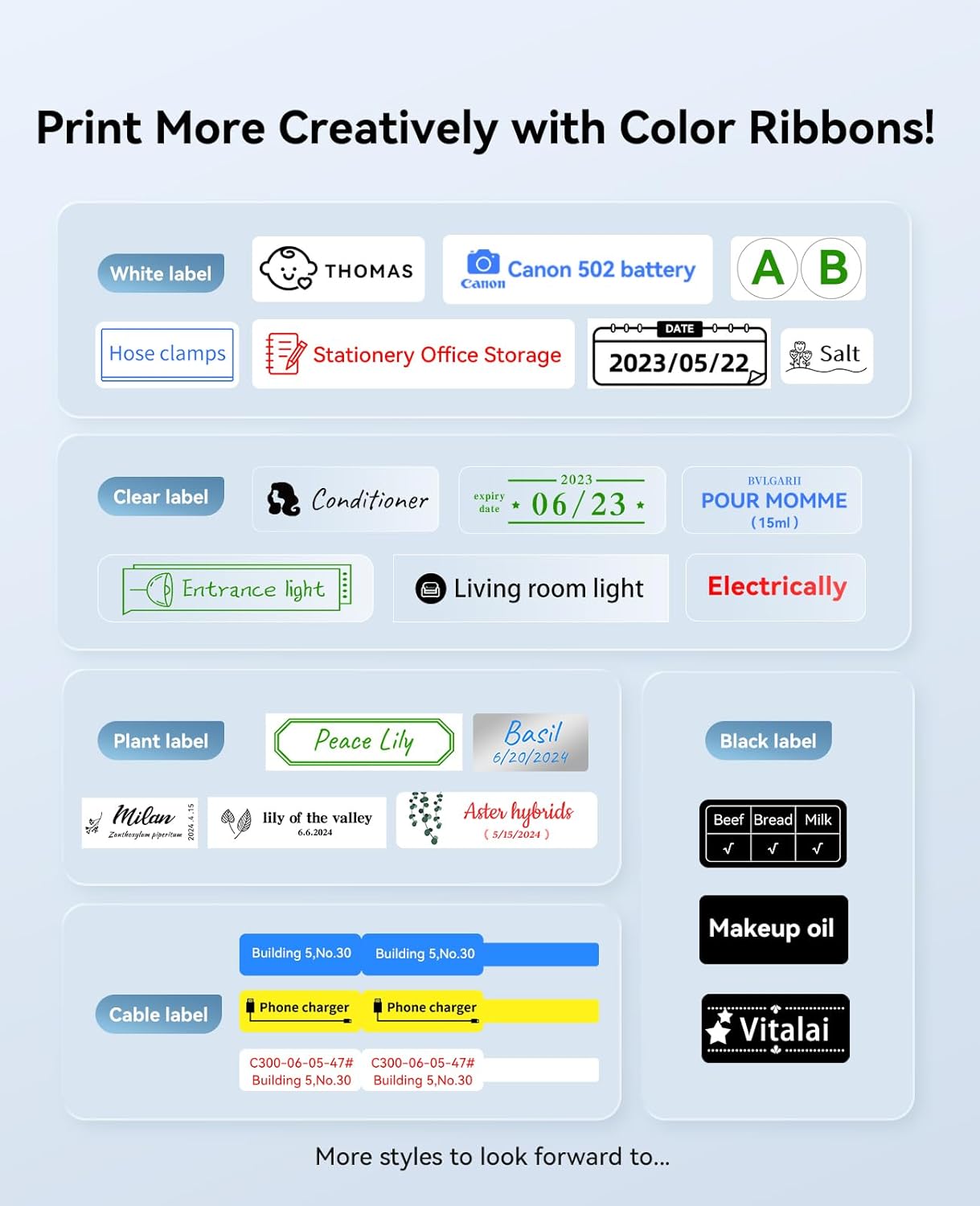
Image: A display of various label designs, including white, clear, plant, black, and cable labels, demonstrating the creative possibilities with different color ribbons.
2. Tapanga Tapanga
After designing your label, select the print option within the app. Ensure the label maker is connected and has sufficient battery. The app will guide you through any final print settings before execution.
Nga waahanga hua
Thermal Transfer Technology
The N1 label maker employs thermal transfer technology (203 DPI), which produces labels that are more durable and clearer than standard thermal prints. These labels are wear-resistant, scratch-resistant, waterproof, and resistant to high and low temperatures, ensuring a longer storage time for printed content.
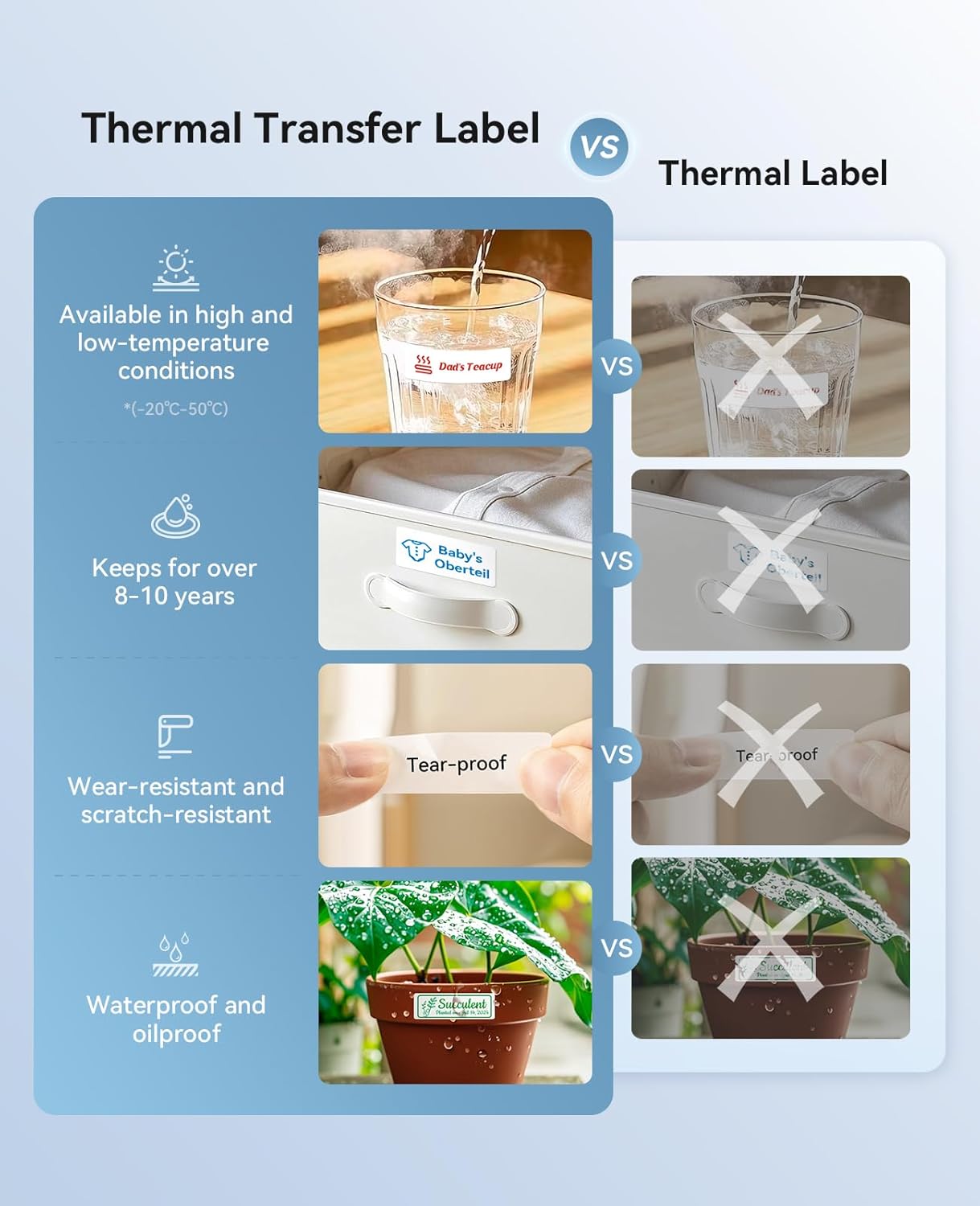
Image: A comparison chart illustrating the benefits of thermal transfer labels over traditional thermal labels, focusing on resistance to temperature, longevity, tear-proof quality, and water/oil resistance.
Color Printing Capability
The N1 supports color printing through the use of various colored ribbons. This allows for more versatile and visually distinct labels.
Hononga Nihokikorangi Ahokore
The label maker connects wirelessly via Bluetooth to the NIIMBOT app, providing a convenient and portable printing experience without the need for physical cables or complex interfaces.
Nga tono maha
The NIIMBOT N1 is suitable for a wide range of labeling needs:
- Home & Office Organization: Te tapanga files, storage boxes, and supplies.
- Kitchen & Food Storage: Labeling containers for refrigeration or pantry items.
- Whakaha Uepu: Identifying cables for electronics and networking.
- Retail & Inventory: Utu tags, whakapaipai tags, and small item classification.
- Te māra: Labeling outdoor potted plants.
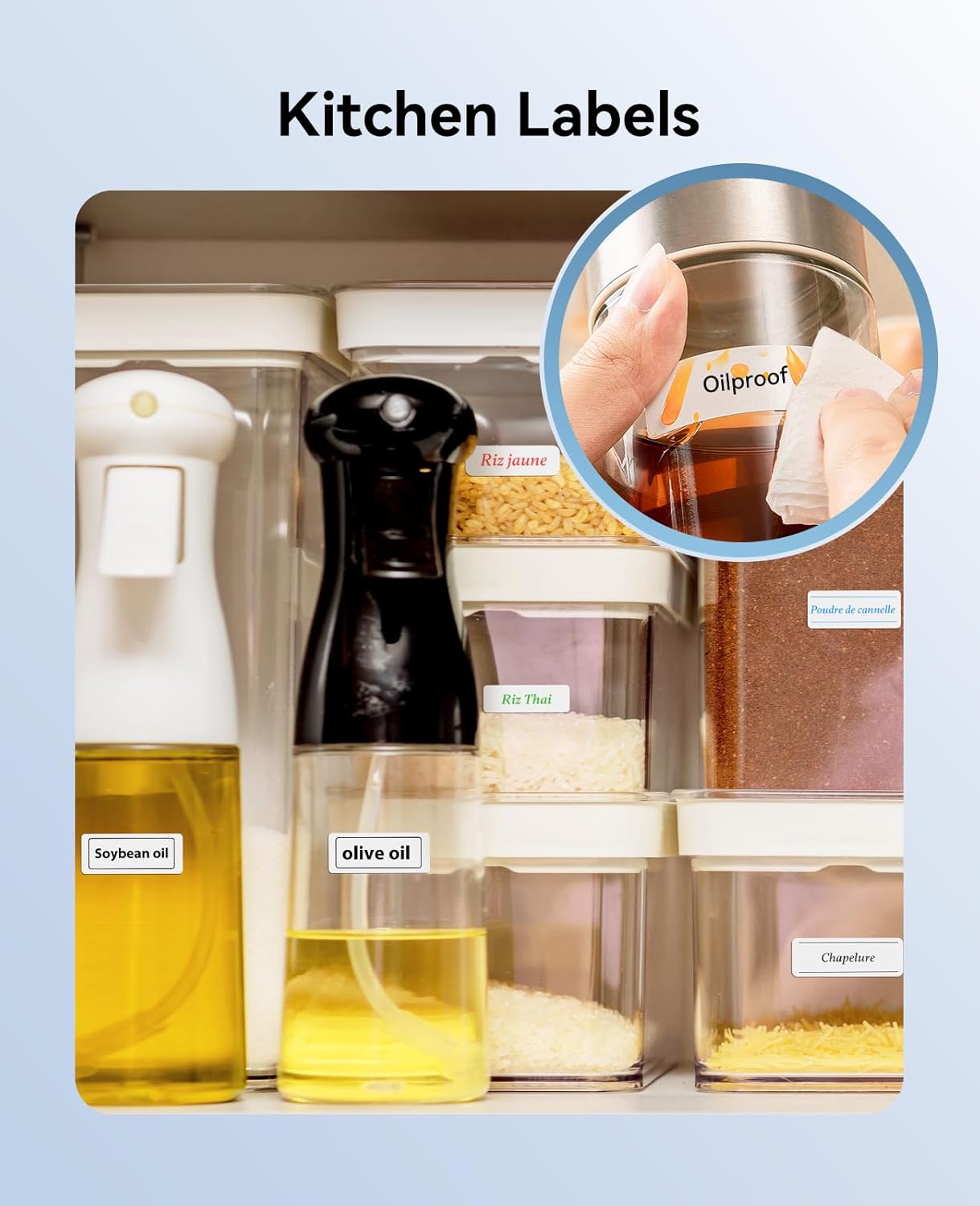
Image: An organized kitchen pantry with various containers labeled for different food items, showcasing the use of the label maker for kitchen organization.

Whakaahua: Examples of cable labels used to identify different electronic cables, both in a storage box and attached to cables plugged into a power strip.
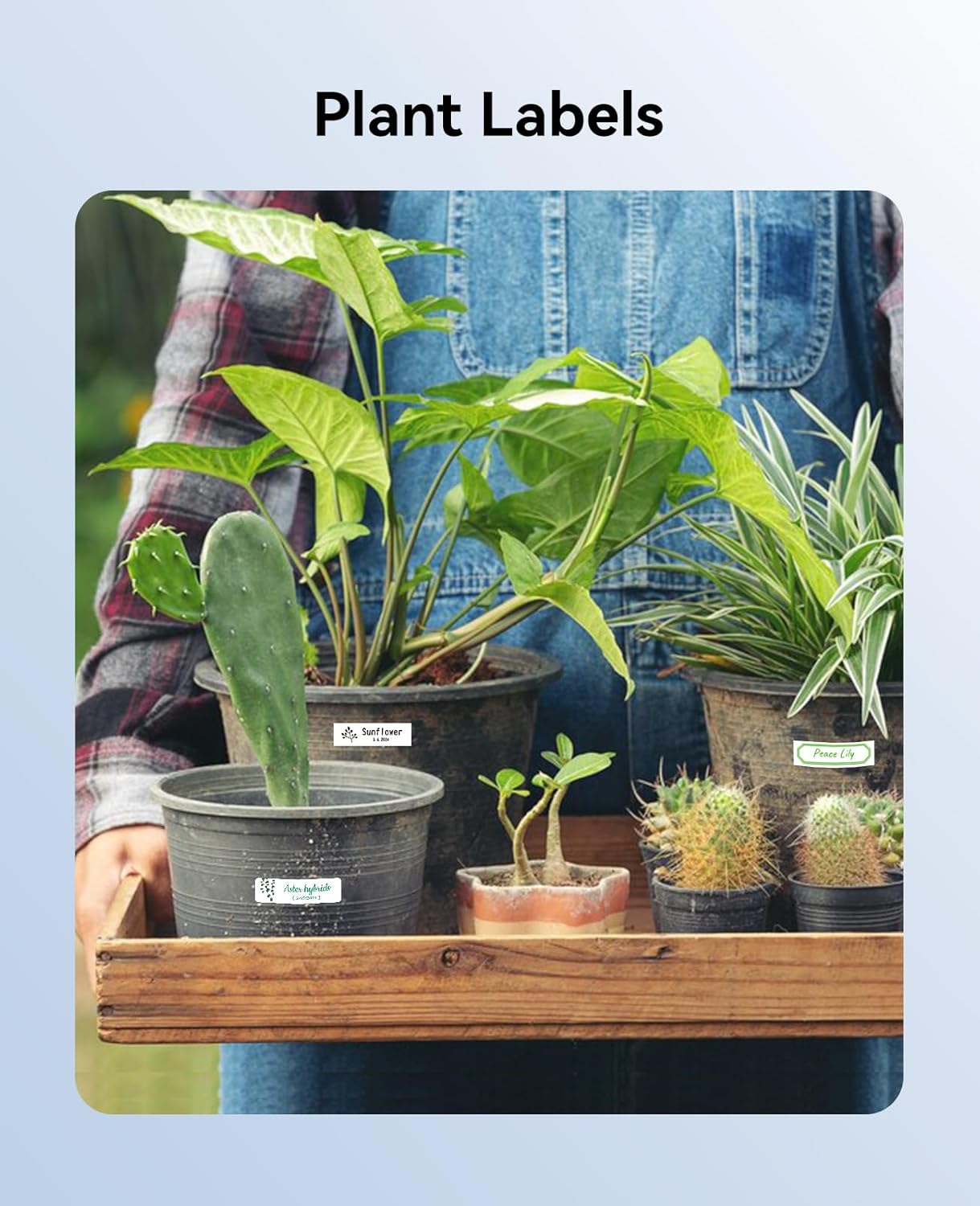
Image: A person holding a tray of potted plants, each with a label identifying the plant, illustrating the use of the label maker for gardening.
Te tiaki
- Te horoi: Regularly wipe the exterior of the label maker with a soft, dry cloth. For the print head, refer to the app or manufacturer's website for specific cleaning instructions to avoid damage.
- Rokiroki: Penapenahia te mīhini tapanga ki te wāhi hauhautanga, maroke, kia matara atu i te rā tika me ngā pāmahana tino kino.
- Tiaki Pūhiko: For optimal battery life, avoid fully discharging the device frequently. Charge the device regularly, even if not in use for extended periods.
Raparongoā
- Kaore te Pūrere e hono ana: Ensure Bluetooth is enabled on your mobile device and the N1 is powered on. Restart both the app and the label maker. Check if the N1 is paired with another device.
- He Rawe te Kounga Ta: Verify the label ribbon is correctly loaded and not damaged. Clean the print head if necessary. Ensure the label type selected in the app matches the physical ribbon.
- Ngā Tapanga Kāore e Whāngai: Check for any obstructions in the label path. Ensure the ribbon cartridge is properly seated.
- Nga Take Taupānga: Update the NIIMBOT app to the latest version. Clear the app's cache or reinstall if problems persist.
Whakatakotoranga
| Āhuahira | Taipitopito |
|---|---|
| Waitohu | NIIMBOT |
| Ingoa Tauira | N1 |
| Hangarau Hononga | Nihokikorangi |
| Hangarau Tā | Whakawhiti Weariki |
| Whakataunga Tā mōrahi | 203 DPI |
| Putanga Pūreretā | Color (with compatible ribbons) |
| Āhuahira Motuhake | Kawe |
| Momo Waituhi Pūreretā | Riipene Whakawhiti Ngawha |
| Nga Whakamahinga Motuhake mo te Hua | Indoor, Label Making, Organization, Home, School, Office, Food Refrigeration |
| Nga Waahanga kei roto | 1 x NIIMBOT N1 Printer, 2 x Paper Rolls |
Pūtāhui me te Tautoko
The NIIMBOT N1 Label Maker comes with a limited warranty. For detailed warranty information, product support, or service inquiries, please refer to the official NIIMBOT website or contact NIIMBOT customer service directly. Contact information can typically be found on the product packaging or the NIIMBOT app.


