1. Kupu Whakataki
The EARU Automatic Voltage Protector (Model EARU-1005) is an advanced electrical safety device designed to protect your valuable home and office appliances from damaging power fluctuations. This device offers comprehensive protection against over-voltage, raro-voltage, and overcurrent conditions, ensuring the longevity and safe operation of your electrical equipment. It features adjustable thresholds and an auto-reconnect function for convenience and continuous protection.
2. Nga waahanga matua
- All-in-One Protection: Safeguards appliances from power surges, over-voltage (above 275V), under-voltage (below 175V), and adjustable overcurrent (1A-63A).
- Whakatikatika Tika: Customizable cut-off thresholds for over-voltage (200V-275V) and under-voltage (175V-200V) to suit specific grid conditions and appliance needs.
- Taumahi Tautuhi-Aunoa: Automatically restores power within 60-300 seconds once grid voltage stabilizes within the set safe range, eliminating manual intervention.
- Superior Conductivity: Constructed with 100% pure copper conductors for minimal resistance, efficient operation, and enhanced long-term reliability under heavy 63A loads.
- DIN Rail Tāuta: Designed for easy and secure integration into standard 2-Pole, 36mm width DIN Rail electrical panels.
- Haumaru Matawhānui: Provides robust protection for an entire household against unpredictable voltage nga rerekee me nga pikinga.
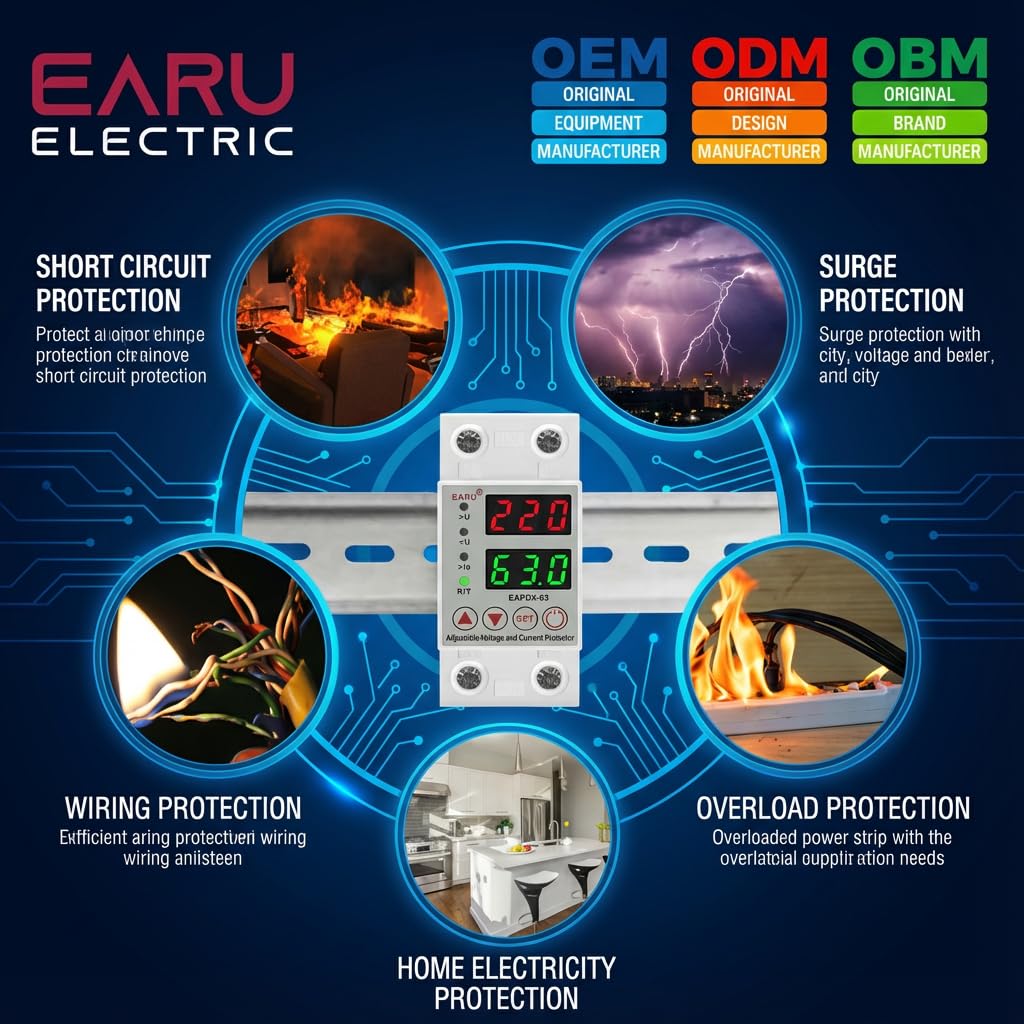
Whakaahua 2.1: Ka mutuview of the protection capabilities of the EARU Automatic Voltage Kaitiaki.
3. Nga korero haumaru
Please read and understand all safety instructions before installing or operating the device. Failure to do so may result in electric shock, fire, or serious injury.
- Ko te whakaurunga me mahi anake e tetahi tohunga hiko i runga i nga tikanga me nga ture hiko o te rohe.
- Ensure the main power supply is disconnected before any installation or maintenance work.
- Do not operate the device if it appears damaged or has been exposed to moisture.
- Verify correct wiring connections (Line and Neutral) to prevent malfunction or damage.
- I hangaia te taputapu mo te whakamahi o roto anake.
- Do not exceed the maximum current rating of 63A.
4. Hua Neke Atuview
4.1. Components and Display
The EARU Automatic Voltage Protector features a clear digital display and intuitive control buttons for easy monitoring and adjustment.
- Voltage Whakaatu: E whakaatu ana i te rārangi vol o nāianeitage.
- Whakaatu o nāianei: Shows the current load in Amperes.
- Rama Tohu:
>U: Over-voltage tohu.<U: I raro-voltage tohu.>Ie: Overcurrent indicator.R/T: Reset/Time indicator.
- Patene Mana:
- Up Arrow (▲) / Down Arrow (▼): Used to adjust parameter values.
- PATU Whakatakotoria: Press and hold for 3 seconds to enter setting mode.
- Paatene Hiko / Weto: Toggles power to the protected circuit.
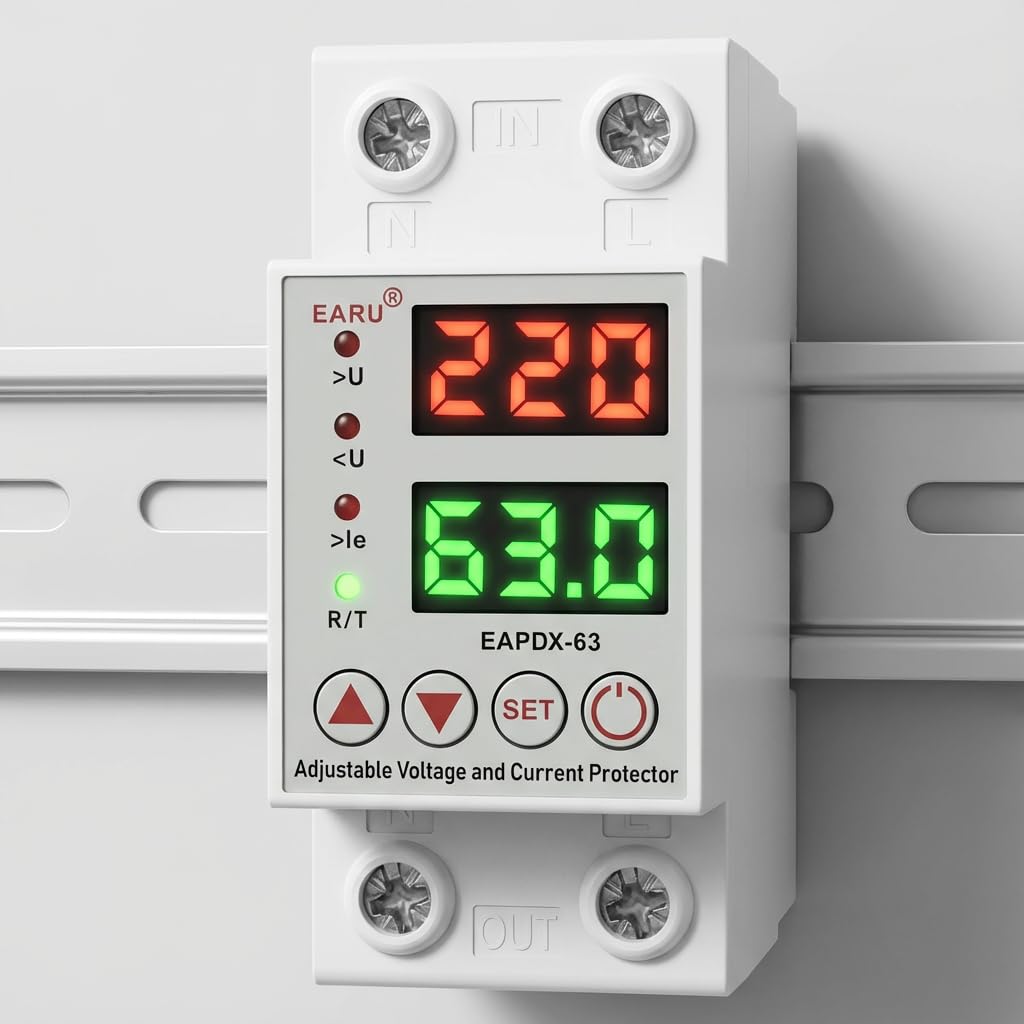
Whakaahua 4.1: Mua view of the EARU Automatic Voltage Protector, highlighting its digital display and control buttons.
5. Tatūnga me te Tāuta
The EARU Automatic Voltage Protector is designed for DIN Rail mounting. Ensure proper wiring and secure installation.
5.1. Whakapiki
Mount the device onto a standard 36mm width DIN Rail within your electrical panel. Ensure it is securely clipped into place.
5.2. Hoahoa Waea
Connect the incoming power supply (Line and Neutral) to the "IN" terminals and the outgoing load to the "OUT" terminals. Refer to the diagram below for correct wiring.

Whakaahua 5.1: Example wiring configuration for DIN Rail installation.

Image 5.2: Device dimensions for installation planning.
6. Nga Tohutohu Whakahaere
The device allows for precise adjustment of protection parameters. Follow these steps to configure your voltage kaitiaki.
6.1. Aratau Tautuhinga Tawhā
- Me mohio kei te whakakaha te taputapu.
- Patohia me te pupuri i te SET button for approximately 3 seconds until the display changes to show "P-1" or a similar setting indicator. This indicates you are in parameter setting mode.
- Whakamahia te Pere Runga (▲) a Pere Raro (▼) buttons to navigate through the different parameters (P-1 to P-6).
- Once you have selected a parameter, press the SET button briefly to enter its adjustment mode.
- Whakamahia te Pere Runga (▲) a Pere Raro (▼) pātene hei huri i te uara.
- Pehia te SET button again to confirm the value and move to the next parameter, or wait a few seconds for the device to automatically save and exit the setting mode.
6.2. Whakaahuatanga Tawhā
| Tawhā | Whakaahuatanga | Tae Whakatika |
|---|---|---|
| P-1 | Neke atu i te-voltage tautuhinga | 240V - 300V (or OFF) |
| P-2 | I-raro-voltage tautuhinga | 140V - 200V (or OFF) |
| P-3 | Overcurrent setting | 1A - 40A / 63A / 80A (depending on model) |
| P-4 | Reset/start delay | 1 - 300 |
| P-5 | Relay recovery delay | 1 - 300 |
| P-6 | Overcurrent recovery delay | 1 - 300 |
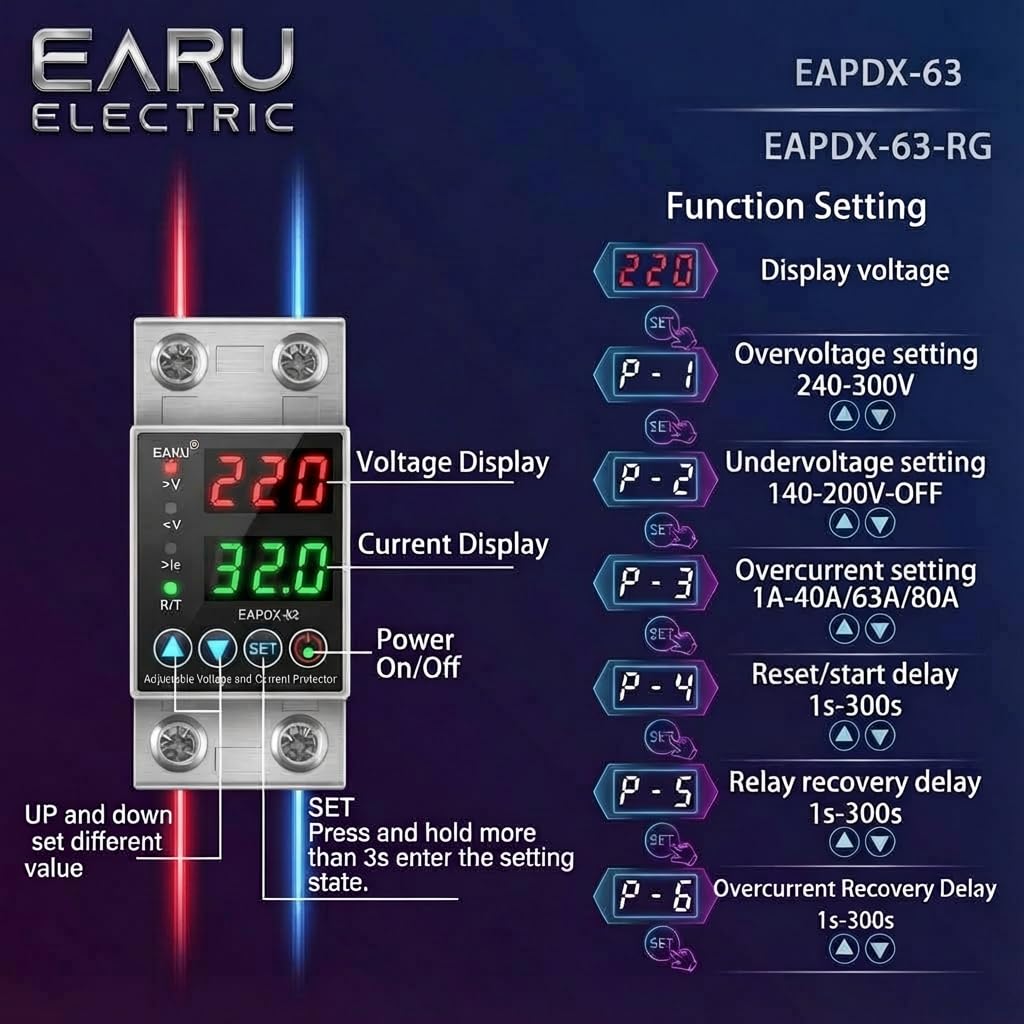
Image 6.1: Function setting guide for the device.
6.3. Video Guide: Setting Parameters
Video 6.1: This video demonstrates how to adjust the over-voltage, raro-voltage, overcurrent, and recovery delay settings on the EARU Automatic Voltage Protector. It shows the step-by-step process of entering the setting mode and modifying each parameter.
7. Tiaki
The EARU Automatic Voltage Protector requires minimal maintenance. Regular checks can ensure optimal performance.
- Periodically inspect the device for any visible damage or loose connections.
- Ensure the ventilation slots are clear of dust and debris to prevent overheating.
- Horoia te taha waho ki te kakahu maroke, ngohengohe. Kaua e whakamahi i ngā wai horoi, i ngā whakarewa rānei.
- Do not attempt to open or repair the device yourself. Refer to qualified personnel for servicing.
8. Te Raru
If you encounter issues with your EARU Automatic Voltage Protector, refer to the following common troubleshooting steps:
| Raruraru | Take pea | Rongoā |
|---|---|---|
| Kaore te taputapu i te hiko | Kāore he mana tāuru; he waea hē; he hapa ā-roto. | Tirohia te pūtake hiko matua. Manatokohia ngā hononga waea. Mena ka mau tonu te raruraru, whakapā atu ki te tautoko. |
| Power cuts off frequently | Voltage/current outside set thresholds; unstable grid. | Check current voltage/current readings. Adjust P-1, P-2, P-3 settings if necessary. Monitor grid stability. |
| Device does not auto-reconnect | Recovery delay (P-4, P-5, P-6) set too long; persistent fault. | Verify recovery delay settings. Ensure grid conditions have stabilized. Manually reset if safe to do so. |
| hē voltage/current reading | Calibration issue; faulty sensor. | Whakapa atu ki te tautoko a nga kaihoko mo te awhina. |
9. Whakatakotoranga
| Āhuahira | Taipitopito |
|---|---|
| Waitohu | EARU |
| Tauira | EARU-1005 |
| Rahi Hua (LxWxH) | 7.7 x 3.5 x 6.5 cm |
| Taumaha Tūemi | 450 g |
| Whakauru Voltage | 230 Volts AC |
| Max Wattage | 13800 Watts |
| Max Akuanei | 63 Amperes |
| Neke atu i te-voltage Awhe Tiaki | Adjustable 200V-275V (Cut-off above 275V default) |
| I-raro-voltage Awhe Tiaki | Adjustable 175V-200V (Cut-off below 175V default) |
| Auto-Reconnect Delay | Ka taea te whakarite 60-300 hēkona |
| Momo Whakaeke | DIN Rail (2-Pole, 36mm width) |
| Rauemi Kaiwhakahaere | 100% Parahi Parakore |
| Whenua Taketake | Inia |
10. Pūtāhui me te Tautoko
The EARU Automatic Voltage Protector (Model EARU-1005) is backed by a 1-Year Manufacturer Warranty. This warranty covers defects in materials and workmanship under normal use.
- For warranty claims or technical support, please contact EARU customer service.
- Puritia tō rīhiti hoko hei taunakitanga hoko mō te manatoko pūtāhui.
- Ko nga whakapainga kore whakatika, whakarereke ranei, ka whakakorengia te raihana.


