1. Kupu Whakataki
Thank you for choosing the Rollerhouse DC2702 15-Channel RF Remote Control. This remote is designed to provide convenient and efficient control over your motorized window shades. This manual will guide you through the setup, operation, and maintenance of your new remote control, ensuring optimal performance and longevity.
Tena panuihia tenei pukapuka i mua i te whakamahi i te hua me te pupuri mo te tohutoro a meake nei.
2. Hua Neke Atuview me nga ahuatanga
The Rollerhouse DC2702 is a versatile 15-channel radio frequency (RF) remote control, ideal for managing multiple motorized window shades individually or in groups. Its robust 433MHz RF signal ensures reliable operation, even through walls and floors, with an effective range of up to 100 meters.
- 15 Ngā Hongere Motuhake: Control up to 15 individual shades or groups of shades.
- Awhe Roa: Strong 433MHz RF signal penetrates walls and floors, offering a range of up to 100 meters.
- DIY-hoa: Easy pairing with compatible motors, requiring no complex wiring.
- Mana Rōpū: Ability to control multiple shades simultaneously on a single channel.
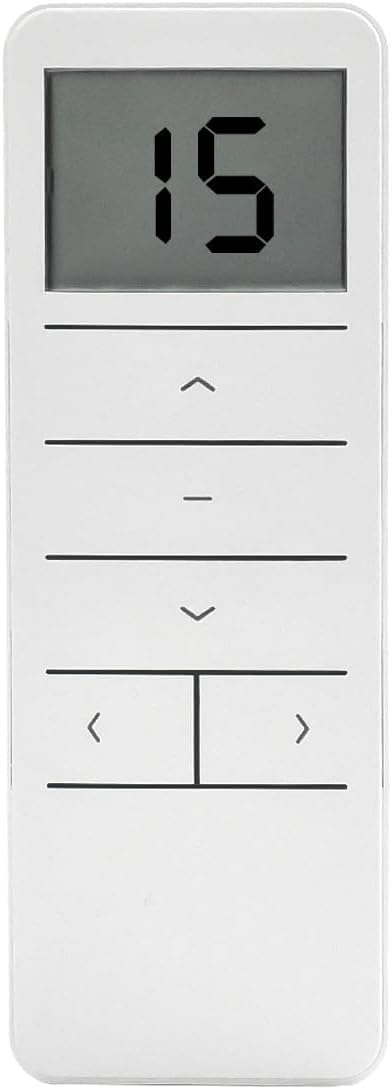
Whakaahua 2.1: Mua view of the Rollerhouse DC2702 remote control, displaying '15' on the LCD screen and showing the control buttons.
3. Ihirangi mokete
I te whakatuwheratanga o to kete, tirohia nga mea katoa e whai ake nei:
- DC2702 15-Channel RF Remote Control
- Remote Control Wall Mount/Stand
- Aratohu Kaiwhakamahi (tenei tuhinga)

Figure 3.1: The DC2702 remote control, its stand, and a small instruction manual laid out, representing the product packaging contents.
4. Tatūnga me te Tāuta
4.1 Tāuta Pūhiko
- Kimihia te uhi o te wahanga pākahiko kei muri o te mana mamao.
- Peia te uhi ki raro hei whakatuwhera i te wahanga.
- Insert one CR2450 Lithium Metal battery, ensuring the correct polarity (+/-) as indicated inside the compartment.
- Whakahokia te uhi ki tona waahi kia pao pai.

Figure 4.1: Close-up of the back of the DC2702 remote control with the battery cover removed, revealing the CR2450 battery slot and the P2 setting button.
4.2 Mounting the Remote
The included remote stand allows for convenient placement or wall mounting:
- For desktop use, simply place the remote in the stand.
- For wall mounting, use appropriate screws (not included) to secure the stand to a desired wall location. Then, slide the remote into the mounted stand.
5. Nga Tohutohu Whakahaere
Familiarize yourself with the buttons on your DC2702 remote control:
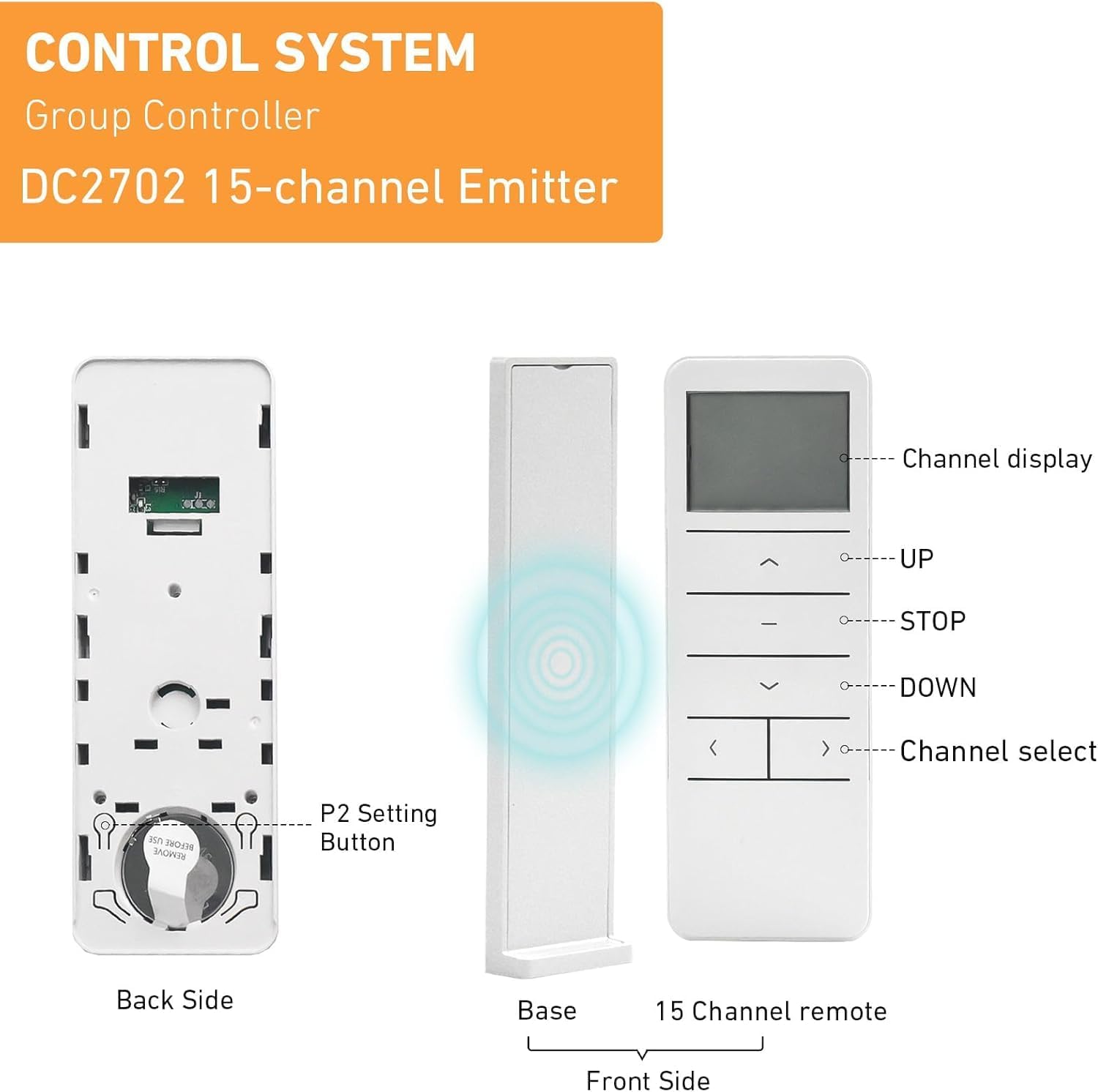
Figure 5.1: Detailed diagram of the DC2702 remote control, showing the front, back (with battery compartment and P2 button), and a base stand. Labels indicate Channel Display, UP, STOP, DOWN, and Channel Select buttons.
- Whakaatu Hongere: Shows the currently selected channel (1-15).
- KI RUNGA (▲): Moves the shade upwards.
- STOP (-): Stops the shade at its current position.
- IHO (▼): Moves the shade downwards.
- Channel Select (< / >): Cycles through channels 1 to 15.
- P2 Pātene: Located on the back of the remote (under the battery cover), used for programming and pairing.
5.1 Te Kowhiri i te Hongere
Pehia te < or > buttons to cycle through the channels. The selected channel number will be displayed on the LCD screen. Each channel can control one individual shade or a group of shades.
5.2 Basic Shade Operation
- To raise the shade: Select the desired channel and press the UP (▲) pātene.
- To lower the shade: Select the desired channel and press the Raro (▼) pātene.
- To stop the shade: Press the STOP (-) button at any point during movement.

Figure 5.2: A person holding the DC2702 remote control, operating motorized window shades in a living room setting.
6. Programming and Pairing
The DC2702 remote control must be paired with your motorized shades to function. The exact pairing procedure may vary slightly depending on your specific motor model. Refer to your motor's instruction manual for detailed pairing steps. Generally, the process involves a combination of pressing the motor's program button and the P2 button on the remote.
6.1 General Pairing Procedure (Example)
- Me whakarite kei te whakakā te motuka.
- On the motor, press and hold its program button until the motor jogs (moves slightly) once.
- Within 5 seconds, select the desired channel on your DC2702 remote (e.g., Channel 1).
- Pehia te P2 paatene on the back of the DC2702 remote (you may need a small tool like a paperclip).
- The motor should jog again, indicating successful pairing.
Repeat this process for each shade or group of shades you wish to control on different channels.
6.2 Setting Upper and Lower Limits (Motor Dependent)
If your motor supports limit setting via remote, this is typically done after pairing. Consult your motor's manual for specific instructions, which often involve using the P2 button in conjunction with the UP/DOWN buttons to set the desired stop points.
7. Tiaki
7.1 Whakakapinga Pūhiko
When the remote's display becomes dim or unresponsive, it's time to replace the battery. Follow the battery installation steps in Section 4.1. Always use a fresh CR2450 Lithium Metal battery.
7.2 Te horoi
To clean the remote control, use a soft, dry cloth. For stubborn marks, a slightly damp Ka taea te whakamahi i te kakahu, engari kia tino kore te makuku e uru ki te mana mamao. Mata ma anake. A ape i te whakamahi i nga matū kino, i nga horoi horoi ranei.
8. Te Raru
- Mamao kaore i te whakautu:
- Tirohia te pākahiko: Me whakarite kei te tika te tāutanga o te pākahiko CR2450, ā, kei te rawaka te utu. Whakakapia mēnā e tika ana.
- Range: Ensure you are within the operating range (up to 100m) and there are no major obstructions.
- Shade not pairing:
- Compatibility: Verify that your motorized shade is compatible with the DC2702 remote. This remote is designed to be a replacement for exact same shape and model remotes. It may not clone with existing remotes of different brands or models.
- Motor in pairing mode: Ensure your motor is correctly put into pairing mode as per its own instruction manual.
- Timing: Ensure the P2 button is pressed within the motor's pairing window (usually 5 seconds after the motor jogs).
- Shade moves in the wrong direction:
- This is typically a motor setting. Refer to your motor's instruction manual for reversing direction.

Figure 8.1: An informational image advising users on how to choose the best remote, emphasizing compatibility with the same shape or model and checking the brand.
9. Whakatakotoranga
| Āhuahira | Whakatakotoranga |
|---|---|
| Tau tauira | DC2702-1 |
| Nga hongere | 15 |
| Panui Irirangi | 433.92 MHz |
| Momo Pūhiko | 1 x CR2450 Lithium Metal (3V) |
| Te Mahana Mahi | -10 ℃ ki te +50 ℃ |
| Ahu (L x W x H) | 130 x 45 x 10.5 mm (tata ki te 5.1"R x 1.8"W x 0.4"H) |
| Rauemi | Kirihou |
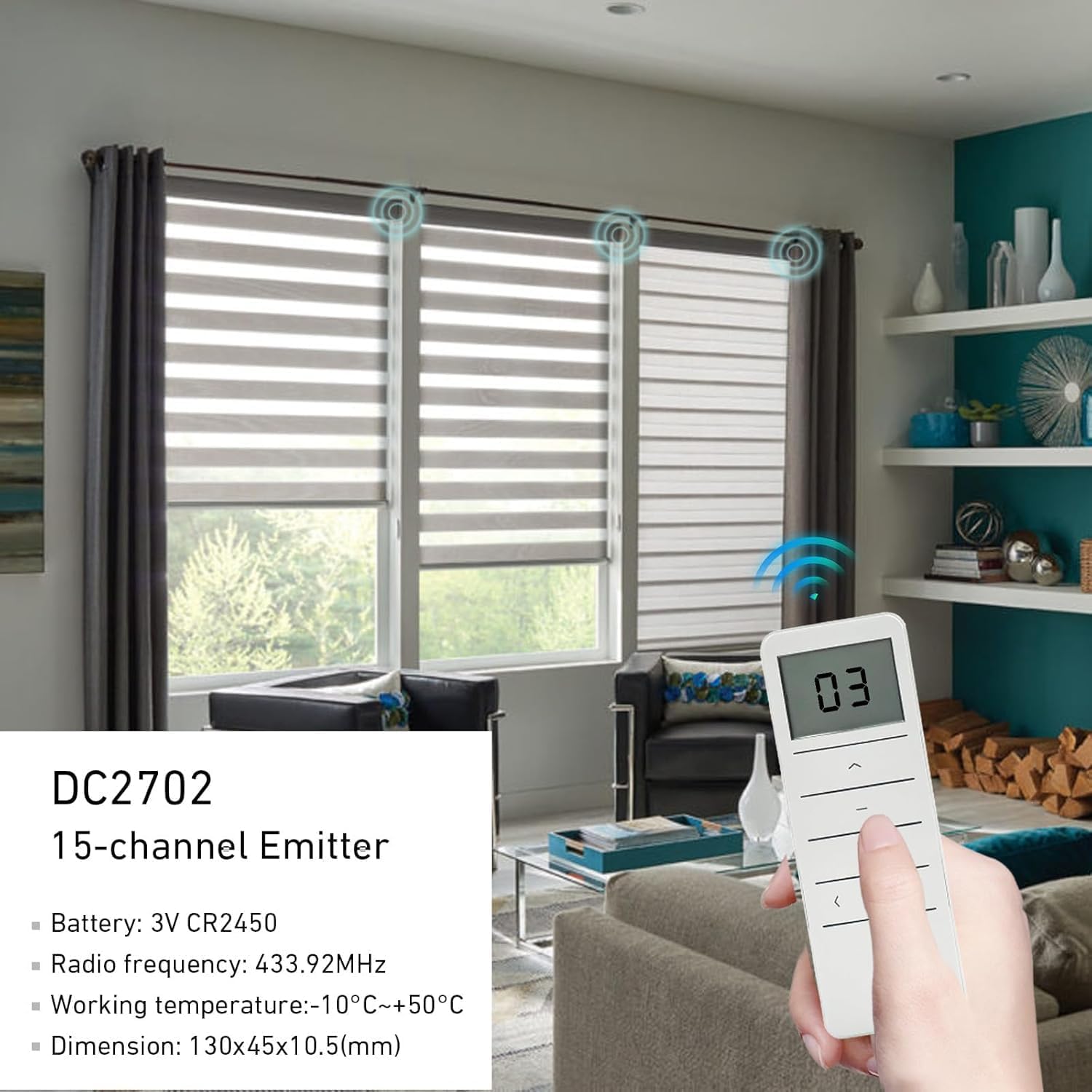
Figure 9.1: The DC2702 remote control being used in a room with multiple motorized window shades, illustrating its 433.92MHz radio frequency signal and displaying key specifications.
10. Pūtāhui me te Tautoko
Rollerhouse is committed to providing quality products and customer satisfaction. If you encounter any issues or have questions regarding your DC2702 remote control, please contact our customer service team. We can assist you in choosing the correct remote control and provide support for any operational concerns.
For assistance, please refer to the contact information provided with your purchase or visit the official Rollerhouse webpae.


