1. Kupu Whakataki
This manual provides essential information for the proper setup, operation, and maintenance of your KOORUI G2721X 27-inch 1440p QHD Gaming Monitor. Please read this manual thoroughly before using the product to ensure optimal performance and safety. Keep this manual for future reference.

Whakaahua 1.1: Mua view of the KOORUI G2721X monitor, showcasing ona bezels angiangi me te tu.
2. Ihirangi mokete
Verify that all items are present in the package. If any items are missing or damaged, please contact your retailer or KOORUI customer support.
- KOORUI G2721X Monitor (x1)
- Monitor Base (x1)
- Pukapuka Tohutohu (x1)
- DisplayPort (DP) Cable (x1)
- Pūurutau Hiko (x1)
3. Hua Neke Atuview
3.1 Nga waahanga matua
- Whakaatu: 27-inch QHD (2560x1440) resolution for crisp visuals.
- Rere tāmata: Up to 260Hz (supports 240Hz) for smooth gameplay.
- Wā Whakautu: 1ms (GTG) for minimal motion blur.
- Momo Paewhiri: Fast IPS for vibrant colors and wide viewnga koki.
- Tautoko HDR: HDR400 for enhanced contrast and brightness.
- Tukutahi Urutau: Eliminates screen tearing and stuttering.
- Kaute Tae: 99% sRGB and 90% DCI-P3 for accurate color reproduction.
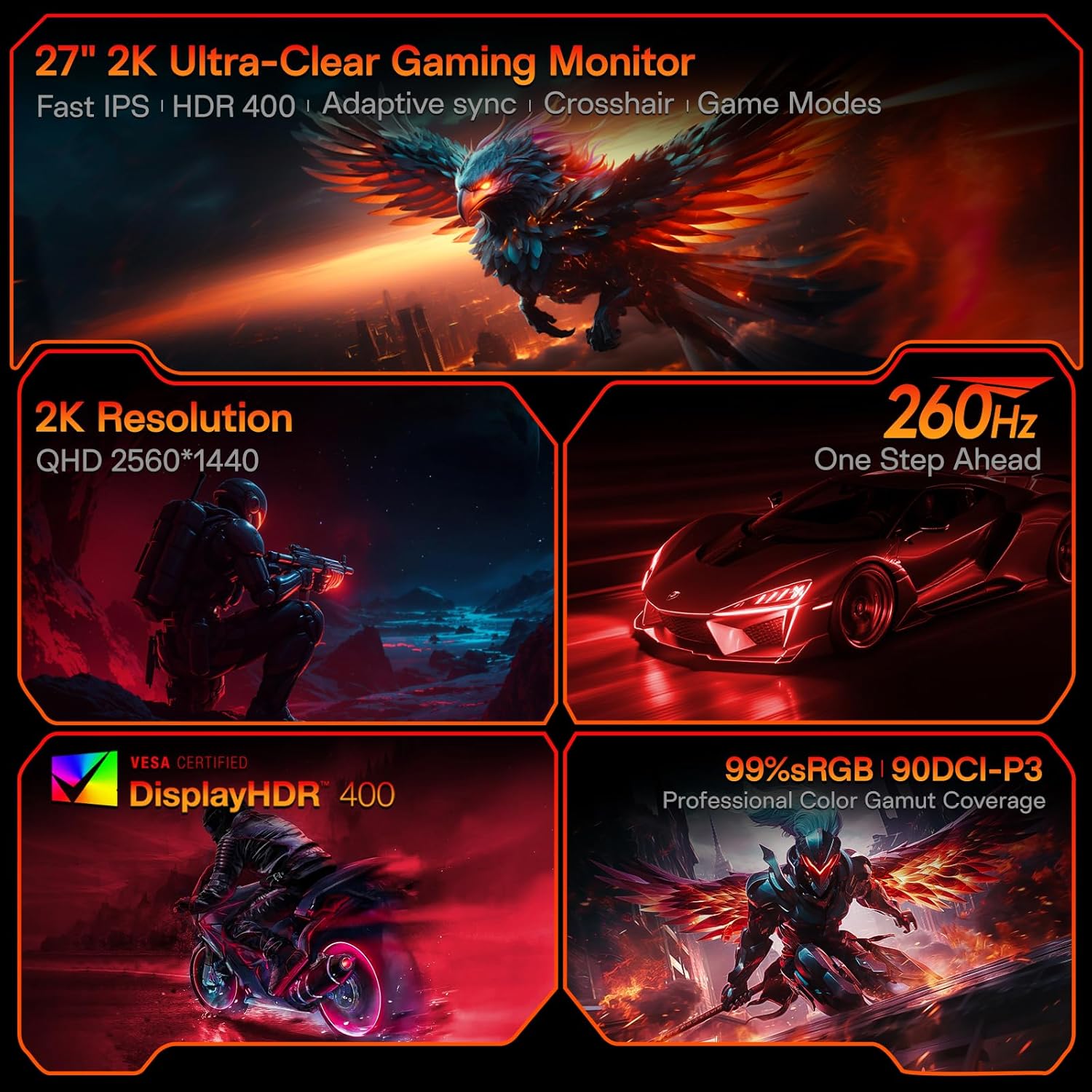
Figure 3.1: Visual representation of the monitor's core features.
3.2 Ngā Tauranga me ngā Mana Whakahaere
The monitor features a variety of input and output ports for versatile connectivity, along with an intuitive control system.
- Ataata Ataata: Two HDMI 2.0 ports, one DisplayPort 1.4 port.
- Putanga Ororongo: One 3.5mm audio jack.
- Whakauru Hiko: One DC power port.
- Mana: A 5-way joystick located on the rear for On-Screen Display (OSD) navigation.
- Hoahoa: Hawk-wing backplate with integrated cooling stripes for efficient heat dissipation.

Whakaahua 3.2: Whakamuri view of the monitor detailing port locations and physical adjustments.
4. Tatūnga
4.1 Whakaturanga Tu
- Carefully remove the monitor and base from the packaging.
- Align the monitor stand with the slot on the back of the monitor.
- Gently push the stand into the slot until it clicks into place, indicating a secure connection.
- Whakanohoia te kaitirotiro kua whakaemihia ki runga i te mata papatahi.
4.2 Hononga Taura
- Connect the provided DisplayPort (DP) cable from your computer's graphics card to the DP 1.4 port on the monitor. Alternatively, use an HDMI cable to connect to one of the HDMI 2.0 ports.
- Connect the power adapter to the DC power port on the monitor, then plug the other end into a power outlet.
- If using external speakers or headphones, connect them to the 3.5mm Audio Out port.
4.3 Aratohu Ataata: Te Tāutanga me ngā Āhuatanga
Watch this video for a visual guide on installing the monitor stand and an overview o ona ahuatanga.
Video 4.1: A detailed demonstration of the KOORUI G2721X monitor's assembly and key functionalities. This video covers the physical setup, port connections, and highlights features such as the 260Hz refresh rate, QHD resolution, and Adaptive Sync technology.
5. Nga Tohutohu Whakahaere
5.1 Whakaterenga Ma-Mata (OSD).
The monitor's settings can be adjusted using the 5-way joystick located on the back of the display. Press the joystick to open the OSD menu, then move it up/down/left/right to navigate and select options.
5.2 Motion Performance
The G2721X offers an ultra-smooth 260Hz refresh rate, crucial for competitive gaming. It also features 3-level Overdrive settings to optimize response time:
- Pūnoa: 5ms response time.
- Tere: 3ms response time.
- Tino: 1ms response time.
Adjust these settings via the OSD menu to find the optimal balance for your gaming experience.

Figure 5.1: Illustrates the visual difference in motion clarity between 260Hz and 120Hz refresh rates.
5.3 Color Performance
The monitor covers 99% sRGB and 90% DCI-P3 color gamuts, displaying 16.7 million colors (8-bit). This wide color range enhances in-game visuals and provides accurate color reproduction for various applications.

Figure 5.2: Demonstrates the monitor's extensive color capabilities.
5.4 Tukutahi Urutau
Adaptive Sync technology synchronizes the monitor's refresh rate with your graphics card's frame rate, effectively eliminating screen tearing and stuttering during fast-paced action. Ensure Adaptive Sync is enabled in both the monitor's OSD and your graphics card's control panel for optimal performance.
5.5 Tautoko HDR400
With HDR400 support, the monitor delivers brighter colors, deeper blacks, and enhanced contrast, providing a more immersive visual experience in compatible content.
5.6 Aratau Keemu
The G2721X includes dedicated game display modes to enhance your gaming experience:
- Whakawhitiwhiti: Provides an on-screen crosshair for improved aiming accuracy.
- Matawā: Displays an on-screen timer for managing game events.
- FPS: Optimized settings for First-Person Shooter games.
- RCG: Optimized settings for Racing games.
- RPG: Optimized settings for Role-Playing Games.

Whakaahua 5.3: Examples of the monitor's dedicated game modes.
6. Whakatakotoranga
| Āhuahira | Whakatakotoranga |
|---|---|
| Tau tauira | G2721X |
| Rahi Mata | 27 Inihi |
| Momo Paewhiri | IPS tere |
| Whakatau | 2560 x 1440 (QHD) |
| Rere tāmata | 260Hz (supports 240Hz) |
| Wā Whakautu | 1ms (GG) |
| Tirohanga | 350 cd/m² (Nit) |
| Tautoko HDR | HDR400 |
| Tae Gamut | 99% sRGB, 90% DCI-P3 |
| Hōhonu Tae | 16.7 Miriona Tae (8-bit) |
| Pika Kiato | 109 PPI |
| Aspect Ratio | 16:9 |
| Hononga | 2x HDMI 2.0, 1x DisplayPort 1.4, 1x Audio Out, 1x DC Power |
| VESA Hototahi | 75x75mm |
| Whakaritea Tilt | -5° ki te 20° |
| Nga Ahinga Hua (W x D x H) | 24 x 8.46 x 18.59 inihi |
| Taumaha Tūemi | 10.83 pauna |
7. Tiaki
Ma te tiaki tika ka mau te roa me te mahi tino pai o to kaitirotiro.
- Te horoi i te Mata: Whakamahia he kakahu ngohengohe, karekau he ngongo paku dampened with water or a specialized screen cleaner. Do not use alcohol-based cleaners or abrasive materials.
- Te horoi i te Casing: Ūkuia te aroturuki casinHoroia ki te kakahu ngohengohe, maroke. Kaua e whakamahi i ngā hopi horoi kaha, i ngā whakarewa rānei.
- Whakahau: Ensure the monitor's ventilation slots are clear and not obstructed to prevent overheating.
- Weto Whakakore: Whakawetohia te kaitirotiro i nga wa katoa ka unu mai i te putunga hiko i mua i te horoi, ki te kore ranei e whakamahia mo te wa roa.
8. Te Raru
Mena ka raru koe ki to kaupane, tirohia nga mahi rapurongoā noa e whai ake nei:
- Kore Mana:
- Me mohio kei te hono pai te taura hiko ki te aroturuki me te putanga hiko.
- Verify the power outlet is functioning correctly by plugging in another device.
- Kore he Tohu:
- Check that the video cable (DP or HDMI) is securely connected to both the monitor and your computer's graphics card.
- Me mohio kua tohua te puna whakauru tika ki te kaupane ma te tahua OSD.
- Whakamātauria ki tētahi atu taura ataata, ki tētahi atu tauranga rānei mēnā e wātea ana.
- Mata Matapihi:
- Tirohia te taura ataata mo te kino, mo nga hononga wetewete ranei.
- Whakaritea te reeti tāmata i ngā tautuhinga whakaatu o tō rorohiko.
- Disable Adaptive Sync temporarily to see if the issue persists.
- Image Quality Issues (Blurry, Distorted Colors):
- Ensure the monitor's resolution is set to its native 2560x1440 in your computer's display settings.
- Reset the monitor to factory settings via the OSD menu.
- Adjust color settings (brightness, contrast, color temperature) in the OSD.
9. Pūtāhui me te Tautoko
Your KOORUI G2721X monitor is backed by a 1-year panel warranty a 3-year accessory coverage. Please note that terms and conditions apply to the warranty. For detailed warranty information or technical assistance, please refer to the official KOORUI webpaetukutuku, whakapā atu ranei ki ta raatau tautoko kaihoko.
If you have any questions or require further assistance, please do not hesitate to reach out to KOORUI customer support.


