1. Kupu Whakataki
The TP-Link Omada EAP770 is a high-performance tri-band Wi-Fi 7 ceiling-mount access point designed for robust and scalable business networks. It delivers a combined wireless speed of up to 11.0 Gbps across its 6GHz (5765 Mbps), 5GHz (4324 Mbps), and 2.4GHz (688 Mbps) bands. Equipped with a 2.5G Ethernet port, the EAP770 supports flexible power options including 802.3at Power over Ethernet (PoE) or 12V DC. Its advanced features, such as 320MHz bandwidth on the 6GHz band and Multi-Link Operation (MLO), ensure low latency and high efficiency. The device supports over 380 concurrent devices and provides extensive coverage, integrating seamlessly into Omada's Software Defined Networking (SDN) for centralized management via cloud, app, or local controllers. Enhanced security protocols, including WPA3, 24 SSIDs, and rogue AP detection, make it an ideal solution for demanding network environments.
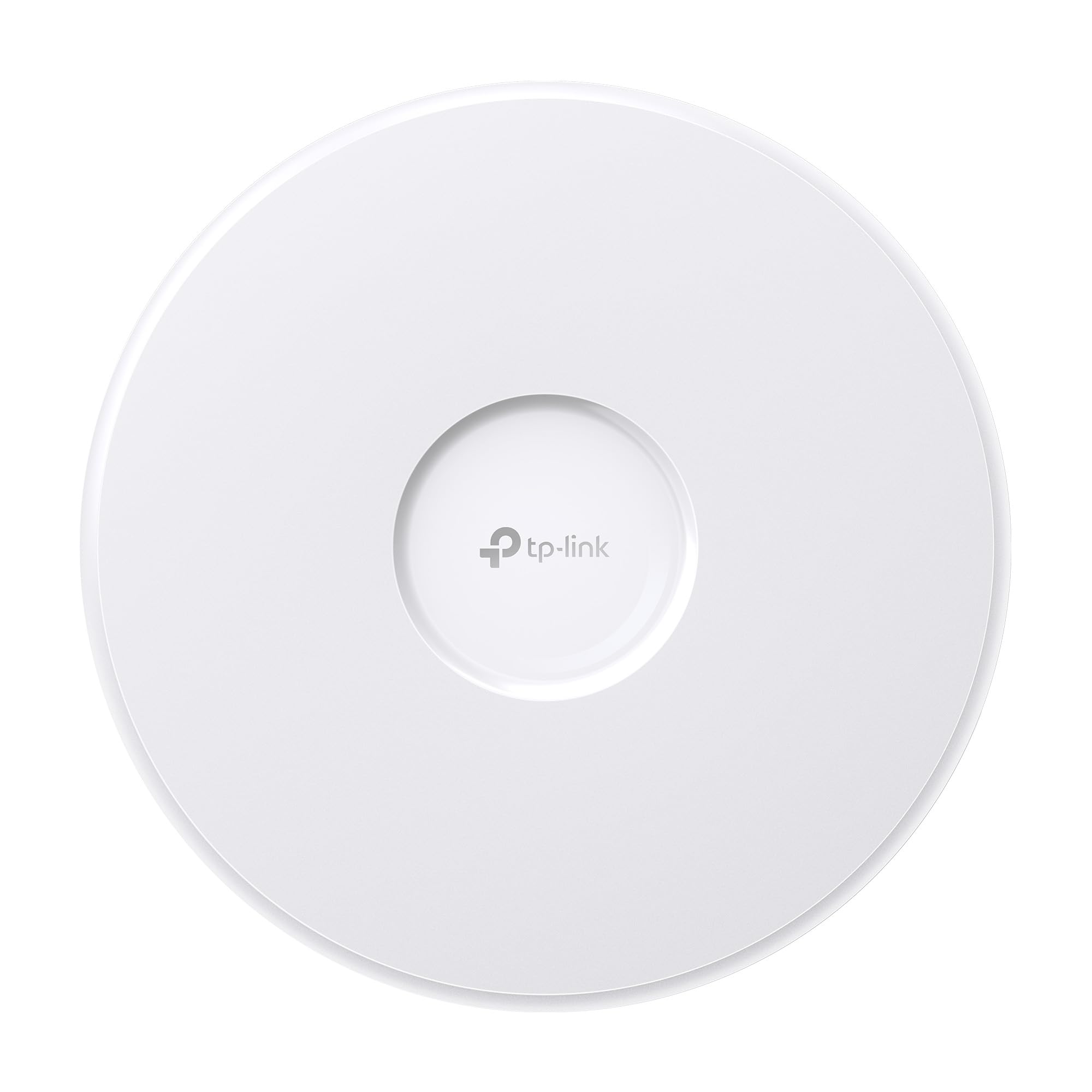
Figure 1.1: TP-Link Omada EAP770 Wireless Access Point.

Figure 1.2: The EAP770 integrated into a modern office setting, demonstrating its discreet design and suitability for various professional environments.
2. He aha kei roto i te Pouaka
Manatokohia kei roto i tō kete ngā tūemi katoa kua whakarārangihia i raro nei:
- EAP770 Waea Uru Ahokore
- Aratohu Tāuta
- Pūurutau Hiko
- Ko nga Kete Whakanuia i te tuanui/Paiepa

Figure 2.1: The EAP770 access point along with its power adapter and mounting accessories.
3. Whakatakotoranga
| Āhuahira | Whakaahuatanga |
|---|---|
| Ingoa Tauira | EAP770 |
| Momo Ahokore | 802.11be (Ahokore 7), 802.11ax (Ahokore 6), 802.11ac (Ahokore 5), 802.11n, 802.11g |
| Karaehe Band Auautanga | Takitoru (6GHz, 5GHz, 2.4GHz) |
| Hangarau Hononga | Wi-Fi |
| Tauranga Itarangi | 1x 2.5G Ethernet Port (PoE In) |
| Kōwhiringa Mana | 802.3at PoE or 12V DC (Adapter Included) |
| Pūnaha Mahi | TP-Link OS |
| Taumaha Tūemi | 1.54 Pauna |
| Ahu mōkihi | 11.1 x 10.2 x 3.58 inihi |
| Nga waahanga motuhake | Access Point Mode, Beamforming, Internet Security, Omada SDN Integration, Multi-Link Operation (MLO), 4K-QAM |
| Nga Whakamahinga Manakohia | Pakihi, Kāinga |
4. Aratohu Tatūnga
4.1 Tāutanga Tinana
The EAP770 is designed for ceiling or wall mounting. Use the provided mounting kits to secure the access point in a central location for optimal Wi-Fi coverage. Ensure the mounting surface is stable and can support the device's weight.
Figure 4.1: EAP770 with included ceiling/wall mounting kits.
4.2 Whakakaha i te Pūrere
E rua ngā huarahi e taea ai te whakakaha i te EAP770:
- Te mana ki runga Itarangi (PoE): Connect an Ethernet cable from an 802.3at PoE-compliant switch or PoE injector to the 2.5G ETH (PoE IN) port on the EAP770. This method provides both power and data connectivity through a single cable.
- Mana DC: Connect the included power adapter to the 12V DC port on the EAP770 and plug it into a standard electrical outlet.

Whakaahua 4.2: Whakamuri view of the EAP770 showing the 2.5G ETH (PoE IN) and 12V DC ports.

Whakaatu 4.3: Taipitopito view of the EAP770's underside, highlighting the 2.5G Ethernet port and DC power input for easy installation.
4.3 Network Connection and Configuration
Connect the EAP770 to your network via the 2.5G Ethernet port. For initial setup and ongoing management, the EAP770 integrates with the Omada Cloud Management Platform. This platform offers centralized control, remote configuration, and advanced network monitoring features.
- Taupānga Omada: Download the Omada app for easy setup and management from your mobile device.
- Kaiwhakahaere o Omada: For more extensive deployments, use a dedicated Omada Hardware Controller (OC200/OC300) or the Omada Software Controller.

Figure 4.4: The Omada Cloud Management Platform provides a centralized interface for network configuration and monitoring.
Scan the QR code below to download the Omada app for simplified setup and management:

Figure 4.5: QR code for quick access to the Omada app download page, enabling easy setup and management.
5. Nga Tohutohu Whakahaere
5.1 Wireless Performance
The EAP770 leverages Wi-Fi 7 technology to deliver exceptional wireless speeds and efficiency across three distinct bands: 6GHz, 5GHz, and 2.4GHz. Key features include:
- Mahi Takitoru: Simultaneous operation on 6GHz (up to 5765 Mbps), 5GHz (up to 4324 Mbps), and 2.4GHz (up to 688 Mbps) bands for a total of up to 11.0 Gbps.
- Mahi Hononga-maha (MLO): Enhances reliability and reduces latency by allowing devices to transmit and receive data over multiple bands and channels simultaneously.
- 320MHz Bandwidth (6GHz): Provides wider channels for higher data throughput.
- 4K-QAM: Increases data density for 120% more data capacity compared to previous Wi-Fi standards.

Figure 5.1: Comparison of Wi-Fi 7 speeds on the EAP770 against previous Wi-Fi standards, highlighting significant performance improvements.

Figure 5.2: Breakdown of maximum theoretical speeds for the EAP770 across its 6GHz, 5GHz, and 2.4GHz frequency bands.

Figure 5.3: Illustration of Multi-Link Operation (MLO) in Wi-Fi 7, showing how it enables faster speeds and lower latency compared to Wi-Fi 6.
5.2 Network Capacity and Coverage
The EAP770 is engineered to handle high-density environments, supporting over 380 concurrent devices. Its robust design ensures broad coverage, making it suitable for large homes, offices, and commercial spaces.

Figure 5.4: The EAP770 efficiently manages connections for over 380 concurrent devices, ensuring stable performance across various client types.
5.3 Seamless Roaming and Mesh Networking
When deployed as part of an Omada mesh network, the EAP770 provides seamless roaming, allowing users to move between access points without experiencing drops in connectivity. This creates a unified and uninterrupted wireless experience.

Figure 5.5: Diagram illustrating seamless Wi-Fi coverage and connectivity within a multi-AP Omada mesh network.
5.4 Ahuatanga Whatunga Arā Atu Anō
Through the Omada Cloud Management Platform, the EAP770 offers a suite of advanced networking features:
- Aroturuki Whatunga: Real-time insights into network performance and client activity.
- VLAN Segmenting: Create separate virtual networks for enhanced security and traffic management.
- Whakahaere Whānuitanga: Control bandwidth allocation for different users or applications.
- Schedule Setup: Automate Wi-Fi availability based on time schedules.
- Āhuatanga Haumarutanga: WPA3 encryption, rogue AP detection, and other robust security protocols.
- PPSK (Private Pre-Shared Key): Provides unique Wi-Fi passwords for individual users or devices, simplifying access control.
6. Tiaki
6.1 Whakahoutanga Firmware
Regularly update the EAP770's firmware to ensure optimal performance, security, and access to new features. Firmware updates can typically be managed directly through the Omada Cloud Management Platform or the Omada app, often without the need for manual file tikiake.
6.2 Tiaki Tinana
Keep the access point clean and free from dust. Ensure proper ventilation around the device to prevent overheating, especially when ceiling-mounted. Avoid exposing the device to extreme temperatures or humidity.
7. Te Raru
7.1 No Power or Connectivity
- Verify that the power adapter is securely connected to the EAP770 and a working power outlet, or that the PoE source is active and connected to the 2.5G ETH (PoE IN) port.
- Check the Ethernet cable connection between the EAP770 and your network switch or router. Ensure the cable is not damaged.
7.2 Nga Take Hononga Wi-Fi
- Waitohu ngoikore: Ensure the EAP770 is placed in a central location, away from obstructions like thick walls or large metal objects.
- Arataki ropu: If experiencing intermittent connectivity or slow speeds when moving between bands (2.4GHz, 5GHz, 6GHz), check the band steering settings in your Omada controller. Adjusting these settings or ensuring the latest firmware can improve performance.
- Cannot Connect: Verify the Wi-Fi password and network name (SSID). Ensure the EAP770 is properly adopted and configured in your Omada controller.
7.3 Omada Controller Not Detecting EAP770
- Ensure the EAP770 is powered on and connected to the same network as your Omada controller.
- Check firewall settings on your network that might be blocking communication between the EAP770 and the controller.
- Try resetting the EAP770 to factory defaults using the reset button (refer to the Installation Guide for location).
8. Raihana me te Tautoko
8.1 5-Year Limited Warranty
The TP-Link Omada EAP770 comes with a 5-year limited warranty, ensuring peace of mind regarding product quality and reliability. Please retain your proof of purchase for warranty claims.
8.2 Tautoko Kiritaki
For technical assistance, product information, or warranty inquiries, TP-Link offers comprehensive support resources:
- Localization Sales and Support Team: Access local support for region-specific assistance.
- Dedicated Omada Support Portal: Visit the official Omada support website for FAQs, documentation, and firmware downloads.
- Official Omada Community: Whakauru atu ki ētahi atu kaiwhakamahi me ngā tohunga mō te mātauranga me ngā otinga e tohaina ana.
- Kōwhiringa Whakapā: Reach out to TP-Link support via call, email, or chat for direct assistance.