1. Kupu Whakataki
Thank you for choosing the RORRY 5000mAh Portable Charger. This compact and versatile power bank is designed to keep your devices charged on the go, featuring built-in cables for various devices and an integrated Apple Watch charger. Its lightweight design and keychain attachment make it an ideal travel companion.
2. Ihirangi mokete
- RORRY 5000mAh Portable Charger (Model T1-5000)
- USB-C to USB-C Charging Cable (for recharging the power bank)
- Pukapuka Tohutohu
3. Hua Neke Atuview
Familiarize yourself with the features of your RORRY Portable Charger:
- Kaitiaki Maataki Apple Whakauru: Magnetic charging pad for Apple Watch.
- Tauira USB-C i roto: Mō te utu i ngā pūrere hototahi ki te USB-C.
- Uira Hanga-roto: For charging iPhone and AirPods.
- Tauranga Whakauru/Tuhinga USB-C: For recharging the power bank and charging other devices.
- Rarama Tohu LED: Display remaining battery capacity.
- Āpitihanga mekameka matua: Mo te kawe ngawari.

Whakaahua: Mua view of the RORRY Portable Charger highlighting the built-in USB-C and Lightning cables, and the magnetic Apple Watch charging pad.
4. Setup: Recharging the Power Bank
Before first use, fully charge your RORRY Portable Charger.
- Locate the USB-C input/output port on the side of the power bank.
- Connect the provided USB-C to USB-C charging cable to this port.
- Honoa te tahi pito o te taura ki te urutau hiko USB hototahi (kaore i whakauruhia).
- Ka tiaho ngā rama tohu LED hei whakaatu i te ahunga whakamua o te utu. Ka pūmau ngā rama e whā ina utua katoatia.
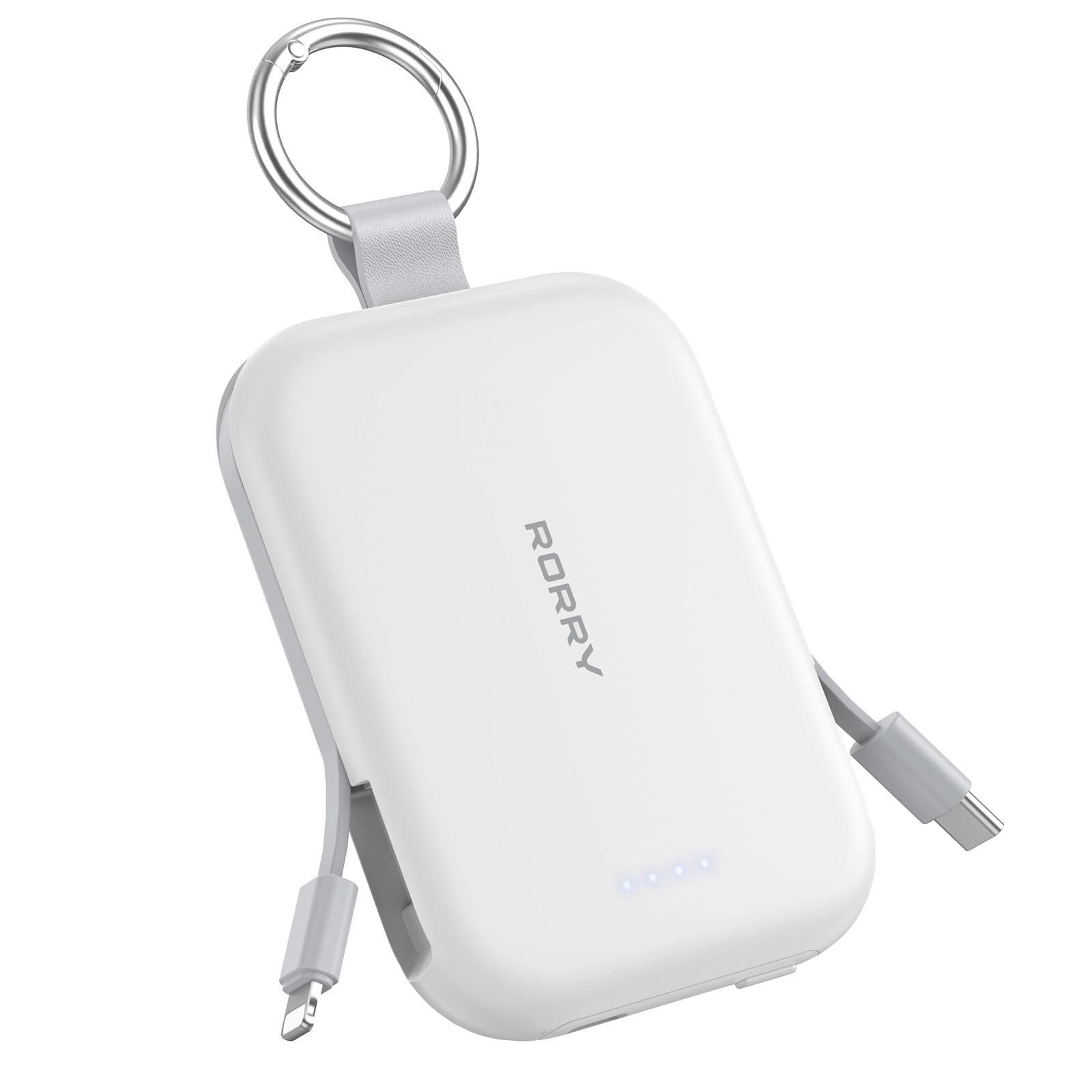
Image: The RORRY Portable Charger connected via its USB-C port to a charging cable, indicating the process of recharging the power bank itself.
5. Nga Tohutohu Whakahaere
5.1. Kei te utu i to Apple Watch
- Press the power button on the side of the power bank to activate it.
- Place your Apple Watch onto the magnetic charging pad on the top surface of the power bank.
- Ensure the watch is properly aligned for charging to begin. The watch screen will indicate charging status.

Image: An Apple Watch placed on the magnetic charging pad of the RORRY Portable Charger, showing it is actively charging.
5.2. Charging iPhone and AirPods (Lightning)
- Gently pull out the built-in Lightning cable from the side of the power bank.
- Connect the Lightning connector to your iPhone or AirPods charging case.
- Ka timata te taputapu ki te utu aunoa.

Image: The RORRY Portable Charger using its built-in Lightning cable to charge an iPhone, demonstrating its direct connectivity.
5.3. Charging USB-C Devices
- Gently pull out the built-in USB-C cable from the side of the power bank.
- Connect the USB-C connector to your compatible device (e.g., Android phone, tablet, Nintendo Switch).
- Ka timata te taputapu ki te utu aunoa.

Image: The RORRY Portable Charger utilizing its built-in USB-C cable to charge a compatible device, showcasing tona whai kiko.
5.4. Te Utu Whakakotahi
The RORRY Portable Charger supports charging up to three devices simultaneously using its built-in cables and Apple Watch charging pad.

Image: A RORRY Portable Charger connected to an iPhone via Lightning cable, AirPods via USB-C cable, and an Apple Watch on its magnetic pad, all charging at the same time.
6. Nga korero haumaru
Your RORRY Portable Charger is equipped with multiple safeguards to ensure safe and reliable operation:
- Parenga werawera: Prevents the device from reaching excessive temperatures.
- Parenga Awa Tuwera: Guards against excessive electrical current flow.
- Whakawhanatage Parenga: Ārai i te ngaohikotage ngaru.
- Parenga Iahiko Poto: Ka whakaweto aunoa mēnā ka pā he ara iahiko poto.
Always use the charger in a well-ventilated area and avoid exposing it to extreme temperatures or moisture.
7. Whakatakotoranga
| Āhuahira | Taipitopito |
|---|---|
| Hunga Hua | 3.86 x 2.85 x 0.65 inihi |
| Taumaha Tūemi | 4.5 hekere |
| Tauira Tuemi | T1-5000 |
| Pūhiko Raukaha | 5000 Miliamp Nga haora |
| Momo Pūhiko | 1 pākahiko Lithium Ion (kei roto) |
| Momo Tuhono | USB Type C (for input/output) |
| Nga waahanga motuhake | Built-in Cables (USB-C, Lightning), LED Indicator Lights, Pocket Size, Slim, Apple Watch Charger |
| Kaihanga | Shenzhen Xianyang Innovation Technology Co., Ltd |
8. Tiaki
- Keep the power bank clean and dry. Use a soft, dry cloth for cleaning.
- A ape i te tuku, te tuku ranei i te taputapu ki nga paanga kaha.
- Penapena ki te wāhi hauhautanga, maroke, kia matara atu i te rā tika me ngā pāmahana tiketike.
- Kaua e ngana ki te wetewete, ki te whakarereke ranei i te peeke hiko.
9. Te Raru
- Kaore te taputapu e utu ana:
- Me whakarite kia tika te utu o te peeke hiko (tirohia nga tohu LED).
- Patohia te paatene mana hei whakahohe i te peeke hiko.
- Verify that the cables are securely connected to both the power bank and your device.
- For Apple Watch, ensure proper alignment on the magnetic pad.
- Karekau te peeke hiko e whakaihiihi ana:
- Ensure the USB-C cable is correctly connected to the power bank's input port and a working power adapter.
- Whakamātauria he urutau hiko USB rereke, he putanga pakitara ranei.
10. Raihana me te Tautoko
RORRY products are designed for reliability and performance. For any questions, technical support, or warranty claims, please contact RORRY DIRECT customer service.
- Ratonga muri-hoko: 7X24H support available.
- Exchange Service: 30-Day Exchange Service.
- Care Plan: 12-Months Care Plan.
Contact information can typically be found on the product packaging or the official RORRY webpae.

Image: RORRY customer service details, including 7x24H After-sales Service, 30-Day Exchange Service, and 12-Months Care Plan.
11. Ataata Hua Whaimana
Watch this official video from RORRY DIRECT for more information on your portable charger:
RORRY Portable Charger, 5000mAh Portable Charger Power Bank
Ataata: Kua mutuview of the RORRY 5000mAh Portable Charger, demonstrating its features and usage. This video is provided by RORRY DIRECT.


