1. Kupu Whakataki
This manual provides detailed instructions for the setup, operation, and maintenance of your NexiGo Nova Mini Portable Laser Projector. Please read this manual thoroughly before using the device to ensure proper functionality and safety.

Image 1.1: The NexiGo Nova Mini Portable Laser Projector.
2. Nga waahanga matua
- Whakauru TV Google: Access a wide range of streaming services and apps directly.
- 1080p Whakatau HD Katoa: Delivers clear and vibrant images.
- 1200 Rumens Tirohanga: Provides a bright picture for various viewi nga taiao.
- 15,000:1 Contrast Ratio with Scene Adapt Engine (SAE): Enhances image depth and detail.
- Active 3D Support: Mo te rumaki viewte wheako.
- Intelligent Auto Setup: Features Auto Adaptive Brightness, Auto Keystone Correction, Autofocus, Intelligent Obstacle Avoidance, Intelligent Screen Alignment, and Intelligent Eye Protection.
- Hoahoa Kawe: Kiato me te mama mo te kawe ngawari.
- 8W Dolby Audio Speaker: Integrated sound system for a complete audio experience.
- USB-C PD Power Compatibility: Can be powered by a 100W power bank for on-the-go use.
3. Tatūnga
3.1 Hiko Tuatahi
- Connect the projector to a power source using the provided power adapter. For portable use, connect a 100W USB-C PD power bank.
- Pēhia te pātene hiko i te pūwhiti, te mana mamao rānei hei whakakā i te taputapu.
3.2 Te Whakatakoto me te Matapae
Position the projector on a stable surface. The built-in kickstand allows for tilting the projection angle between 7° and 15°.
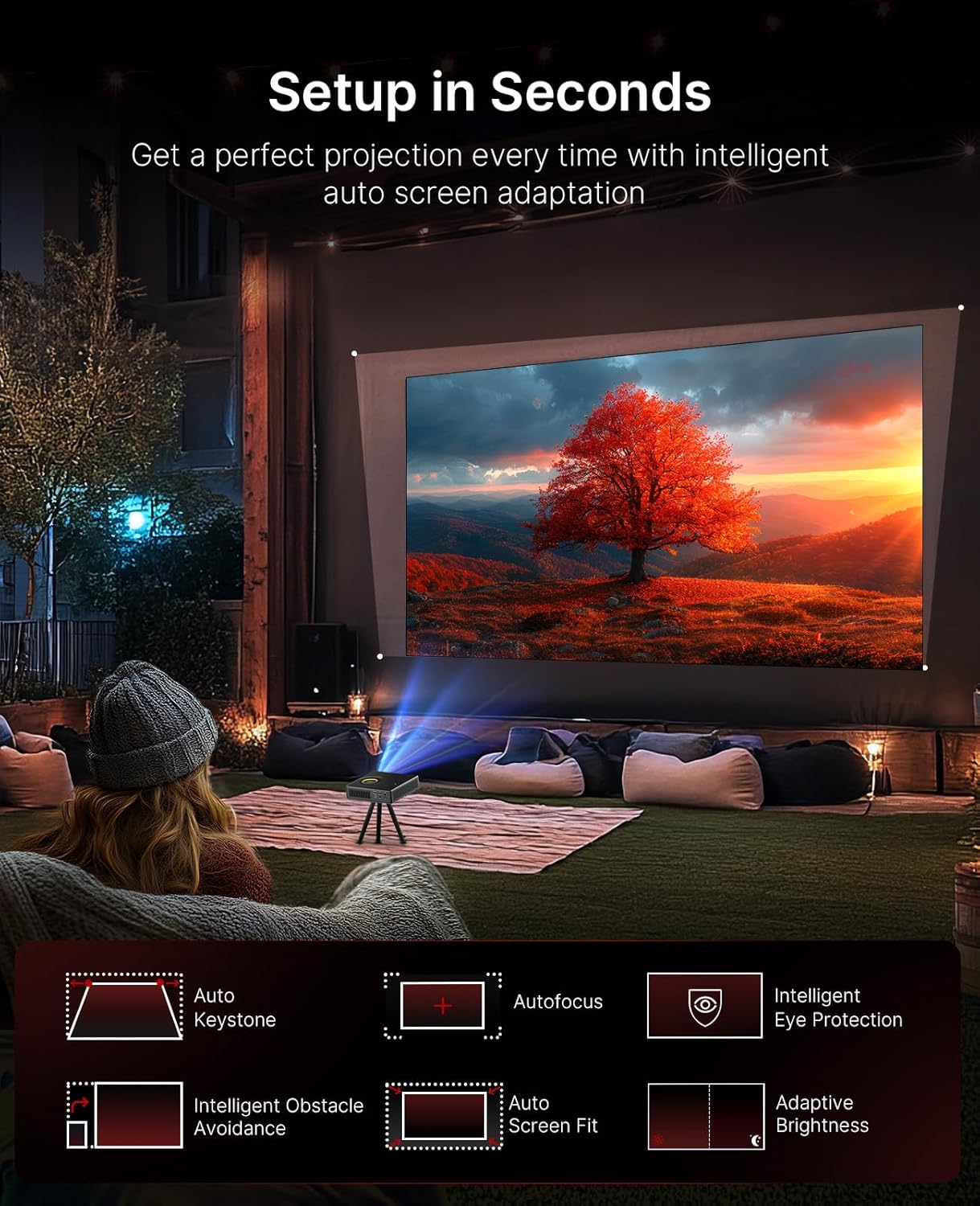
Image 3.1: The projector demonstrating its intelligent auto setup features, including auto keystone, autofocus, and obstacle avoidance.
3.3 Intelligent Screen Adaptation (ISA)
The Nova Mini features Intelligent Screen Adaptation for an effortless setup:
- Auto Adaptive Brightness: Adjusts image brightness based on ambient light conditions.
- Whakatikatika Kohatu Matua Aunoa: Automatically corrects image distortion for a rectangular picture.
- WhakatikaAunoa: Sharpens the image for clear viewing.
- Aukati Aukati Ataata: Adjusts the projection to avoid objects on the wall.
- Tirohanga Mata Maramarama: Ka uru aunoa te ahua ki tō mata.
- Parenga Kanohi Atamai: Dims the image brightness when someone stands in front of the laser to protect eyes.

Image 3.2: Visual representation of the projector's effortless setup features.
4. Nga Tohutohu Whakahaere
4.1 Google TV Atanga
The projector integrates Google TV, providing access to over 10,000 apps and 800+ free channels via Google Play. Popular streaming services like Netflix, YouTube, Prime Video, and Disney+ are available.

Image 4.1: The Google TV home screen on the projector.
4.2 Mana Reo
Utilize the intuitive remote with built-in voice control (Hey Google) to navigate content, search for shows, and control playback.

Image 4.2: Using the remote control for voice commands.
4.3 Content Casting
With Google Cast, you can wirelessly stream content from Android, iOS, Mac, or Windows devices to the projector.

Image 4.3: Wireless content casting from a mobile device.
5. Image and Audio Quality
5.1 Laser Projection
The Nova Mini utilizes laser projection technology, offering 1080p resolution and 1200 Lumens brightness. It covers 100% Rec.709 color gamut, enhanced by HDR10 and HLG for accurate colors and contrast.

Whakaahua 5.1: Example of lifelike image quality.
5.2 Scene Adapt Engine (SAE)
The Scene Adapt Engine (SAE) improves contrast and detail by adjusting laser brightness in real-time based on content. This results in ultra-deep blacks and brilliant highlights with a contrast ratio over 15,000:1.
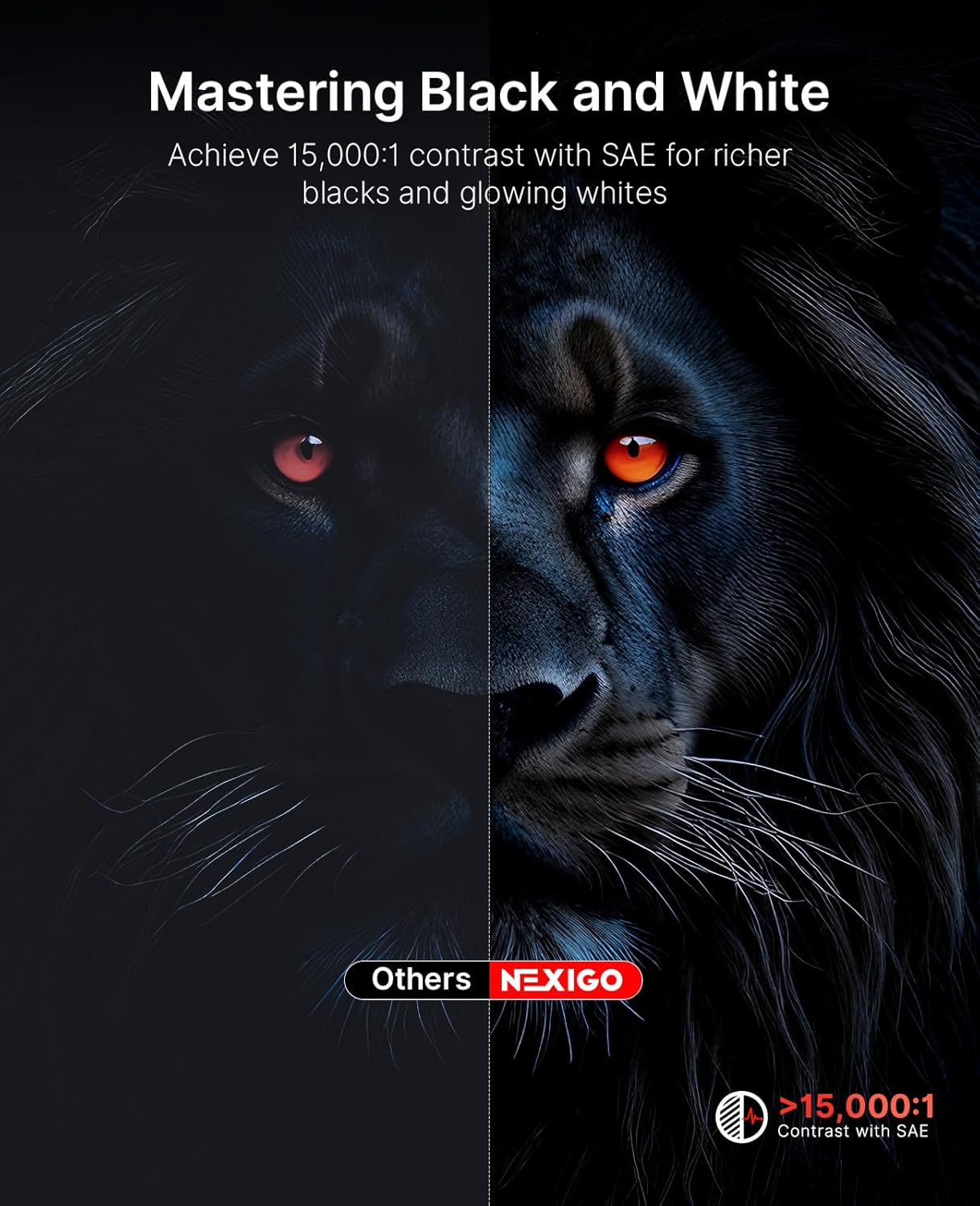
Image 5.2: Contrast enhancement with Scene Adapt Engine.
5.3 3D Support
The Nova Mini supports Active 3D content, providing an immersive home entertainment experience.

Image 5.3: Immersive 3D viewte wheako.
5.4 Pūnaha Ororongo
Equipped with an 8W speaker and Dolby Audio, the projector delivers clear and rich sound for an enhanced viewte wheako.

Image 5.4: The projector's audio capabilities in an outdoor setting.
6. Kawe
The Nova Mini is designed for portability, measuring under 2 inches thick and weighing only 3 lbs. Its compact size allows for easy transport and setup in various locations, both indoors and outdoors.
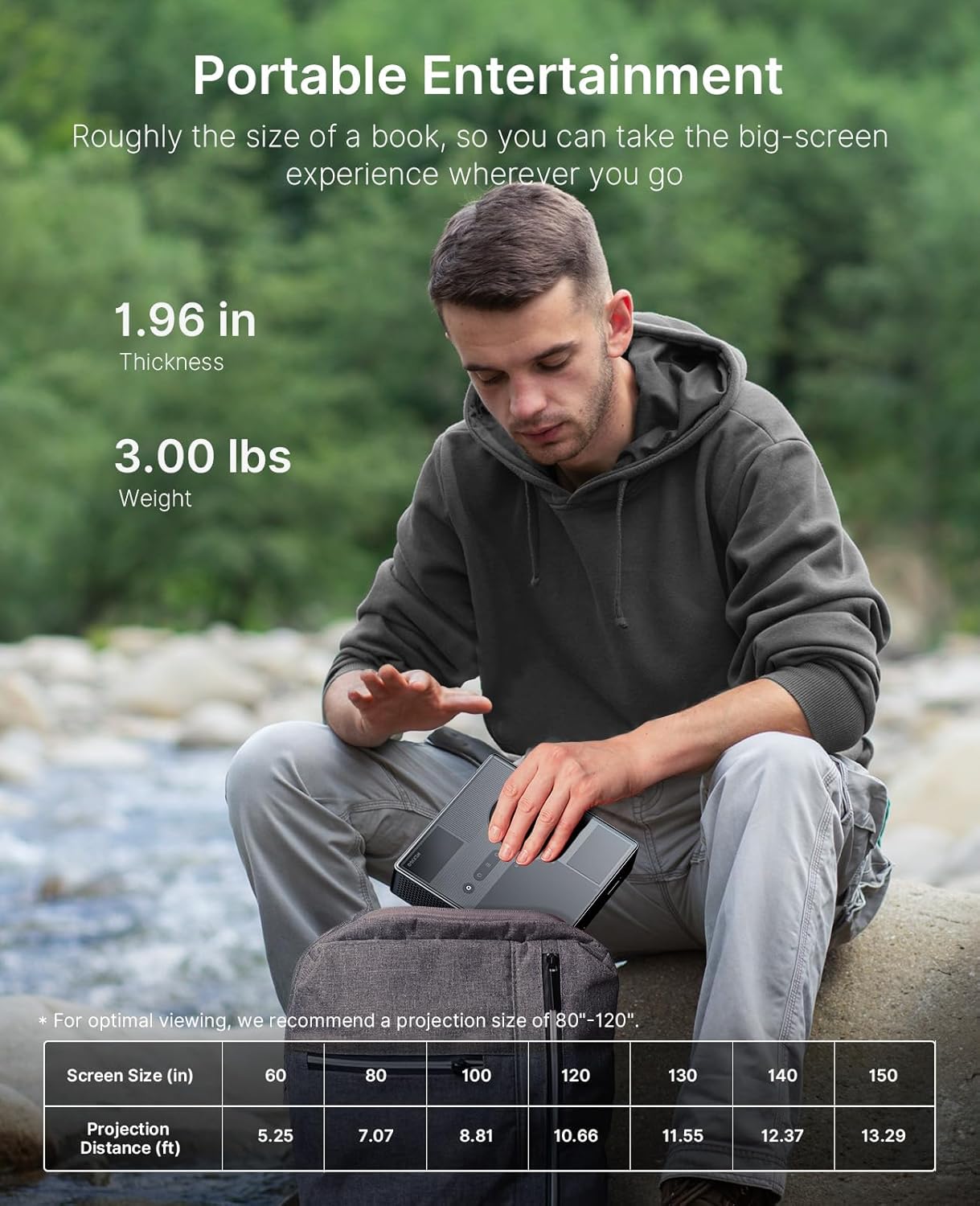
Image 6.1: The projector's compact size for portable entertainment.
| Screen Size (in) | Tawhiti Whakaaturanga (ft) |
|---|---|
| 60 | 5.25 |
| 80 | 7.07 |
| 100 | 8.81 |
| 120 | 10.66 |
| 130 | 11.55 |
| 140 | 12.37 |
| 150 | 13.29 |
Table 6.1: Optimal viewing is recommended for projection sizes between 80"-120".

Image 6.2: The projector used for outdoor entertainment.
7. Hononga
The projector offers various connectivity options for different devices:
- HDMI: Two HDMI ports (HDMI 1 supports ARC) for connecting laptops, game consoles, and other media players.
- USB 2.0: Hei hono i ngā puku USB.
- 3.5 mm Jack Ororongo: Mo te hono i nga taringa, i nga kaikorero o waho ranei.
- LAN: Tauranga Itarangi mo te hononga whatunga waea.
- USB-C: For power delivery (PD) and data transfer.

Whakaahua 7.1: Ka mutuview of the projector's connectivity ports.
8. Whakatakotoranga
- Tau tauira: PJ08
- Rahi Hua: 7.8 x 7.8 x 2.3 inihi
- Taumaha Tūemi: 6.23 pauna
- Whakatau: 1080p FHD
- Tirohanga: 1200 Lumens
- Tauwehenga Pūrata: 15,000:1 with SAE
- Kaute Tae: 100% Rec.709
- Tautoko HDR: HDR10, HLG
- Tautoko 3D: Ahu 3 kaha
- Pūnaha Mahi: Google TV
- Ororongo: 8W Dolby Audio Speaker
- Whakauru Hiko: USB-C PD (requires 100W power source)
- Kaihanga: Nexight INC
- Te Ra Tuatahi Wātea: Akuhata 15, 2025
9. Tiaki
To ensure the longevity and optimal performance of your NexiGo Nova Mini projector, follow these maintenance guidelines:
- Te horoi i te Arotahi: Whakamahia he kakahu ngohengohe, kore-raro i hangaia mo nga arotahi whatu. A ape i nga mea abrasive me nga matū kino.
- Te horoi i waho: Horoia a waho o te pūwhiti ki te kakahu ngohengohe, maroke. Kaua e whakamahi tika i nga horoi wai ki runga i te taputapu.
- Whakahau: Ensure that the projector's ventilation openings are not blocked to prevent overheating. Maintain adequate space around the device for airflow.
- Rokiroki: Ki te kore e whakamahia mo te wa roa, penapena te puwhitiwhiti ki te waahi matao, maroke, kia matara atu i te ra me te wera nui.
- Whakahaere Hiko: Always power off the projector correctly before unplugging it.
10. Te Raru
If you encounter issues with your NexiGo Nova Mini, refer to the following common troubleshooting steps:
- Kore Mana: Ensure the power adapter is securely connected to both the projector and a working power outlet. If using a power bank, confirm it is a 100W USB-C PD compatible model and fully charged.
- Kore he Atahanga: Check that the lens cap is removed. Verify the input source is correctly selected in the projector's settings. Ensure all cables (HDMI, etc.) are securely connected.
- Atahanga Pouriuri: The projector features autofocus. If the image remains blurry, try moving the projector slightly or manually adjusting focus if an option is available in the settings. Ensure the projection surface is flat.
- Kore Oro: Check the volume levels on both the projector and the connected source device. If using external speakers, ensure they are properly connected and powered on.
- Mana Mamao Kaore i te Whakautu: Whakakapia ngā pākahiko o te mana mamao. Kia kore he arai i waenganui i te mana mamao me te pūwhakaata.
- Whakatupato Whakawerawera: Ensure the projector's vents are clear and not obstructed. Allow the projector to cool down in a well-ventilated area.
Mo nga take e mau tonu ana, me waea atu ki te tautoko a nga kaihoko.
11. Pūtāhui me te Tautoko
NexiGo products are designed for quality and reliability. For specific warranty details, please refer to the warranty card included with your product or visit the official NexiGo website. For technical assistance, troubleshooting, or customer service inquiries, please contact NexiGo USA support.
NexiGo USA Support:
- 24 Haora Tautoko Kiritaki
- 30 Days Return or Exchange Policy
- Tautoko Hangarau Ora


