1. Kupu Whakataki
Thank you for choosing the GPEESTRAC P8-21-15 Bluetooth Wireless Earbuds. These earbuds feature advanced Bluetooth 5.3+EDR technology, delivering high-fidelity audio with powerful bass and clear vocals. Designed for comfort and durability, they offer IPX5 water resistance and intuitive touch controls for a seamless audio experience in various daily scenarios.

Image 1.1: GPEESTRAC P8-21-15 Wireless Earbuds and key features.
2. Ihirangi mokete
Tena koa tirohia te kete mo nga mea e whai ake nei:
- GPEESTRAC P8-21-15 Wireless Earbuds (Left and Right)
- Puhi utu
- USB Momo-C Taura Whakapae
- Pukapuka Kaiwhakamahi
- He maha ngā rahi o ngā pito taringa (S, M, L)
3. Hua Neke Atuview
Familiarize yourself with the components and controls of your earbuds.
3.1 Ngā Wāhanga Taringa

Image 3.1: Earbuds in charging case, highlighting Bluetooth technology.
3.2 Touch Control Area

Image 3.2: Earbud in ear, illustrating touch control functions.
4. Tatūnga
4.1 Te Whakataki i nga Paorooro me te Puhi
Before first use, fully charge the earbuds and charging case. The charging case features an LED display to indicate battery levels.
- Whakanohoia nga purongo ki roto i te pukoro utu.
- Honoa te taura utu USB Momo-C ki te tauranga utu i runga i te pouaka me te pūtake hiko.
- The LED display on the case will show charging progress. A full charge provides up to 20 hours of total playback time with the case. A 10-minute charge can provide approximately 2 hours of use.
4.2 Takirua Tuatahi
The earbuds support automatic pairing for convenience.
- Whakatuwherahia te putea utu. Ka hiko aunoa nga taringa ka uru ki te aratau takirua.
- I runga i to taputapu (waea atamai, papa, PC), whakaahei i te Nihokikorangi me te rapu mo nga taputapu e waatea ana.
- Select "P8-21-15" from the list of devices to connect.
- Ina hono ana, ka rongo koe i te tangi whakau, ka reri nga taringa mo te whakamahi.
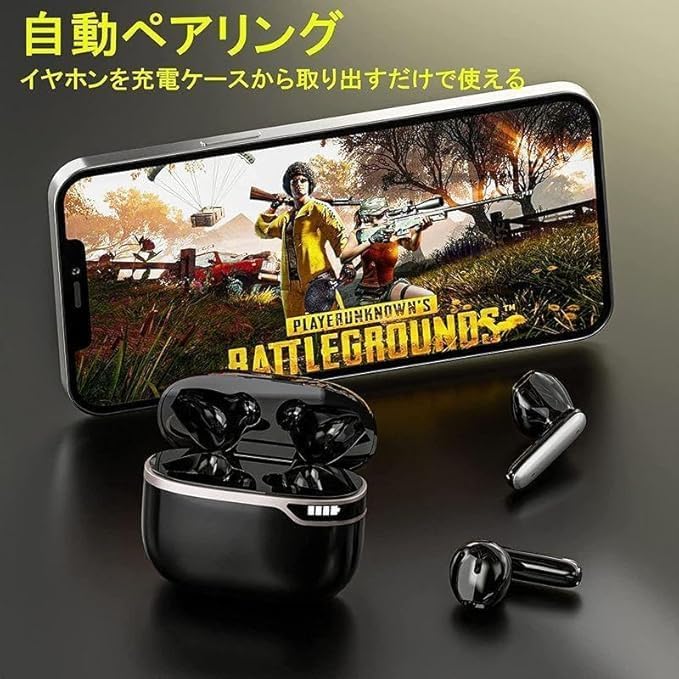
Image 4.1: Earbuds automatically pairing with a device.
4.3 Hono honohono ana
After initial pairing, the earbuds will automatically reconnect to the last paired device when removed from the charging case, provided Bluetooth is enabled on the device.
5. Nga Tohutohu Whakahaere
The P8-21-15 earbuds feature intuitive touch controls for various functions.
| Mahi | Mahi |
|---|---|
| Hiko Hiko | Open charging case or long press touch area (if off) |
| Whakaweto Hiko | Place earbuds in charging case and close lid, or long press touch area (if not in use) |
| Purei/Tatari Waiata | Pao kotahi ki runga i tetahi purongo |
| Riro Panuku | Pato rua i te purongo matau |
| Tuhinga o mua | Pato rua te taringa maui |
| Rōrahi Whakarunga | Paatohia te taringa taringa matau |
| Rōrahi Whakararo | Paatohia te taringa taringa maui |
| Whakautu/Whakamutua te Waea | Pao kotahi ki runga i tetahi purongo |
| Whakakahoretia te Waea | Pēhi roa i runga i tetahi purongo |
| Activate Voice Assistant (Siri) | Long press on either earbud (when not on a call) |
5.1 Single and Dual Earbud Use
The earbuds can be used individually or as a pair.
- Aratau Taringa Takirua: Remove both earbuds from the charging case. They will automatically connect to each other and then to your device.
- Aratau Earbud Kotahi: Remove only one earbud from the charging case. It will automatically connect to your device. The other earbud can remain in the case or be used later.

Image 5.1: Illustrating single or dual earbud usage.
6. Tiaki
6.1 Te horoi
- Me horoi i nga wa katoa nga pukoro me te pukoro utu ki te kakahu ngohengohe, maroke, kore-puru.
- Kaua e whakamahi i nga matū kino, i nga whakarewa horoi, i nga horoi kaha ranei.
- Horoia ngā hononga utu o ngā pane taringa me te pouaka kia tika ai te utu.
6.2 Rokiroki
- Whakaorangia nga purongo i roto i o raatau putea karekau e whakamahia ana hei tiaki me te pupuri i te utu.
- Avoid storing in extreme temperatures (hot or cold) or in humid environments.
7. Te Raru
Mena ka pā mai he raruraru ki a koe, tirohia ngā otinga noa e whai ake nei:
- Karekau e honoa nga taringa: Ensure both earbuds are charged. Place them back in the case, close the lid, then open it again to re-initiate pairing mode. Delete "P8-21-15" from your device's Bluetooth list and try pairing again.
- Karekau he oro mai i tetahi pukoro: Try resetting the earbuds by placing them in the case and then taking them out. Ensure both earbuds are connected to your device.
- Nga take utu: Check the USB Type-C cable and power adapter. Ensure the charging contacts on the earbuds and case are clean and free of debris.
- Poor sound quality/disconnections: Ensure your device is within the 10-15m Bluetooth range and there are no significant obstacles.
Mena kei te haere tonu te raru, me waea atu ki te tautoko a nga kaihoko.
8. Whakatakotoranga
| Āhuahira | Whakatakotoranga |
|---|---|
| Tauira | P8-21-15 |
| Putanga Nihokikorangi | 5.3 + EDR |
| Mokowoko Korekore | 10-15 meters (without obstacles) |
| Rahi taraiwa | 10mm Atekōkiri Hihiko |
| Āhuatanga Ororongo | Hi-Fi Stereo Sound, Powerful Bass, ENC Noise Reduction for Calls |
| Te ora o te Pūhiko (Ngā taringa) | Tae atu ki te 6 haora (te utu kotahi) |
| Wā Whakahoki Tapeke | Ki runga ki te 20 haora (me te nama tohutohutia) |
| Tauranga Whakatau | USB Momo-C |
| Whakatau Tere | 10 minutes charge for approx. 2 hours playback |
| Ātete wai | IPX5 |
| Hototahi | iPhone, Android, PC, Tablets |
| Momo Mana | Mana Pa |
9. Nga korero haumaru
- Kaua e wetewete, whakarereke ranei i te hua.
- Mawehe atu i te wera nui, te ra tika, me te mura ahi.
- A ape i te rongonga roa ki nga taumata oro teitei kia kore ai e pakaru te rongo.
- Kaua e taea e nga tamariki me nga kararehe.
- Whakakorehia te hua kia rite ki nga ture o te rohe.
10. Pūtāhui me te Tautoko
GPEESTRAC products come with a standard 1-year limited warranty from the date of purchase. This warranty covers manufacturing defects but does not cover damage caused by misuse, accidents, or unauthorized modifications.
For technical support, warranty claims, or any questions regarding your GPEESTRAC P8-21-15 earbuds, please contact our customer support team via the retailer's platform or the contact information provided with your purchase.

Image 10.1: Earbuds suitable for various activities.


