1. Hua Neke Atuview
The Baseus Picogo Power Bank is a compact, lightweight, and versatile magnetic portable charger designed for convenience and efficiency. Featuring Qi2 certification for 15W wireless charging and a 20W USB-C output, it provides reliable power for your devices on the go. Its ultra-slim design includes a built-in kickstand for hands-free viewing.
Āhuatanga matua:
- Hoahoa Tino Kiato: Smaller than a credit card and weighing approximately 0.3 lbs (138g), making it highly portable.
- Qi2 Certified Wireless Charging: Delivers up to 15W fast wireless charging for compatible devices.
- 20W USB-C Wired Charging: Provides rapid wired charging for devices via the USB-C port.
- 5000mAh Pūhiko Raukaha: Offers approximately 1.5 full charges for most iPhone models.
- Tūnga Whackstand Whakauru: Ka āhei te whakamahi ringa kore viewi roto i nga whakatakotoranga whakaahua me te whenua.
- Tirohanga Aukume Kaha: Equipped with 11 reinforced N52 magnets for a secure attachment to MagSafe-compatible devices.
- Rawa Rawa: Crafted with an aluminum alloy shell and a soft-touch silicone coating for durability and grip.
- Haumaru Whakanuia: Features NTC Smart Temperature Control and multiple protection mechanisms (over-voltage, raro-voltage, over-charge, over-discharge, over-current, short circuit, over-power).

Image: The Baseus Picogo Power Bank attached to the back of an iPhone, demonstrating its ultra-compact size and the integrated kickstand in use. The image emphasizes its portability and hands-free viewte kaha.
2. He aha kei roto i te Pouaka
Upon opening your Baseus Picogo Power Bank package, you should find the following items:
- Baseus Picogo Power Bank (Model: PPKPC-0520S)
- USB-C ki te Waea Whakakona USB-C
- Pukapuka Kaiwhakamahi (tenei tuhinga)

Image: The Baseus Picogo Power Bank, its retail packaging, and the included USB-C charging cable, illustrating the complete product contents.
3. Tatūnga
Whakataunga Tuatahi o te Peeke Hiko:
- Connect the provided USB-C cable to the USB-C port on the Baseus Picogo Power Bank.
- Connect the other end of the USB-C cable to a compatible USB-C power adapter (not included).
- The LED indicators on the power bank will light up to show the charging status. A full charge is indicated when all four LEDs are solid.
- Allow approximately 1 hour and 54 minutes for a full recharge using a 20W or higher power adapter.

Image: The Baseus Picogo Power Bank connected to a wall adapter via a USB-C cable, illustrating the process of recharging the power bank.
Takina Taumata Pūhiko:
Patohia te paatene mana kia kotahi view the current battery level indicated by the LED lights:
- 1 LED: 0-25%
- 2 rama: 25-50%
- 3 rama: 50-75%
- 4 rama: 75-100%

Image: A visual guide explaining how the LED indicators on the Baseus Picogo Power Bank correspond to its remaining battery charge levels.
4. Nga Tohutohu Whakahaere
Utu Ahokore (Hototahi ki a MagSafe):
- Me whakarite kei te hototahi tō pūrere ki a MagSafe (iPhone 12-17 raupapa) kei a ia rānei he pouaka hototahi ki a MagSafe.
- Align the Baseus Picogo Power Bank with the back of your device. The strong magnets will snap it into place.
- Wireless charging will begin automatically. The power bank delivers up to 15W for fast wireless charging.
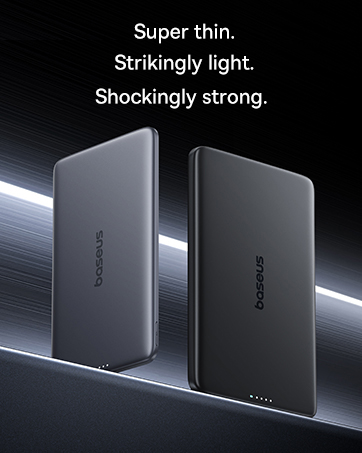
Image: The Baseus Picogo Power Bank magnetically attached to an iPhone, demonstrating active wireless charging with the Qi2 logo visible.
Wired Charging (USB-C Output):
- Connect a USB-C cable (provided or your own) to the USB-C port on the Baseus Picogo Power Bank.
- Honoa te pito o te taura ki te tauranga utu o to taputapu.
- Wired charging will commence. The power bank supports up to 20W output for rapid charging.

Image: The Baseus Picogo Power Bank connected via a USB-C cable to one iPhone while wirelessly charging another, showcasing its dual-device charging capability.
Using the Built-in Kickstand:
- Gently pull out the integrated aluminum kickstand from the back of the power bank.
- Position your device (with the power bank attached) on a flat surface.
- Whakatikatikahia te tūru whana ki tō hiahia viewing angle for hands-free use in portrait or landscape mode.
Image: The Baseus Picogo Power Bank attached to an iPhone, with its kickstand extended to support the phone in an upright position for hands-free viewing.
Hototahi:
The Baseus Picogo Power Bank is compatible with:
- iPhone 12-17 Series (MagSafe wireless charging)
- MagSafe-compatible cases
- AirPods 3 / Pro 2
- Other USB-C powered devices (via wired connection)
Ko te kore hototahi with non-magnetic cases, Samsung phones (for wireless charging), or other Android phones (for wireless charging).
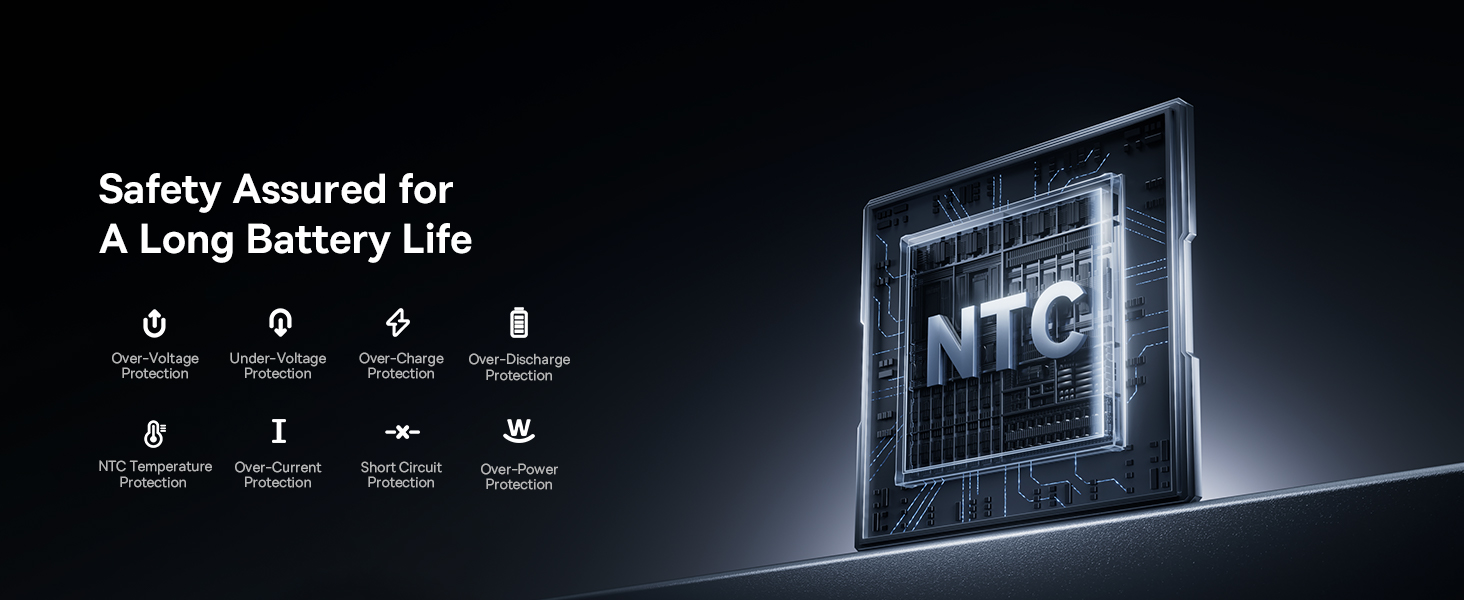
Image: A visual chart detailing compatible and incompatible devices for the Baseus Picogo Power Bank, including various iPhone models, AirPods, and other USB-C devices.
5. Tiaki
- Te horoi: Whakamahia he kakahu maeneene, maroke hei horoi i te peeke hiko. A ape i te whakamahi i nga matū kino, i nga taonga abrasive ranei.
- Rokiroki: Whakaorangia te peeke hiko ki te waahi makariri, maroke atu i te ra tika me te wera nui.
- Tiaki Pūhiko: To prolong battery life, avoid fully discharging the power bank regularly. Recharge it when the battery level is low.
- Aukati i nga Whakataka: While durable, avoid dropping the power bank to prevent internal damage.
6. Te Raru
- Kaore te Pūrere e Kahiko Ahokore:
- Me whakarite kei te hototahi tō pūrere ki a MagSafe, kei a ia rānei he pouaka hototahi ki a MagSafe.
- Check for proper alignment between the power bank and your device.
- Verify the power bank has sufficient charge.
- Whakaoho Puturi:
- Ensure you are using a compatible cable and power adapter for optimal charging speeds.
- Charging may slow down at 80% to protect the battery, especially if the device gets warm. Moving to a cooler area may help.
- Kāore te Pēke Hiko e Whakahoutia Ana:
- Tirohia te taura USB-C me te urutau hiko mo te kino.
- Me whakarite kei te mahi tika te urutau hiko.
- Magnetic Connection is Weak:
- Ensure your device or case is genuinely MagSafe compatible.
- Remove any non-magnetic accessories or thick cases that may interfere with the magnetic connection.
7. Whakatakotoranga
| Āhuahira | Taipitopito |
|---|---|
| Tau tauira | PPKPC-0520S |
| Pūhiko Raukaha | 5000 Miliamp Hāora (mAh) |
| Putanga Ahokore | 5W / 7.5W / 15W (Qi2 Certified) |
| Putanga USB-C | 20W Maora |
| USB-C Whakauru | 5V=3A; 9V=2.22A |
| Putanga Tapeke | 20W Max (when charging two devices simultaneously) |
| Hunga Hua | 3.4 x 2.3 x 0.5 inihi |
| Taumaha Tūemi | 0.3 lbs (approximately 138g) |
| Momo Pūhiko | Hikahiko Polymer |
| Rauemi | Silicone, Aluminum alloy |
| Tae | Kerei |
8. Pūtāhui me te Tautoko
Ka tukuna e Baseus he 2-Tau Whakatau Whakakapinga for this product. For any issues or support, please contact Baseus customer service. Details can typically be found on the product packaging or the official Baseus webpae.
9. Nga Korero Haumaru Nui
- Kaua e tukuna te peeke hiko ki te wera nui, te ra tika, te ahi ranei.
- Kaua e wetewete, whakarereke, whakatikahia ranei te taputapu maau ano.
- Kaua e taea e nga tamariki.
- A ape i te tuku, te tuku ranei i te taputapu ki nga paanga kaha.
- Whakamahia ngā taura me ngā urutau taketake, kua whakamanahia rānei.
- Ki te pupuhi te pēke hiko, ka puta he kakara, ka wera rawa rānei, kati tonu te whakamahi.
10. Hua Ataata Nekeview
Ataata: Kua mutu te rangatiraview of the Baseus Picogo Power Bank, highlighting its ultra-mini size, 15W Qi2 wireless charging, strong magnetic attachment, and built-in kickstand. It demonstrates the product's key features and portability.


