Kupu Whakataki
This manual provides essential information for setting up, operating, maintaining, and troubleshooting your Apple Watch Series 11 GPS 42mm. Please read these instructions carefully to ensure proper use and to maximize the features of your device. The Apple Watch Series 11 is designed to enhance your daily life with advanced health monitoring, fitness tracking, and seamless connectivity.
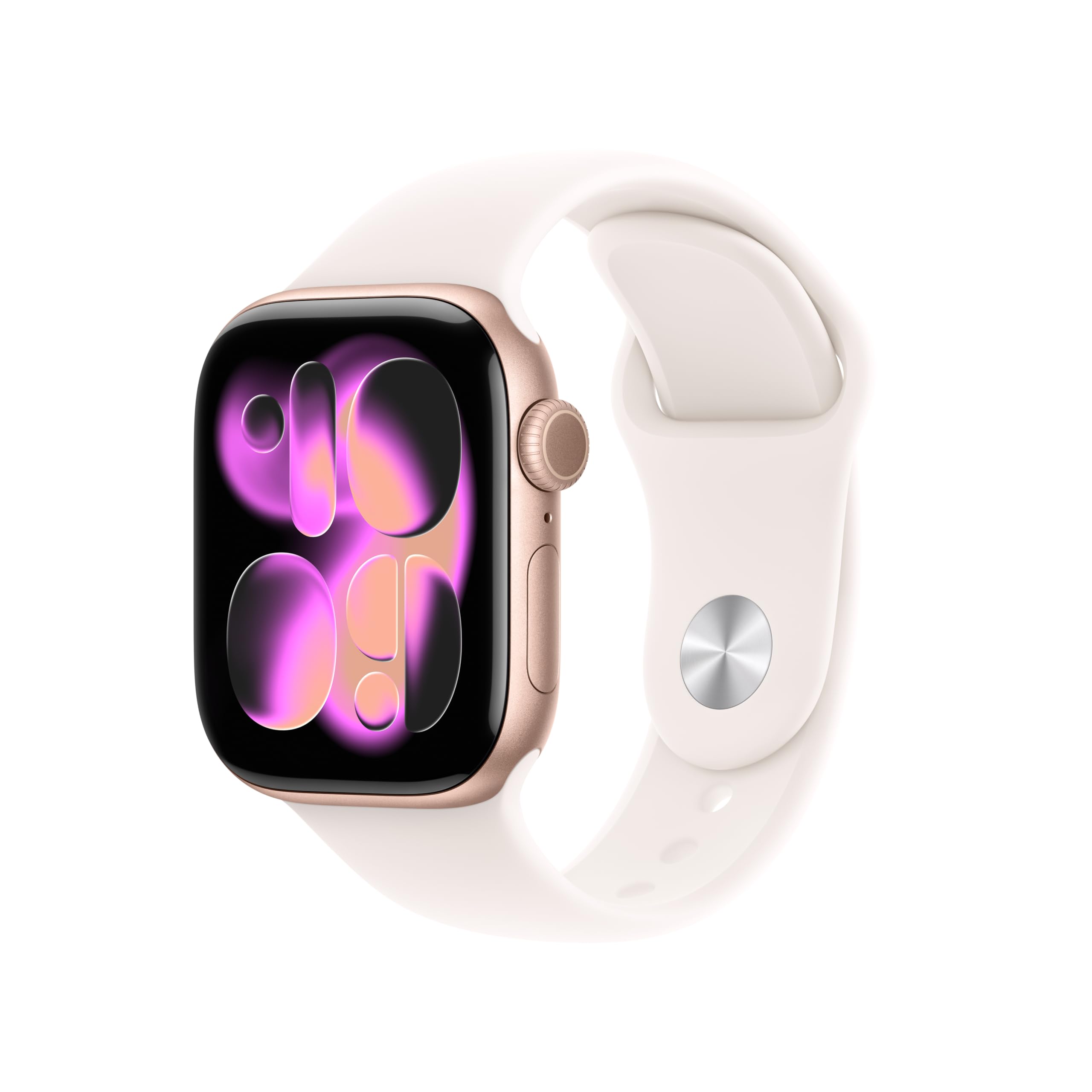
Image: A person running, showcasing the Apple Watch Series 11 in use during physical activity.
He aha kei roto i te Pouaka
Kia wetewetehia tō Apple Watch Series 11, me whakaū kei roto ngā wāhanga katoa:
- Apple Watch Series 11 GPS 42mm Rose Gold Aluminium Case
- Light Blush Sport Band
- 1m Utaure Ukume Whakatau

Image: The Apple Watch Series 11, a Light Blush Sport Band, and a USB-C Magnetic Fast Charging Cable, illustrating the package contents.
Tatūnga
Initial Pairing with iPhone
- Utuhia to Apple Watch: Connect the magnetic charging cable to your Apple Watch and a power adapter. Allow it to charge until it powers on.
- Whakahiko: Patohia me te pupuri i te paatene taha kia puta ra ano te tohu Apple.
- Open Apple Watch App: On your iPhone, open the Apple Watch app. If you don't have it, download it from the App Store.
- Tukanga Takirua: Tap 'Start Pairing' on your iPhone. Position your iPhone so that the Apple Watch appears in the viewte kimi i te taupānga Apple Watch.
- Whaia nga Tohutohu I-Mata: Complete the setup by following the prompts on both your iPhone and Apple Watch. This includes setting up a passcode, installing apps, and configuring health and activity settings.
Band Attachment
To attach the Sport Band, slide each band piece into the watch case until you hear a click. Ensure the bands are securely fastened before wearing the watch.
Te whakahaere i to Apple Watch
Te Aroturuki Hauora
The Apple Watch Series 11 offers comprehensive health insights:
- Whakamōhiotanga mo te mate pukupuku: The watch can detect signs of chronic high blood pressure and provide notifications.
- Tatauranga Moe: Track and understand your sleep quality with detailed sleep scores and stages.
- Taupānga ECG: Take an electrocardiogram anytime to check for signs of atrial fibrillation.
- Te Arotake i te Ngakau: Whiwhi whakamohiotanga mo te teitei, te iti, te korikori ranei o te manawa o te ngakau.
- Toto Oxygen App: Inehia to taumata hāora toto i runga i te hiahia.
- Taupānga Vitals: View overnight health metrics for a holistic view o to oranga.
- Aroturuki Porohita: Monitor your menstrual cycle with retrospective ovulation estimates.

Image: The Apple Watch Series 11 showing current heart rate (68 BPM) and an 'Overnight Vitals' screen with typical sleep data.
Aroturuki tinana
Ko to Apple Watch he hoa whakapakari tinana:
- Nga Mowhiti Mahi: Track your daily movement, exercise, and stand goals.
- Taupānga Mahi: Whakauruhia nga inenga matatau mo nga momo whakangungu, tae atu ki te Pacer, Nga Rohe Reiti Ngakau, me nga kawenga whakangungu.
- Apple Fitness +: Enjoy three months of Apple Fitness+ free with your purchase.

Image: The Apple Watch Series 11 displaying activity rings (Move, Exercise, Stand) and a screen for an 'Outdoor Run' workout.
Te Hononga me te Whakawhitiwhiti
Me hono tonu i a koe e haere ana:
- GPS: Built-in GPS for accurate location tracking during workouts and navigation.
- Whakamōhiotanga: Whiwhi tuhinga, waea, me nga whakamohiotanga tono tika ki to ringaringa.
- Siri: Use Siri with on-device processing for quick commands and information.
- Waiata: Listen to music stored on your watch or streamed from your iPhone.
- Wi-Fi me Nihokikorangi: Connects to your iPhone via Bluetooth 5.3 and Wi-Fi 4 (802.11n).

Image: A close-up of a person's hand adjusting the Apple Watch Series 11 on their wrist, demonstrating interaction with the device's interface.
Whakaaturanga me te Pūhiko
The Apple Watch Series 11 features a stunning and durable display with extended battery life:
- Whakaatu Retina-I nga wa katoa: Wide-angle OLEDs and LTPO3 technology provide up to 2,000 nits maximum brightness.
- Mauroa: Ion-X front glass with 2x scratch resistance (aluminum cases).
- Ora Pūhiko: Up to 24 hours of normal use.
- Akona Tere: Achieve up to 80% charge in about 30 minutes, or 8 hours of normal use in just 15 minutes.

Image: A collage showing four key features: hypertension notifications, 24-hour battery life indicator, sleep score display, and the superdurable display of the Apple Watch Series 11.
Nga waahanga haumaru
Your Apple Watch includes important safety functions:
- SOS ohorere: Quickly call emergency services.
- Rapunga Tutuki: Ka kite aunoa i nga tukinga waka nui ka hono atu koe ki nga ratonga ohorere.
- Te Rapu Taonga: Ka kitea te hinga kaha ka taea te waea ohorere ki te kore koe e aro.
- Takiuru: Automatically notifies a loved one when you arrive at your destination.
Te tiaki
Te horoi i to Apple Watch
- Weto Whakakore: Whakawetohia to Apple Watch ka momotuhia mai i te riihi.
- Ūkui Ma: Use a soft, lint-free cloth to wipe the watch. If necessary, lightly dampen te kakahu ki te wai hou.
- Avoid Soaps: Kaua e whakamahi i nga hopi, i nga hua horoi, i nga mea awhiowhio, i te hau kopeke ranei.
- Kia maroke: Me whakarite kua maroke katoa te mataaratanga i mua i te utu, te kakahu ranei.
Ātete wai
The Apple Watch Series 11 has a water resistance rating of 50m and is swimproof. It is also IP6X dust resistant. While designed for water exposure during activities like swimming, it is not recommended for scuba diving, waterskiing, or other activities involving high-velocity water or submersion below shallow depths. Water resistance is not a permanent condition and may diminish over time.
Raparongoā
Nga take me nga otinga noa
- Matakitaki Kaua e Whakaka: Me mohio kei te utu te mataaratanga. Honoa ki te taura utu autō me te puna hiko. Ki te kore tonu e ka, ngana ki te whakaara ano (penei me te pupuri i te paatene taha me te Karauna Mamati mo te 10 hēkona neke atu kia kite koe i te tohu Apple).
- Nga take takirua: Ensure your iPhone's Bluetooth is on and both devices are close to each other. Restart both your iPhone and Apple Watch. If issues persist, unpair the watch from your iPhone (if previously paired) and attempt to pair again.
- He Raraunga Hauora Tika: Ensure the watch is worn snugly on your wrist, but not too tight. Clean the back of the watch regularly to ensure proper sensor contact. Update watchOS to the latest version.
- Te Ora o te Pūhiko: Check for apps running in the background. Reduce screen brightness or enable Low Power Mode. Ensure watchOS is up to date.
- Taupānga Kāore i te whakautu: Force quit the app by pressing the side button, then swipe the app to the left and tap the 'X' button. Reopen the app. If the issue continues, restart your Apple Watch.
Whakatakotoranga
| Āhuahira | Taipitopito |
|---|---|
| Tau tauira | MEU04LW/A |
| Hunga Hua | 9.4 x 3 x 1.2 inihi |
| Taumaha Tūemi | 1.12 hekere |
| Kaihanga | Aporo |
| Pūnaha Mahi | mataaraOS |
| Te Rokiroki Mahara | 64 GB |
| Nga waahanga motuhake | Aroturuki Mahi, Whakaaturanga Tonu, Aroturuki Pahikara, GPS, Aroturuki Manawa |
| Hangarau Hononga | GPS |
| Paerewa Whakawhitinga Korerokore | 802.11a/g/n/ac, Bluetooth 5.3 |
| Hanganga Pūtau Pūhiko | Lithium Ion |
| GPS | Built-in GPS (L1 GPS, GNSS, Galileo, QZSS and BeiDou) |
| Rahi Mata | 42 Mirimita |
| Rauemi | Aluminium case (Rose Gold) |
| Whakaatu | Always-On Retina display with wide-angle OLEDs and LTPO3, Ion-X front glass with 2x scratch resistance, Up to 2,000 nits max brightness |
| Tipi | S10 SiP me te 64-bit rua-matua pūtukatuka, 4-matua Apple Neural Engine |
| Health and Wellness Sensors | Electrical heart sensor, Third-generation optical heart sensor, Blood oxygen sensor, Temperature sensor |
| Te mauroa | Water resistance 50m (swimproof), Dust Resistance IP6X |
| Te Mana me te Ora o te Pūhiko | Up to 24 hours normal use, Up to 38 hours in Low Power Mode, Fast-charge capable |
Pūtāhui me te Tautoko
Nga korero Whakaputanga
Your Apple Watch Series 11 is covered by Apple's standard limited warranty. This warranty typically covers manufacturing defects for a specified period from the date of purchase. For detailed terms and conditions, including coverage duration and limitations, please refer to the warranty documentation included with your product or visit the official Apple webpae.
Tautoko Kiritaki
For technical assistance, service, or additional information, please contact Apple Support. You can find support resources, including online guides, FAQs, and contact options, on the official Apple Support website. It is recommended to have your device's serial number available when contacting support.
Tautoko Aipurangi: support.apple.com/watch


