1. Kupu Whakataki
This manual provides essential information for the safe and efficient use of your Ulefone RugKing 4 Pro rugged smartphone. Please read it thoroughly before operating your device.
The Ulefone RugKing 4 Pro is designed for durability and performance, featuring a robust build, a large battery, and advanced camera capabilities, running on Android 15.
2. Ihirangi mokete
Manatokona kei roto katoa nga mea kei roto i to kete hua:
- Ulefone RugKing 4 Pro Smartphone
- Pūhiko AC (100~240V)
- Taura Raraunga Momo-C ki Momo-C (100cm)
- Kaitiaki Mata Karaehe Tempered
- SIM Needle
- Lanyard
- Pukapuka Kaiwhakamahi me te Kaari Raati
- Exclusive Armor Case (pre-installed or included separately)
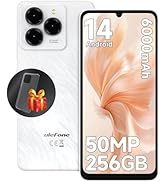
Image: Contents of the Ulefone RugKing 4 Pro retail package, including the phone, charger, cable, screen protector, SIM tool, lanyard, and armor case.
3. Tatūnga
3.1. Kaari SIM me te Whakataunga Kaari SD
- Kimihia te paepae kaari SIM i te taha o te taputapu.
- Kōkuhuhia te ngira SIM kua whakaratohia ki roto i te kōhao iti i te taha o te paepae hei whakaputa i te kāri.
- Place your Nano SIM cards and/or TF (SD) card into the designated slots on the tray. Ensure correct orientation.
- Āta whakahokia anō te paepae ki roto i te waea kia ōrite rā anō ki te tinana o te pūrere.
3.2. Hia Tuatahi
- Press and hold the Power button (usually on the right side) until the Ulefone logo appears.
- Whaia nga tohu i runga-mata hei whakaoti i te tatūnga tuatahi, tae atu ki te kowhiringa reo, hononga Wi-Fi, me te takiuru pūkete Google.
3.3. Applying the Screen Protector
For added screen protection, carefully apply the tempered glass screen protector following the instructions provided with the protector. Ensure the screen is clean and dust-free before application.
4. Nga Tohutohu Whakahaere
4.1. Pūhiko me te Whakatau
The RugKing 4 Pro features a large 10,200mAh battery for extended use. It supports standard charging via the USB-C port and also offers convenient dock charging (dock charger sold separately).

Whakaahua: He pahū view of the Ulefone RugKing 4 Pro highlighting the 10,200mAh battery, alongside an image of the phone charging on an optional dock.
4.2. Whakaatu
The device is equipped with a 6.56-inch 120Hz display, offering a smooth and immersive visual experience with 500 nits brightness. This high refresh rate is ideal for browsing, gaming, and streaming.

Image: The Ulefone RugKing 4 Pro displaying a high-speed car racing scene, emphasizing the 6.56-inch 120Hz display and 500 nits brightness.
4.3. Pūnaha Kāmera
Capture moments with the RugKing 4 Pro's versatile camera system:
- 48MP Kamera Matua: For detailed and clear outdoor photography with an f/1.8 aperture.
- Kāmera Tonotono 2MP: Discover intricate details of small objects.
- 8MP Front Shooter: Mo nga korero whaiaro me nga waea ataata.
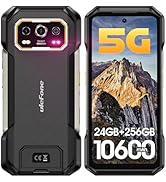
Image: A close-up of the Ulefone RugKing 4 Pro's rear camera module, highlighting the 48MP main camera, with example photos of a forest path, zebras, and a person.
Image: The Ulefone RugKing 4 Pro's 2MP macro camera, with example close-up photos of a ladybug, a bee, and a dragonfly.
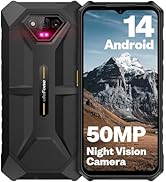
Image: The Ulefone RugKing 4 Pro's 8MP front camera, showing a group of friends taking a selfie outdoors.
4.4. AI Assistant Features
The RugKing 4 Pro integrates AI features for enhanced productivity:
- Ulefone AI Pro: Offers AI recording summary, AI writing assist, Ulefone Screen Search, and AI Calculator.
- Google Gemini Integration: Seamlessly use Google Gemini, ChatGPT, and Grok for brainstorming, concept clarification, and task streamlining.

Image: Screenshots demonstrating Ulefone AI Pro features including AI Recording Summary, AI Writing Assist, Ulefone Screen Search, and AI Calculator.
Image: Screenshots showing Google Gemini interface on the Ulefone RugKing 4 Pro, illustrating its use for creative tasks and information retrieval.
4.5. Nga ahuatanga mauroa
The RugKing 4 Pro is built to withstand harsh environments:
- IP68 & IP69K Whakatauria: Water and dust resistant, capable of submersion up to 2m for 30 minutes.
- MIL-STD-810G Kua Tiwhikete: Meets military standards for drop resistance up to 2m.
- Karaehe Gorilla Corning 3: Whakarei ake te mauroa o te mata ki nga rakuraku me nga paanga.
- Water-Lock Mode: Prevents accidental touches when the screen is wet, maintaining visibility and functionality in rainy conditions.

Image: A collage showing the Ulefone RugKing 4 Pro submerged in water, covered in dust, and being dropped, illustrating its IP68/IP69K and MIL-STD-810H certifications.
Image: A collage showing the Ulefone RugKing 4 Pro being used in various wet conditions, such as cycling in the rain, demonstrating the Water-Lock Mode.
4.6. Nga Mahi Apiti
The RugKing 4 Pro includes several practical features:
- Super Torch: A powerful built-in glare flashlight for illuminating dark environments.
- GPS/GLONASS/Beidou/Galileo: Comprehensive navigation system.
- Tiwhikete Widevine L1: Enables high-definition streaming on supported platforms.
- Kī Ritenga: Pātene ka taea te whakarite mō te uru tere ki ngā mahi.
- NFC: For Google Pay and other contactless services.
- Wewete Kanohi me te Tautuhi Taputapu: Te manatoko koiora haumaru, watea hoki.
- Outdoor Toolbox: Pre-installed apps for outdoor activities.
- Headset-free FM: Whakarongo ki te reo irirangi FM me te kore e hiahiatia he paneoro hei pūihi.
Image: The Ulefone RugKing 4 Pro's Super Torch in use, illuminating a camping tent and various outdoor scenarios.

Image: A visual representation of the Ulefone RugKing 4 Pro's additional features, including 3-card slot, headset-free FM, custom key, NFC, outdoor toolbox, face unlock, fingerprint ID, and multiple navigation systems (GPS, GLONASS, Beidou, Galileo).
4.7. Hononga Whatunga
The RugKing 4 Pro supports global 4G frequency bands with a 3-card slot design for two Nano SIM cards and one TF card. It is compatible with most carriers supporting GSM, WCDMA, and LTE, such as T-Mobile. Note: Not compatible with AT&T or Cricket.
5. Tiaki
To ensure the longevity and optimal performance of your Ulefone RugKing 4 Pro, follow these maintenance guidelines:
- Te horoi: Horoia te taputapu i ia wā ki te wai ngohengohe,amp cloth. For stubborn dirt, especially after exposure to mud or saltwater, rinse thoroughly with fresh water and ensure all ports are dry before charging or using accessories.
- Whakahōu Pūmanawa: Keep your device's software updated to the latest version to benefit from performance improvements, security patches, and new features. Check for updates in Tautuhinga> Pūnaha> Whakahou Pūnaha.
- Aukati i nga Pawera Nui: Do not expose the phone to extremely high or low temperatures for prolonged periods, as this can affect battery life and internal components.
- Parenga Tauranga: Ensure the rubber stoppers for the charging port and headphone jack (if applicable) are securely closed when not in use to maintain water and dust resistance.
6. Te Raru
If you encounter issues with your Ulefone RugKing 4 Pro, refer to the following common solutions:
- Kāore te Pūrere i te Whakakā: Me whakarite kei te utaina te pākahiko. Honoa te waea ki te riihi ka tatari mo etahi meneti i mua i te ngana ki te whakakaha ano.
- Nga Take Hononga Whatunga: If your SIM card is not working, ensure it is correctly inserted and that your carrier is supported. Try reinserting the SIM card. If issues persist, contact your carrier for assistance.
- Kore Whakautu Mata: Me tīmata anō mā te pupuri i te pātene Mana mō te 10-15 hēkona pea.
- Nga mahi kino o te Taupānga: If an app is not opening or crashing, try clearing its cache and data in Tautuhinga > Taupānga > [Ingoa Taupānga] > Rokiroki, or uninstall and reinstall the app.
- Waterproof Test Warning: If you intend to make a waterproof test, please tightly plug the stoppers of the earphone jack and charging port, and make sure the card slot is well inserted. After the test, please dry off the phone and make sure it is completely dry before turning on. Otherwise, it may cause speaker issues. If the phone was broken or after destructive test, please do not make the waterproof test.
7. Whakatakotoranga
| Āhuahira | Whakatakotoranga |
|---|---|
| Pūnaha Mahi | Android 15 |
| Tukatuka | Unisoc T7250 Octa-Core |
| RAM | Tae atu ki te 16GB (8GB tūturu + 8GB mariko) |
| Rokiroki Roto | 256GB ROM (Expandable up to 2TB with SD card) |
| Whakaatu | 6.56 Inches, 120Hz Refresh Rate, 500 nits Brightness, Corning Gorilla Glass 3 |
| Kāmera Matua | 48MP, f/1.8 aperture |
| Kāmera Tonotono | 2MP |
| Kāmera Mua | 8MP |
| Pūhiko Raukaha | 10200mAh |
| Te utu | USB-C, Supports Dock Charging (dock sold separately) |
| Te mauroa | IP68 & IP69K Waterproof, MIL-STD-810G Drop Resistance (up to 2m), Dustproof |
| Hononga | 4G LTE Dual SIM, NFC, GPS/GLONASS/Beidou/Galileo |
| Nga waahanga motuhake | Built-in Glare Flashlight (Super Torch), Custom Key, Face Unlock, Fingerprint ID, Outdoor Toolbox, Headset-free FM, Widevine L1 |
| Ahu | 6.05 x 3.23 x 0.54 inihi |
| Taumaha | 7.1 hekere |
8. Pūtāhui me te Tautoko
Your Ulefone RugKing 4 Pro comes with a manufacturer's warranty. Please refer to the warranty card included in your package for specific terms and conditions.
For customer service and support, you can contact Ulefone directly or the seller, SMART TECH PHONE, through Amazon's messaging system. For troubleshooting carrier connectivity, activate your SIM card using a carrier-compatible phone, wait for activation confirmation (SMS/4G/5G signal), then reinsert the SIM into your Ulefone device. It should auto-connect. If issues persist, please email the seller for assistance.
You can also join the Ulefone VIP Customer Group on Facebook for exclusive customer service consultation and to connect with other Ulefone enthusiasts.

Image: A card detailing customer service support, including a QR code to join the Ulefone VIP Customer Group on Facebook.
9. Hua Ataata
Video: Ulefone RugKing 4 Pro Rugged Smartphone Overview. This video demonstrates key features such as the large battery, dock charging, drop resistance, dust resistance, water resistance, camera capabilities, and super torch function in various outdoor settings.
Video: Ulefone RugKing 4 Pro First Hands-on. This video provides a quick hands-on look at the RugKing 4 Pro, showcasing its screen search feature, super torch, water-lock mode, macro camera, main camera, and armor case accessories.


