Nga Korero Haumaru Nui
- Kaua e tukuna te taputapu ki te wera nui, te ra tika, te makuku nui ranei.
- A ape i te tuku, te tuku ranei i te taputapu ki nga paanga kaha.
- Kia matara atu i te wai me etahi atu wai.
- Kaua e ngana ki te wetewete, ki te whakatika, ki te whakarereke ranei i te taputapu.
- Use only the provided 45W power adapter and Type-C cable.
- Me whakarite kia tika te hau i te wa e whakamahia ana kia kore e wera rawa.
- Kaua e taea e nga tamariki.
Ihirangi mokete
Manatokona kei roto katoa nga mea kei roto i to kete:
- Baseus Picogo AF21 3-in-1 Wireless Charging Station
- 45W Turuturu Taha
- 3.3ft Type-C to Type-C Cable
- Pukapuka Kaiwhakamahi (tenei tuhinga)
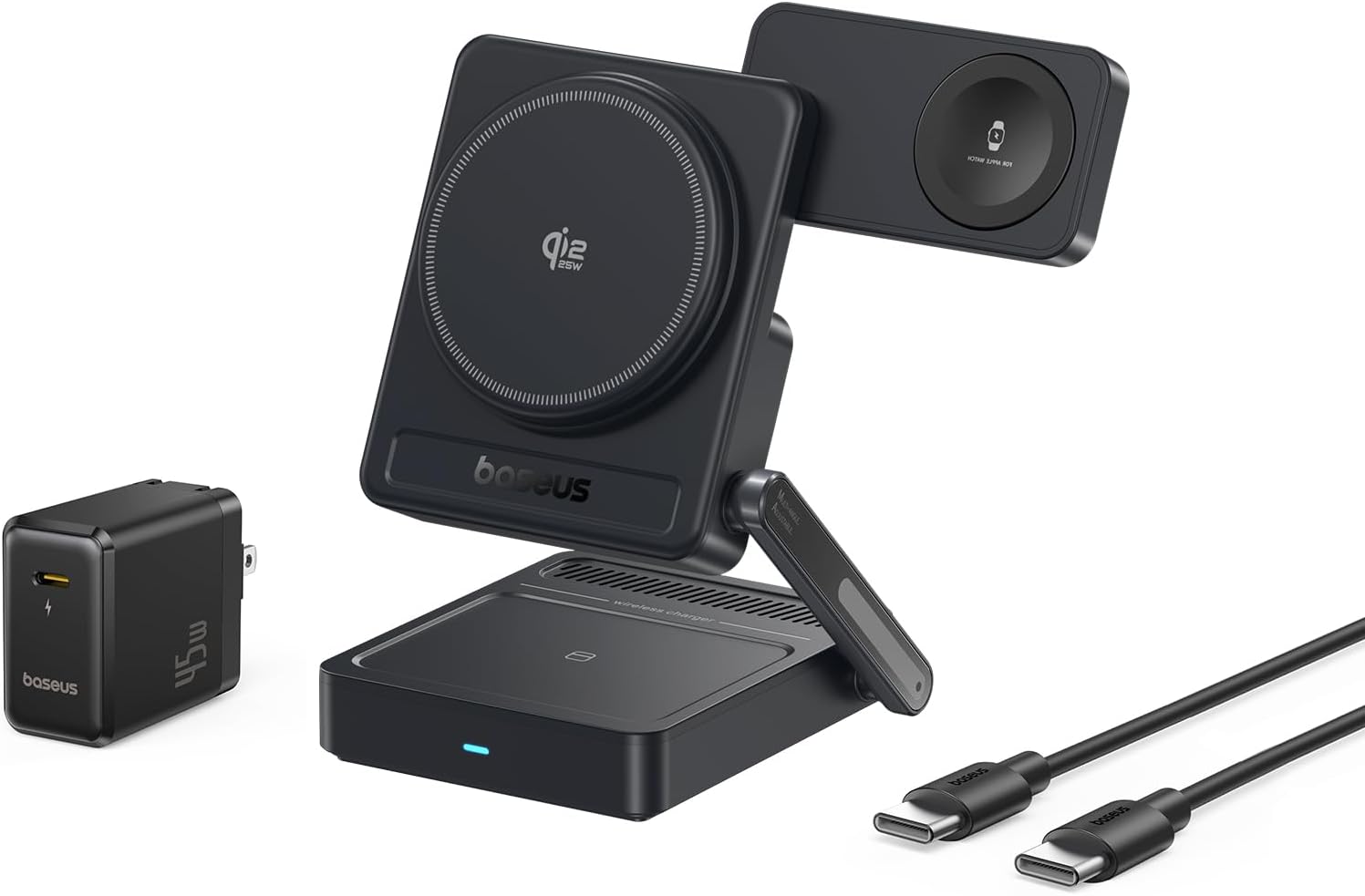
Image: Contents of the Baseus Picogo AF21 package, showing the charging station, power adapter, and cable.
Ka mutu te huaview
The Baseus Picogo AF21 is a versatile 3-in-1 wireless charging station designed to simultaneously charge your iPhone, Apple Watch, and AirPods. It features Qi2.2 25W fast charging for compatible iPhones, magnetic alignment, and a foldable design for portability.
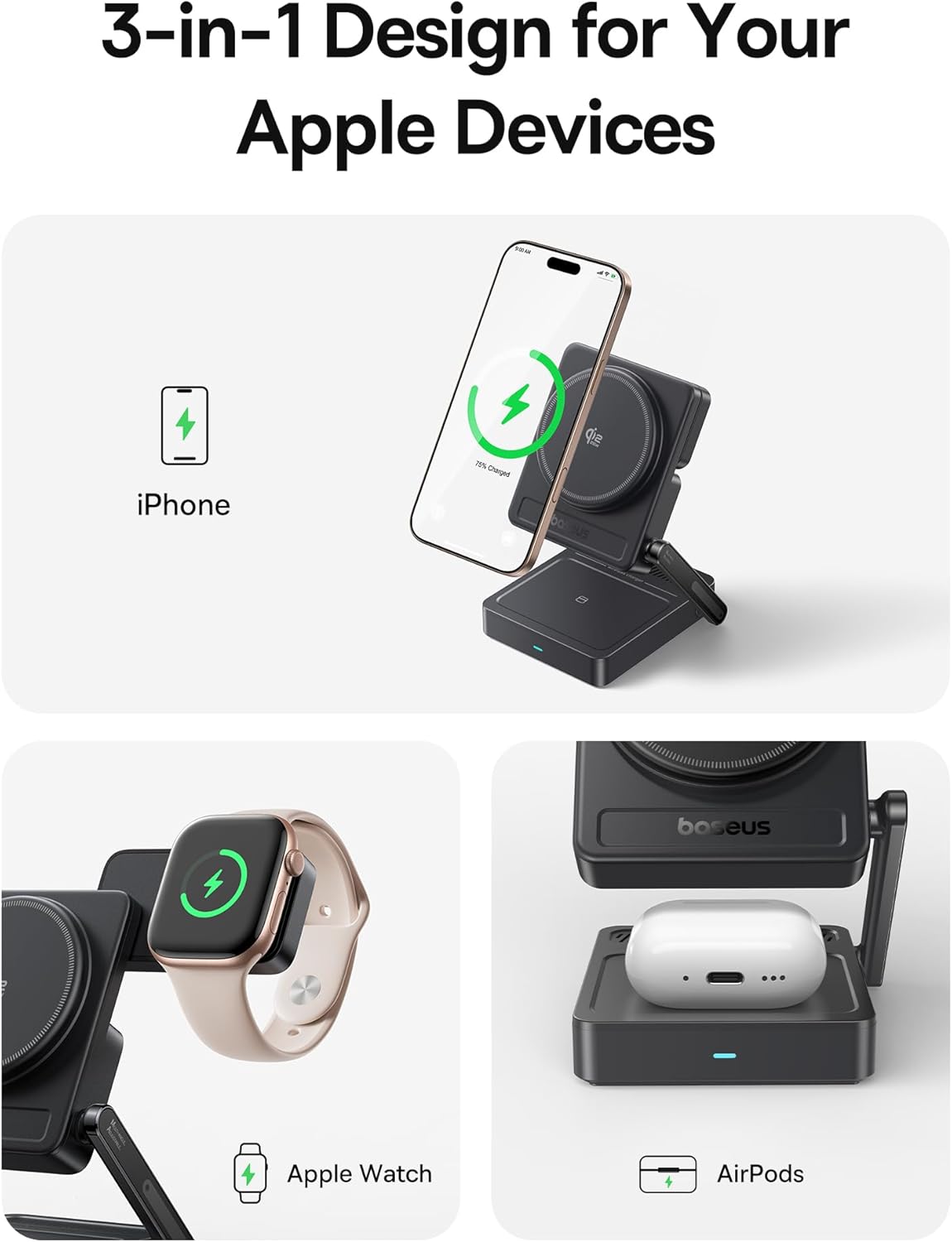
Image: The Baseus Picogo AF21 charging station highlighting its three charging zones for an iPhone, Apple Watch, and AirPods.
Aratohu Tatūnga
- Wewetehia te Teihana Katoa: Gently unfold the charging station from its compact travel state. The phone charging panel and watch charging panel can be adjusted to your desired angle.
- Hono Hono: Insert the provided Type-C to Type-C cable into the charging station's input port and connect the other end to the 45W power adapter.
- Mono ki te Putanga Hiko: Plug the 45W power adapter into a wall outlet. The LED indicator on the base will illuminate, indicating the station is ready for use.

Image: Visual guide demonstrating the adjustable angles of the charging station's base, phone panel, and watch panel.
Nga Tohutohu Whakahaere
Charging Your iPhone (Qi2.2 25W)
Place your MagSafe-compatible iPhone (iPhone 12 and newer) onto the main magnetic charging panel. The strong N52M magnets will automatically align your device for optimal charging. For iPhone 17 series, 25W charging is supported. For iPhone 16 series, update to iOS 26 or later for 25W. iPhone 12-15 series support up to 15W Qi2.0 charging.

Image: An iPhone 16 Pro Max charging wirelessly on the station, illustrating the speed of Qi2.2 25W charging.
Charging Your Apple Watch (5W Max)
Place your Apple Watch (all models S1-S10, SE, Ultra) onto the dedicated magnetic watch charging puck. The puck can be rotated 180 degrees for convenient placement.

Image: An Apple Watch charging on the side puck of the Baseus Picogo AF21.
Charging Your AirPods (5W Max)
Place your Qi-enabled AirPods case onto the flat charging pad at the base of the station.
StandBy Mode
When your iPhone is charging horizontally, it will automatically enter Apple's StandBy mode, displaying widgets, clocks, or photo galleries.
Video: Demonstration of the Baseus Picogo AF21 3-in-1 Charging Station in use, showing an iPhone in StandBy mode, Apple Watch, and AirPods charging simultaneously.
Nga waahanga matua
- Qi2.2 25W Wireless Fast Charging: Provides rapid charging for compatible iPhones, significantly faster than previous Qi standards.
- 3-i roto i te 1 te Whakataki: Simultaneously charges iPhone, Apple Watch, and Qi-enabled AirPods.
- Foldable & Compact Design: Easily folds down to a small size (2.97 × 3.15 × 1.5 inches, 0.56 lbs) for convenient travel and storage.
- Tirohanga aukume: Features 16 N52M magnets for secure and precise alignment of your iPhone, ensuring efficient charging.
- Ka taea te whakarite Viewing Koki: Base bracket (0–55°), phone panel (0–115°), and watch panel (180° rotation) offer flexible viewing and charging positions.
- 8-Layer Protection: Built-in safeguards against over-temperature, over-current, over-voltage, foreign object detection, under-voltage, no fire risk, static shielding, and short-circuit detection.

Whakaahua: He pahū view of the charging station highlighting its internal safety features and protection layers.
Hototahi
- iPhone: iPhone 12 series and newer (including iPhone 17, 16, 15, 14, 13, 12 series). Requires iOS 26 or later for full 25W Qi2.2 charging on iPhone 16 series. iPhone 12-15 series support up to 15W Qi2.0.
- Apple Watch: All Apple Watch models (Series 1-10, SE, Ultra).
- AirPods: All Qi-enabled AirPods models (with wireless charging case).
- Other Qi-enabled Devices: Compatible with other Qi-enabled smartphones and earbuds, though charging speeds may vary.
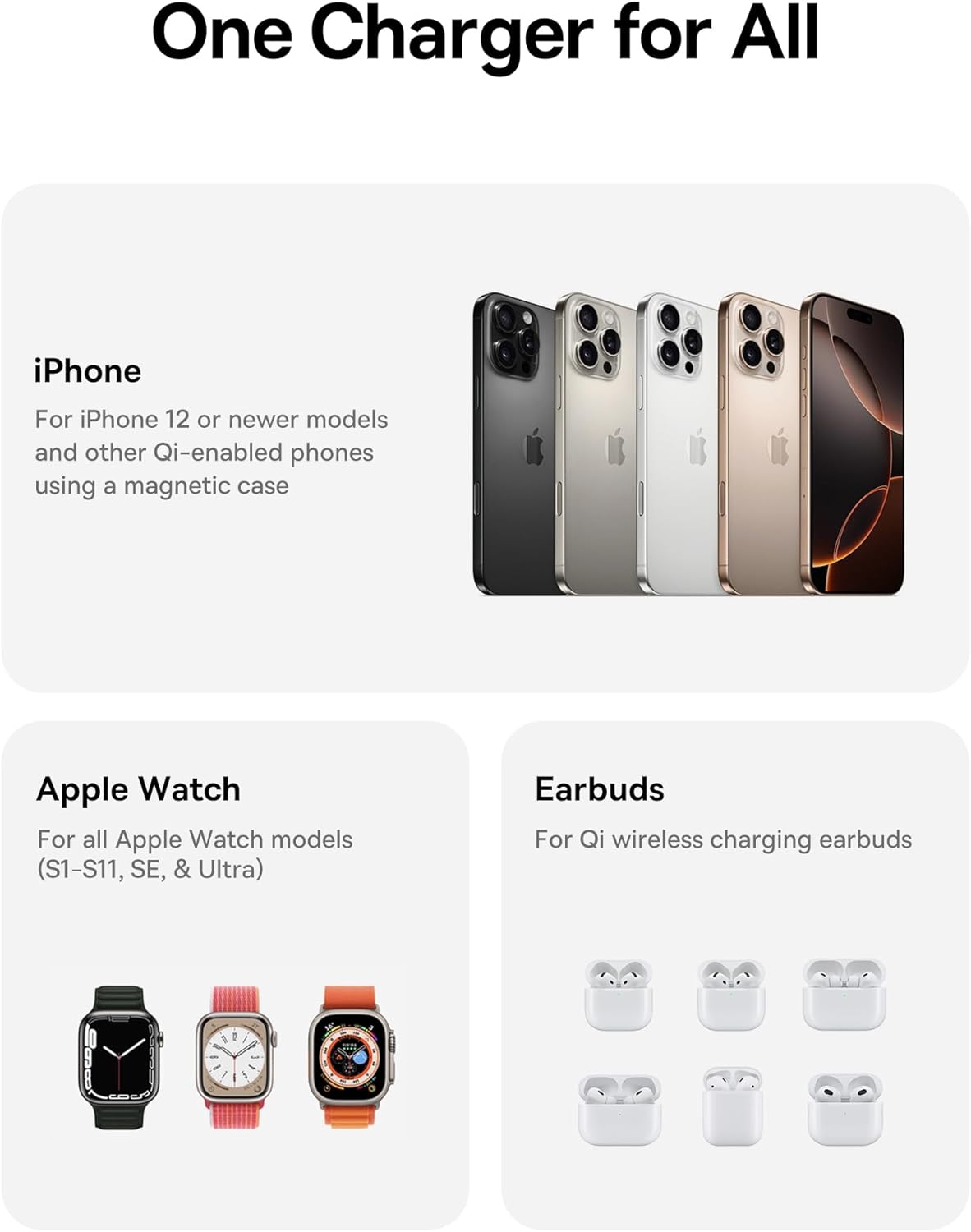
Image: A visual representation of the charging station's compatibility with different Apple devices.
Whakatakotoranga
| Tau tauira | E02054 |
| Whakauru Voltage | 240 Volts |
| Ampwhakatipu | 3 Amps |
| Wattage | 25 Watts (Mōrahi) |
| Momo Tuhono | Momo USB C |
| Ahu Hua (Kopa) | 3.15 x 2.97 x 1.5 inihi |
| Taumaha Tūemi | 1.08 pauna |
| Nga waahanga motuhake | Charging Indicator, Magsafe Compatible, Multi Device Charging, Travel, Wireless Charging |
Raparongoā
- Kaore te taputapu e utu ana:
- Ensure the charging station is properly connected to the 45W power adapter and a live power outlet.
- Verify your device is correctly aligned on the charging pad. For iPhones, ensure magnetic connection.
- Remove any thick cases or metallic objects from your device that might interfere with wireless charging.
- Check if your device is Qi-enabled or MagSafe-compatible.
- Puturi te utu:
- Confirm you are using the provided 45W power adapter and cable. Lower wattagTērā pea ka puhoi ake te utunga mai i ngā urutau hiko.
- Ensure your iPhone's software is up to date, especially for 25W Qi2.2 charging on iPhone 16 series (requires iOS 26 or later).
- Avoid using your device heavily while charging, as this can slow down the charging process.
- Kāore te tohu LED e mura ana:
- Check the power connection from the wall outlet to the adapter and to the charging station.
- Whakamātauria he putanga hiko rerekē.
Tiaki me te Tiaki
- Clean the charging surfaces regularly with a soft, dry cloth to remove dust and debris.
- Kaua e whakamahia he matū pakeke he horoi horoi ranei.
- Penapenahia te teihana utu ki te wāhi hauhautanga, maroke hoki ina kore e whakamahia.
Pūtāhui me te Tautoko
For warranty information or technical support, please refer to the official Baseus webpaetukutuku, whakapā atu ranei ki ta raatau ratonga kaihoko. Puritia to rihiti hoko mo nga kereme whakamana.
Kaihanga: Shenzhen Baseus Technology Co., Ltd.
Te Ra Tuatahi Wātea: Mahuru 18, 2025
Hononga Hua: Whārangi Hua Amazon


