1. Kupu Whakataki
This manual provides essential information for setting up, operating, maintaining, and troubleshooting your OSCAL Tiger 8 5G Android Phone. Please read through these instructions carefully to ensure optimal performance and longevity of your device.
2. He aha kei roto i te Pouaka
Manatokona kei roto katoa nga mea kei roto i to kete hua:
- OSCAL Tiger 8 5G Android Phone
- Charger & USB-C Cable
- Take Waea
- Kaitiaki Mata
- Pin Card
- Pukapuka Kaiwhakamahi
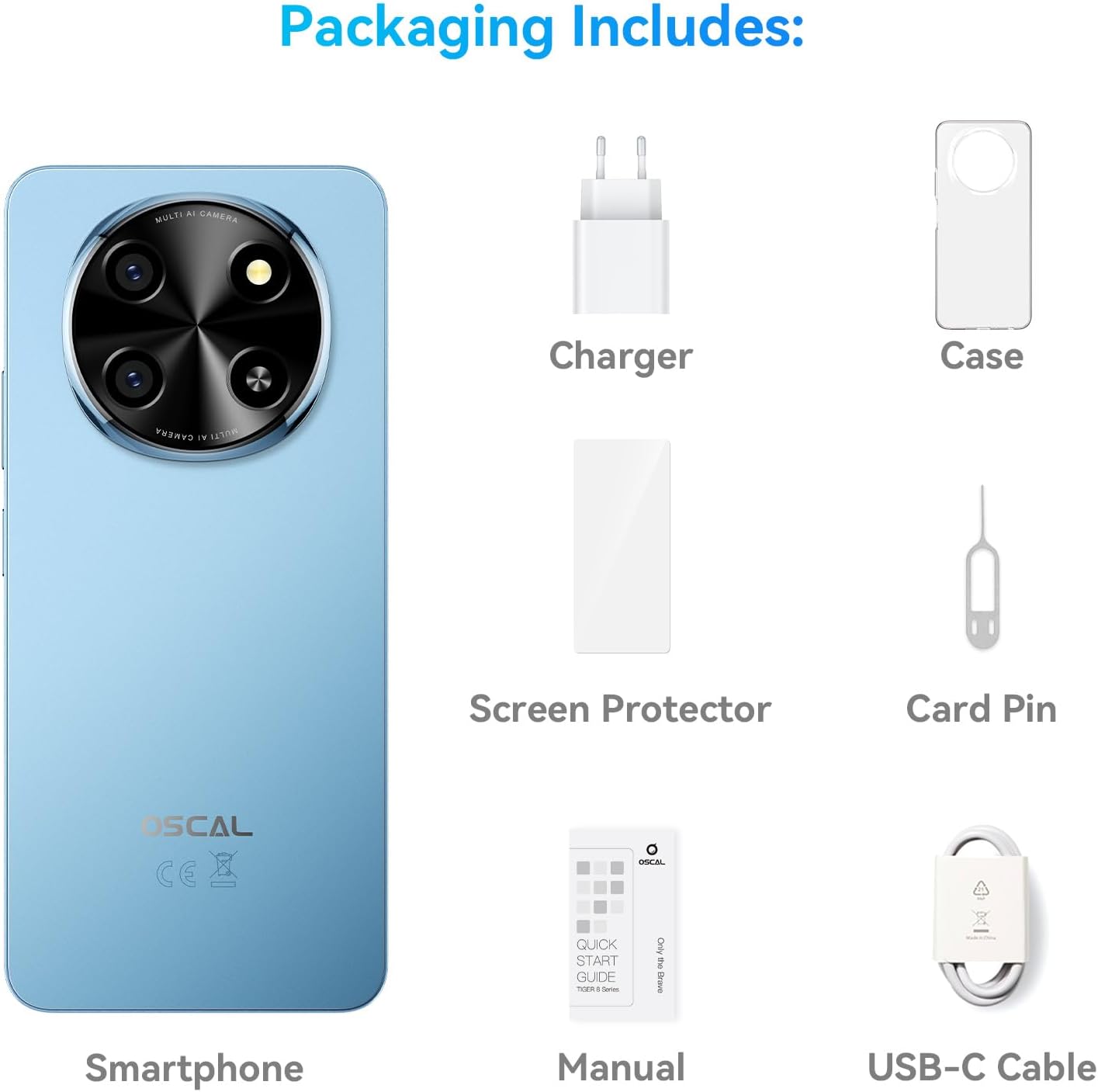
Image: Contents of the OSCAL Tiger 8 5G packaging, including the smartphone, charger, USB-C cable, phone case, screen protector, card pin, and user manual.
Video: An unboxing video for the OSCAL Tiger 8 5G, demonstrating the contents of the retail package and initial handling of the device.
3. Tatūnga Tuatahi
- Kōkuhu Kāri Sim: Use the provided card pin to open the SIM tray. Insert your 5G-compatible SIM card(s) and/or a microSD card for expanded storage. Ensure the tray is securely closed.
- Whakahiko: Press and hold the power button located on the side of the device until the OSCAL logo appears.
- Whirihoranga Tuatahi: Follow the on-screen prompts to select your language, connect to Wi-Fi, set up your Google account, and configure security features like fingerprint or face unlock.
- Screen Protector & Case: Your device comes with a pre-installed screen protector and a protective case. Ensure they are properly applied for enhanced durability.
- Utu Pūhiko: For first use, it is recommended to fully charge the device using the provided charger and USB-C cable.
Video: An operation guide for OSCAL phones, demonstrating basic usage and setup steps to enhance user experience.
4. Nga Tohutohu Whakahaere
4.1. Whakaaturanga me ngā Ataata
The OSCAL Tiger 8 features a 6.88-inch HD+ display with an AI-Adaptive 120Hz refresh rate for a smooth and clear visual experience. The display automatically adjusts its refresh rate based on content to optimize power efficiency.

Image: The 6.88-inch immersive waterdrop display of the OSCAL Tiger 8, highlighting its 120Hz AdaptiveSync refresh rate, 720*1640 resolution, 20.5:9 aspect ratio, HD+ IPS screen type, and 89.7% screen-to-housing ratio for an immersive viewte wheako.

Image: A visual breakdown of the Smart 120Hz AI Refresh Rate, showing how it adapts from 60Hz for everyday browsing, 90Hz for casual gaming, and 120Hz for intense gaming and high-res video streams, with AI adjusting on the fly to save power.
4.2. Mahinga me te Rokiroki
Equipped with a 5G Octa-Core Unisoc T8100 processor and up to 12GB expandable RAM, the Tiger 8 ensures smooth multitasking and fast app launches. The 128GB internal storage is expandable up to 2TB with a microSD card.

Image: Details of the 5G Octa-Core Unisoc T8100 processor, highlighting its 6nm EUV technology, LPDDR4X + UFS2.2, Arm Mali G57 GPU, and 451815 Antutu benchmark score, indicating AI-powered speed and performance.

Image: A graphic illustrating the 12GB RAM (4GB physical + 8GB virtual) and 128GB ROM with 2TB TF expansion, emphasizing faster app launch (15% faster) and the ability to run 16 apps concurrently in the background, suitable for working, video editing, and fluent gaming.
4.3. Āhuatanga Kāmera
Capture sharp and vibrant photos with the 16MP main camera and stunning 4K Ultra Video. The 8MP AI front camera enhances selfies with adjusted lighting and skin tones. Various modes like HDR, Night Mode, and Portrait Mode are available.

Image: A visual showcasing the 16MP AI Main Camera with AI Scene Recognition and Smile Shutter, and the 8MP AI-enhanced Selfie Camera with Face Fill Light and Face Unlock, both capable of 4K FHD+ Video Recording.
Image: A display of various camera modes available on the OSCAL Tiger 8, including Night mode for low light, Beauty mode for natural enhancements, Portrait mode for focused subjects, and HDR for vivid, true-to-life shots.
4.4. Te Ora o te Pūhiko me te Whakatau
The 5000mAh battery, combined with AI Power Saving, offers extended usage. With 18W fast charging, your phone can reach 50% battery in approximately 43 minutes.

Image: A graphic detailing the 5000mAh battery, 18W fast charging (50% in 43 minutes), over 800 battery cycles with 80% capacity retained, AI Overnight Charging Protection, and AI Power Saving features, along with estimated usage times for standby, calling, music, browsing, video, and gaming.
4.5. AI and Software
Running on Android 15 with DokeOS 4.2, the Tiger 8 offers enhanced security, privacy, and user-friendly features. AI engines like DeepSeek, ChatGPT, and Gemini provide intelligent assistance for various tasks.

Image: An illustration of Doke AI features, including voice wake-up & voiceprint recognition, seamless voice interaction, Smart Q&A, and Smart Global Control, with examples of AI Smart Chat, Image Editing, Video Trimming, and Music Editing apps.

Image: A visual representation of the Android 15 operating system combined with DokeOS 4.2, showcasing a modern interface with various app icons and widgets, emphasizing security, privacy, and ease of use.
4.6. Hononga me te Haumarutanga
The device supports NFC for contactless payments, Dual 5G SIM for broad network coverage, and multiple navigation systems (GPS, Glonass, Beidou, Galileo). Secure access is provided through face unlock and fingerprint unlock.
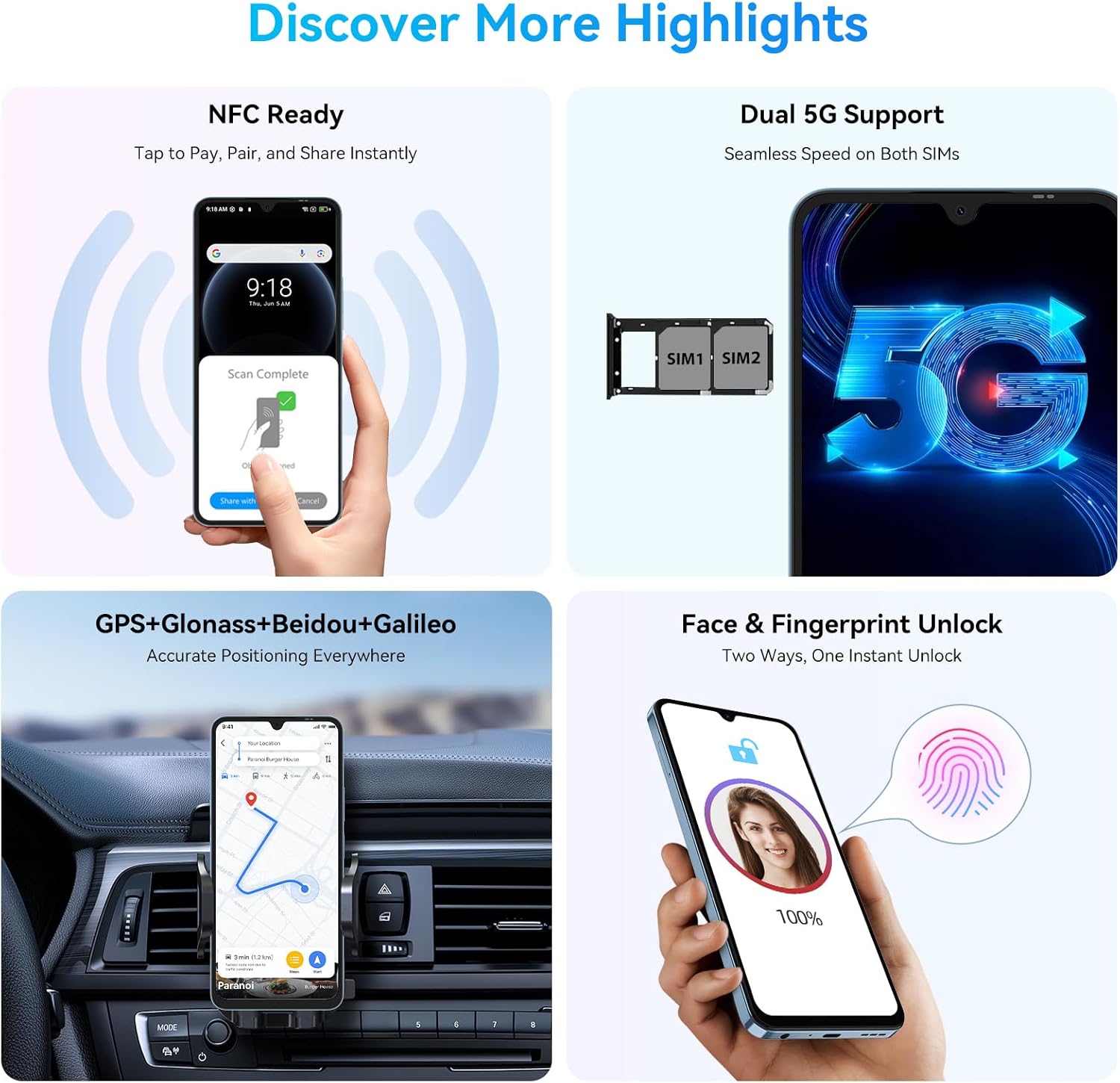
Image: A graphic highlighting key features such as NFC for contactless payments, Dual 5G SIM support for seamless speed, GPS+Glonass+Beidou+Galileo for accurate navigation, and Face & Fingerprint Unlock for instant secure access.
Ataata: Kua mutuview whakaaturanga ataatacasing the OSCAL Tiger 8 5G Android Phone's features, including its display, camera, performance, and design.
5. Tiaki
- Whakahōu Pūmanawa: Tirohia me te tāuta i ngā whakahōunga pūnaha i ia wā, kia mōhio ai kei tō pūrere ngā papaki haumarutanga me ngā āhuatanga hou. Haere ki Tautuhinga> Punaha> Whakahoutanga punaha.
- Tiaki Pūhiko: To prolong battery life, avoid extreme temperatures and do not let the battery drain completely too often. Utilize AI Power Saving features.
- Te horoi: Whakamahia he kakahu ngohengohe, kore-miro hei horoi i te mata me te tinana o te waea. Āta karohia ngā matū kino.
- Whakahaere Rokiroki: Ūkui i ia wā me te kore e tika files and cache to maintain optimal performance. Use the built-in 'System Manager' for app management and auto-cleanup.
6. Te Raru
6.1. Pūrere Rere, Whakatio ranei
- Katia ngā Taupānga Papamuri: Swipe up from the bottom of the screen and clear all recent applications.
- Wetetāuta i ngā Taupānga Kāore i Whakamahia: Remove applications you no longer use to free up system resources.
- Tīmataria anō te Pūrere: A simple restart can often resolve temporary performance issues. Press and hold the power button, then select 'Restart'.
- Expand RAM: If your device supports memory expansion, navigate to Settings > About phone > RAM and adjust the expansion size. A restart is required for changes to take effect.
6.2. Wi-Fi Not Connecting or Dropping
- Reset Wi-Fi Settings: Haere ki Settings > System > Reset options > Reset Bluetooth & Wi-Fi. This will reset all network settings.
- Tīmata anō i te Pouara: Whakakāhia tō pouara Wi-Fi.
6.3. Camera Error: "Go to System Setting to Empower Permissions"
- Clear Camera App Data: Long-press the Camera app icon, tap 'App info', then go to Storage & cache > Clear storage. This will reset the app to its default state.
- Check Permissions: Ensure the Camera app has all necessary permissions enabled under Settings > Apps & notifications > Camera > Permissions.
7. Whakatakotoranga Hangarau
| Āhuahira | Whakatakotoranga |
|---|---|
| Ingoa Tauira | OSCAL Phone Tiger 8 |
| Pūnaha Mahi | Android 15 (DokeOS 4.2) |
| Rahi Mata | 6.88 Inihi |
| Whakatau | 720 x 1640 (HD+) |
| Rere tāmata | 120 Hz (AdaptiveSync) |
| Tauira PTM | Unisoc T8100 Octa-Core |
| Mahara RAM | 12 GB (ka taea te whakawhānui) |
| Raukaha Rokiroki | 128 GB (ka taea te whakawhānui ki te 2TB) |
| Kāmera Matua | 16 MP |
| Kāmera Mua | 8 MP |
| Pūhiko Raukaha | 5000 Miliamp Nga haora |
| Whakatau Tere | 18W |
| Hononga | 5G, USB, Wi-Fi, Bluetooth, NFC |
| Whakaterenga | GPS, Glonass, Beidou, Galileo |
| Haumarutanga | Wewete Taputapu, Wewete Kanohi |
| Ahu | 2 x 2 x 2.7 inihi |
| Taumaha Tūemi | 1.1 pauna |
8. Pūtāhui me te Tautoko
Every OSCAL device includes a 2-tau pūtāhui from the date of purchase. This warranty covers manufacturing defects and ensures your unlocked Android phone stays secure, smooth, and up to date with ongoing OTA (Over-The-Air) updates.
For technical assistance, troubleshooting, or warranty claims, please contact OSCAL customer support through their official channels. Keep your purchase receipt and device's serial number handy.

Image: A graphic detailing OSCAL's customer service commitment, including 24/7 Customer Support, 30-Day Free Return & Exchange, and 3-Year After-Sales Support.


