1. Kupu Whakataki
Thank you for choosing the GAOMON 72 inch Kitchen Pantry Cabinet. This versatile storage unit is designed to enhance your kitchen, dining room, or living space with its functional design and ample storage capacity. This manual provides detailed instructions for assembly, operation, maintenance, and safety to ensure a smooth and enjoyable experience with your new cabinet.

Image 1.1: The GAOMON 72 inch Kitchen Pantry Cabinet in a living room setting, showcasing its design and potential placement.
2. Nga korero haumaru
Tena panuihia nga tohutohu haumaru katoa i mua i te huihuinga me te whakamahi. Ki te kore e whai i enei tohutohu ka whara, ka kino ranei te hua.
- Tepe Taumaha: Kaua e neke ake i te kaha o te taumaha o 450 pauna for the entire cabinet. Distribute weight evenly across shelves and drawers.
- Pūrere Anti-Tipping: It is crucial to install the included anti-tipping device to prevent the cabinet from falling, especially in households with children or pets. Securely fasten the device to a wall stud.
- Huihuinga: Assemble the cabinet on a soft, clean surface to prevent scratches. Ensure all hardware is tightened securely before use. Do not overtighten.
- Turanga: Place the cabinet on a flat, stable, and level surface. Avoid placing it near heat sources or in direct sunlight to prevent material degradation.
- Haumaru tamariki: Puritia nga waahanga iti me nga taonga kapi mai i nga tamariki i te wa e huihui ana. Kaua e tukua nga tamariki ki te piki ki runga, ki te takaro ranei ki te rūnanga.

Image 2.1: Details of the anti-tipping device, handles, and hinges, highlighting key safety and durability features.
3. Ihirangi mokete
Before beginning assembly, please verify that all parts and hardware are present. Refer to the included assembly instructions for a complete list of components. If any parts are missing or damaged, please contact GAOMON customer support.
Wae Angamaheni Kei roto:
- Top Cabinet Section (with glass doors)
- Bottom Cabinet Section (with solid doors)
- Huinga Kaiutuutu
- Whata Whakaritea
- Panui Hoki
- Kete Taputapu (ngā tīwiri, ngā pou, ngā raka kāmera, ngā inihi, ngā kakau, te kete ārai-hurihuri)
- Pukapuka Tohutohu Huihuinga

Image 3.1: Dimensional diagram of the cabinet, illustrating the various sections and their measurements.
4. Nga Tohutohu Huihuinga
Assembly of your GAOMON cabinet is designed to be straightforward. Follow the step-by-step instructions provided in the separate assembly manual included with your product. Ensure you have all necessary tools (typically a Phillips head screwdriver and a hammer) before you begin.
Nga Waahi Huihuinga Nui:
- Wewetehia ka Tautuhia: Carefully unpack all components and lay them out on a clean, soft surface. Identify each part using the labels and the parts list in your assembly manual.
- Huihuia te Waeine turanga: Begin by assembling the base frame of the bottom cabinet section according to the diagrams. Attach side panels to the bottom panel.
- Tāuta Runner Kaituku: Secure the drawer runners to the designated side panels of the bottom cabinet.
- Huihuia te Kaituku: Construct the drawer box and attach the drawer front. Insert the assembled drawer into the runners.
- Attach Bottom Cabinet Doors: Install hinges onto the bottom cabinet doors and then attach the doors to the cabinet frame. Adjust as needed for proper alignment.
- Assemble Top Cabinet Section: Follow similar steps to assemble the top cabinet section, including attaching the glass doors.
- Hono Wāhanga: Carefully place the assembled top cabinet section onto the bottom cabinet section and secure them together using the provided connectors.
- Tāutahia ngā Paewhiri Whakamuri: Attach the back panels to both sections of the cabinet.
- Tāutahia ngā Whata Whakaritea: Place the shelf pins into the desired holes and then rest the adjustable shelves on top.
- Āpiti Pūrere Anti-Tipping: Securely fasten the anti-tipping device to the top rear of the cabinet and then to a wall stud using appropriate wall anchors. This step is critical for safety.
5. Nga Tohutohu Whakahaere
Your GAOMON pantry cabinet offers versatile storage solutions. Here’s how to best utilize its features:
- Whata Whakaritea: The cabinet features adjustable shelves in both the upper and lower sections. To adjust, remove items from the shelf, lift the shelf, remove the metal pins, reposition the pins to the desired height, and then replace the shelf. Ensure pins are fully inserted and the shelf is stable before placing items on it.
- Whakamahinga Kaiutuutu: The large central drawer operates on smooth metal runners. Pull gently to open and push firmly to close. Avoid overloading the drawer to ensure smooth operation and prevent damage.
- Open Compartment/Microwave Stand: The spacious open compartment is ideal for small appliances like a microwave, coffee maker, or toaster. It includes a cable management hole at the back for neat organization of power cords.
- Kuaha Karaihe: The upper cabinet features glass doors, perfect for displaying decorative items or easily accessing frequently used kitchenware.
- Solid Doors: The lower cabinet with solid doors provides concealed storage for larger items or those you prefer to keep out of sight.
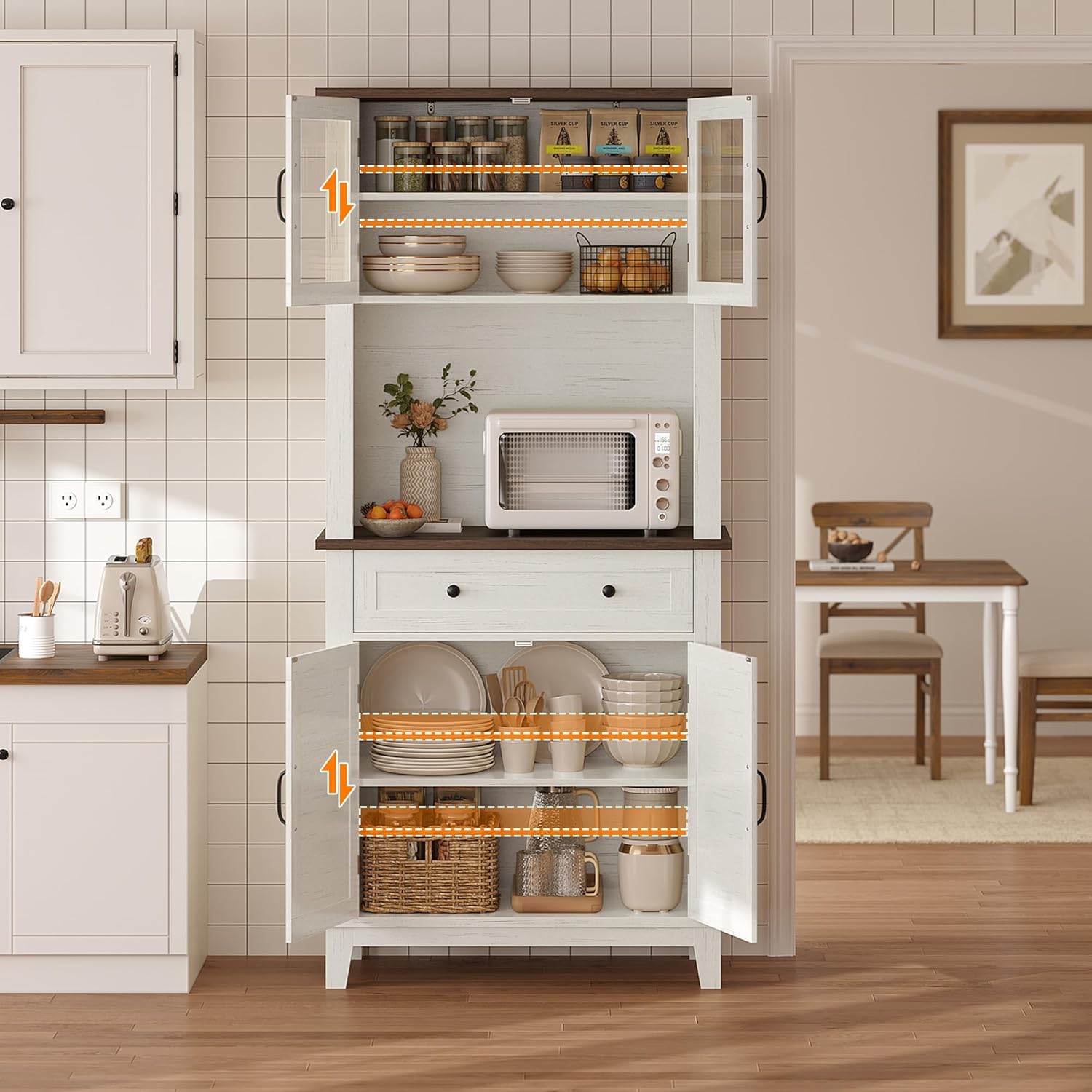
Image 5.1: The cabinet integrated into a kitchen, demonstrating its use as a pantry and microwave stand.
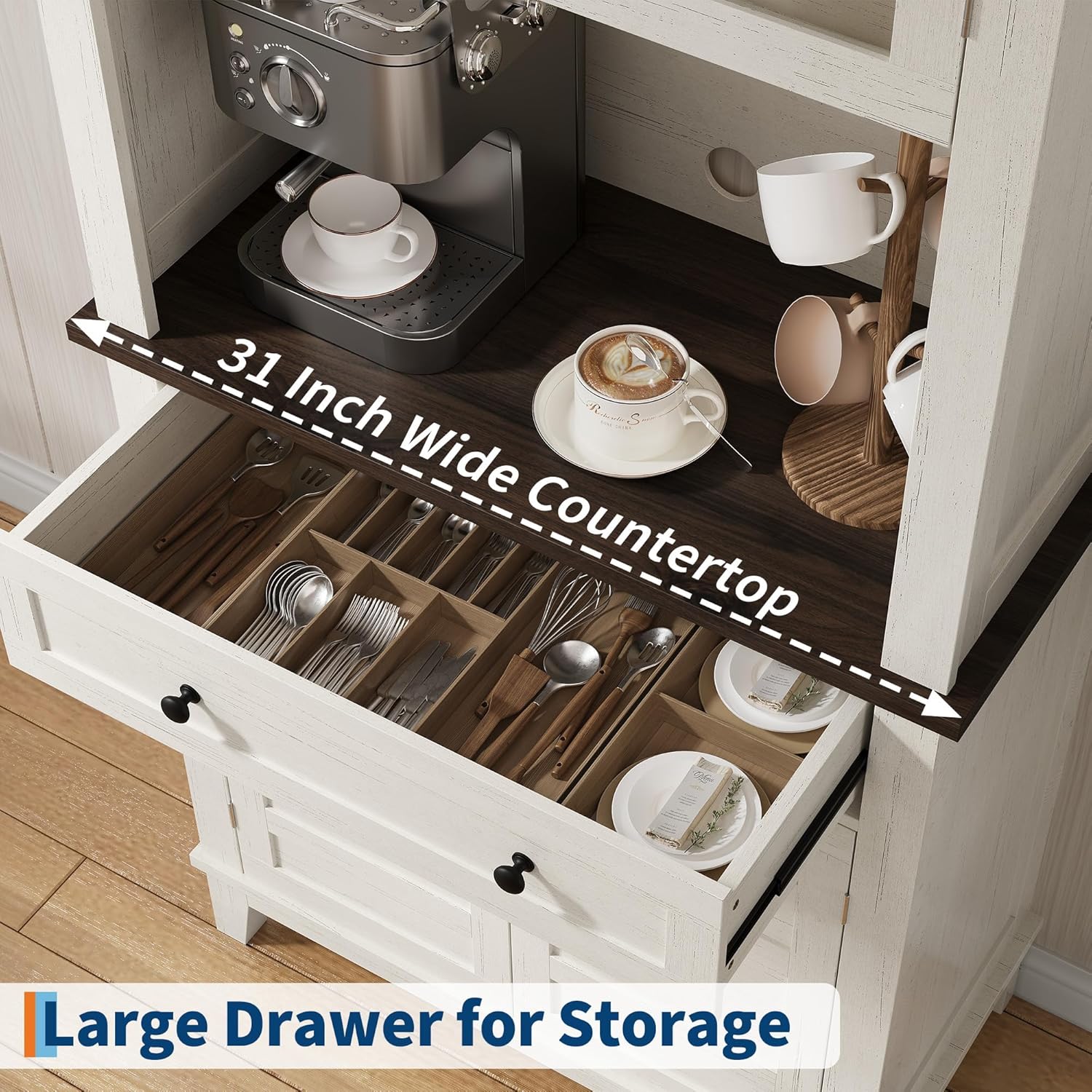
Whakaahua 5.2: Taipitopito view of the spacious drawer for storage and the 31-inch wide countertop, suitable for a coffee bar setup.
6. Tiaki
Proper care and maintenance will extend the life and appearance of your GAOMON cabinet.
- Te horoi: Horoia nga mata ki te ngohengohe, damp cloth. Avoid using harsh chemicals, abrasive cleaners, or polishes that may damage the finish. For glass doors, use a standard glass cleaner.
- Maringi: Horoia nga pakaru kia kore ai e poke te wai ranei o te rakau i hangaia.
- Pūmārō: Takitaki ia ia nga wa katoa nga wiri me nga here kia mau tonu. Me whakatiki ano mehemea e tika ana, engari kaua e whakakaha.
- Nga Tikanga Taiao: Maintain a stable room temperature and humidity. Extreme fluctuations can cause wood products to warp or crack.
7. Te Raru
Mena ka pa ki a koe etahi take mo to rūnanga, tirohia nga raru me nga otinga e whai ake nei:
- He Wobbly te rūnanga:
- Me whakarite kia noho te rūnanga ki runga i te mata taumata.
- Check that all assembly screws and cam locks are fully tightened.
- Verify the anti-tipping device is securely installed.
- Doors or Drawer Do Not Close Properly:
- Check for obstructions inside the cabinet or drawer.
- Adjust the hinges on the doors if they are misaligned. Most hinges allow for minor adjustments.
- Ensure the drawer runners are correctly installed and free of debris.
- Ngā karawarawa, ngā pakaru iti rānei:
- For minor scratches, a furniture repair pen or touch-up paint matching the cabinet's white finish may be used.
If these solutions do not resolve the issue, please contact GAOMON customer support for further assistance.
8. Whakatakotoranga
| Āhuahira | Taipitopito |
|---|---|
| Waitohu | KAOMONA |
| Ingoa Tauira | MJ_B41Ai8npYaopXyLCiBA4A |
| Tauira Tuemi | PHO_355KQB89-qcx4A |
| Tae | Mā |
| Hunga Hua | 31.5"D x 15.75"W x 72.24"H |
| Rahi | 32 inch Wide |
| Rauemi | Rakau Hangaia |
| Taumata Taumaha | 450 Pauna |
| Taumaha Tūemi | 103.1 Pauna |
| Momo Whakaeke | Maunga Papa |
| Momo Tāuta | Pūkana |
| Āhuahira Motuhake | Papa Whakaritea |
| Nga Waahanga kei roto | Kaiutuutu |
| Huihuinga e hiahiatia ana | Ae |
| UPC | 820567450663 |
9. Pūtāhui me te Tautoko
GAOMON is committed to providing high-quality products and customer satisfaction. While specific warranty details are not provided in this manual, please retain your proof of purchase for any warranty claims.
For any questions, concerns, missing parts, or assistance with assembly or troubleshooting, please contact GAOMON customer support. Refer to the contact information provided with your purchase or visit the official GAOMON webpae mo nga whiringa tautoko.


