1. Kupu Whakataki
The FiiO DISC is a portable HiFi music player designed for high-quality audio playback. It features a slim aluminum body, a circular touchscreen, and advanced audio components to deliver an immersive listening experience. This manual provides essential information for setting up, operating, and maintaining your FiiO DISC.

Figure 1.1: FiiO DISC Portable HiFi Music Player in various colors.
2. Tatūnga
2.1. Wewete pouaka me te utu tuatahi
Upon unboxing, ensure all components are present: the FiiO DISC player, a USB-C charging cable, and any included stickers. Before first use, fully charge the device using the provided USB-C cable connected to a compatible power adapter (not included).
2.2. Te whakauru i te Kaari MicroSD
The FiiO DISC supports MicroSD cards up to 2TB for expanded music storage. Locate the MicroSD card slot on the side of the device. Gently insert the MicroSD card until it clicks into place. Ensure the card is inserted correctly to avoid damage.

Figure 2.1: MicroSD card slot for storage expansion up to 2TB.
2.3. Te Whakakaha/Weto
Press and hold the power button (usually located on the side or top) for a few seconds to power on or power off the device. A short press will typically turn the screen on/off or lock/unlock the device.
2.4. Initial Language Selection
Upon first power-on, you may be prompted to select your preferred language. Follow the on-screen instructions to navigate and select English or your desired language.
3. Operating the FiiO DISC
3.1. Whakaterenga Mata Paa
The FiiO DISC features a circular touchscreen for intuitive control. Swipe across the screen to navigate menus and tap icons to select options. The user interface includes customizable lock screens, screen savers, album art, and lyrics display.

Figure 3.1: Dynamic user interface on the FiiO DISC circular touchscreen.
3.2. Purei Waiata
- Tirotiro: Navigate to the 'Music' or 'Folders' section to browse your audio files.
- Purei/Tatari: Tap the play/pause icon on the screen or use the dedicated physical buttons.
- Hūpeke Tere: Use the forward/backward icons on the screen or physical buttons to skip tracks.
- Mana Rōrahi: Adjust volume using the dedicated volume buttons on the device.
3.3. Hononga Nihokikorangi
The FiiO DISC supports Bluetooth 5.4 with LDAC for high-quality wireless audio. To pair with Bluetooth headphones or speakers:
- Go to the 'Settings' menu and select 'Bluetooth'.
- Turn on Bluetooth and put your external device into pairing mode.
- Select your device from the list of available devices to connect.

Figure 3.2: FiiO DISC demonstrating Bluetooth 5.4 with LDAC support.
3.4. Wired Headphone Outputs
The device is equipped with both 3.5mm single-ended and 4.4mm balanced headphone outputs. Connect your preferred wired headphones to the corresponding jack for optimal audio quality.

Figure 3.3: The FiiO DISC features both 3.5mm and 4.4mm headphone outputs.
3.5. USB Modes and Other Connectivity
The FiiO DISC supports various connectivity options:
- Aratau DAC USB: Connect to a computer to use the FiiO DISC as an external DAC.
- Putanga Ororongo USB: Output audio digitally via USB to compatible devices.
- Putanga Mamati Whakakotahi: For connecting to home audio systems.
- AirPlay: Rere ororongo ahokore mai i ngā pūrere Apple.
4. Nga waahanga matua
- Premium Aluminum Alloy Body with Circular Touchscreen: The ultra-slim aluminum alloy body provides a refined, lightweight feel. The round touchscreen offers a rich UI with customizable lock screens, screen savers, album art, and lyrics display.
- Dual DAC Design with Dual Headphone Outputs: Equipped with dual CS43131 DACs and a balanced audio architecture, it delivers up to 280mW of output power through both 3.5mm single-ended and 4.4mm balanced headphone outputs.
- Bluetooth 5.4 with LDAC Support: Ensures fast, stable, and low-latency wireless connections with support for high-quality audio codecs like LDAC and SBC.
- Pure Music OS with Up to 2TB Storage Expansion: Powered by a dual-core X2000 controller and FiiO’s self-developed Linux-based pure music system, offering smooth operation and support for up to 2TB MicroSD card expansion.
- Tae atu ki te 12 haora o te ora o te Pūhiko: The built-in 1450mAh battery provides up to 12 hours of continuous playback.
- Hononga maha: Supports USB DAC mode, USB Audio output, coaxial digital output, and AirPlay for seamless integration with various audio setups.
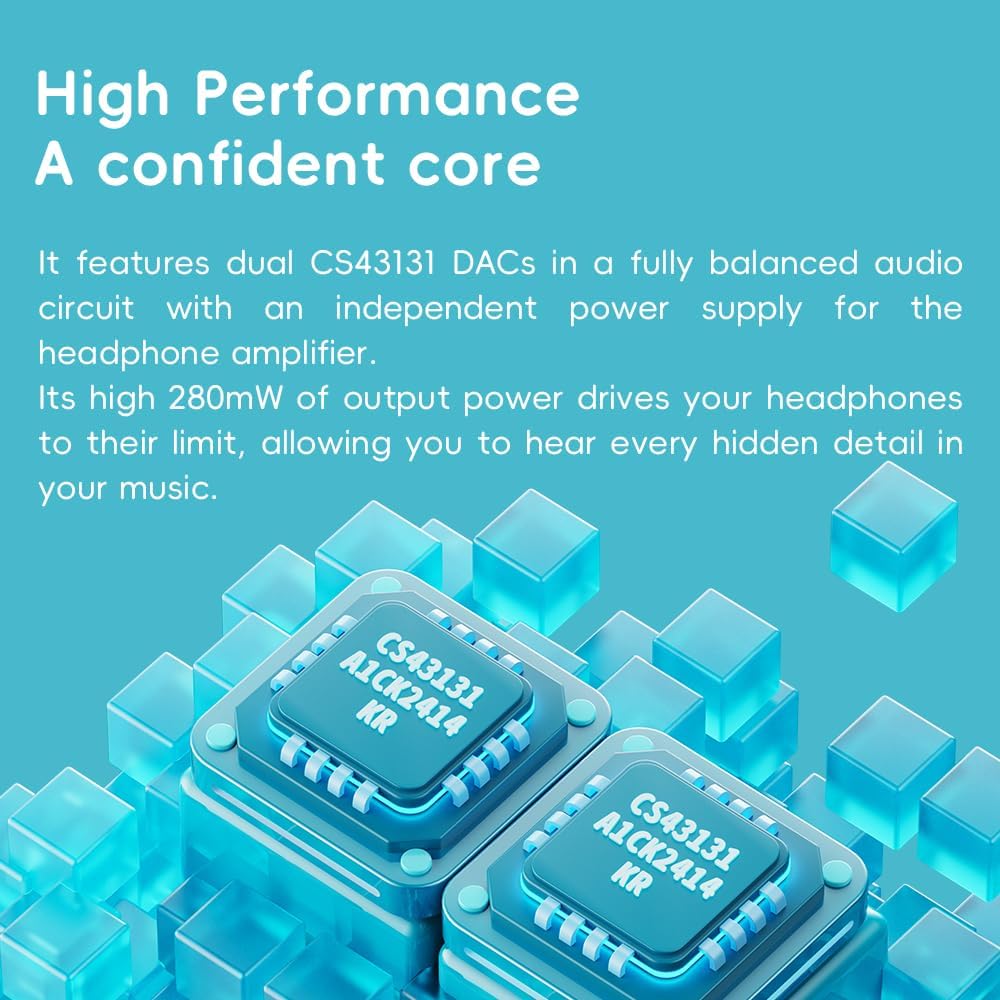
Figure 4.1: The FiiO DISC utilizes dual CS43131 DACs for high-fidelity audio.

Figure 4.2: The Ingenic X2000 dual-core chip powers the FiiO DISC's pure music OS.

Figure 4.3: The FiiO DISC offers up to 12 hours of battery life.
5. Tiaki
- Te horoi: Whakamahia he kakahu ngohengohe, maroke hei horoi i te taputapu. Kaua e whakamahi i ngā matū kaha, i ngā rauemi whakakoi rānei.
- Rokiroki: Store the FiiO DISC in a cool, dry place away from direct sunlight and extreme temperatures.
- Tiaki Pūhiko: Hei whakaroa i te ora o te pākahiko, kaua e whakawetohia te pākahiko i ngā wā katoa. Utuhia i ia wā, ahakoa kāore e whakamahia ana mō te wā roa.
6. Te Raru
6.1. Kaore te Pūrere i te hiko
- Me whakarite kia utua katoatia te pūrere. Honoa ki tētahi pūtake hiko, ā, tatari mō ētahi meneti i mua i te ngana ki te whakakā anō.
- Try holding the power button for a longer duration (e.g., 10-15 seconds) to perform a hard reset.
6.2. Kaore he Putanga oro
- Check the volume level on the device and your connected headphones/speakers.
- Ensure headphones are properly connected to the correct output jack (3.5mm or 4.4mm).
- If using Bluetooth, verify that the device is correctly paired and connected to your audio output.
- Test with different headphones or speakers to rule out an issue with the audio output device.
6.3. Waiata Files Not Appearing
- Ensure the MicroSD card is properly inserted.
- Manatokohia ko te puoro files kei roto i te whakatakotoranga tautoko.
- Perform a music library scan through the device's settings.
6.4. Ngā Take Honohono Nihokikorangi
- Ensure both the FiiO DISC and the target Bluetooth device are in pairing mode.
- Move the devices closer to each other to ensure they are within range.
- Forget previous pairings on both devices and attempt to pair again.
7. Whakatakotoranga
| Āhuahira | Taipitopito |
|---|---|
| Waitohu | FiiO |
| Ingoa Tauira | DISC |
| Tauira Tuemi | F5381D |
| Hangarau Hononga | Aux, Nihokikorangi |
| Āhuahira Motuhake | Ororongo Hi-Res |
| Tae | Blue (other variants available) |
| Rahi Mata | 1.8 Inihi |
| Pūrere Hototahi | Pūorooro |
| Pūhiko | 1450mAh (tae atu ki te 12 haora te purei) |
| Roha Rokiroki | Kāri MicroSD tae atu ki te 2TB |
| Nga DAC | Dual CS43131 |
| Te Mana Putanga | Up to 280mW |
| Pūnaha Mahi | Linux-based pure music system |
| Taumaha Tūemi | 5.9 hekere |
| Ahu mōkihi | 11.46 x 4.06 x 1.22 inihi |
8. Raihana me te Tautoko
Mō ngā mōhiohio pūtāhui me te tautoko hangarau, tirohia te paetukutuku mana o FiiO webpaetukutuku, whakapā atu ranei ki ta raatau ratonga kaihoko. Puritia to tohu hoko mo nga kereme whakamana.
Visit the official FiiO Store for more information: FiiO Store


